I've on and off since they launched in 2022 and 2023, respectively.
Gemini has always had one clear advantage: it works inside other Google apps like Gmail and Docs. Beyond that, I've never thought either one was better than the other. That changed this month.
On October 8, OpenAI brought GPT-6 to the free tier. Free users get GPT-6 Luna, while paid plans get GPT-6 Sol.
GPT-6 comes with Intelligent UI, which can create charts, radio buttons, checklists, and other interactive elements based on your query.
Meanwhile, a day later, Google dropped the free tier to Gemini 3.5 Flash-Lite, which means you'd need a paid plan to use a more advanced model.
I gave both apps the same everyday tasks, and GPT-6 clearly came out ahead on these five.
A day planner I can check off
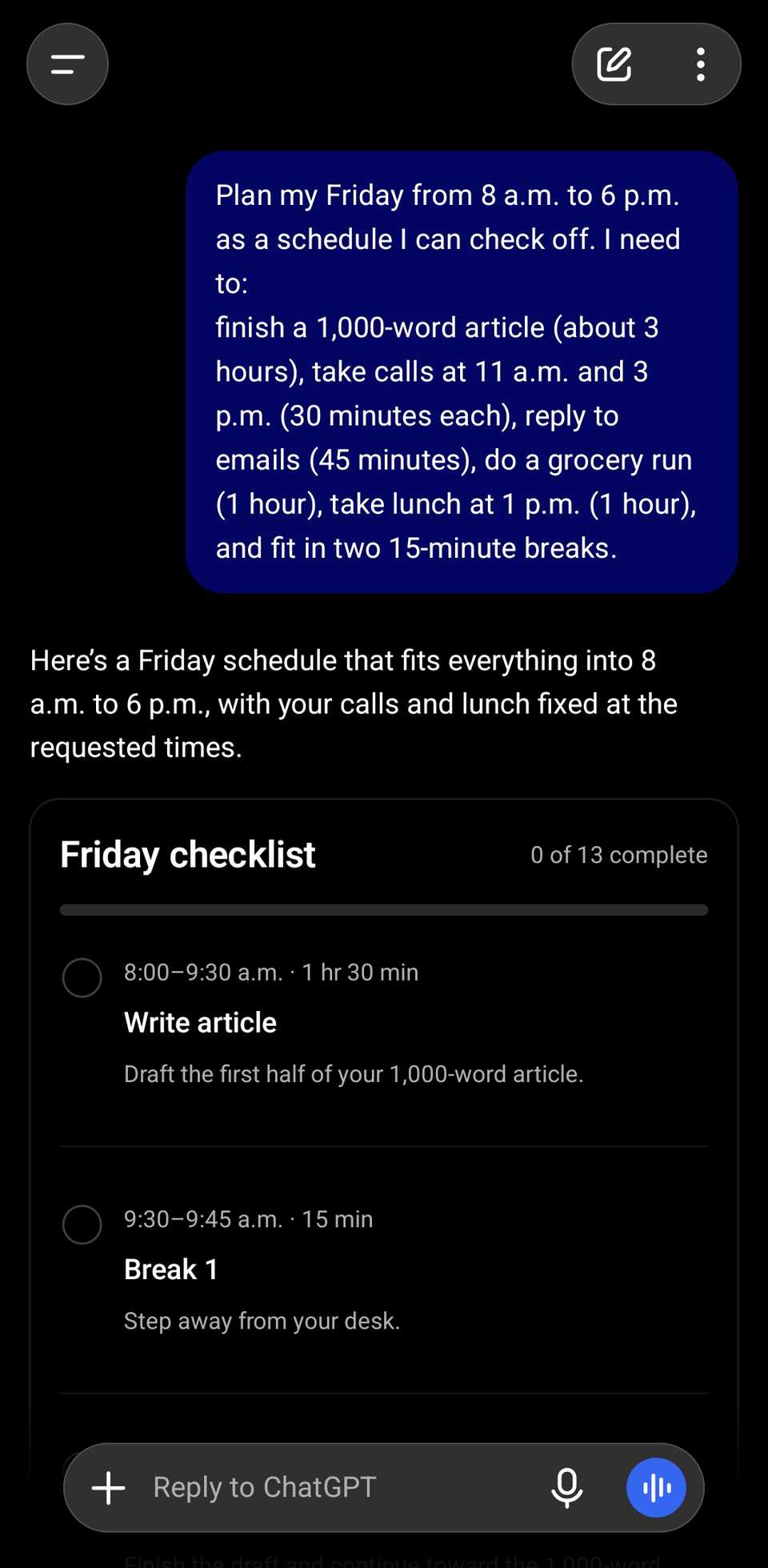
I asked both apps to plan my Friday from 8 a.m. to 6 p.m. around an article, two calls, emails, a grocery run, lunch, and two breaks.
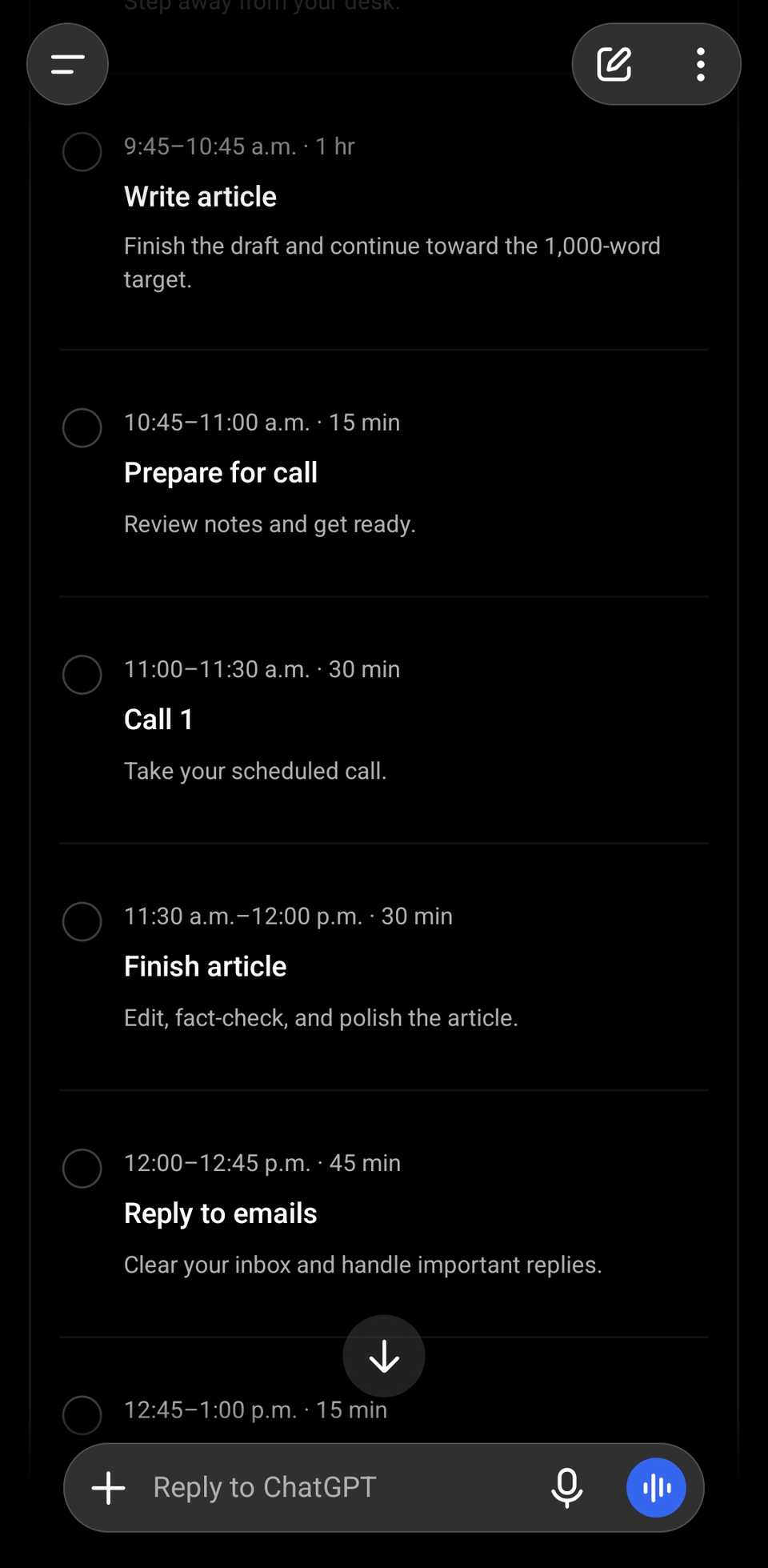
ChatGPT with tick circles, a counter that read "0 of 13 complete," and a reset button.
Gemini's plan was a plain text list with "[ ]" brackets I couldn't tap.
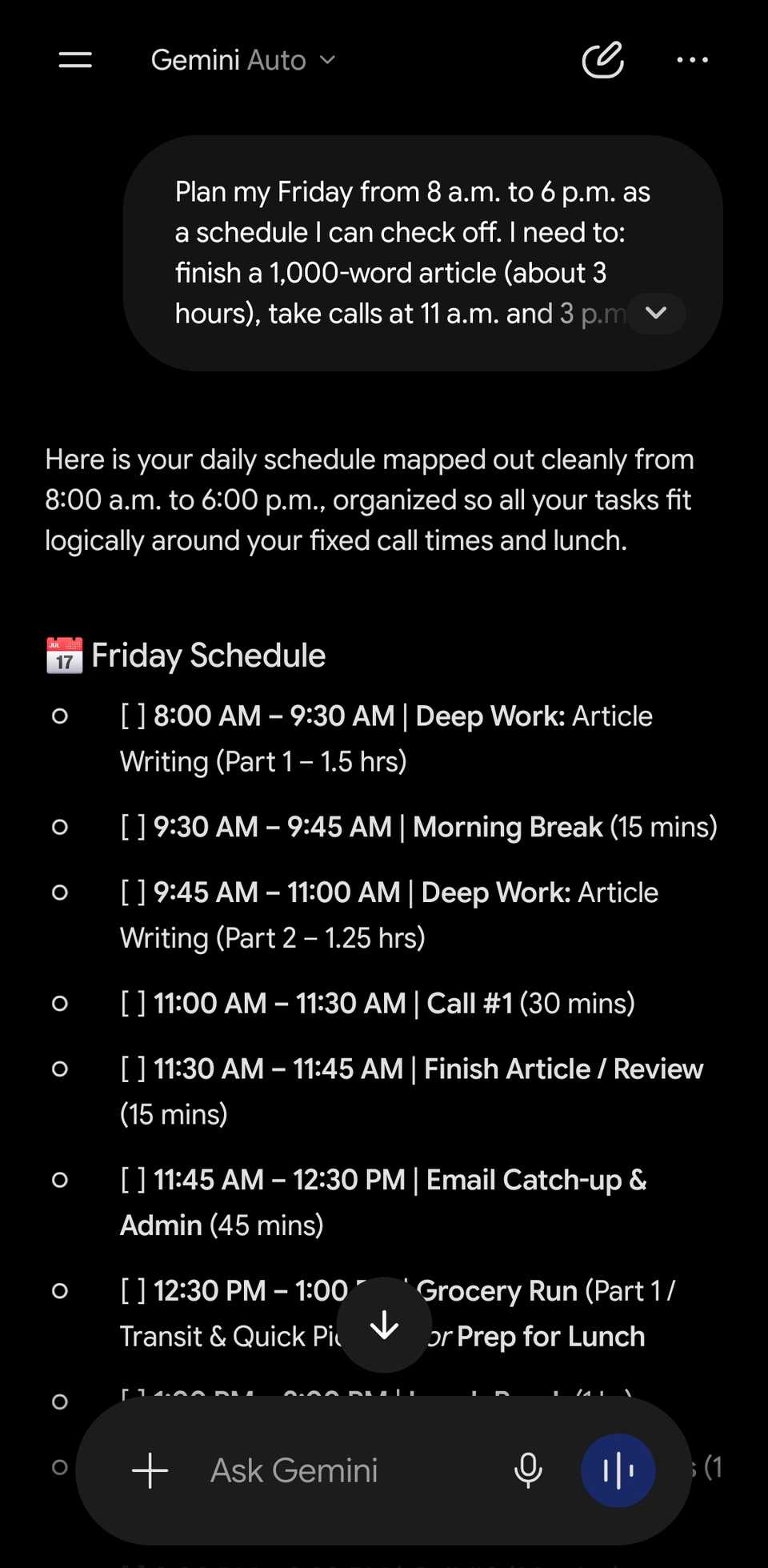
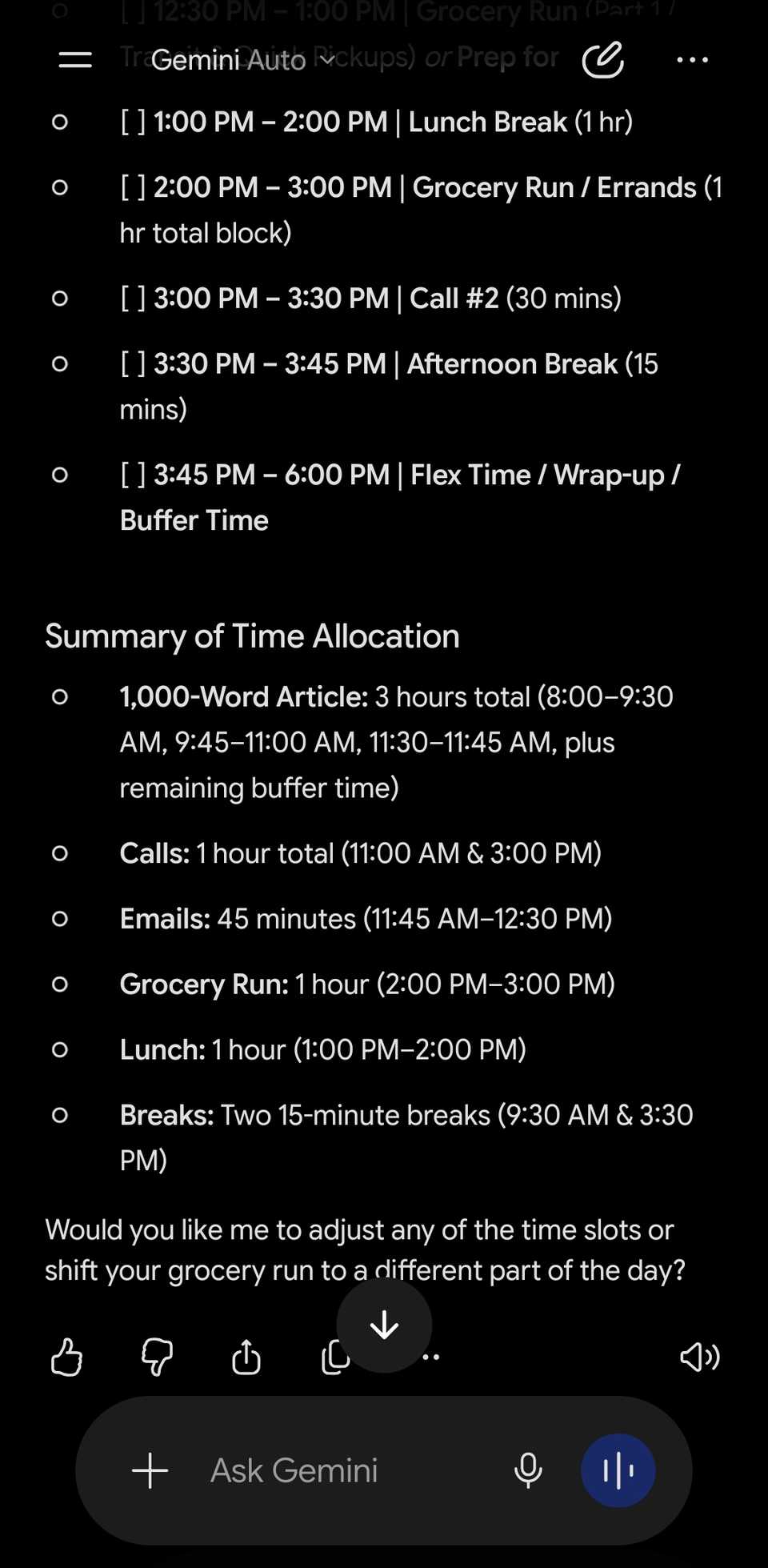
When I told them my 3 p.m. call had moved to 4 p.m., they both reshuffled the whole day without overlaps. ChatGPT's interactive checklist updated in place, while Gemini still gave me the plain text.
Interactive quiz cards that keep scores
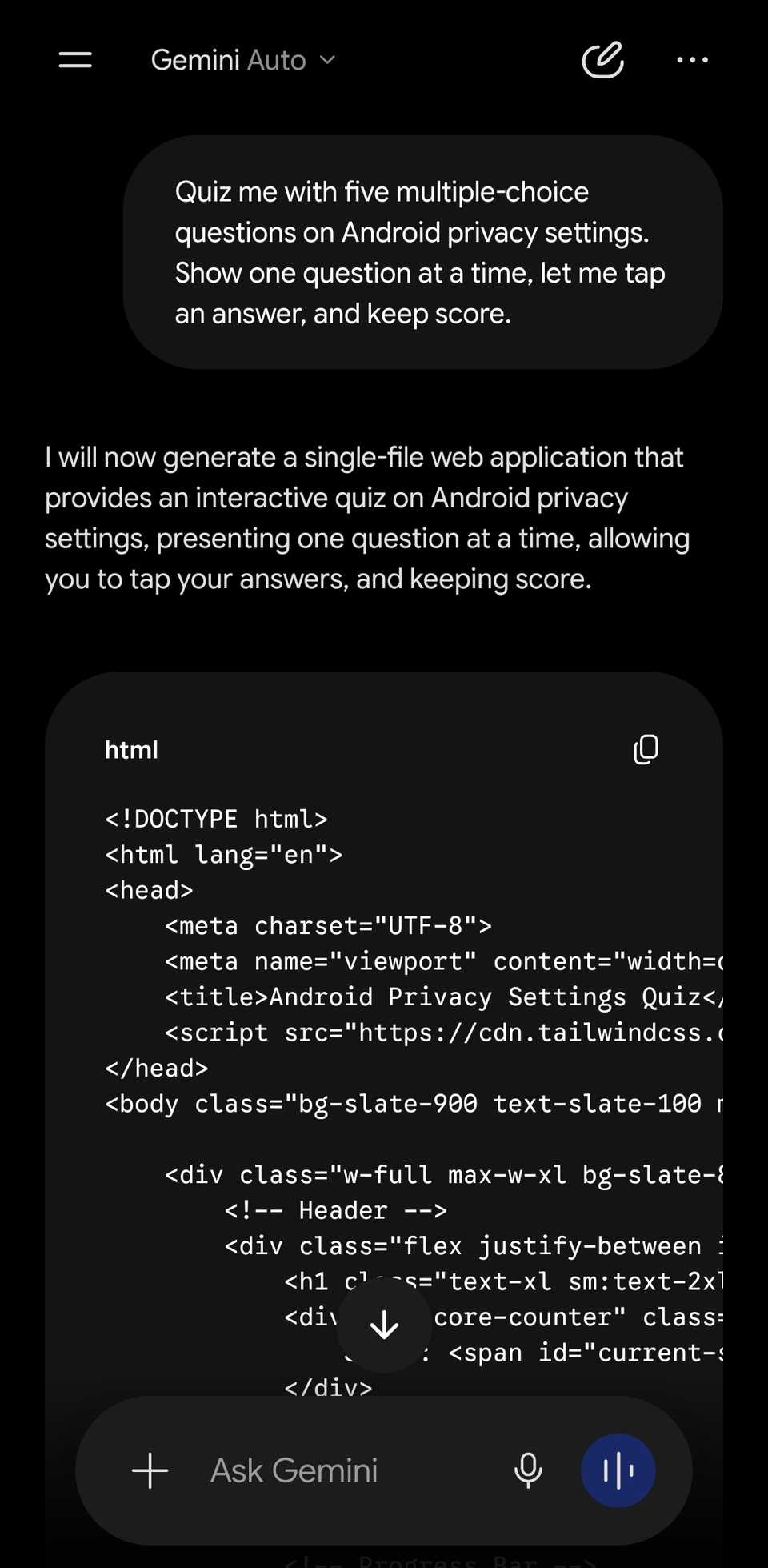
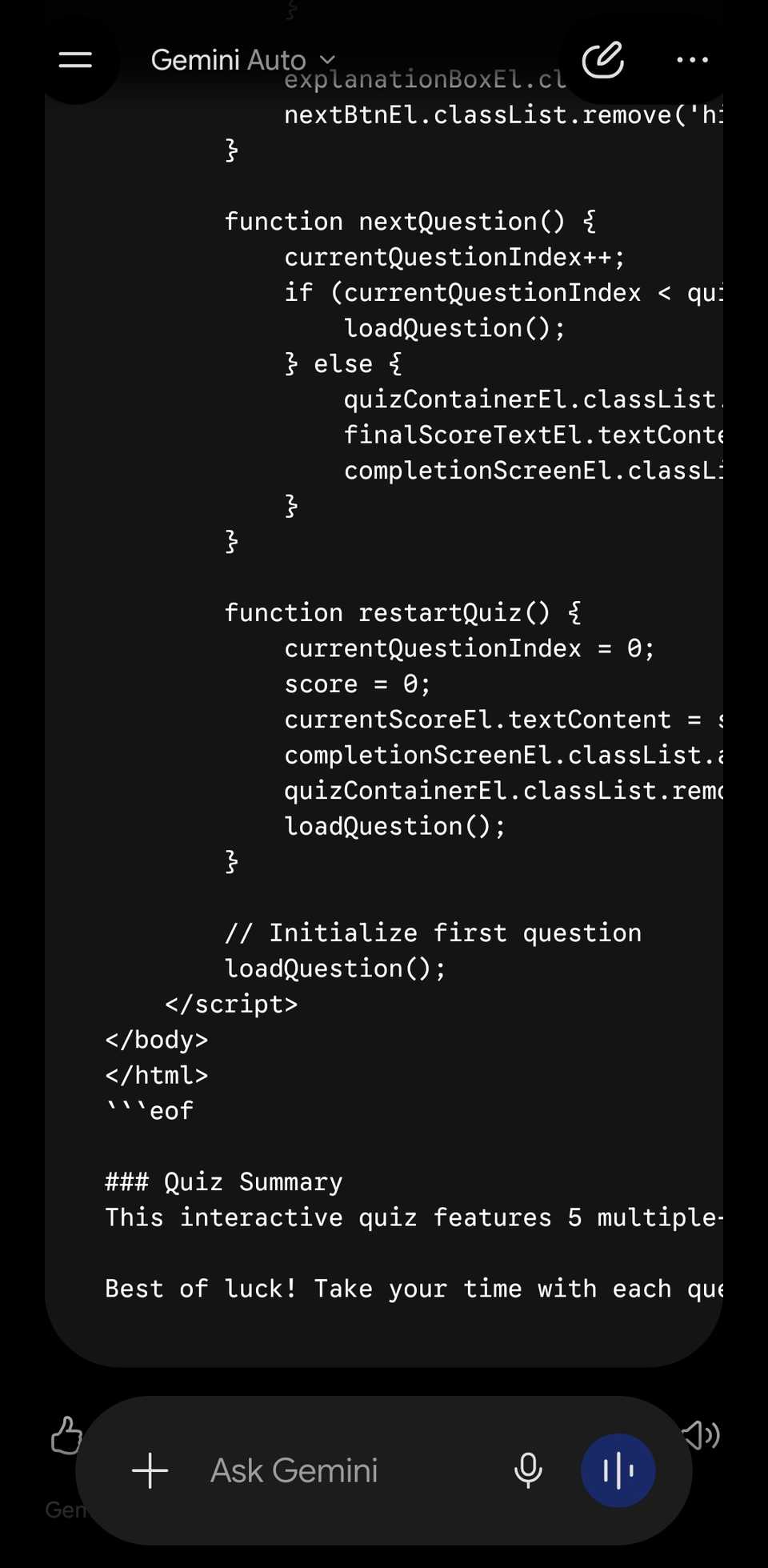
Gemini gave me a long block of HTML code

I then asked both apps for a short quiz of five multiple-choice questions on Android privacy settings, shown one at a time, with a running score.
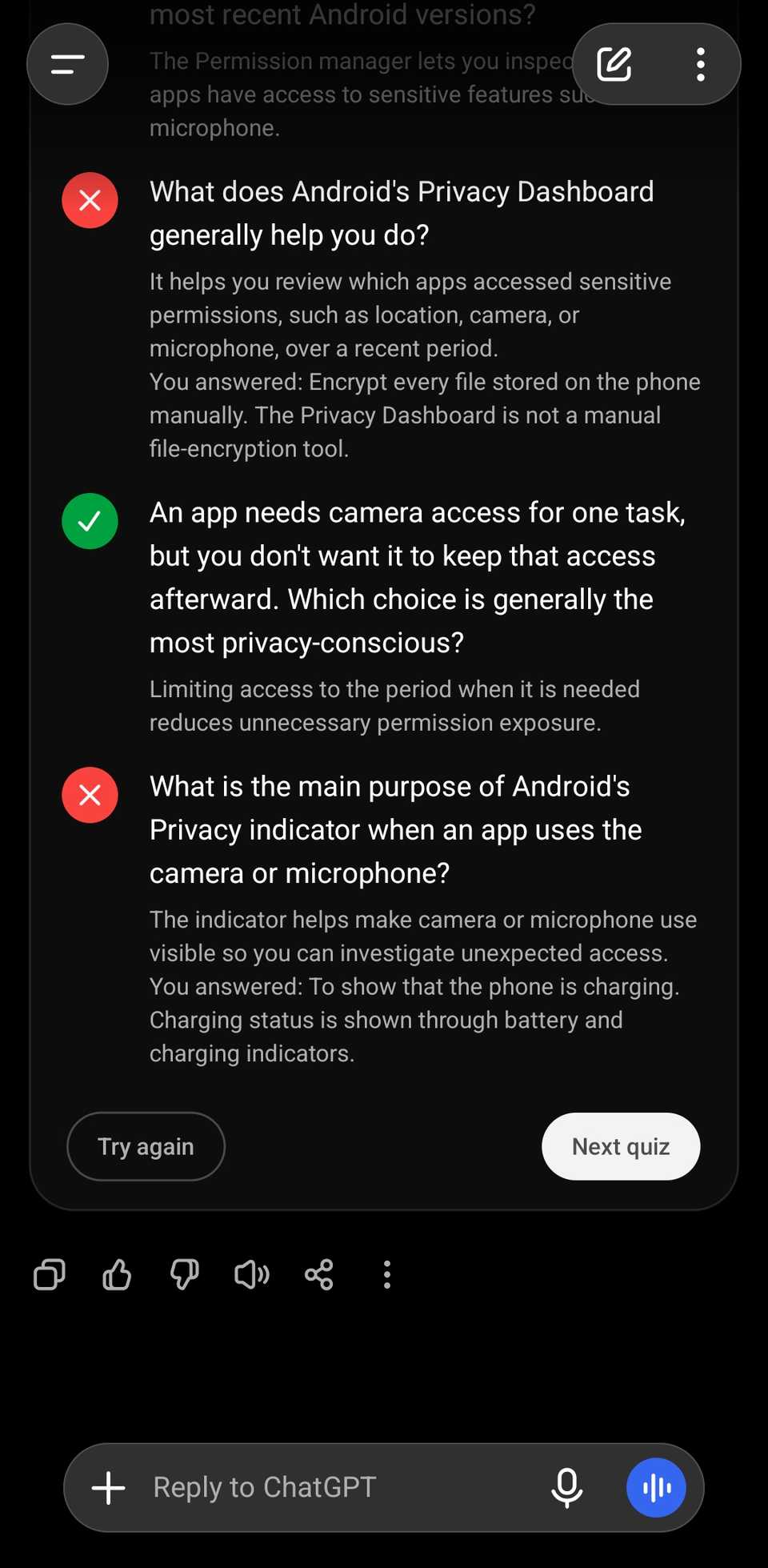
ChatGPT gave me a quiz card with tappable options that turn green or red if you choose the right or wrong answer, respectively, along with a short explanation.
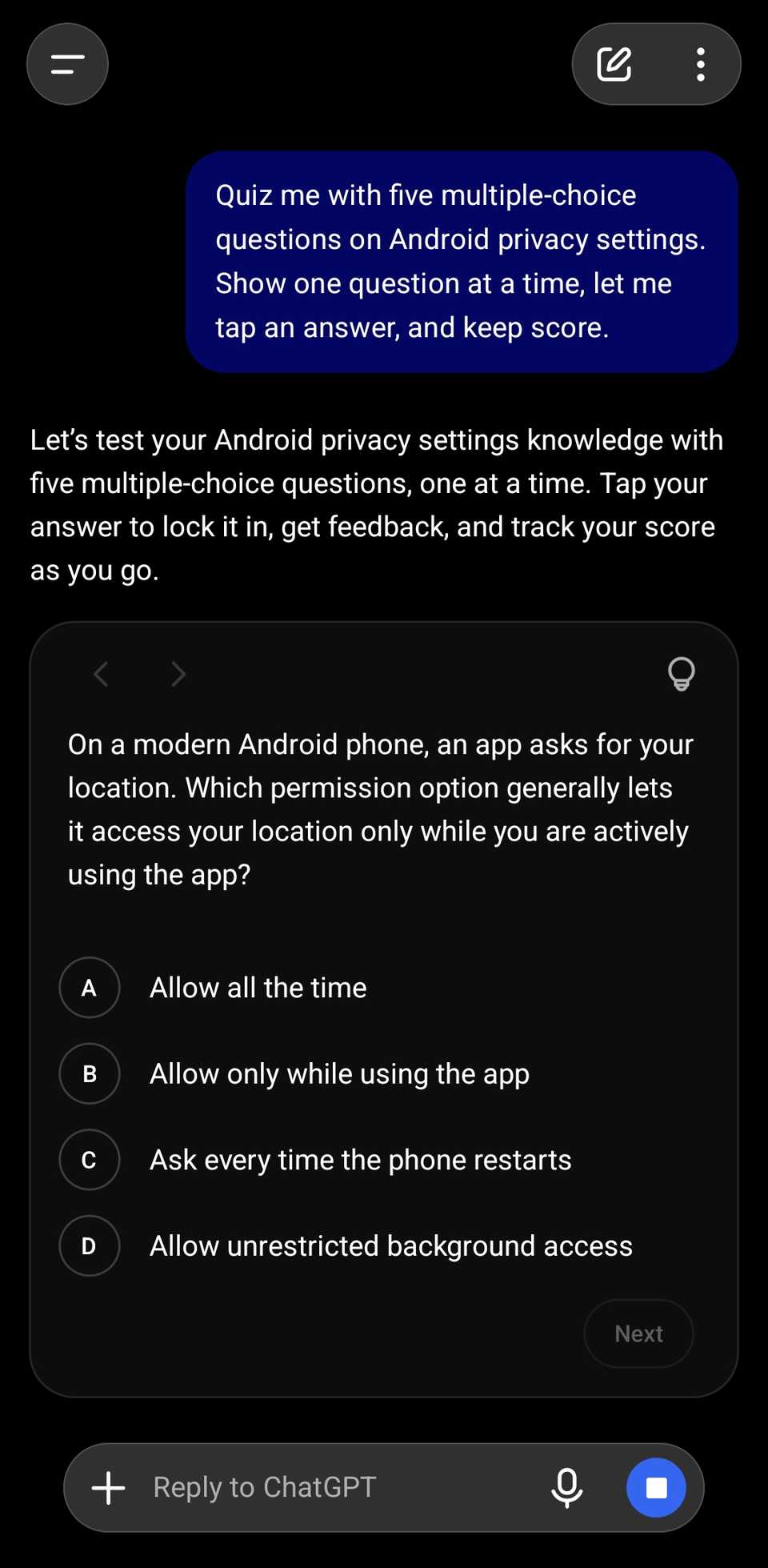
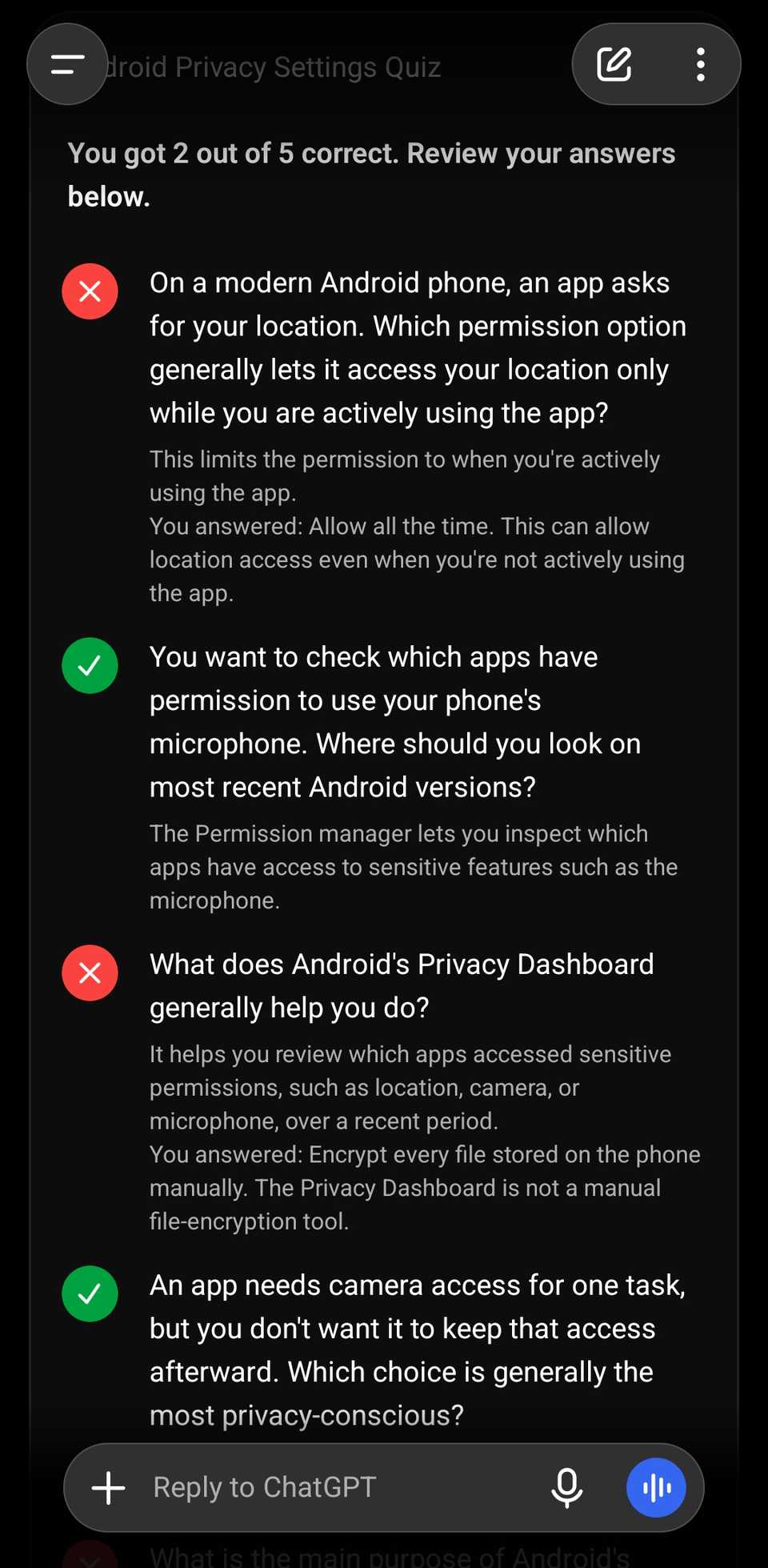
The last screen showed my score with Try again and Next quiz buttons. It felt like a small app inside the chat. The best part is that the quiz questions came one by one, as I requested.
Gemini just wrote a long block of HTML code without explaining what I was supposed to do with it. It wasn't helpful at all.
Flashcards that actually flip
Gemini's version wouldn't even open

Next, I asked for eight flashcards to learn basic Spanish greetings, with a way to flip each card and mark whether I got it right.
ChatGPT's interactive tool worked exactly as I hoped. I tapped to reveal the answer on the back of the card, then used and buttons to mark myself.
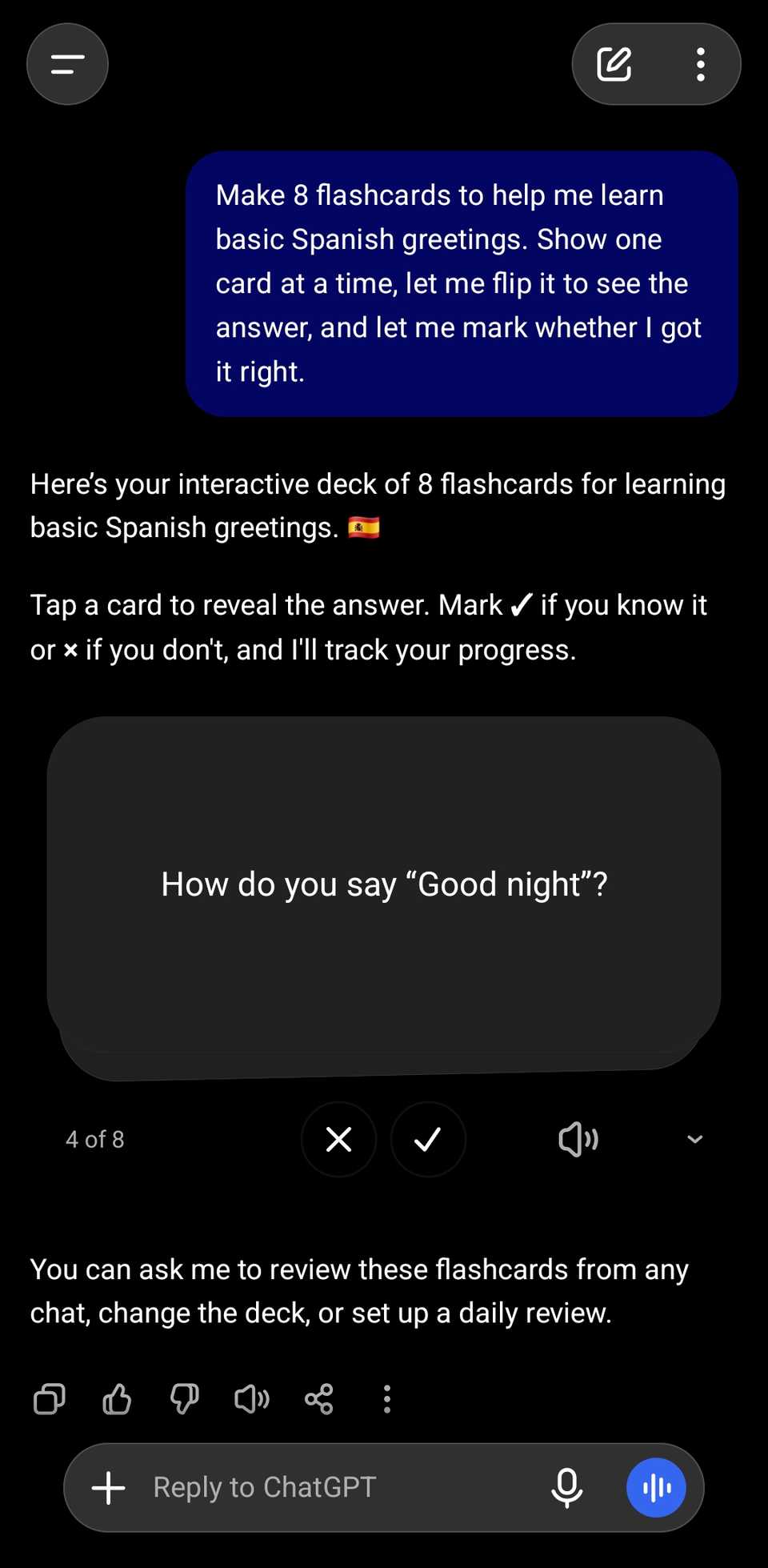
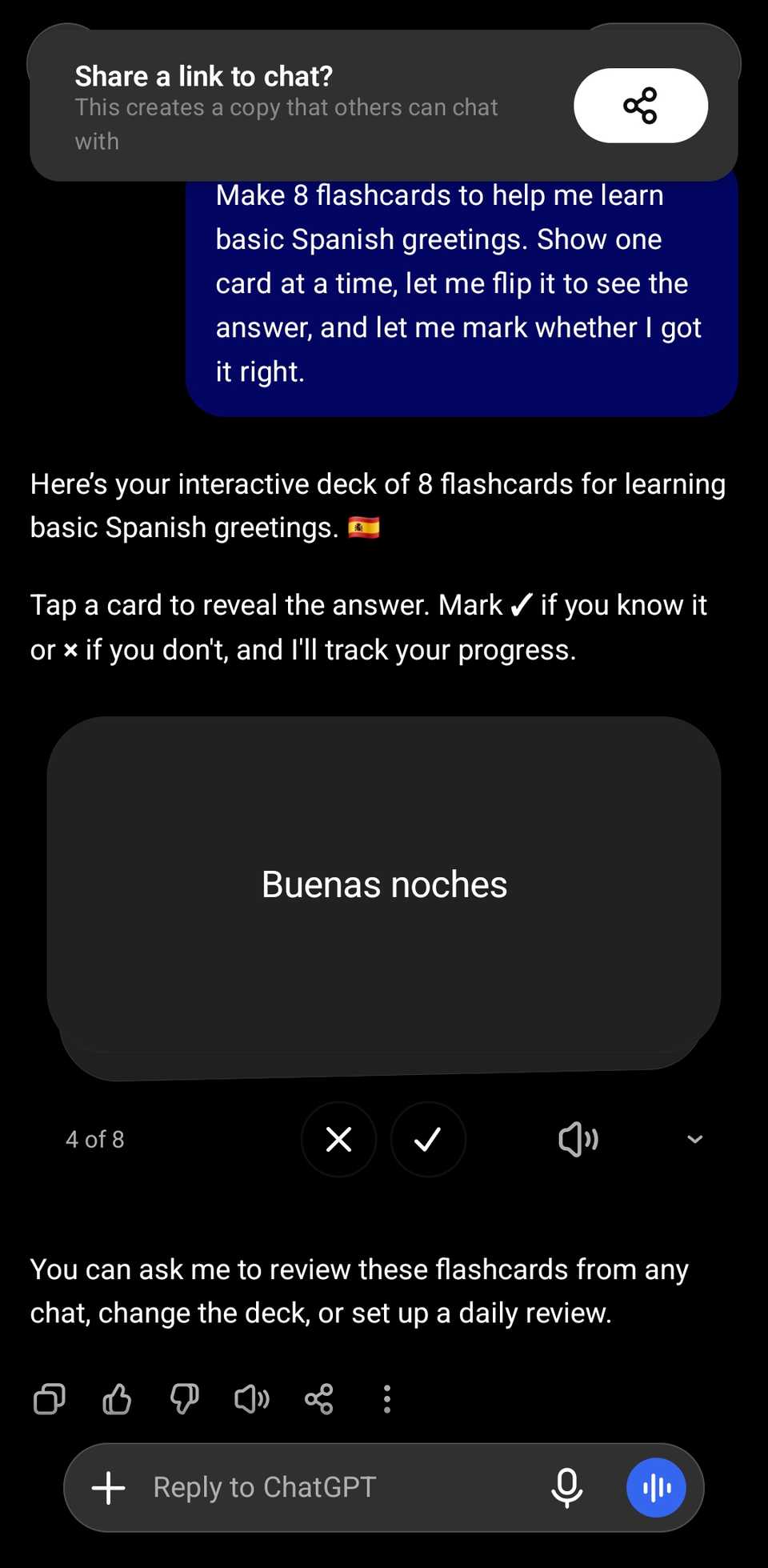
It showed my score at the end, with a button to make more cards.
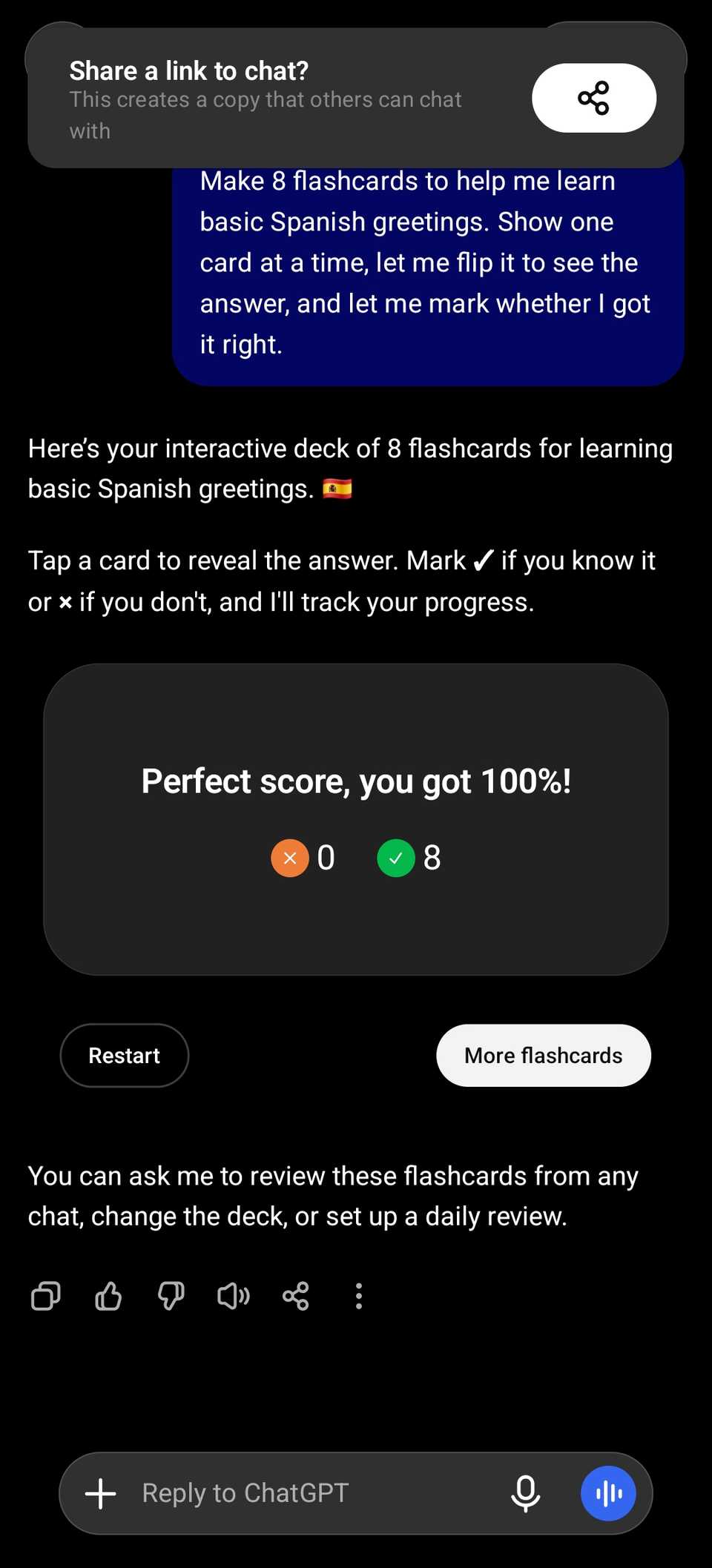
It's a nifty way to squeeze in a few minutes of study without opening a .
Gemini said it built a single-file web app and gave me a button to open it. But when I tapped it, my phone tried to load a Google sign-in page, failed, and took me back to the chat.
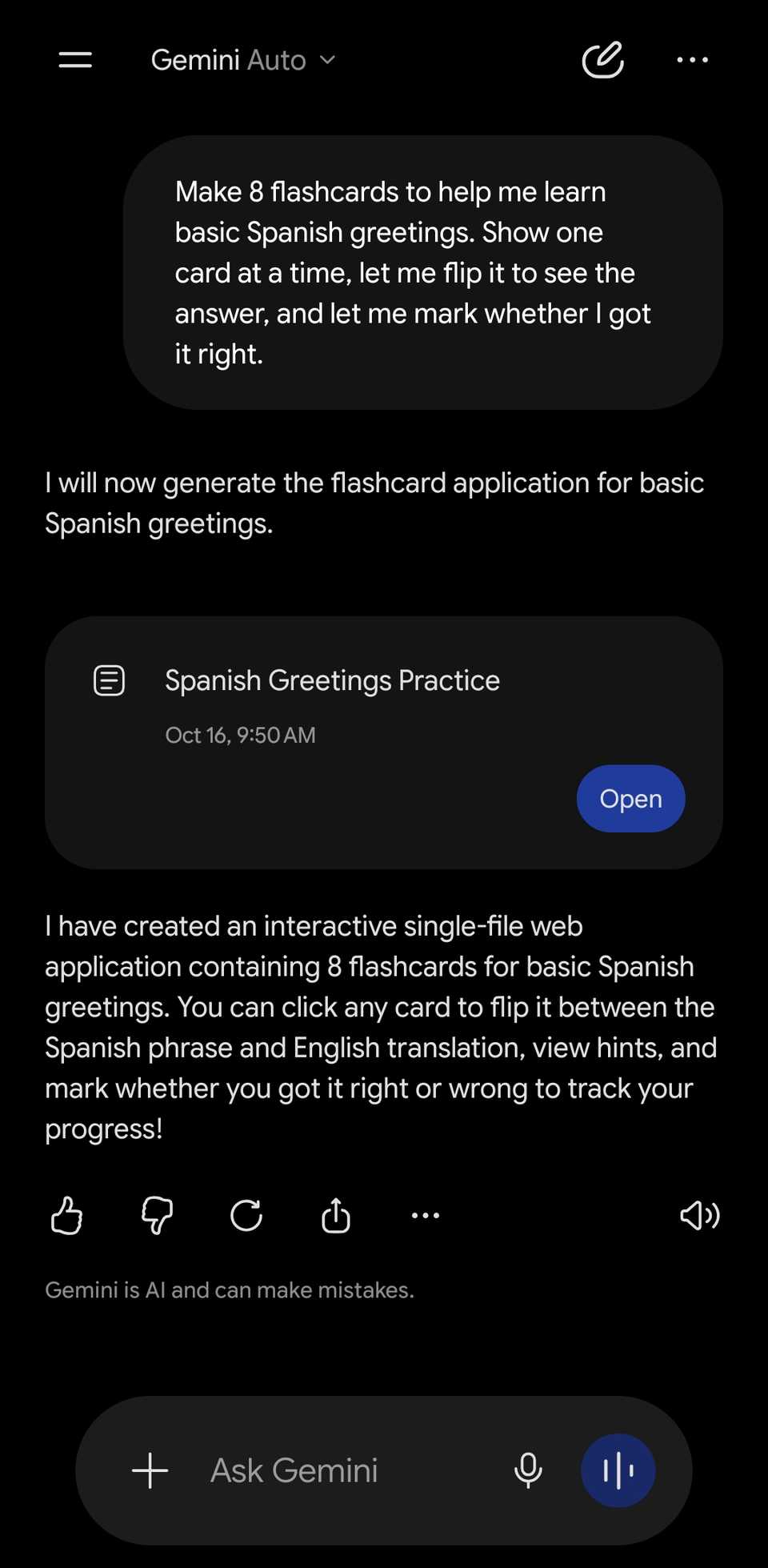
This also wasn't helpful.
A packing list grouped into categories
Each section had its own count
I asked both apps for a carry-on-only packing checklist for a three-day work trip to Chicago in November, grouped by category.
ChatGPT split the list into sections like travel essentials, work gear, clothing, and toiletries, each with its own counter.
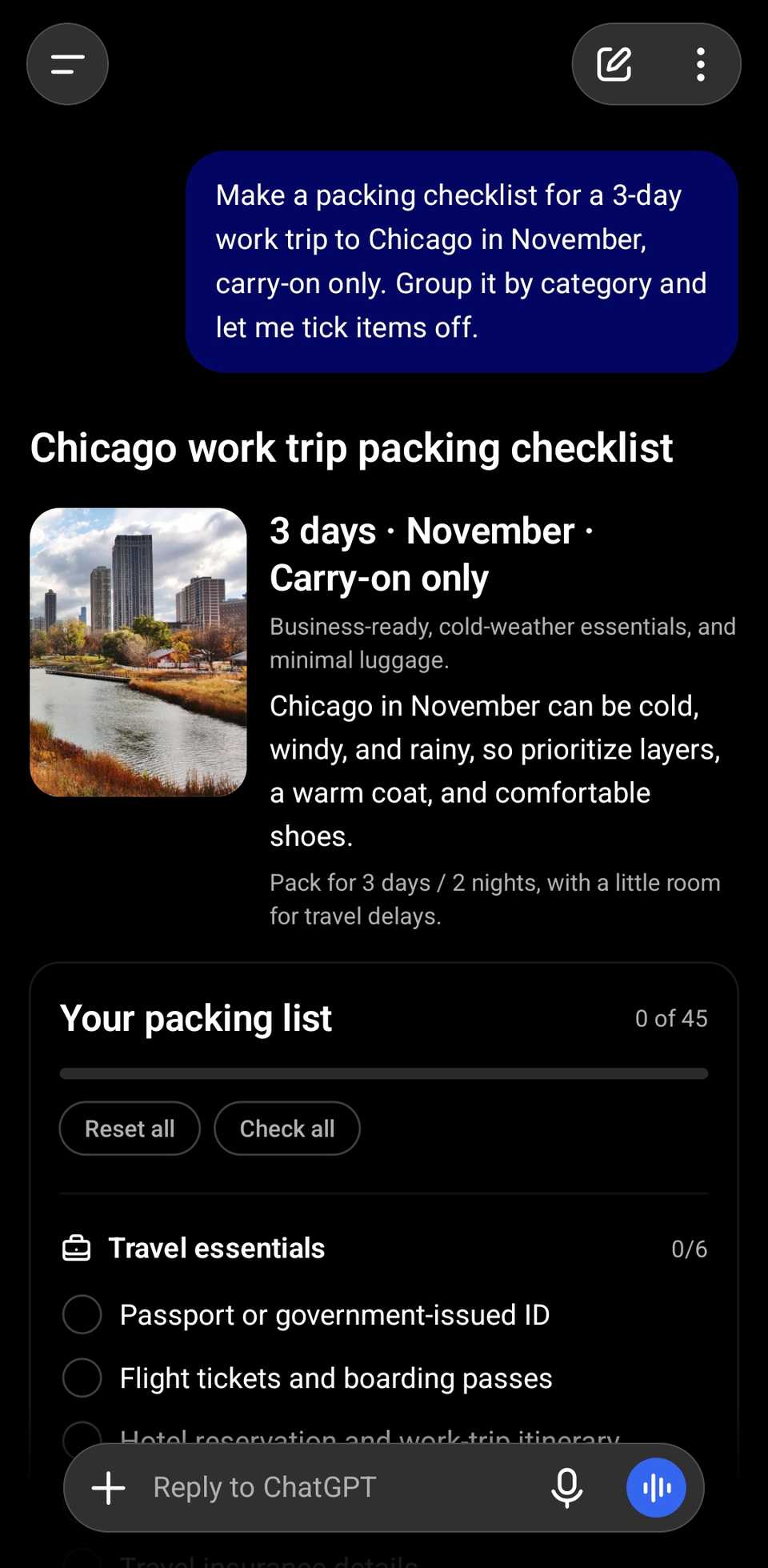
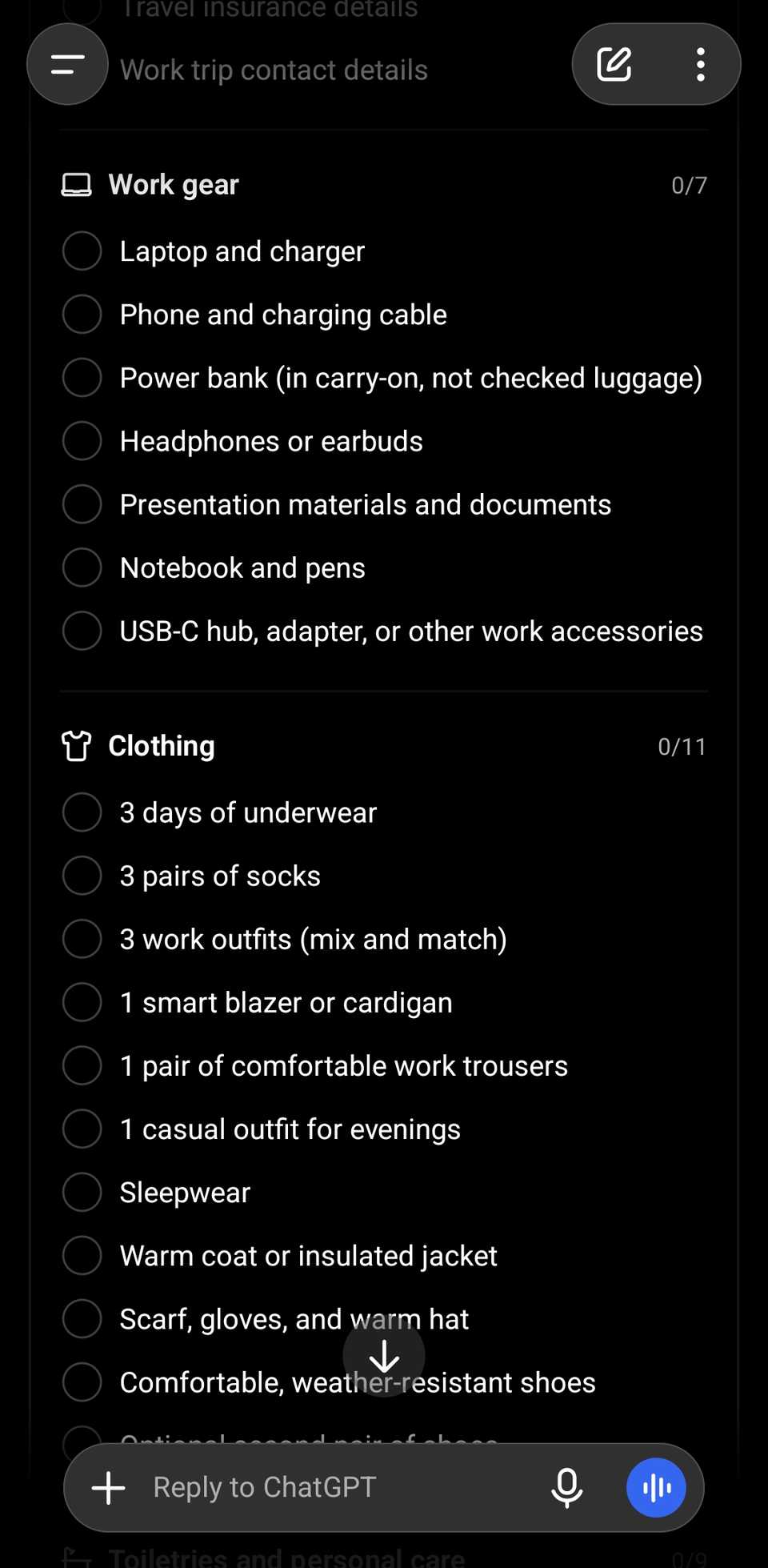
It also included Check all and Reset all buttons and an overall progress bar.
People already use ChatGPT to , so a packing list is hardly anything. But the layout is really what impressed me.
Like ChatGPT, Gemini's list had checkboxes. However, it put every item in one long column with the category written in front of each.
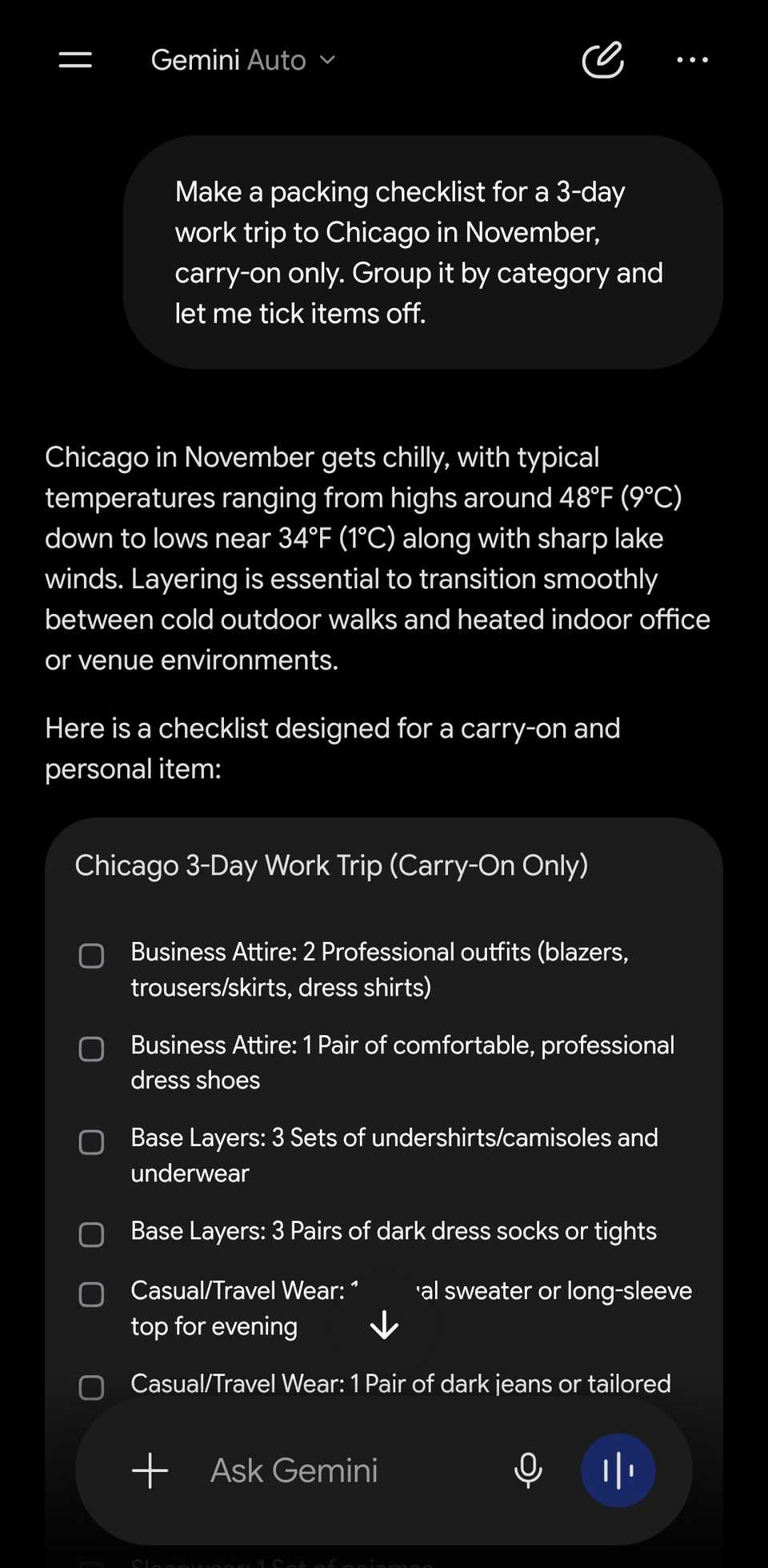
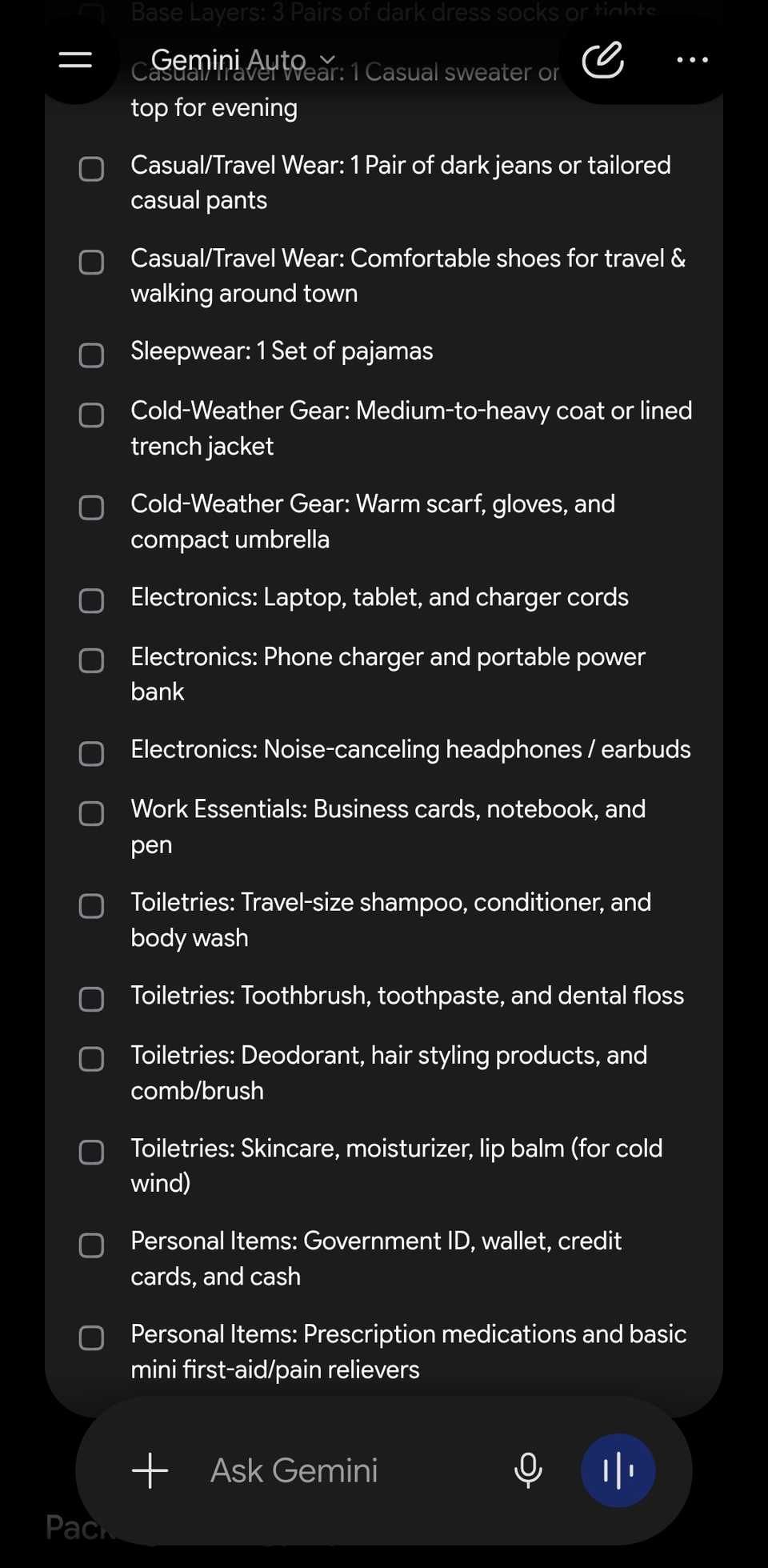
It works, but it's harder to scan when you're packing.
Price comparisons I can read at a glance
Both got the math right, but only one had clear charts

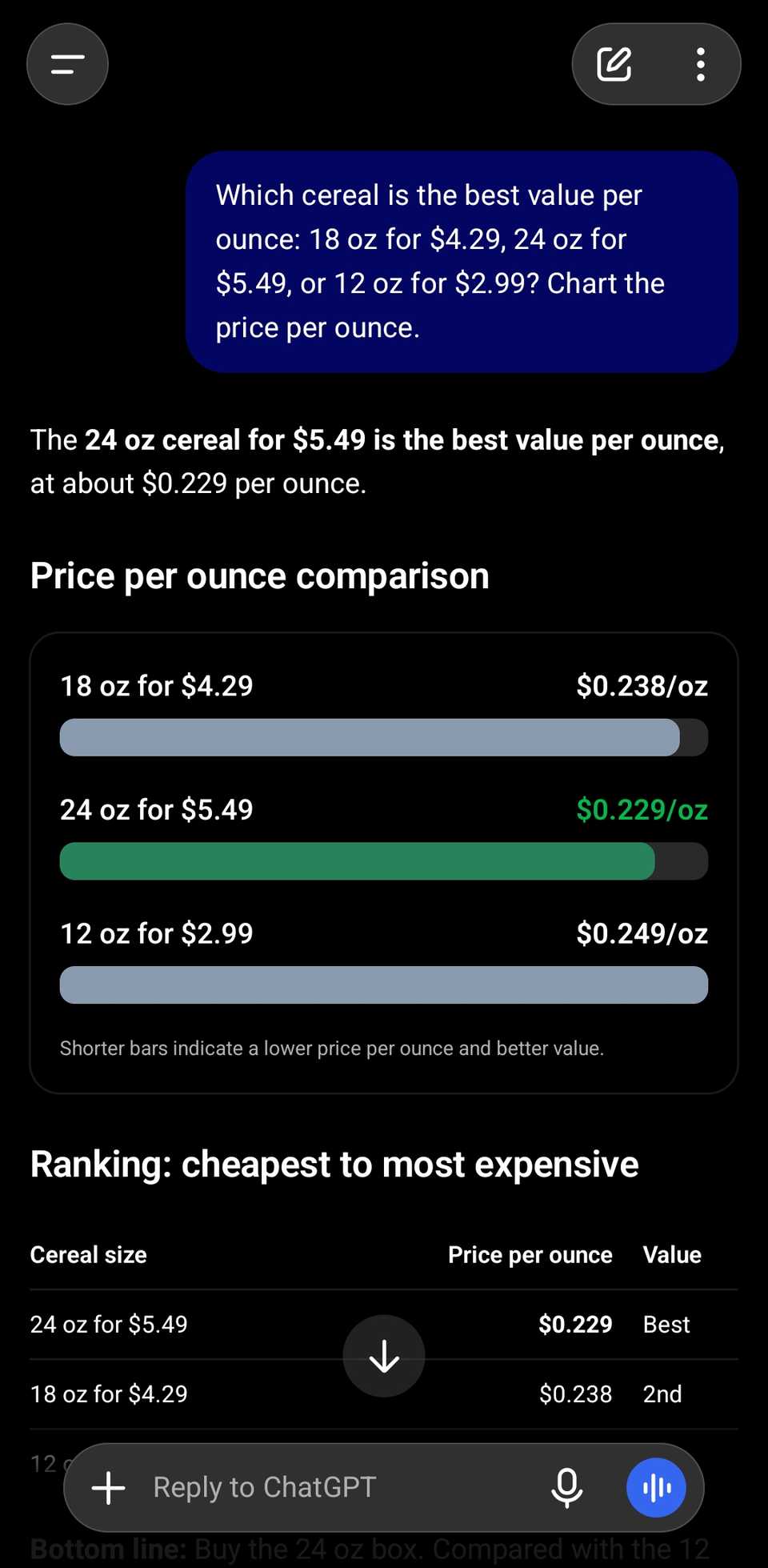
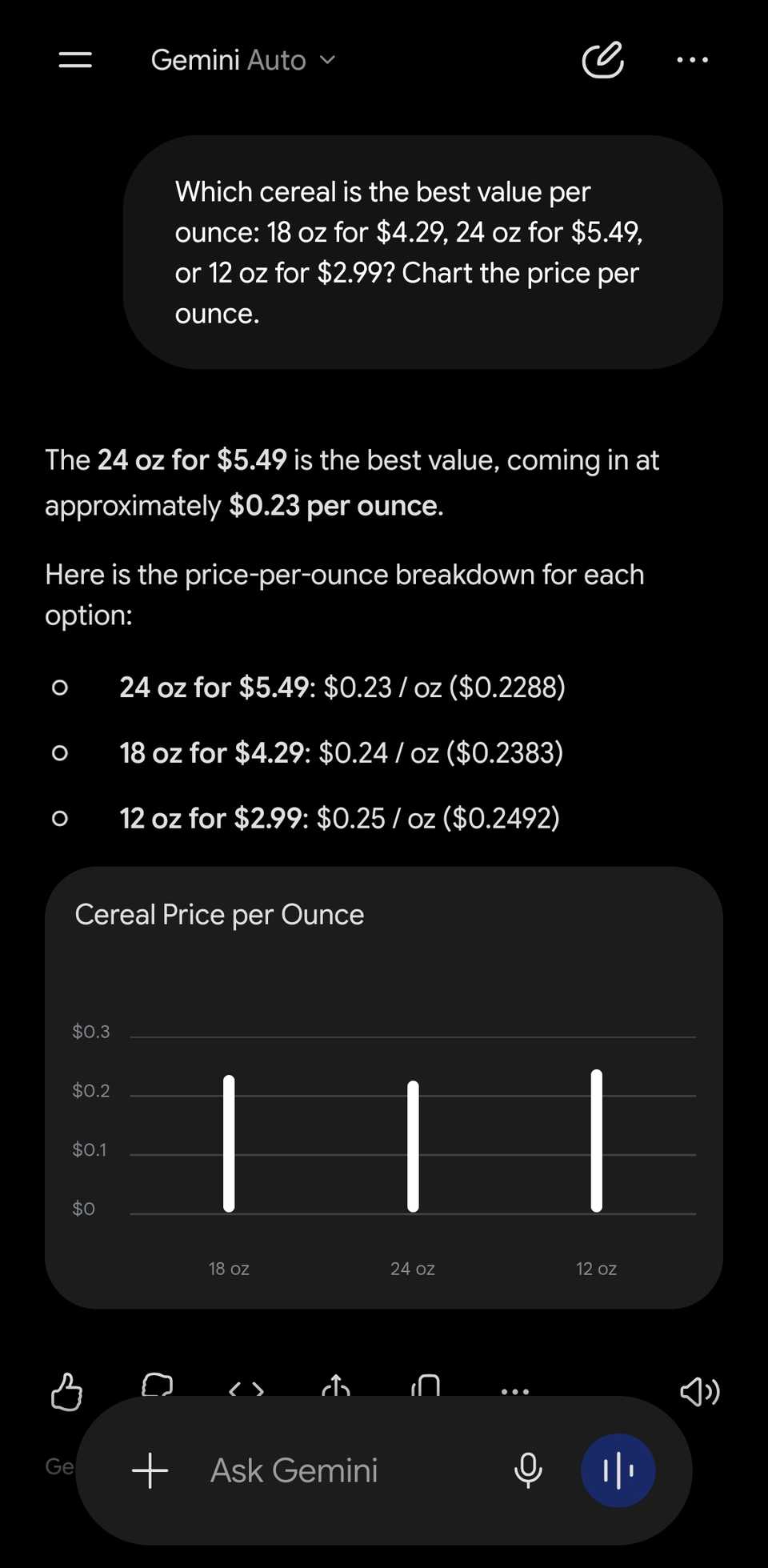
To test something with numbers, I asked both apps to rank three cereal boxes of different volumes and prices based on value per ounce.
Both apps correctly picked the 24 oz box, at 23 cents an ounce.
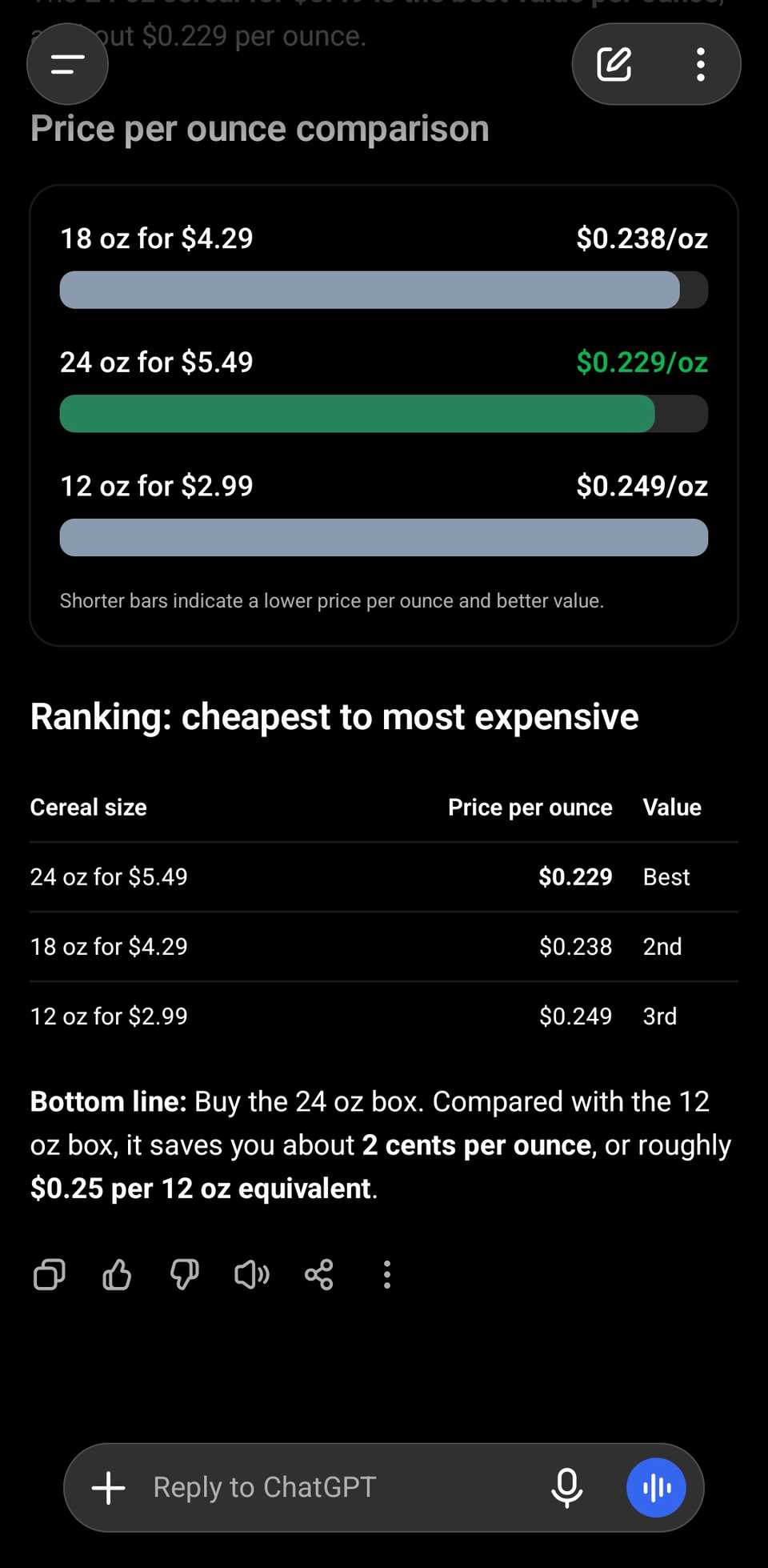
ChatGPT showed colored bars, a best-to-worst value ranking, and a clear bottom line.
But Gemini's chart showed three white bars that were almost the same height, so I had to read the numbers.
I'd go with ChatGPT for in-chat interactions
ChatGPT didn't win every test. Gemini was better at routines that needed scheduling, like a daily news brief you want to receive at a specific time.
It also built a Google Sheets file with checkboxes and a progress calculator when I asked for a habit tracker.
Meanwhile, ChatGPT got a simple phone plan comparison wrong twice in its summary, even though its own calculator showed the right answer.
However, if you want an interactive tool right inside the chat, ChatGPT's GPT-6 is the obvious favorite right now.
If you're also considering Claude, here's how ChatGPT compares to it after a month of side-by-side use.