The dual-channel 70mai 4K A900 Ultra is competitively priced considering it packs a real punch on the performance front. There are twin Sony Starvis 2 IMX678 sensors, which help deliver some of the crispest 4K footage in this segment of the crowded dash camera marketplace. Combined with an easy setup, a raft of cool features and functions, plus the ability to boost its potential via an optional hardwiring kit, the 70mai 4K A900 Ultra makes for an impressive bundle.
Reasons to buy
Reasons to avoid
Why you can trust TechRadar We spend hours testing every product or service we review, so you can be sure you're buying the best. Find out more about how we test.
70mai 4K A900 Ultra: two-minute review
While many of the best dash cams on the market come with plenty of features and functions, not all of them boast 4K shooting capability. The dual-channel 70mai 4K A900 Ultra captures 4K footage not only with its front-facing camera, but also with the rearward-facing unit that makes up this potent dash cam bundle.
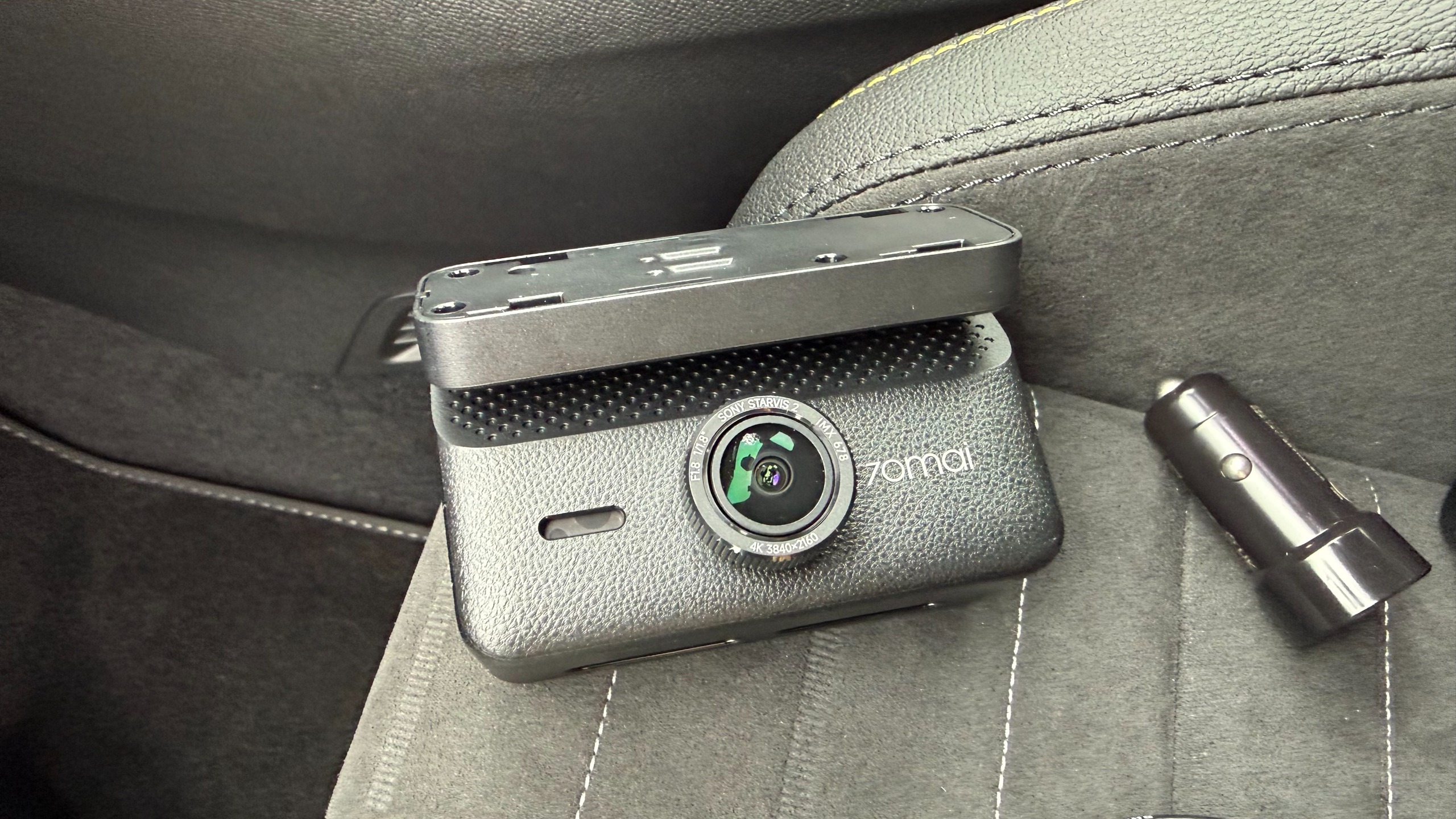
This camera combo benefits from Sony Starvis 2 IMX678 sensors in both units too, which combined with the 4K, HDR and 70mai’s own Night Owl Vision 2.0 processing, means the bundle is perfect for capturing footage night and day. The resolution is impressive, with the f/1.8 front lens capable of shooting 3840 x 2160P (4K) at 30fps, and the f/1.6 rearward camera able to shoot the same 4K quality at 25fps. The field of view for both units is a generous 130 degrees.
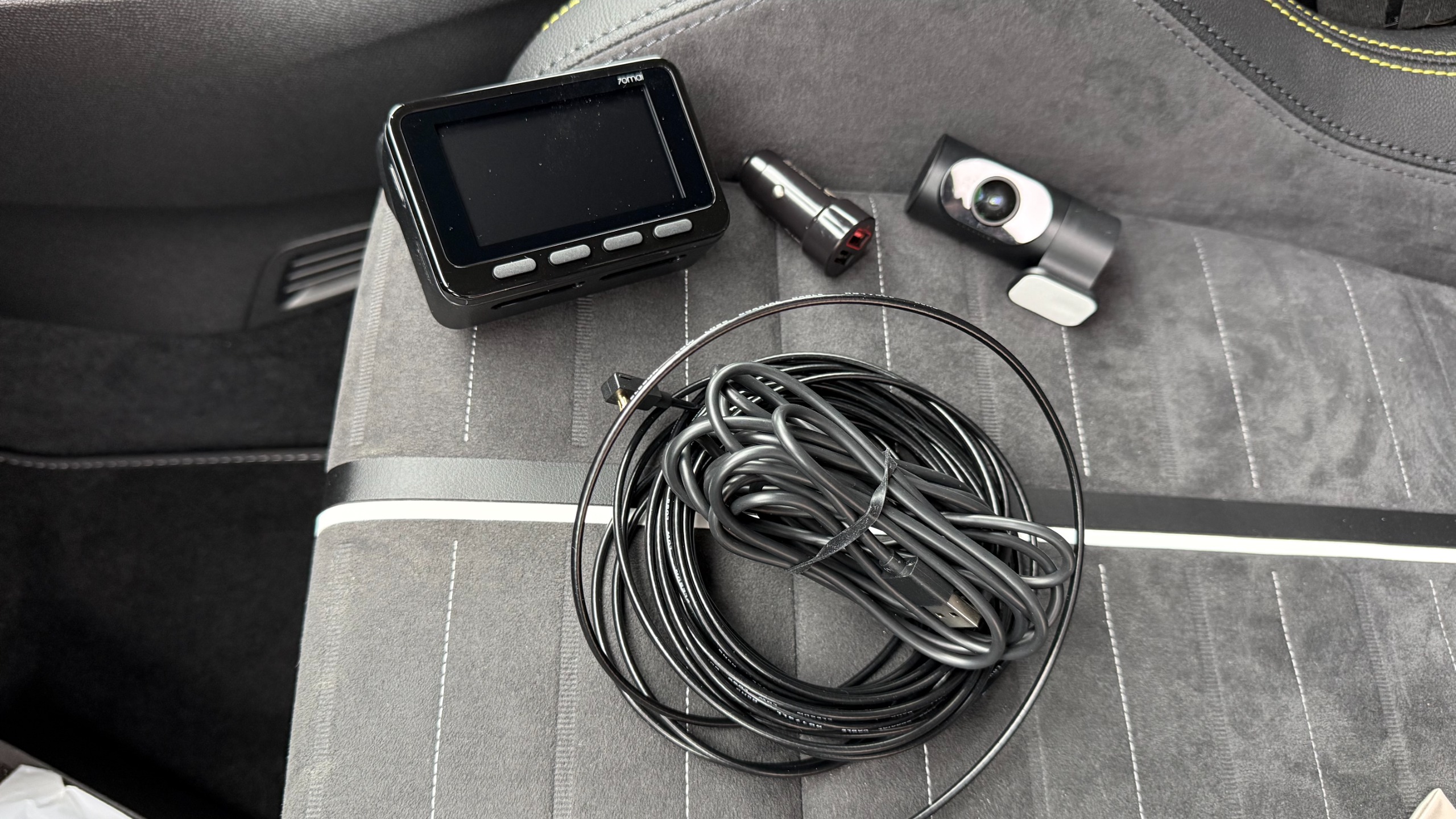
The rest of the specification is similarly impressive, with the chunky main camera featuring a 3-inch rear-facing screen and four control buttons, which makes adjusting settings and previewing footage easy. There is a 5-system built-in GPS, and buffered emergency recording that captures up to 3 minutes and ten seconds before and 30 seconds after an incident.
Bonus appeal is delivered with the likes of 70mai’s Smart Parking Surveillance 2.0 (subject to hardwiring the unit into a vehicle), a Driver Fatigue Alert, and 4G Cloud+ 2.0 compatibility that delivers a live view, remote playback and two-way voice communication that covers all bases on the security front.
While capturing 4K footage soon amasses lots of chunky files, the 70mai 4K A900 Ultra features Wi-Fi 6, which means the transfer of footage and general file management is both quick and easy, with speeds of up to 45MBps. Another plus of the 70mai 4K A900 Ultra comes via compatibility with 70mai’s Battery Pack Mini, which gives assured backup power, and up to 30 days of parking surveillance without draining your vehicle’s battery.
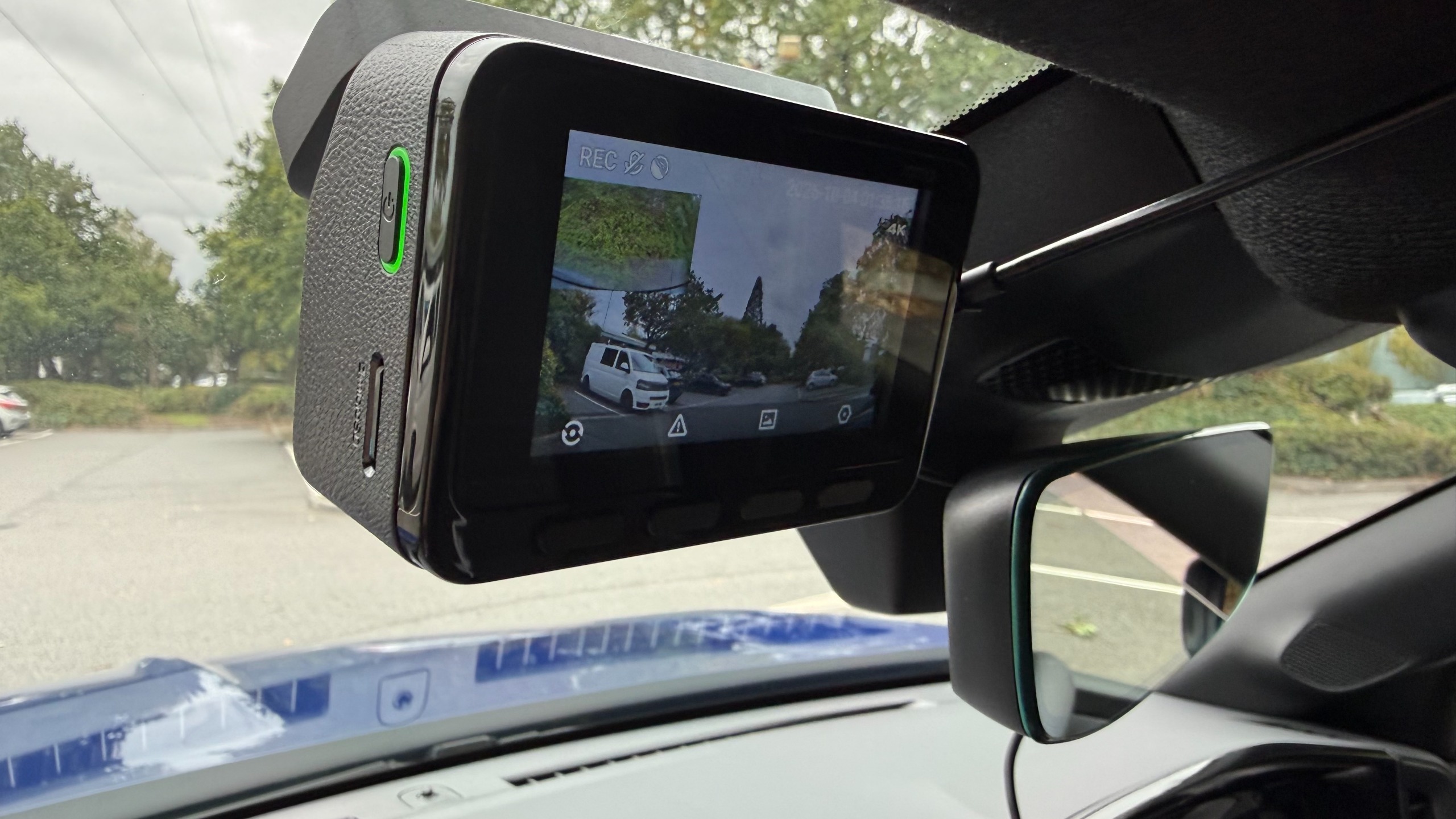
Topping off an impressive set of features is hands-free voice control, while the unit itself features supercapacitor technology that offers more durable performance across the ranged of temperatures that occur inside vehicles over time.
All of this is squeezed into a compact box-shaped design for the main camera unit, while the rearward-facing camera is a fairly typical tube-shaped design. Both units can be attached to screen glass using supplied adhesive pads, and everything needed for the job comes inside the box.
The 70mai 4K A900 Ultra is therefore a one-stop solution, although it is worth noting that a hardwire kit, which unlocks the potential of around-the-clock surveillance monitoring, will need to be purchased separately. Otherwise, the units can be powered via a standard 12V in-car power socket, for which an adapter is supplied. The 70mai Battery Pack Mini is also sold as an optional extra.
70mai 4K A900 Ultra: price and availability
In the US, the 70mai 4K A900 Ultra is priced at $299.99, but at the time of writing can be purchased directly from the US 70mai website for $239.99. In the UK, the 70mai 4K A900 Ultra is priced at £231, but is currently available for £185 from the 70mai website.
70mai 4K A900 Ultra: specs
|
Field of view (FOV) |
130 degrees front / 130 degrees rear |
|
MicroSD up to 512GB |
|
|
Parking mode |
Yes, with constant power cable, not included |
|
App support |
70mai app |
|
3.62 x 2.36 x 2.02 inches / 9.2 x 6.0 x 5.14cm |
|
|
0.52lb / 0.24kg |
|
70mai 4K A900 Ultra: Design
I’ve tested several dash cameras from the 70mai stable, and always found them to be well designed and very nicely made. The 70mai 4K A900 Ultra follows that theme, with a good-looking exterior for the main camera unit that sits upfront. Meanwhile, the tube-shaped rear-facing camera looks fairly conventional, but is also very well put together.
The main camera unit feels great in the hand, weighty and chunky. It also features a built-in mounting bracket, which is non-detachable. The angle-adjustment bracket that joins the camera unit, and the sticky attachment that fits to the windshield felt quite stiff to adjust, but this makes sense when you consider how much vibration and bumping around the unit will be subjected to over time, and should mean that the position of the camera remains consistent over time.
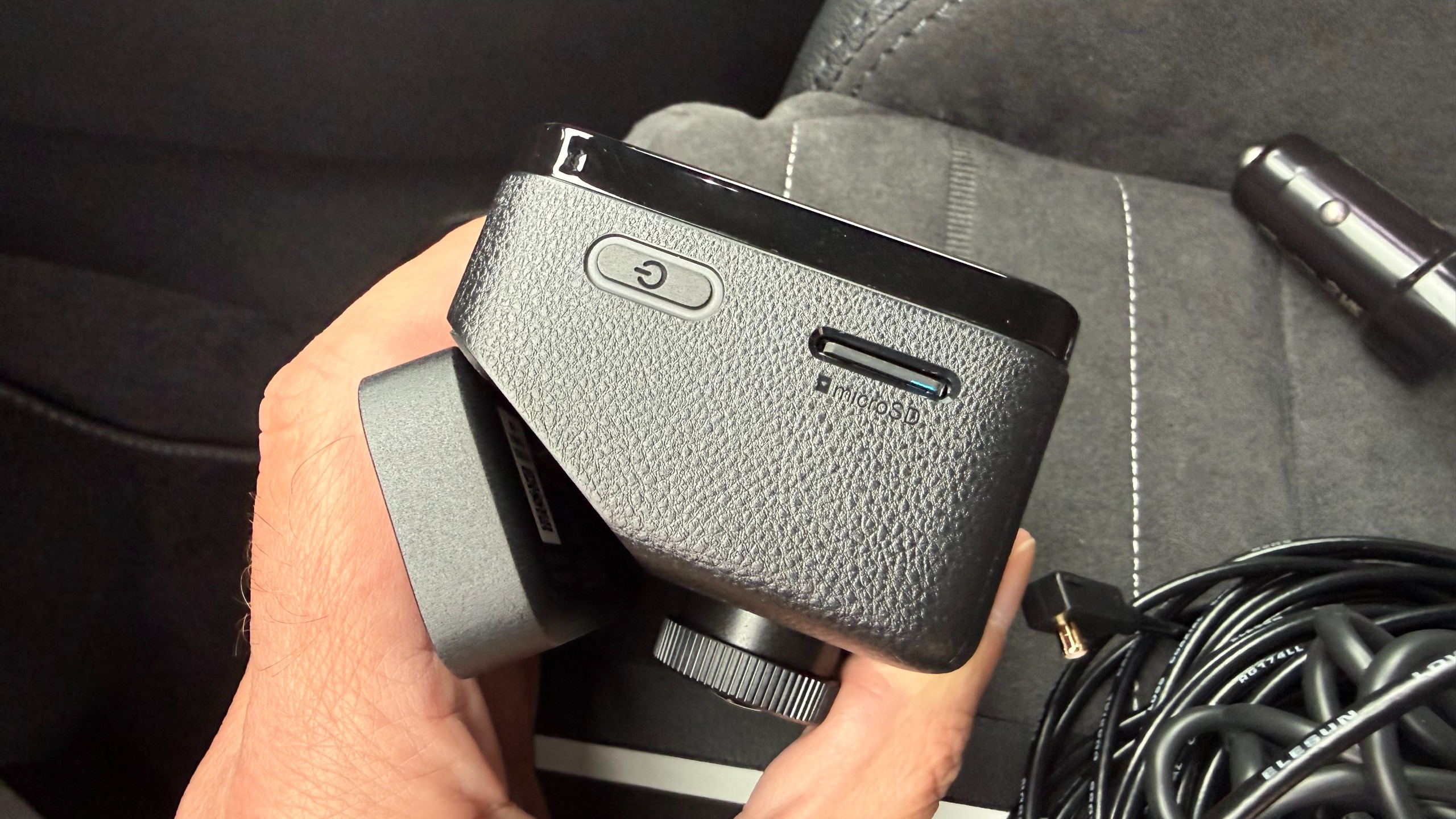
Up front, the lens protrudes from the front of the camera unit, but not so far as to be intrusive when fitting to the windshield. The side of the unit has a slot for microSD cards up to 512GB capacity, and the port for connecting the power and rear camera cable. I like the way 70mai does its connectors, with a push fit for the camera wire that feels almost locked in place once it has been pushed in. Again, having a durable design for components like this means there’s less chance for failure over time.
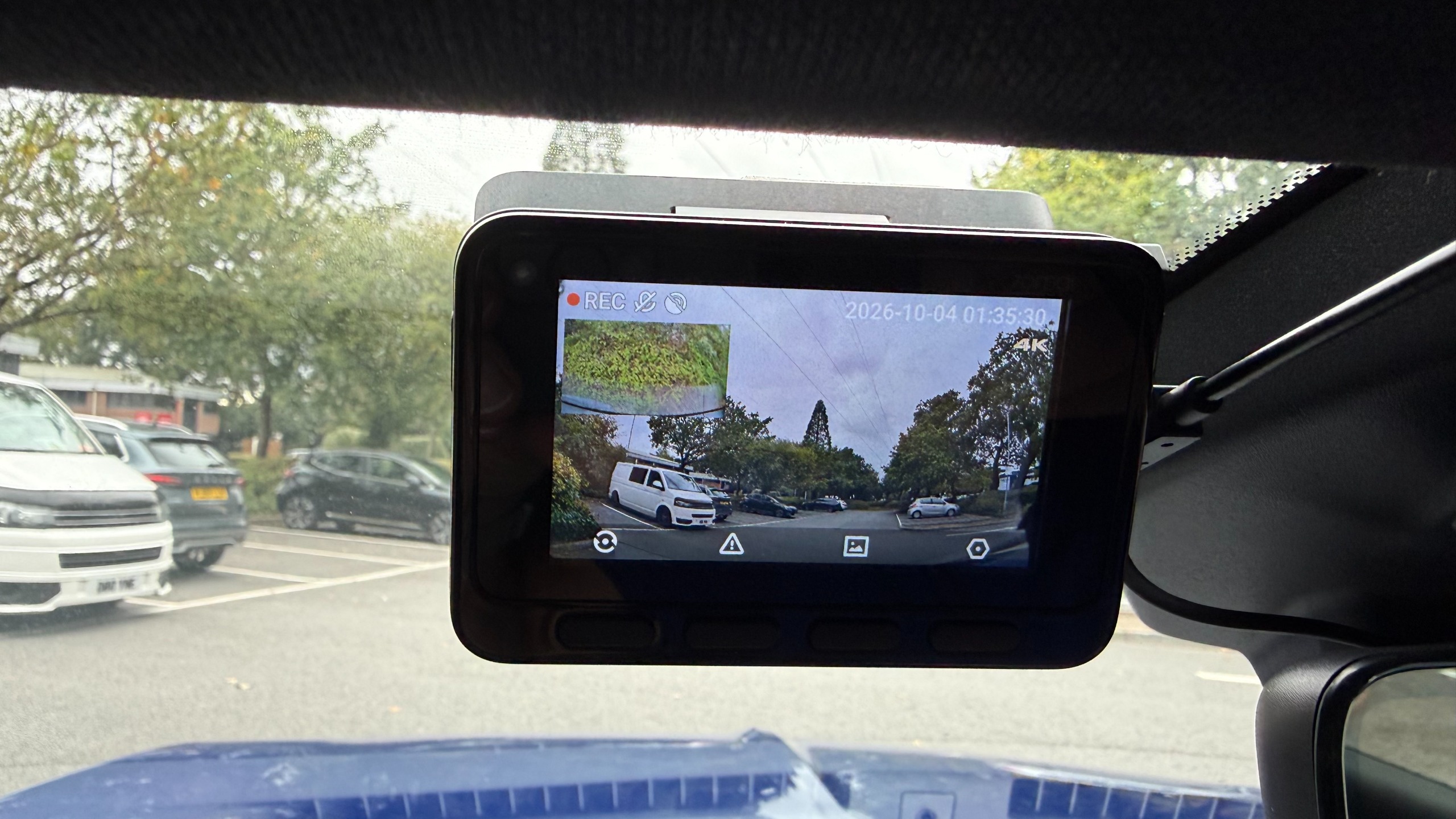
There’s a 3-inch screen on the back of the front dash camera unit, which is a good size for previewing footage and the like, as well as making the setup process nice and easy. It took me mere minutes to power-up the camera using the supplied 12V power plug and cable. From there, picking through the installation options and setting the language, time and date options was easily achieved via the four plastic buttons directly below the screen.
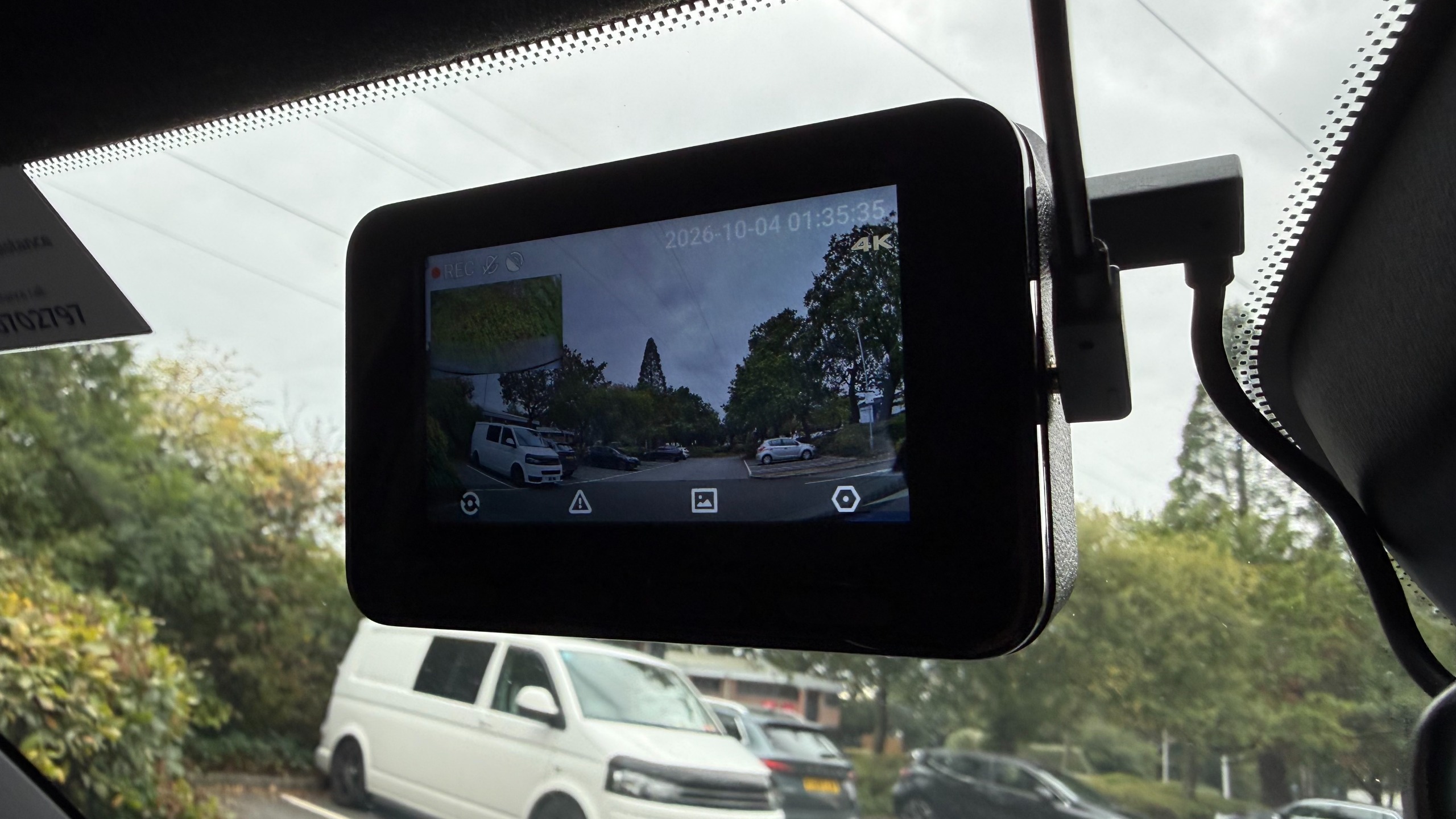
Both cameras can be fixed to the glass using the supplied self-adhesive pads. In the case of the front unit this has to be applied to the bracket and then stuck to the screen. There are static sheets for anyone who wants to stick these to the glass first, which isa good option if you think you’re going to need to peel it off and move to another vehicle at some point. The rear camera has its sticky pad already fixed to the bracket.
Getting this into position in a rear window can be tricky, depending on the vehicle, but the good news is that the lens barrel can be rotated into its optimal position, and the view it captures checked within the front-facing screen on the front. This is presented as a picture-in-picture view, so any tweaks can be made if the view doesn’t look quite right. 70mai does sell an optional hardwire kit for anyone wanting to access the entire suite of features and functions, including round-the-clock vehicle surveillance.
70mai 4K A900 Ultra: Performance
I found the 70mai 4K A900 Ultra dash cam very easy to use once I’d got it installed and ready to go. As mentioned, the initial setup procedure is very straightforward, and can largely be done without consulting the manual thanks to the simple step-by-step process, which includes formatting the memory card. I especially liked the way the chunky buttons on the back of the camera could be used for making adjustments. Combined with the 70mai app, which I’ve used before, this combination makes light work of everyday file management duties.
Which brings us to the subject of the video. The 4K quality produced by this twin-channel camera combination is excellent, and I found the after-dark footage it captured was as good as footage shot in daylight. The 70mai engineers have clearly put some effort into squeezing the maximum detail from their HDR software, and the results are clear to see in the clips on this page.
The cameras also coped admirably with variable light quality and weather conditions, as well as sudden changes in lighting such driving through a tunnel, as illustrated in the clips here. Importantly, there's good definition in details such as license plates and road signs.
One of the more interesting features of this dual-channel dash cam is its use of low-voltage differential signaling, or LVDS. 70mai claims this means the 4K feed from the rear camera is relayed as a digital signal, with no re-encoding, which ultimately means there's no compression carried out, even though there is quite a long cable connecting the two camera units. 70mai also says the connection features 20ms ultra-low latency. In essence, that should mean that if you're using the feed from the rear camera when reversing, you'll see it in real time, without any lag. On a more practical note, the more efficient cabling seems thinner than usual too.
Overall, the 70mai 4K A900 Ultra dash cam is a potent package that left me wanting for nothing. Naturally, the files are chunky, but the latest Wi-Fi transfer capabilities of this bundle and a rock-solid app means file management really isn’t an issue. Granted, the microSD card tops out at 512GB before it starts looping, but I found that transferring files from the camera to cloud-base storage was about as easy as it gets.
As always, one important thing to note is that anyone wanting to use the parking-monitoring feature will to purchase the optional hardwire kit.
you'll need the optional hardwire kit. Th
Should you buy the 70mai 4K A900 Ultra dash cam?
Buy it if...
Don't buy it if...
How I tested the 70mai 4K A900 Ultra dash cam
- I installed the dash cam in an SUV for a test period of around four weeks
- I used it during daily commutes as well as for longer trips on a mix of roads
- I installed the 70mai app and used it to view, manage and save 4K files
70mai loaned me the 4K A900 Ultra dash cam along with everything I needed to test it, including a microSD card.
I installed the twin-camera bundle in a test vehicle using the supplied cables and connectors. I didn't call on the option of using a 70mai hardwire kit, which offers a more permanent means of supplying power, and enables parking-surveillance features. I didn't get to try the 70mai Battery Pack Mini either, which is another option offered by the company.
I did, however, make good use of the supporting 70mai app. I've tested this before, and it's received a few tweaks here and there since I last used it. As a result, the app works very well indeed, especially when it comes to managing the larger files generated by the higher-quality 4K setup.
- First reviewed October 2026
Rob Clymo has been a tech journalist for more years than he can actually remember, having started out in the wacky world of print magazines before discovering the power of the internet. Since he's been all-digital he has run the Innovation channel during a few years at Microsoft as well as turning out regular news, reviews, features and other content for the likes of TechRadar, TechRadar Pro, Tom's Guide, Fit&Well, Gizmodo, Shortlist, Automotive Interiors World, Automotive Testing Technology International, Future of Transportation and Electric & Hybrid Vehicle Technology International. In the rare moments he's not working he's usually out and about on one of numerous e-bikes in his collection.