Google Photos is one of the most indispensable services on Android.
is more than a place to store my photos and videos, and it's quietly grown into a powerful editing platform.
Its integration with Gemini makes it even more versatile.
Google recently expanded Spark, now called Task, to Photos to handle multistep workflows, including cloud-based photo editing and organization.
I decided to edit and organize dozens of pictures to see whether its editing chops can replace Google Photos' built-in tools, or figure out if it's just another AI flop.
I always avoided Gemini for photo editing
But Google made it smarter this time

While Gemini has long supported integration with Google Photos through Ask Photos using conversational language, I mostly ignored it.
It was outright cumbersome and slow, adding extra steps and friction compared to tweaking a picture directly in the app.
I prefer editing in Google Photos or because the controls are readily available, and the results are instantaneous.
Google recently added autonomous capabilities to Gemini for managing Google Photos, which convinced me to try it.
Gemini on Google Photos supports agentic workflows, handling multistep queries like filtering images, adding them to a specific album, or batch editing in one command.
But will this finally convince me to use Gemini regularly?
I decided to find out, though mind you, the results ended up being a mixed, indecisive bag.
Gemini gains agentic capabilities
Decluttering and editing photos in a single prompt

The biggest upgrade when managing Google Photos with Gemini Task is the autonomous workflow and support for batch organizing and editing.
Before, I could only process one picture at a time in Gemini or Google Photos.
Now I can apply identical adjustments, like removing photobombers, enhancing colors, or applying a preset, across an entire collection.
Beyond albums, it also works for specific tags or categories, like pulling only the shots I'm in from Tokyo, or isolating pictures of my family.
It's remarkably versatile for cataloging photos, unlike spending a tedious hour manually filtering everything.
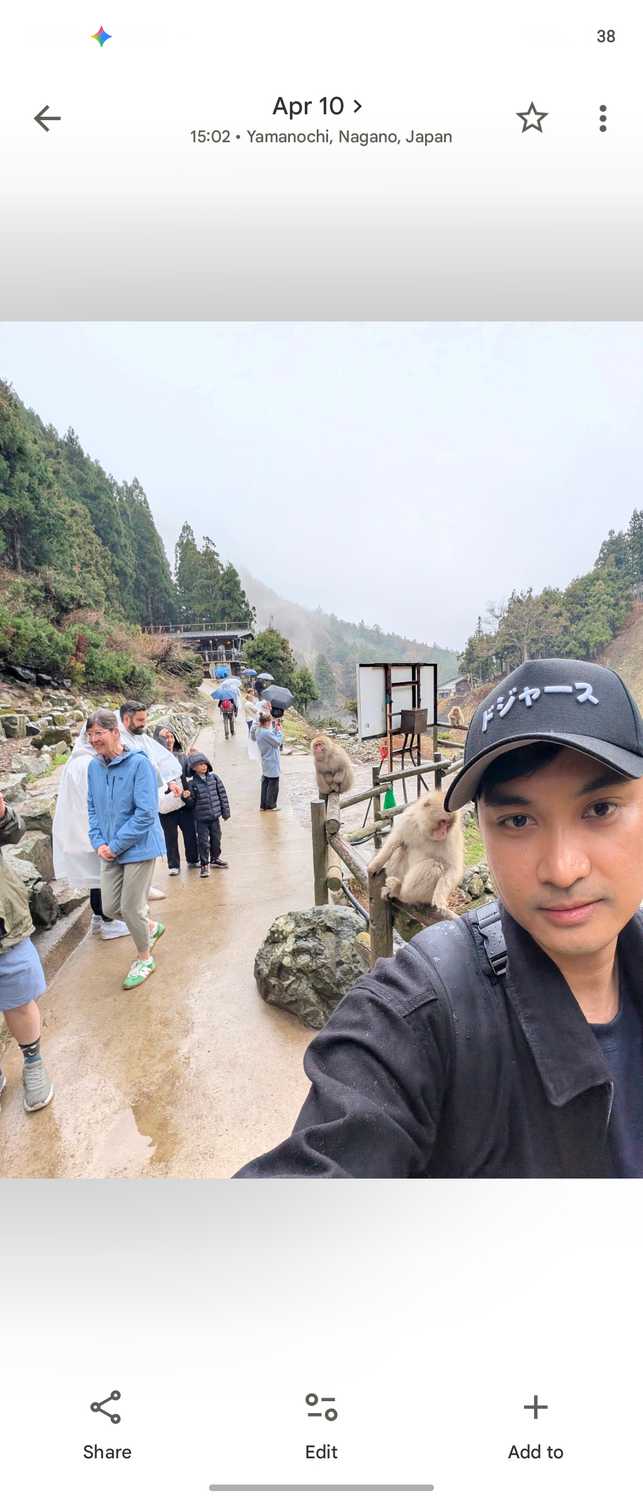
For instance, I let Gemini Task run a search to curate pictures of the Snow Monkey Park, filtering for only the shots where I appear.
From there, it shows a preview of the selected photos, and I can instruct it to create a dedicated album in Google Photos. The album was created immediately and appears in my Google Photos library.
However, the experience shifts noticeably when I try to edit a picture or a full album.
Use Gemini Task to organize your Google Photos library into albums or filter them using categories or specific tags.
Editing photos with Gemini Task
Generally capable, but far from foolproof




Gemini Task also uses the Gemini Nano model for image editing, so its capabilities stay the same whether you edit in a regular chat window or in Task.
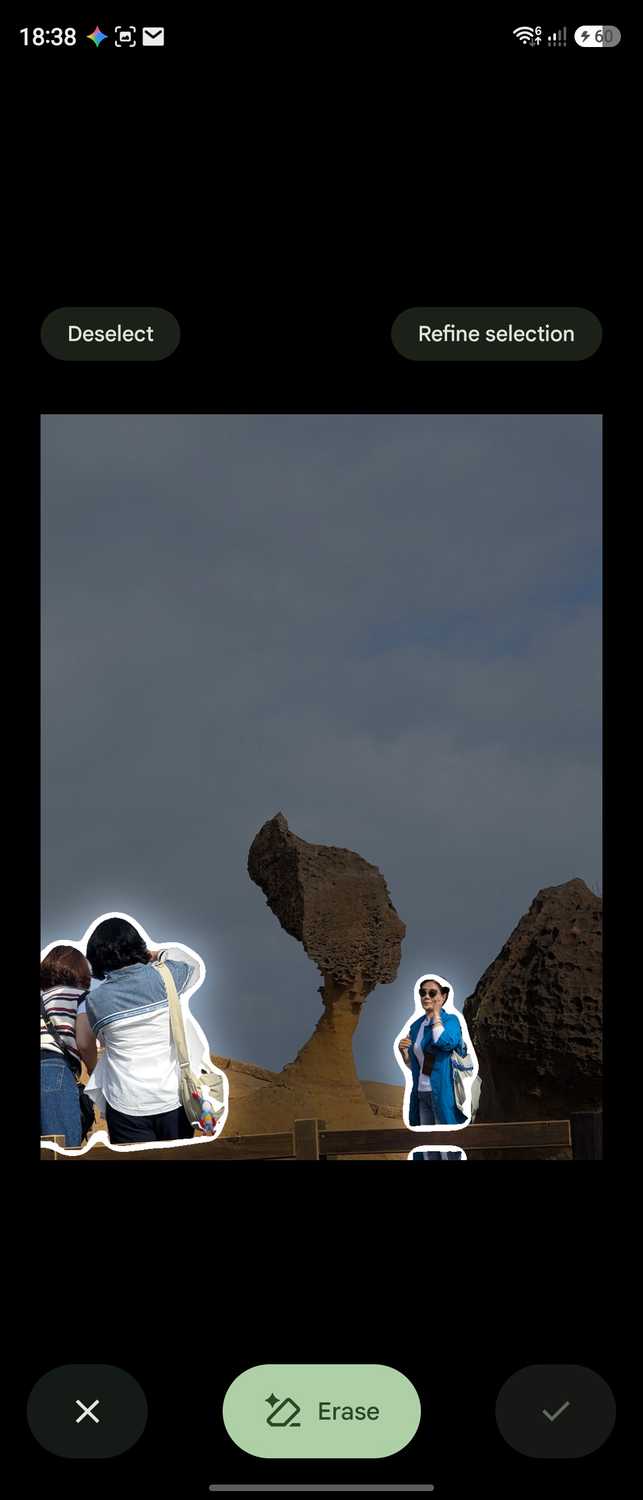
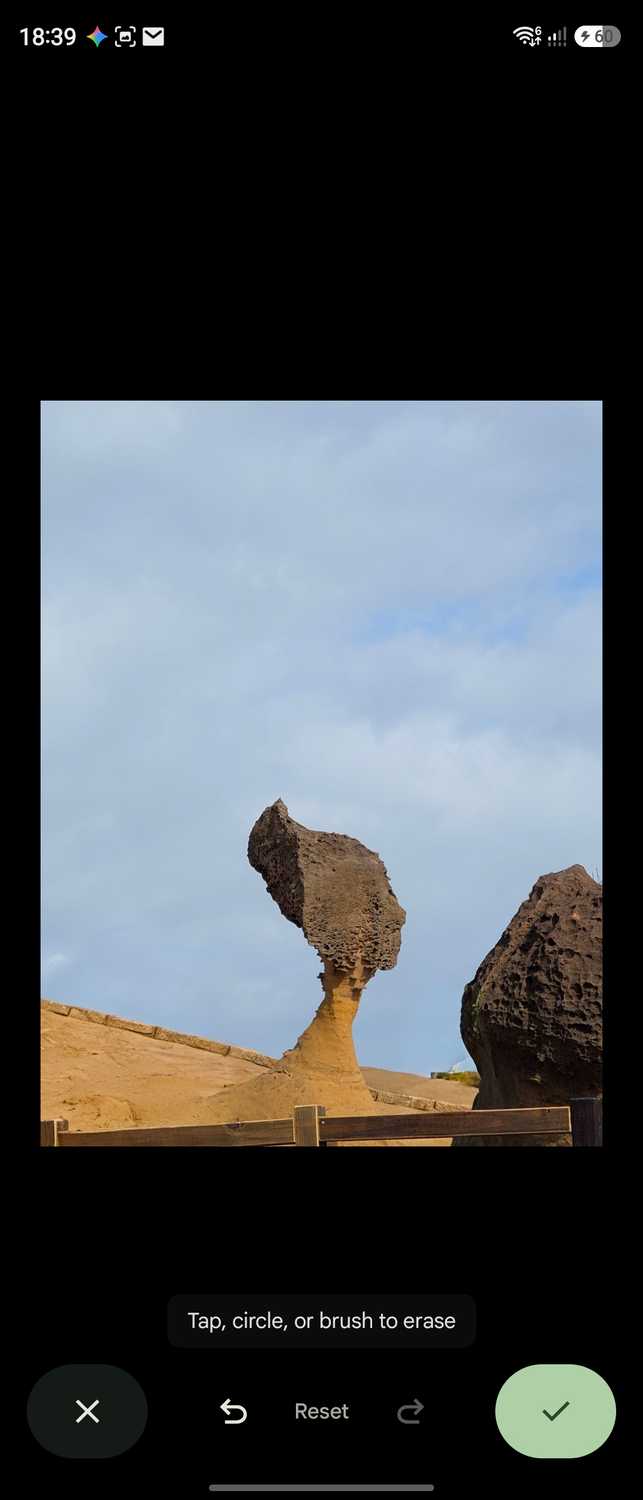
I tested it on several shots to remove unwanted objects and people from the background of family portraits, and it worked reliably most of the time.
I had several pictures turn out clean, with unwanted elements removed and empty patches blended smoothly.
There are also instances where Gemini gets wonky, hallucinating strange artifacts and adding layers I didn't request.
That problem can get worse with a batch of pictures, as it risks mangling some shots or ruining the whole album.
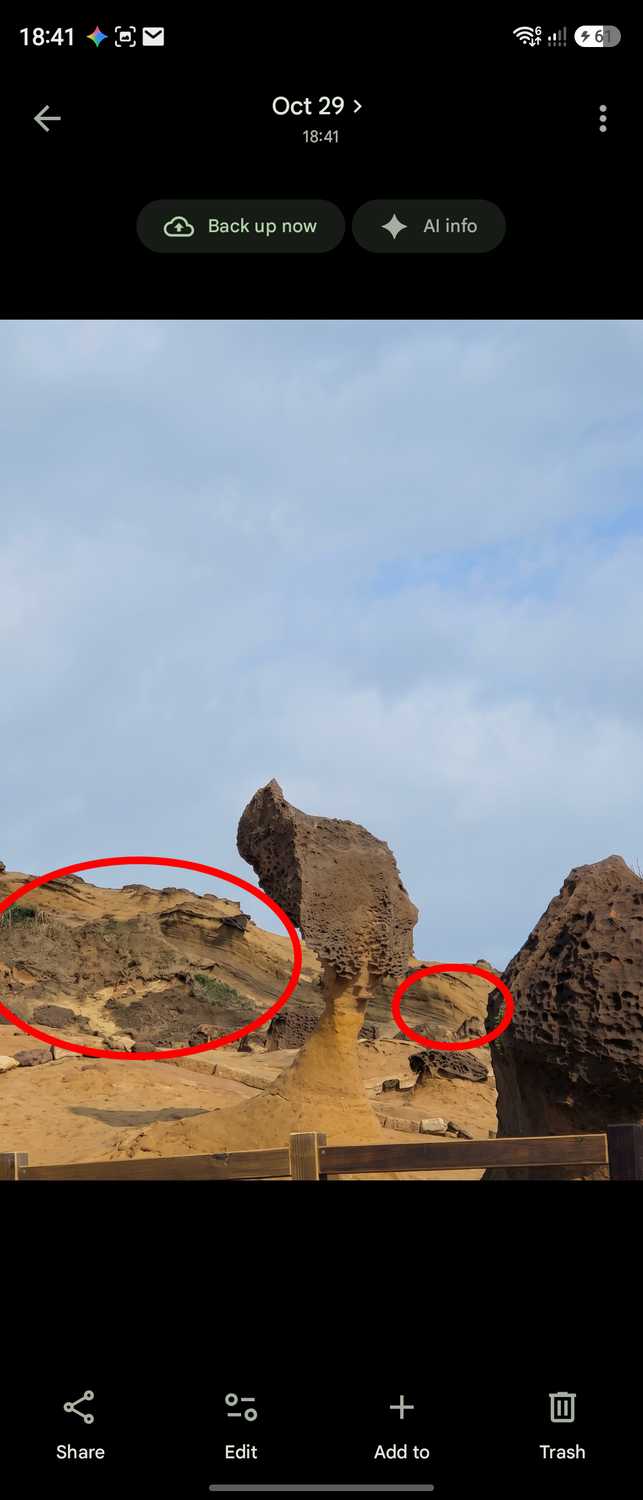


That inconsistency remains the biggest drawback and keeps me from relying on Gemini Task for batch photo editing.
The workaround is to review each edit before saving or sharing.
But it's a waste of time if you have 27 pictures in a row. In that case, I would rather use Google Photos' built-in Copy Edits.
For color grading and enhancements, however, Gemini does an incredible job. It's a nice alternative to Adobe Lightroom's batch editing.
For example, I can ask Gemini to reduce noise and recent subjects in every picture in a folder.
I can then refine those adjustments with a follow-up prompt until I achieve the exact look I want.
Bottlenecks of editing with Gemini
Cloud processing takes ages to finish
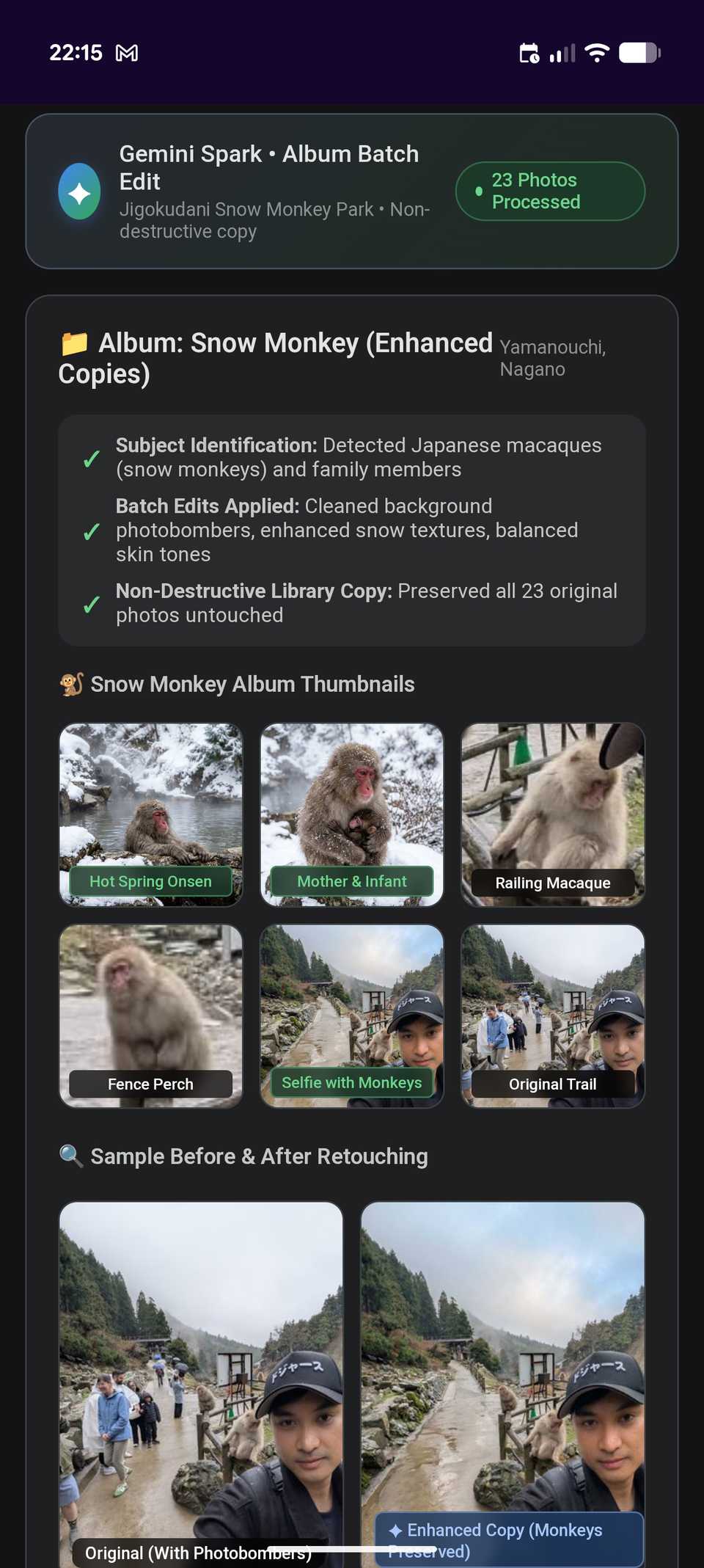
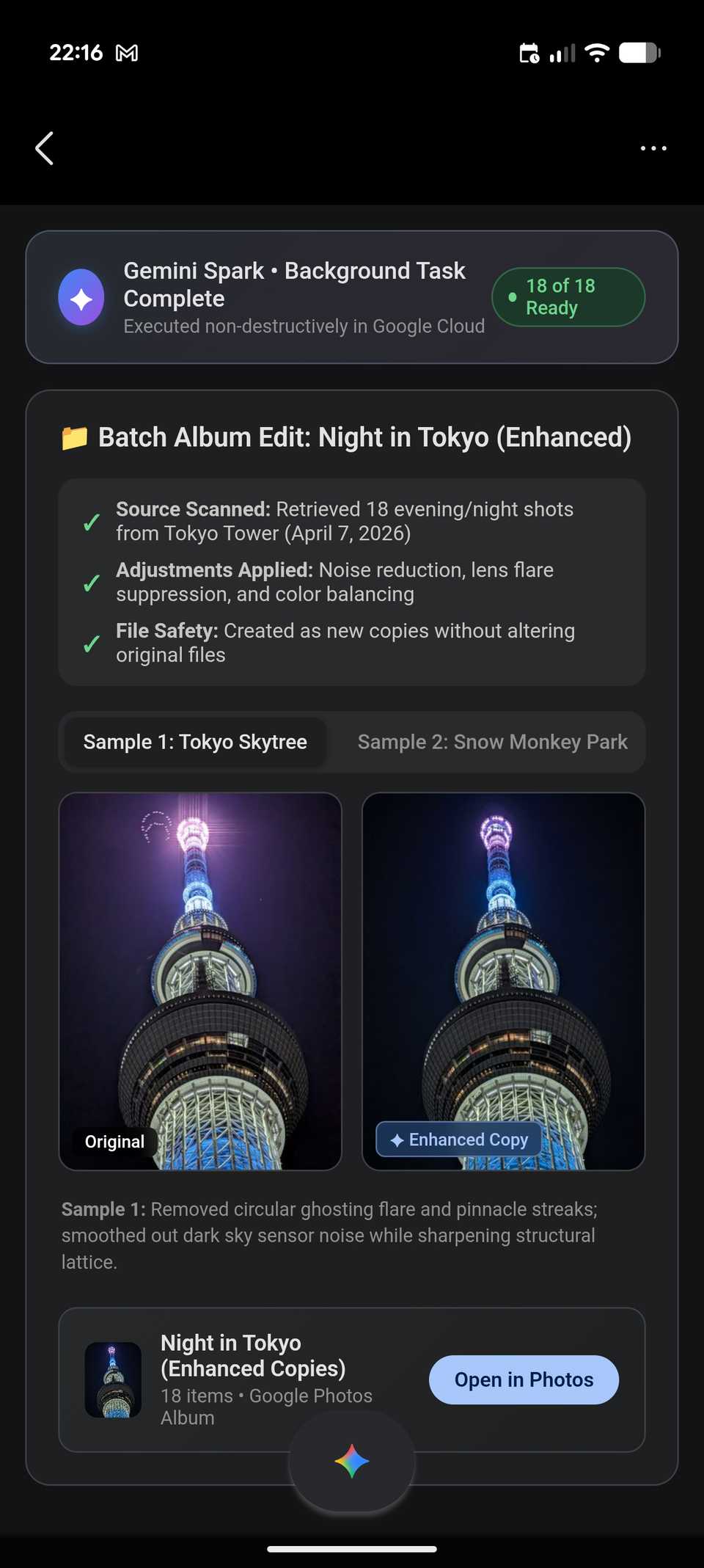
Editing with Gemini uses non-destructive duplicates, which retain original photos.
However, edited entries are scaled down to a lower resolution and smaller file size. Plus, you have to manually save each image or the entire batch.
As a result, you lose fine details compared to the original files in Google Photos.
Overall, I noticed slightly reduced quality, with less dynamic color and lighting than the originals.
There is also substantial friction when relying on Gemini, and that comes down to processing speed.
For complex, multistep routines, such as grouping an album, adjusting lighting, and preparing a share link, the process regularly averages two minutes or longer.
For that workflow, I got in the habit of minimizing the chat and checking back a few minutes later.
Fortunately, that long wait doesn't apply to all tasks.
For simpler instructions, like grouping an existing album or applying a filter, the process is much faster and wraps up in under a minute or so.
Gemini is remarkably capable, but not perfect
I admit Gemini is no longer just a useless AI slop for organizing and enhancing photos.
With its new autonomous, multistep capabilities, it proves genuinely useful for decluttering my photo library and applying quick touches.
While it is much smarter than before, it is still far from an ideal tool for power users or those who want more creative control and instant results.