Getting all of your devices to talk to each other doesn't have to be hard.
On paper, the easiest way to build a smart home is to pick a single brand with a broad range of accessories, and stick with it. That greatly simplifies setup and control, not to mention potential choice paralysis, given the sheer number of accessories out there. And really, simplicity is the whole point of smart home technology.
In practice, however, an omnibrand approach is usually impossible. Most companies specialize in a single product category, or a handful of them at most. The company that manufactures a smart lamp probably isn't going to produce robot vacuums too. In any event, sticking to a single brand means you're out of luck if a competing product delivers better features or pricing.
The smart home industry has been aware of these concerns for a long time, which is why there are now quite a variety of hardware and software platforms intended to make multi-brand systems work, from Amazon Alexa through to Zigbee. Here's what you need to consider when setting up your own.
What you need to know about multi-brand smart homes
The easiest solution to this is choosing one of three major smart home platforms: Amazon Alexa, Google Home and Apple Home (and therefore HomeKit). They're designed with multi-brand pairing in mind, so all you have to do, typically, is make sure the appropriate "Works With" label is on the box, and follow platform-specific pairing instructions. We say "typically" only because there might be unrelated requirements, such as support for a specific wireless standard.
There are alternatives. One of the most popular among enthusiasts is Home Assistant, since it's open-source, and can unite other multi-brand platforms under one gigantic umbrella. It is aimed at more tech-savvy users, however. You can buy a premade Home Assistant hub, but if concepts like installing your own hub on a Raspberry Pi sounds a little intimidating, you might be better off sticking with the big three.
One important technology that that's breaking down barriers is Matter. This is a universal pairing protocol, meaning that if an accessory supports it, you can link it to any of the platforms we've just mentioned. There are a few catches, mind. First, you'll need a device on your platform that's marked as a Matter controller, most often a hub, smart speaker or smart display. Second, pairing through Matter often limits an accessory to generic functionality (as I've discovered), rather than the full feature set from a specific to a brand or platform. Lastly, not all product categories are available, though most of the essential ones are — from light bulbs through to EV chargers.
Other important factors to be ready for
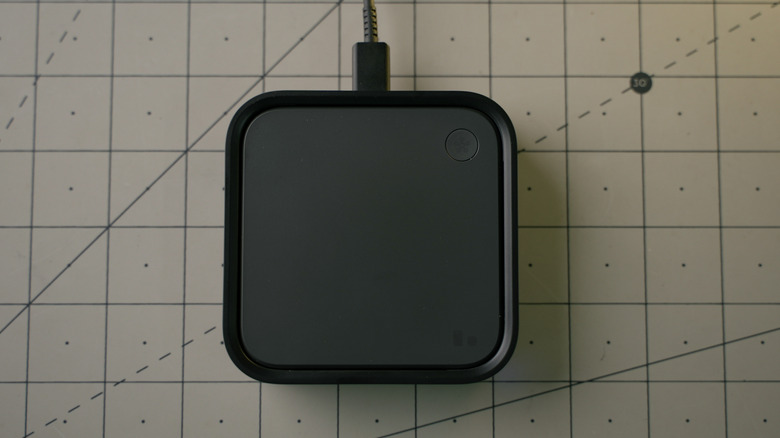
Another consideration is wireless technology. Hubs (and hub-like devices) based around mesh protocols like Zigbee, Z-Wave and Thread can potentially unite accessories from multiple brands. If a hub lacks Matter-based pairing, however, it may be unable to pair accessories from other brands, despite the fact that these protocols are supposed to be industry-wide standards. The perennial example of this is the Philips Hue Bridge, which can only pair select third-party Zigbee bulbs, and even then doesn't grant them every feature. If wireless pairing flexibility is essential to you, you may end up having to switch to a hub-centric platform, such as Home Assistant or Homey.
When selecting any platform, it's vital to think about the devices you want to control things from. While Alexa, Google Home and others have apps for both iOS and Android, HomeKit is exclusive to Apple devices. You may also prefer the interface(s) for one platform over another. It's usually possible to pair accessories with two or more platforms, with or without Matter — but unless you're really into tech, it's far simpler to pick one and stick with it.