Dell's transformational rebranding effort in 2025 had a bit of a bumpy ride. So bumpy, in fact, that Dell had to rename its business laptops again in 2026 to avoid confusion. The result is that the Pro, Pro Plus and Pro Premium ranges have been replaced by the Pro 3, Pro 5 and Pro 7. They're all new names, all new designs and – hopefully – a fresh new start for Dell's business portables.
The Pro 5 Series 14 finds itself sat squarely in the middle of the three families. Whereas the Pro 3 range is positioned as the budget workhorse and the Pro 7 range is the boardroom ultraportable, the Pro 5 occupies the middle ground.
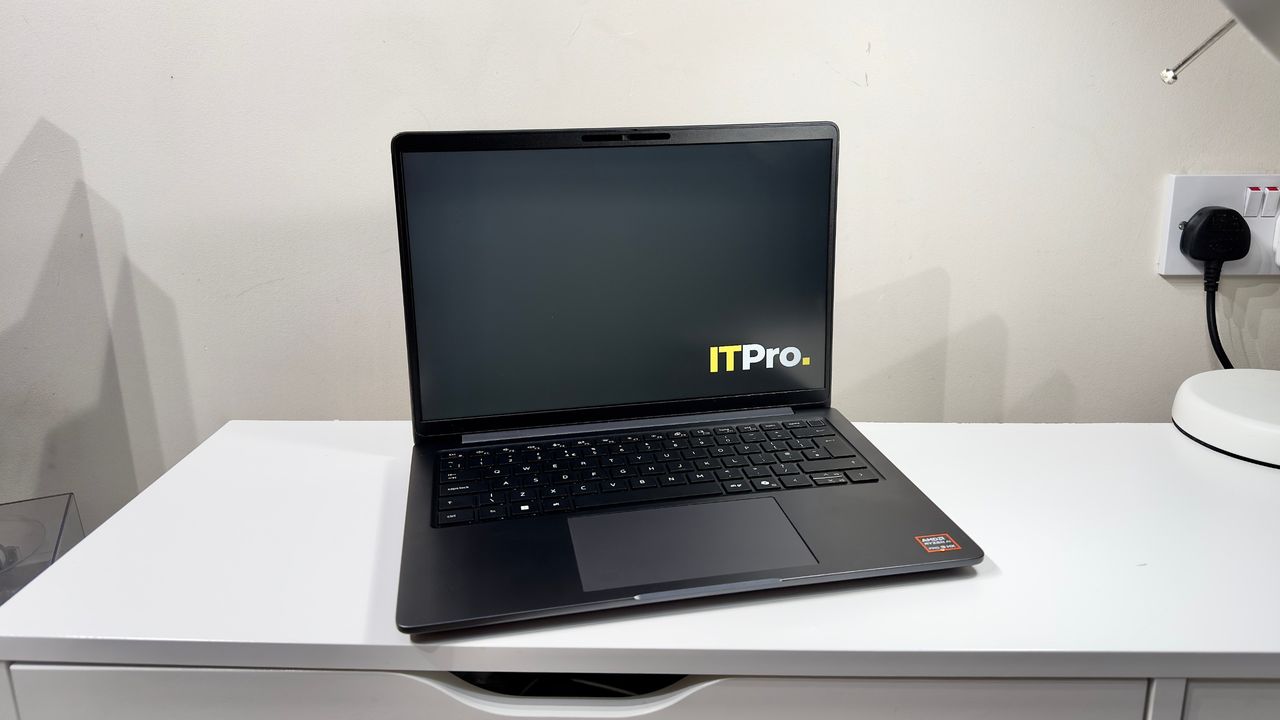
Designed to combine portability with power, physical connectivity and upgradability, it's not a huge surprise to find that – at the time of writing, at least – stocks of the Pro 5 Series 14 have run low at Dell UK. And it's easy to see why: this looks to be the sweet spot of the new line-up, and a quiet return to form for Dell's business laptops.
Dell Pro 5 Series 14: Design & connectivity
Hats off to Dell here – the Pro 5 Series 14 both looks and feels like a premium business laptop should. It's good to see the back of the clunky, thick-set and uniquely uninteresting design that Dell rolled out for the Pro 14 Plus. No one is ever going to claim that the Pro 5 Series 14 is a design revolution, but it's a huge step up on its predecessor. The base tapers from the rear to an attractively rounded front lip, and the soft curves are married to a tough, stiff skeleton which tips the scales at a very reasonable 1.35kg. If someone is considering spending a large chunk of their IT budget on a fleet of 14in business laptops, this is the kind of thing they deserve.
It feels like it's built to last, too. The base is pleasingly stiff, and while the lid is more flexible, it's not worryingly so. And yes, it's a big step up from its predecessor, the thicker, heavier Pro 14 Plus. That model had so much flex in the base that bending the chassis actually clicked the touchpad mechanism. Thankfully, Dell's engineers have learned from their mistakes: there are no such quirks here.
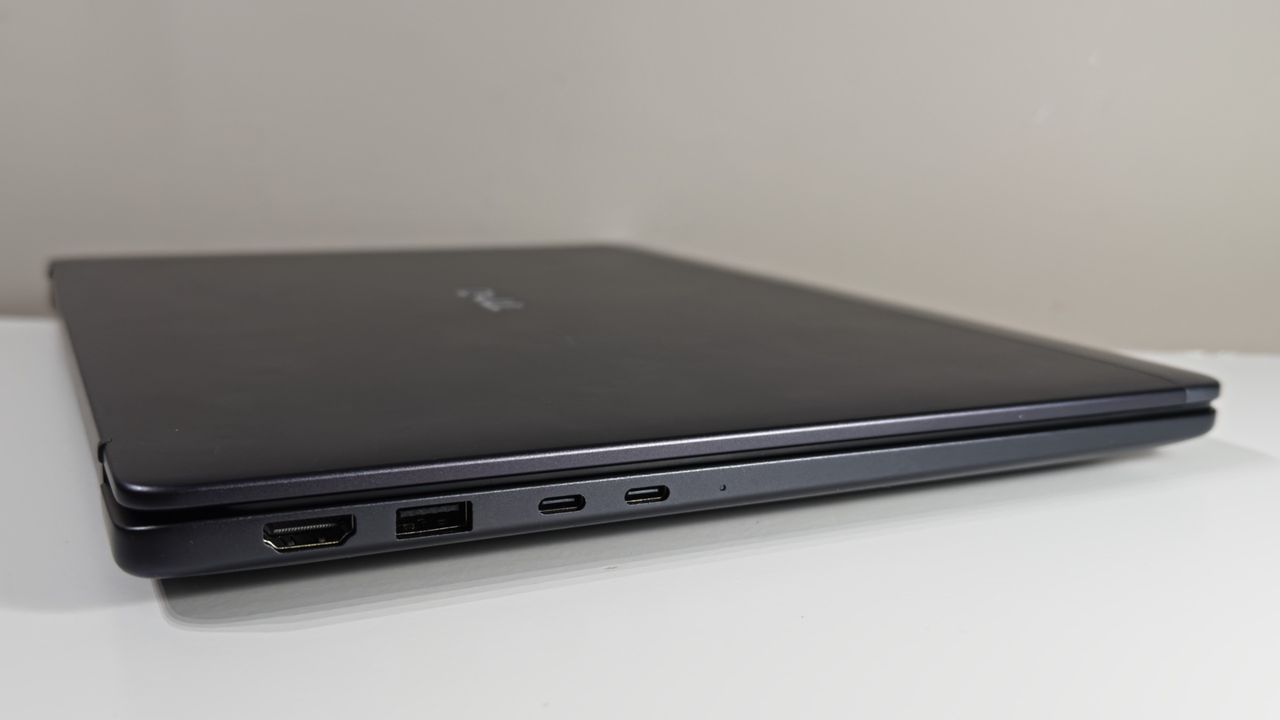
Lowering the weight and improving the chassis rigidity is a fine achievement in and of itself, but the Pro 5 Series 14 retains a refreshingly old-school level of physical connectivity. Cast your eye over the right-hand flank, and you'll find a drop-jaw 2.5GbE port, wedge-style lock slot, 5Gbps USB-A port, 3.5mm headset port, and a microSD slot along the right-hand edge alone. Look to the right, and there's an HDMI 2.1 port, another 5Gbps USB-A port, and two Thunderbolt 4 USB-C ports.
Wireless connectivity is handled by either the MediaTek MT7922 Wi-Fi 6E or MT7925 Wi-Fi 7 cards, with the former supporting Bluetooth 5.2 and the latter Bluetooth 5.4. Adding a WWAN card adds around $100 for 4G and $200 for 5G.
Sign up today and you will receive a free copy of our Future Focus 2026 report - the leading resource for IT decision-maker insight on priorities and investment areas in AI, security and more.
Security includes an optional fingerprint sensor integrated into the backlit power button in the keyboard's top right corner. You also have the usual Dell system where selecting certain display types changes which webcams you can choose. These all have a physical shutter for privacy, and it's a choice of either Full HD or 8MP sensors. Alternatively, Dell lists an option for no camera or microphone, which is presumably aimed at more secure applications.
Another feather in the Pro 5 Series 14's cap is that it's a genuinely user-serviceable design. Loosen the six captive Philips screws on the laptop's underside and, with a bit of persuasion and a forceful twist of the chassis, the aluminium bottom panel unclips. Given the prices of RAM and SSD storage, it's a joy to find easy access to both. The two SODIMM slots are neatly placed side by side, the battery unscrews without hassle, and the SSD and WLAN card are easily accessible, too. Even the WWAN aerials are all pre-installed and waiting for you to connect a compatible M.2 card. It's only a shame that Dell couldn't make room for an upgrade to a full-length M.2 2280 SSD – it's not possible here as it'd foul the CPU fan housing.
Pricing is currently impossible to evaluate for UK buyers – the system isn't currently available on Dell's website for configuration, presumably due to stock issues – but US buyers have no such issues. Dell offers the choice between an Intel or an AMD build. The cheapest Intel pre-built model offers a really solid, if unexciting specification for $2,204 at the time of writing: you get an 8-core Core Ultra 5 335 processor, 16GB of DDR5 RAM, a 512GB SSD and a very basic 1,920 x 1,200 display with 62.5% sRGB coverage. The base AMD model is marginally cheaper at $1,996, but it swaps in a 6-core Ryzen AI 5 Pro 435 processor. Whichever you pick, Dell supplies the 16GB of RAM in a single SODIMM, so it's easy to upgrade to 32GB as and when the RAM prices come back down to earth.
Regardless of which processor you go for, the display is the first thing I'd upgrade – it's a mere $90 to upgrade to a brighter 2,560 x 1,600 panel with 100% sRGB coverage – but the overall specification for either is super sensible. The Intel processor is arguably the best value in Intel's Panther Lake line-up, offering solid octa-core performance alongside a very capable integrated GPU and a combined 99 TOPS of AI compute. AMD's offering is broadly similar, too, with its 6-core multithreaded architecture going toe to toe with Intel in every area barring AI, where it lags behind with 59 TOPS.
Set your sights on more generous amounts of RAM and storage space, however, and you'll be unsurprised to see the prices soar. Dell sent us a review sample with a Ryzen AI 9 HX PRO 470, 32GB of DDR5 RAM, a 1TB Samsung BC9C1a SSD and a 2,560 x 1,600 non-touch display. It also came with the upgraded battery – you can choose between 45Wh, 57Wh and 70Wh packs, although the difference between all three is a mere $20. That all tots up to a daunting $3,696, but bear in mind that the top-end processor adds $620 over the standard Ryzen AI Pro 435 model, doubling the RAM adds $530, and doubling the SSD adds $250 over a basic QLC model. Judicious component choices will slash your bill significantly.
Dell Pro 5 Series 14: Keyboard and touchpad
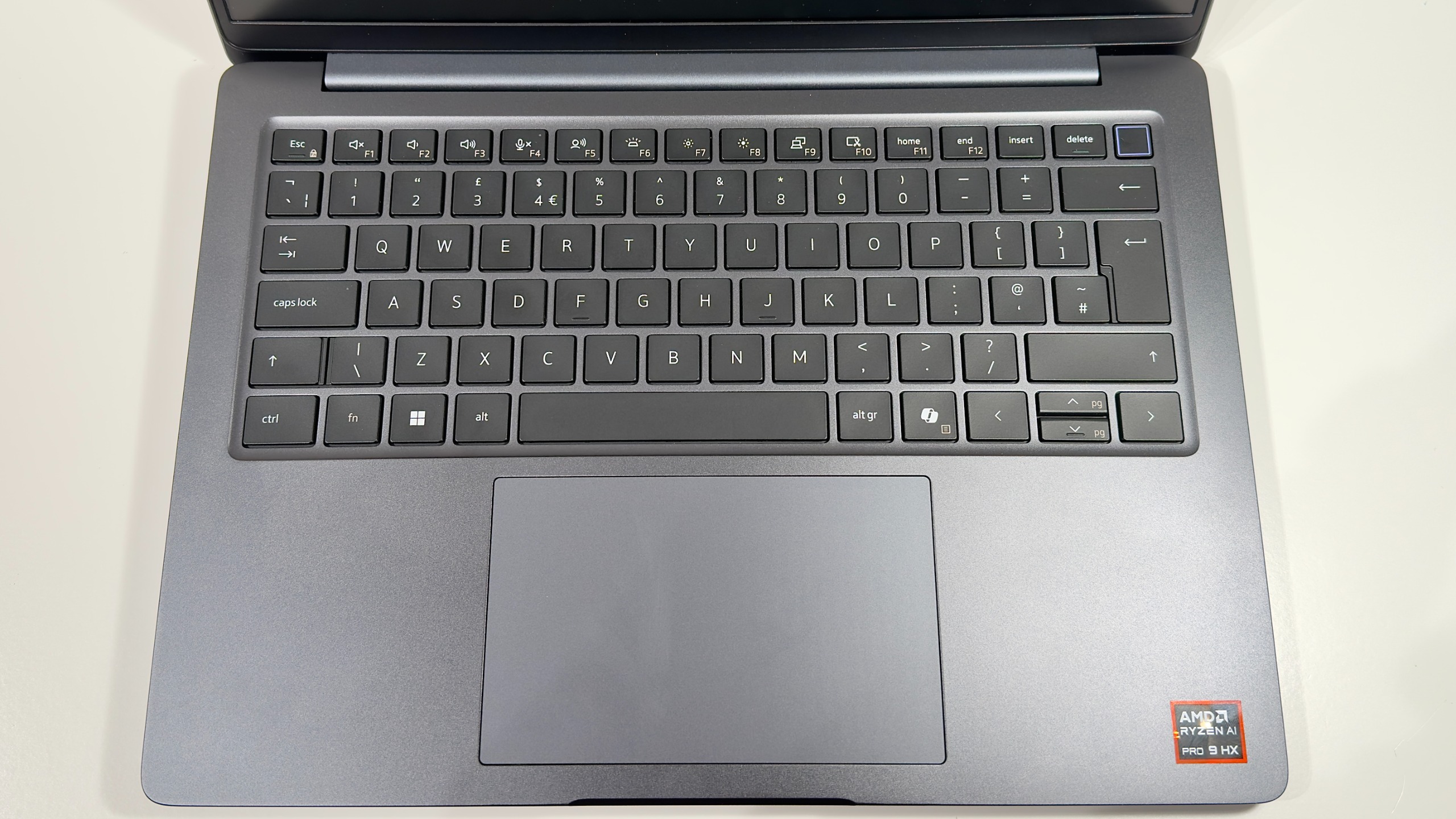
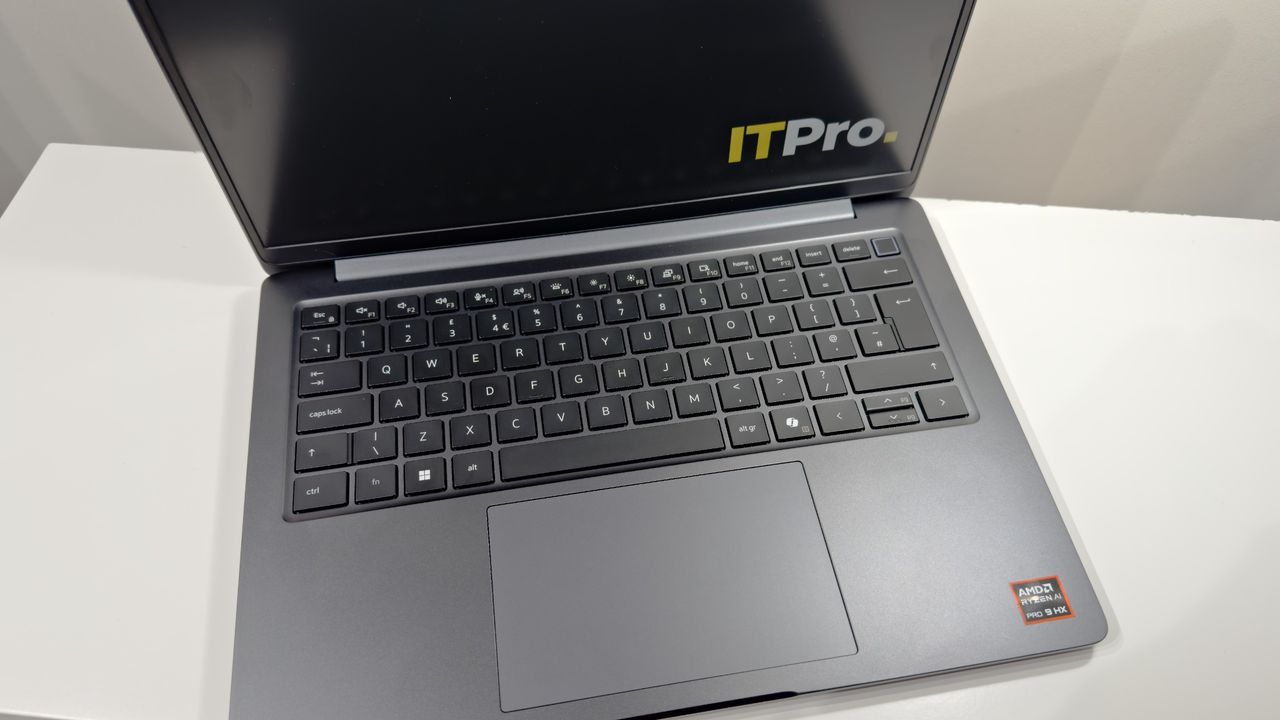
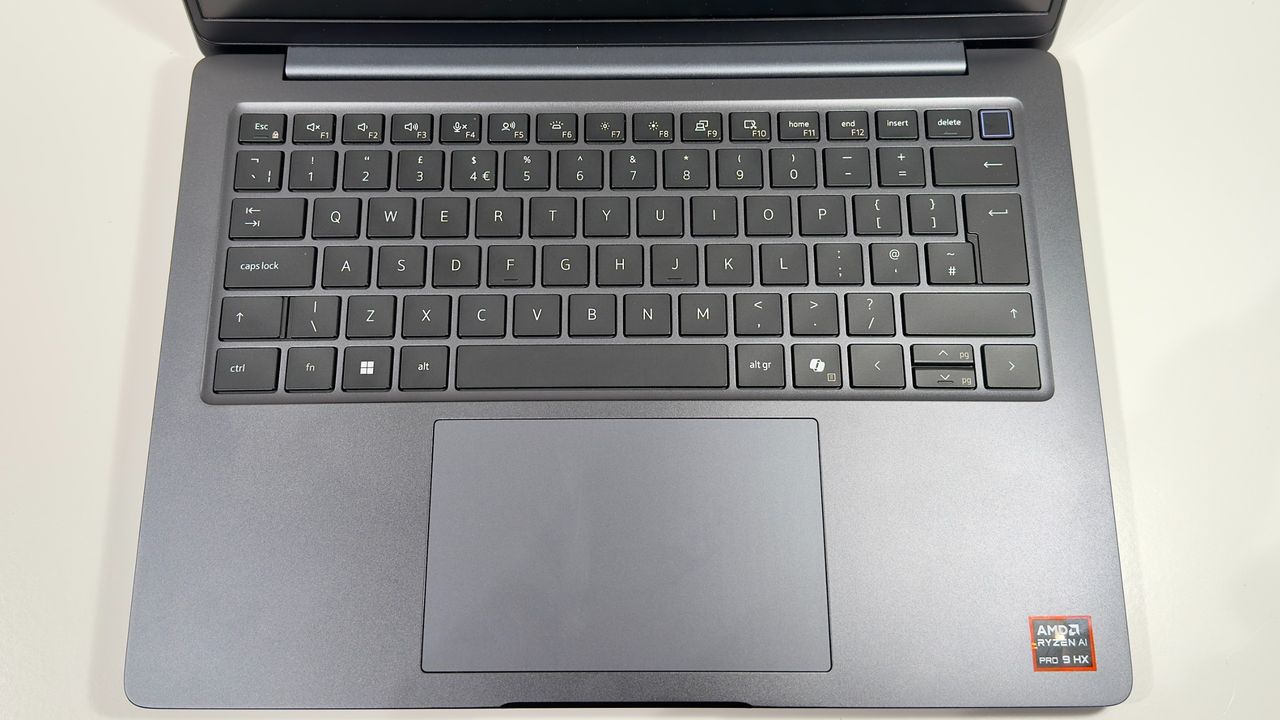
The ergonomics are a big step up from the previous generation. The keyboard is a considerable upgrade for starters, with far less bounce in the keyboard deck than the Pro 14 Plus, and this allows it to produce a much more pleasant feel – Dell has thankfully banished the hollow and spongy feel of the previous model. By contrast, the Pro 5 Series 14's keys have a nice light trigger point at the top of the stroke and enough travel to feel comfy after using standalone keyboards.
The layout is fairly sensible, too. I'm still not a fan of having the tilde and backslash keys pushed flush with the left Shift and full-height Enter keys, but I can live with it. Similarly, I do appreciate that the power button (with integrated fingerprint reader, if you specify it) is lower in height than the Delete and Backspace keys alongside, but there's still no protection against accidental presses. By contrast, HP's business laptops require users to hold down the power button for a couple of seconds before the system sleeps or shuts down.
The mechanical touchpad is a good choice for repairability, and it works fine, too. I didn't notice any of the sleep issues I encountered on previous Dell models where the touchpad seemed to forget to wake up on occasion – it proved perfectly hassle-free in daily use, and navigating multiple Windows desktops with the usual suite of multi-finger gestures worked pretty consistently, barring the very occasional misfire. It still isn't as responsive to two-fingered clicks as I'd like, though. You have to press quite slowly and intentionally to get a consistent response. Still, users who are happy to just click the bottom left or right of the touchpad will not care.
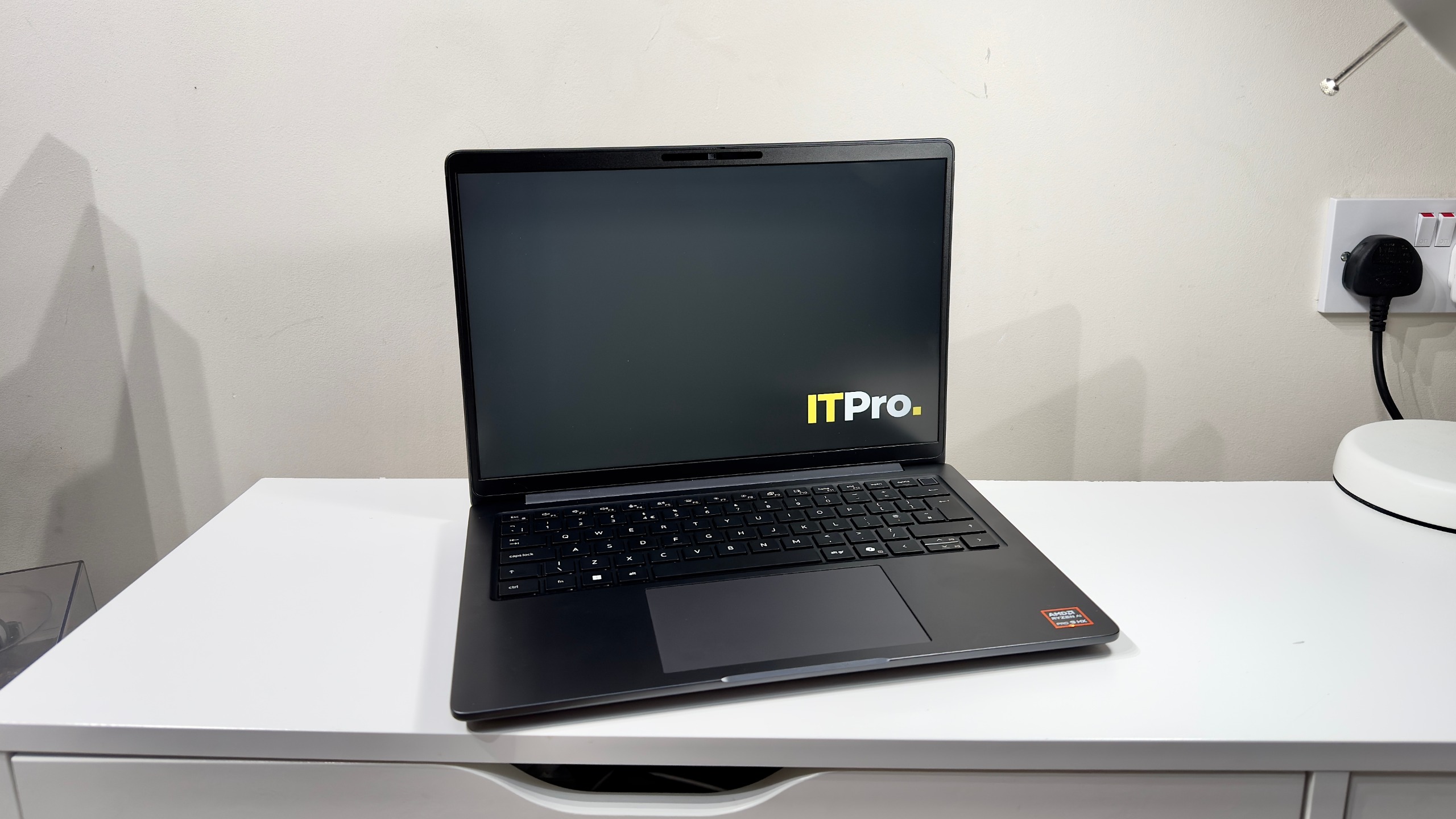
Dell supplied the upgraded 2,560 x 1,600 IPS display, which promises 100% sRGB coverage. It also supports variable refresh rates from 48Hz up to the panel's maximum 120Hz. Overall, it's a good-looking display. That raised refresh rate makes scrolling just that bit smoother, and the panel surpasses its claimed 500 nits rating with a brightness of 525cd/m2 (or nits, if you prefer) at maximum brightness. Combined with the matte anti-glare finish, this makes for a laptop that's usable outdoors in fairly bright conditions.
Color accuracy is decent, too. I measured the panel against the sRGB colour palette, and it scored an average Delta E of 1.36 while sRGB coverage reached around 96%. The white point is a little warmer and more reddish than intended, and the very brightest colours tend to get a little washed out at times, but it's a decent display overall. The high pixel density of the panel certainly helps here, too, as both text, images, and videos look super crisp and vibrant.
One thing to bear in mind is that the display type influences the webcam options. The cheaper panels with reduced colour coverage are tied to the basic Full HD sensor, whereas the 100% sRGB panels get an 8MP HDR webcam and IR sensor. Again, though, Dell has listened to and addressed my previous complaints. Previously, you had to upgrade to the higher-resolution QHD panel, which was a substantially more expensive upgrade, but now you can pick from a more power-efficient 1,920 x 1,200 panel or the higher-resolution one I have here for under $100. In my opinion, that makes the display upgrade a no-brainer: you get a better-looking display and a better webcam into the bargain. It's still not a great webcam – it gets very noisy in lower light – but it's a darn sight better than the Full HD sensor. Colors and detail are in the realm of good enough.
Given that Dell selected the fastest AMD chip option available for this review sample, the Ryzen AI 9 HX PRO 470, performance was unsurprisingly quick across the board. The 12-core, 24-thread architecture delivers good performance in both single- and multi-threaded applications, and delivers around 86 TOPS of AI compute power. This combines with a good turn of speed from the Samsung SSD, which delivers peak sequential read and write speeds of 6,998MB/s and 5,187MB/s respectively.
The principal limitation here is not the processor, however: it's how capable the Pro 5 Series 14 is at cooling the processor, and how much noise you're willing to put up with. In this instance, the Ryzen AI 9 HX PRO 470 processor has a baseline TDP of 28 watts and a configurable TDP range between 15 watts and 54 watts. Naturally, the Pro 5 Series 14's chassis is just too small to handle the higher end of those figures, but you can tailor the potential performance to your preferences with the Dell Optimizer software.
Set it to Ultra Performance and the processor has enough headroom to boost up to around 42 watts for brief periods before settling down to around 31 watts. This gives you the maximum available performance, albeit at the cost of a very loud whooshing from the fans. Change the setting to Optimized, and those figures drop to around 35 watts peak and a sustained 26 watts – fan noise drops substantially here, but bear in mind that it's not silent. Select Quiet mode and the sustained wattage drops down to around 21 watts while the fan noise dulls to a quiet, unintrusive rush of air. If silence is preferable to maximal power, it's nice to have the option.
The result is a light, compact laptop with a turn of speed that's competitive with Intel's Series 3 processors. In Geekbench 6's single-core tests, it was around 16% faster than the Intel Core Ultra 9 386H, which I tested in the MSI Cubi 3MG mini PC. In the multi-core tests, it was around 6% faster. Cinebench 2024 gives a better idea of how processors handle more steady, sustained loads, and this paints a slightly different picture, with Intel only falling 2% behind the AMD chip for single-core performance. For multi-core tests, AMD's higher thread count – 24 to Intel's 16 – allowed it to squeeze out a 20% lead in the multi-core tests. It all points towards AMD being the faster option on this platform: the fastest Intel processor currently available in the Pro 5 is the slightly slower Intel Core Ultra 7 366H vPro, so AMD is the optimal pick for superior multi-core performance.
The integrated Radeon 890M graphics perform well, and see AMD retain its lead against Intel's mid-range Series 3 processors – or at least the ones equipped with Intel's Graphics 4 Xe3 GPU. In Geekbench 6's synthetic GPU tests, the 890M pulls 40% ahead in the Open CL test and over 70% ahead in the Vulkan variant. The story repeats itself in 3D Mark. For the more demanding tests such as Time Spy and Steel Nomad, the 890M only pulls 15% ahead of the Intel GPU. For the tests which aren't so memory limited, such as 3D Mark's Steel Nomad Light or Geekbench 6's Open CL benchmark, the AMD GPU extends its lead to nearer 45%.
The only disappointment here is battery life. Despite Dell installing the largest of the three battery capacities available for the Pro 5 Series 14, our video rundown test only ran for 13 hours and 1 minute. Given that we've seen the current generation of Intel-powered laptops power towards and past the 20-hour mark, that's underwhelming. If battery life is more important to you than multi-tasking power, then you have two options: either drop down to a more modest AMD processor, or opt for one of the Intel Series 3 Core models instead. Dell also touts the lower-resolution 1,920 x 1,200 panel as being an Ultra Low Power option, so it's likely that may have a sizable impact, too.
Dell Pro 5 Series 14: Is it worth it?
The Pro 5 Series 14 is definitely a big step in the right direction. Whereas the Pro 14 Plus felt like a characterless, lacklustre clone of a 2012 Apple MacBook Pro, Dell has listened to the criticisms levelled at the previous generation and addressed almost every single issue. Hats off.
As a result, the Pro 5 Series 14 is an across-the-board improvement – better designed in every way. It's powerful, upgradable, and well-connected. Fan noise can become intrusive, but that's to be expected when putting this much power into a 14-inch chassis. In short, this is a premium-priced business portable that's designed for the needs of both staff and IT departments – and proof that Dell's business fleet is back on the right path.
|
14in 2,560 x 1,600 IPS matte |
||
|
AMD Ryzen AI 9 HX PRO 470 (12 cores/24 threads, up to 5.2 GHz) |
||
|
32GB DDR5 (Up to 5600 MT/s, 2x SODIMM) |
||
|
2 x USB4 (Type-C, DisplayPort/Power Delivery), 2 x USB-A 3.2 Gen 1, 1 x HDMI 2.1, 1 x RJ45 Ethernet, 3.5mm headset jack |
||
|
1080P FHD IR webcam (with Windows Hello) |
||
|
1TB PCIe Gen4 SSD |
||
|
Wi-Fi 7, Bluetooth v5.4 (Optional 4G/5G mobile broadband) |
||
|
1.35Kg |
||
|
313.5 x 224 x 17.9mm (WDH) |
||
|
57Wh (Options up to 70Wh available) |
||