
Outside the Google Play Store, F-Droid is one of the largest and most popular open-source app stores for Android. It hosts thousands of unique Android apps not available elsewhere. With Google making significant changes to Android sideloading since the OS's inception, F-Droid is introducing a major visual overhaul to its app store for the first time in years.
F-Droid 2.0 features a "modern interface, better app discovery, improved search, and a simpler experience." Essentially, the redesign aims to make finding the right app easier for users. This includes using Kotlin Compose as the base and Material Design elements throughout.
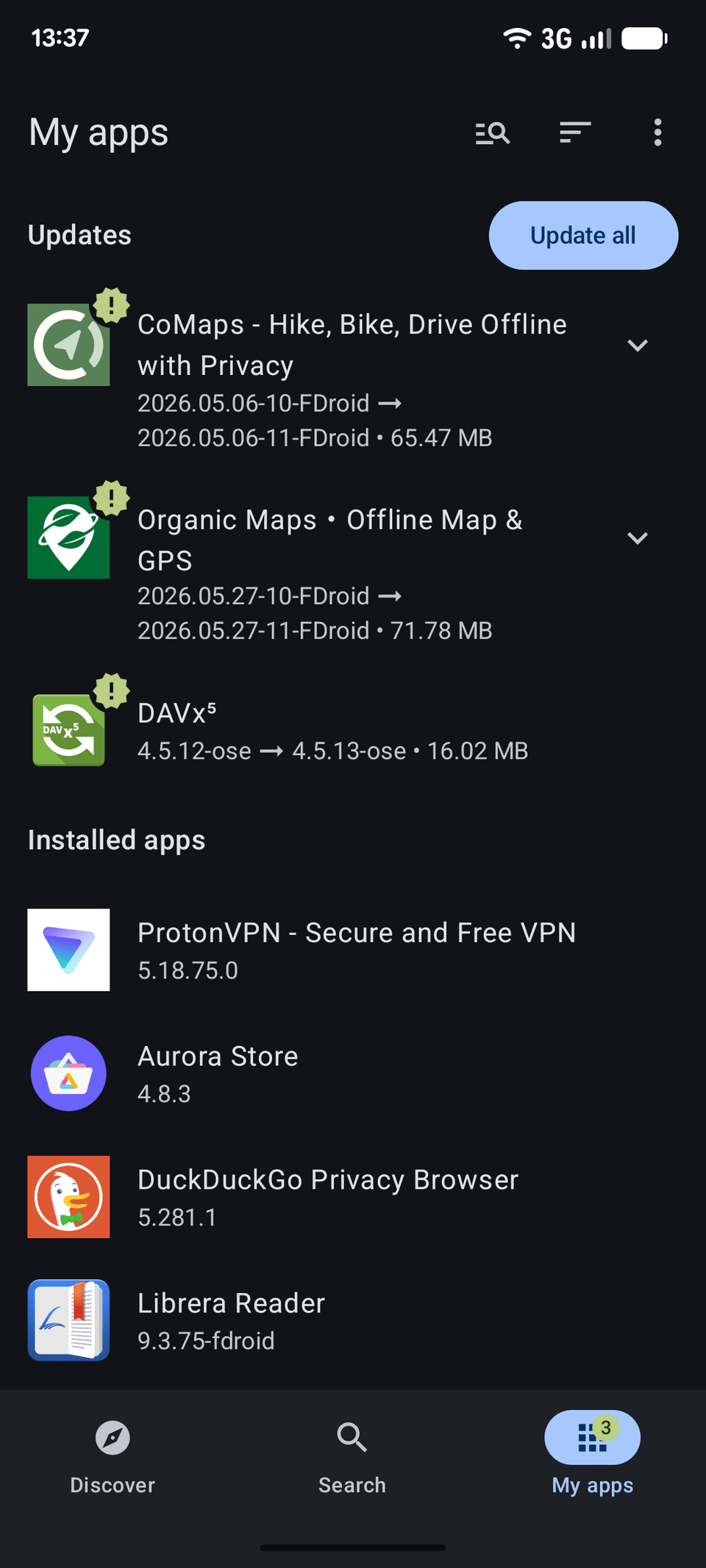
The app store's main interface now features three tabs: Discover, Search, and My Apps. As the name suggests, Discover is where you'll find new apps, with sections like Most Downloaded, New Apps, etc. Search merges the old categories section, providing additional filtering options. This goes hand in hand with the expanded categories.
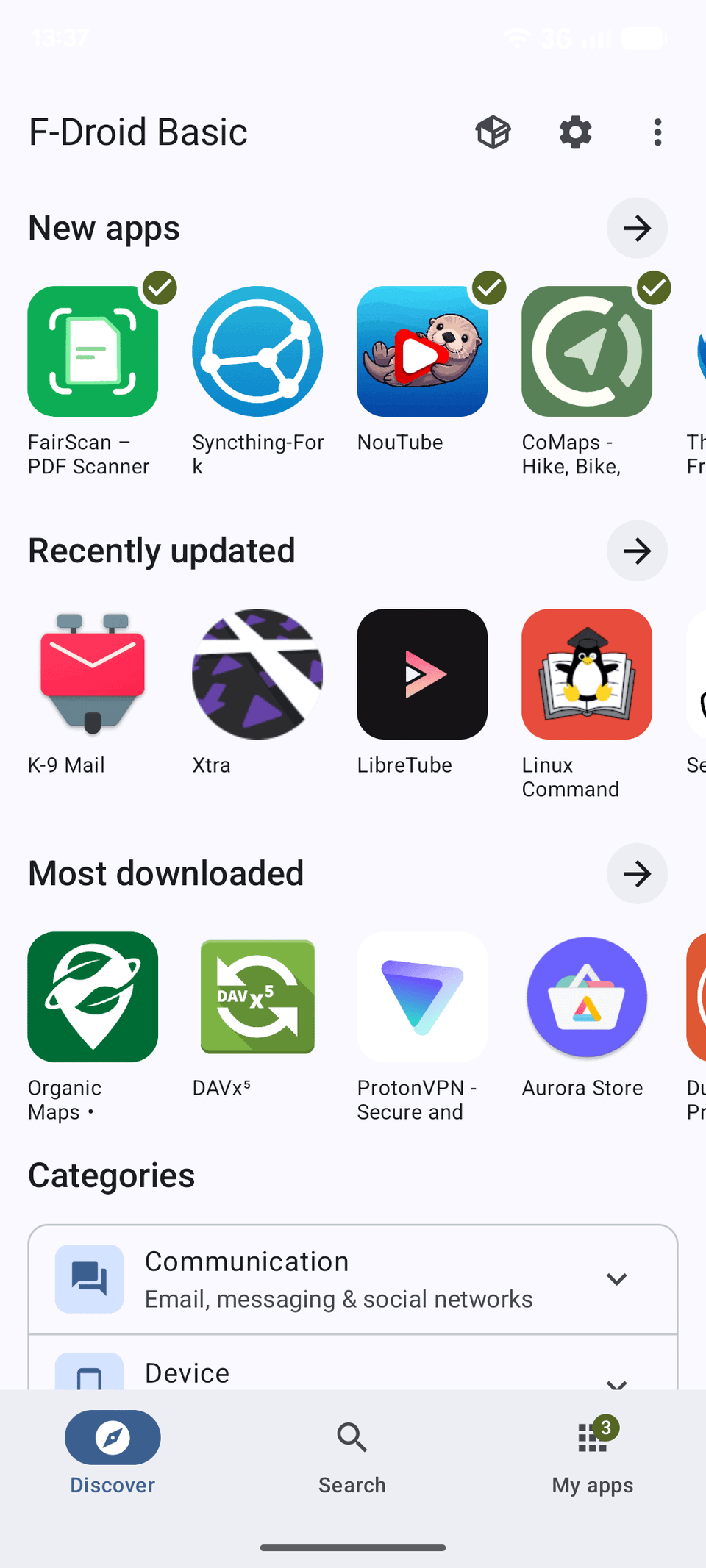
F-Droid says the search system is also better than before, and it can now find apps or games using app descriptions, categories, and even translated content. The search experience should also be better in Chinese, Japanese, and Korean languages.
Lastly, My Apps will show all the installed apps on your device, with the ability to update them.
Thanks to the EU's Digital Markets Act (DMA), F-Droid says the app installation and update process will now also be better. The open-source app store will now use a unified installer for all apps installed through it.
F-Droid 2.0 simplifies updates, but changes some privacy features
F-Droid 2.0 is not just about new additions and visual changes, though. The team has also removed certain options. This includes the ability to manually check for app updates, which used to happen through a pull-to-refresh gesture.
Instead, the app store now automatically checks for them. In case you still want to check for updates manually, the option is tucked under the three-dot overflow menu button in the My Apps section.
The Tor integration in F-Droid is also changing. If you use the "Use Tor" option, it will be migrated to the generic Proxy Settings. The team recommends using Tor VPN going forward for easy access.
F-Droid's panic feature is also changing. Going forward, you can now only disguise F-Droid’s name and icon. It will remain visible in the Settings app and during forensic analysis. The feature that removed apps on a panic trigger is missing for now. Given the small user base, the F-Droid team decided to go ahead with the release without it.
Excited to try out F-Droid 2.0? Unfortunately, the final build is not available yet, as the team is still working on the changes. You can grab an alpha build, but it's still missing some features.