
Left behind reminders are one of the most useful features of Bluetooth trackers. Before you realize you've left your keys in the restaurant, your phone pings you when you walk out the door, stopping the problem from occurring.
This feature is available on select Bluetooth trackers, including Chipolo's products and the Moto Tag.
The frustrating part was that despite being Find Hub compatible, you had to use the respective app to access advanced features like . Fortunately, Google updated the Find Hub app to access it natively.
How to enable Left-Behind Reminders on an existing tracker
A simple toggle enables reminders
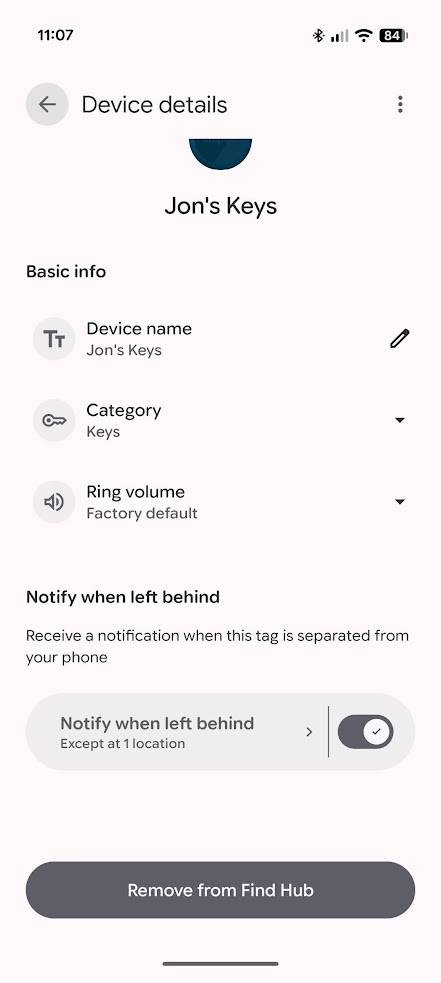
If you're using a tracker that supports Left-Behind Reminders, you can enable it from the Find Hub app:
- Open the app.
- Select the tracker that supports Left-Behind Reminders.
- Tap the (cog icon).
-
Toggle on the Notify when left behind switch.
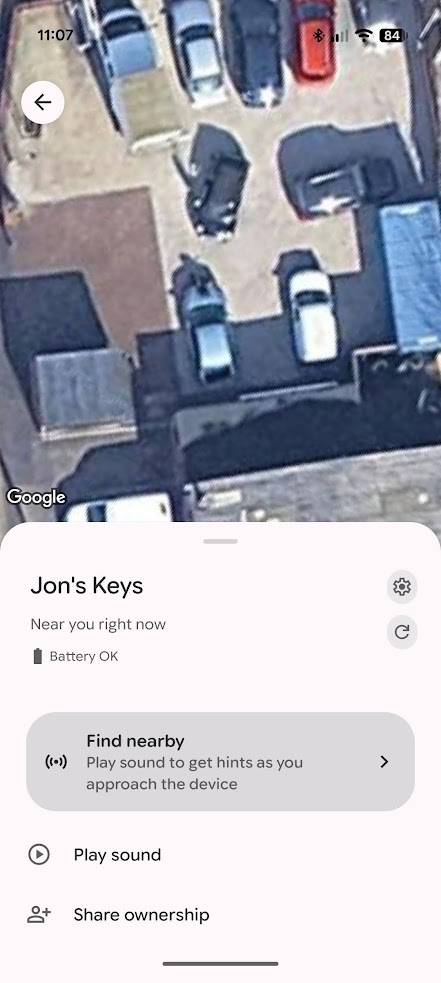
Find Hub will also prompt you to enable Left-Behind Reminders when setting up a compatible tracker. After connecting to a tracker, follow these steps to enable the reminders:
- From the What Next? Page, select Notify when left behind.
- Tap Turn on.
-
Continue with setup.
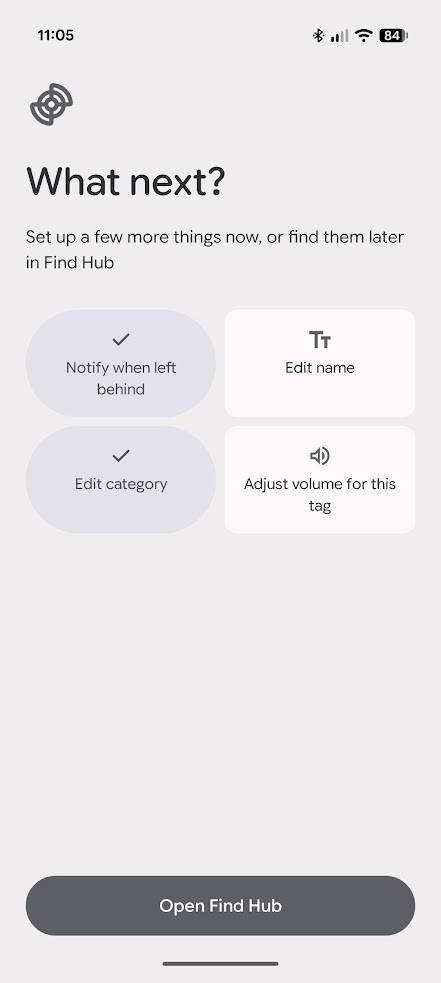
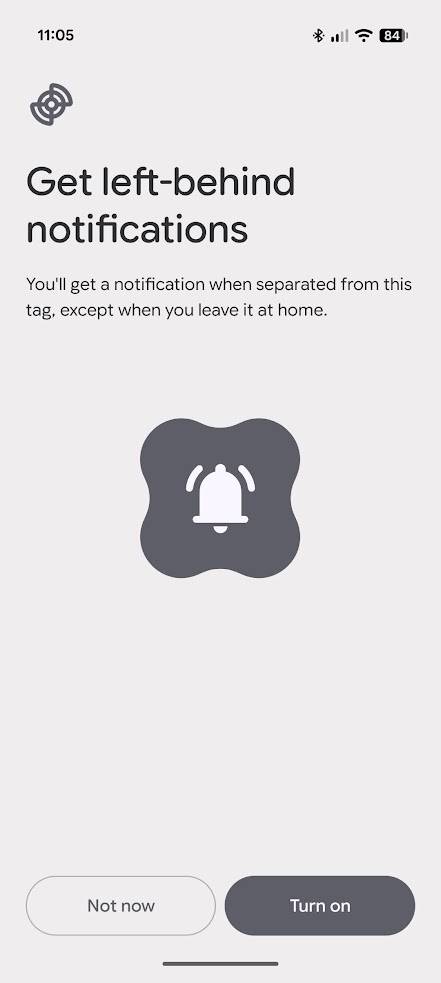
Left-Behind Reminders are now set up for the tracker in Find Hub. However, it's worth spending a few minutes to configure this setting.
Configure Left-Behind Reminders to avoid notification spam
Sometimes you want to leave your tracker behind
I don't need a reminder to tell me when I've left my keys at home. Either I've deliberately left them because I'm not the only one at home, or I'll notice I've left them when I can't lock my door.
Either way, the notification I receive is annoying.
Find Hub lets you set areas where it won't send you Left-Behind Reminders. If the tracker is left in that area, it's blocked from sending these notifications.
Configure this setting by finding the Notify when left behind switch in the tracker's settings. But instead of toggling the switch, tap the button to the left.
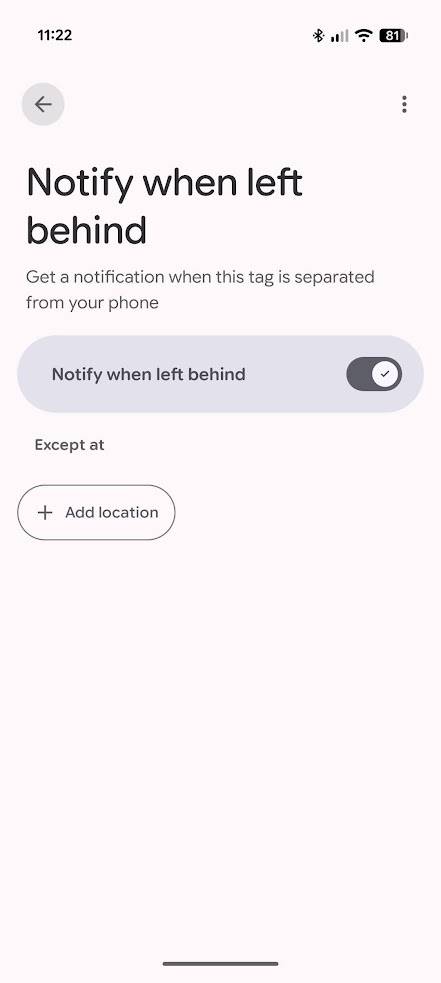
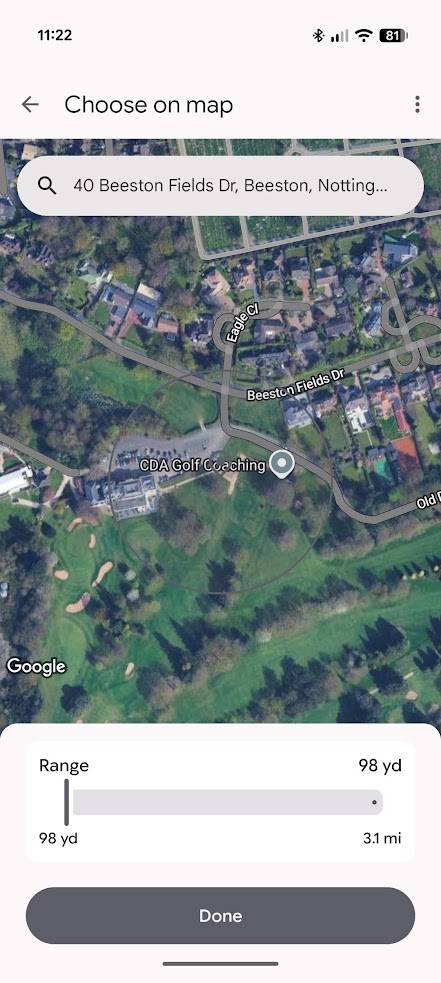
From here, tap Add location, then navigate to the location you want to block notifications from.
You can configure a circular area between 98 yards and 3.1 miles in diameter to block Left-Behind Reminders. You can set these blocks for all compatible trackers, or on a tracker-by-tracker basis.
Why don't all trackers support Left-Behind Reminders?
Not all devices are optimized
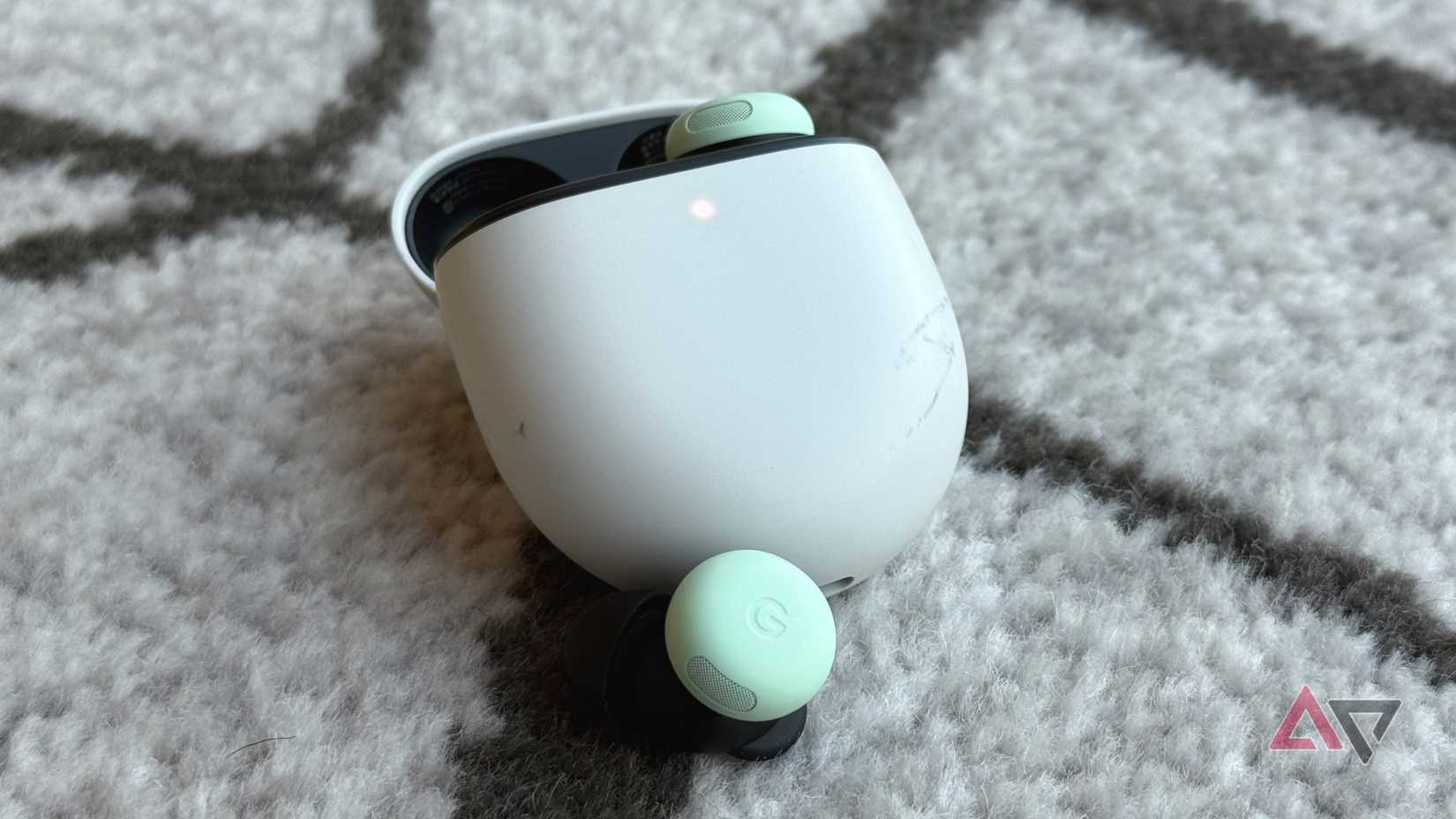
Knowing if I left my wallet or keys behind is handy, but what I really want is Left-Behind Reminders for my earbuds. I have a bad habit of leaving my Google Pixel Buds Pro 2 in random places, and I often don't notice until it's too late.
Google's Find Hub app has always helped me recover them, but it's frustrating to have to physically track them down when Left-Behind Reminders should have notified me from the start.
Unfortunately, my Pixel Buds Pro 2 don't support this feature, and I doubt they will.
For Left-Behind Reminders to work, the tracker and phone must stay in constant communication.
Devices need to have enough battery life to support this constant communication. They also need to be smart enough to distinguish when they've actually been left behind, or if there's just a connection problem.
For example, if you live in a house with thick walls that hinder Bluetooth signals, a poorly designed tracker with a left-behind feature might constantly spam your phone with notifications.
If devices don't have the optimized hardware to support Left-Behind reminders, they likely never will. The good news is that most new trackers support this feature, so it's not impossible that future earbuds or headphones will also support it.
I rely on it completely
I tested Find Hub's Left-Behind Reminders with Chipolo's. Unlike Find Hub, Chipolo doesn't offer configuration options, so it'll always tell you when you left the tracker behind, whether you want it to or not.
However, when testing each app's reminders, Chipolo's was consistently faster. Find Hub notified me when I had left my tracker behind, but it took up to two minutes longer than Chipolo's app.
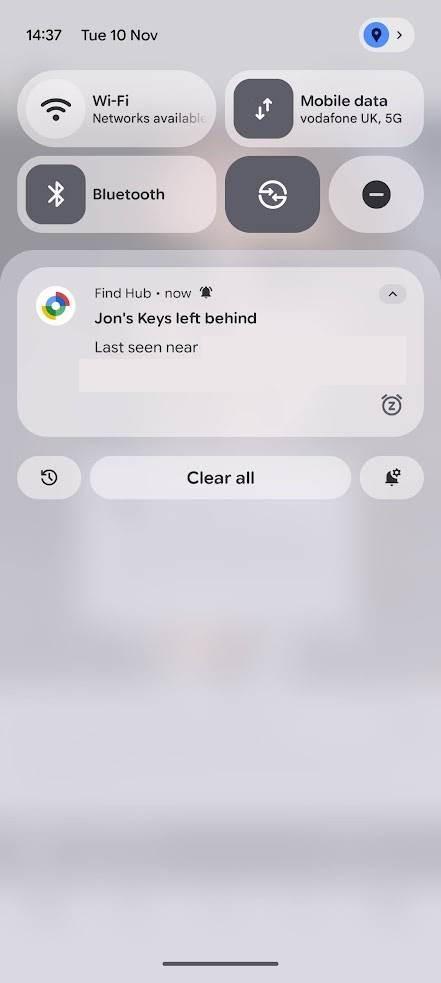
This might not sound like a lot, but it's the difference between noticing you've left your keys behind before you get in a taxi and noticing when you're a block away.
However, it's still an effective feature. While those two minutes can make a difference, I would be comfortable relying solely on Find Hub's Left-Behind Reminders.
Google is preparing the ground for the Pixel Tag
It makes sense that Google is making these improvements for the . While I'm unsure of its value alongside existing trackers, I'm glad Google is ensuring it launches with the full range of tracking features we would expect.
But whether you have a Pixel Tag or another tracker, you can use the Find Hub app to ensure you never forget your keys again.