
Desktop browsers are powerful tools. Whether they're Chromium-based or on another open source foundation, desktop browsers are heavily customizable and upgradable.
It's not only about extensions. Desktop browsers offer deeply rooted settings that activate useful features for .
Mobile browsers are a different story. Apps that you'd find on Google Play are usually locked down. Chrome and Brave, for instance, lack add-ons and most of the granular controls found in their desktop versions.
Firefox on Android breaks the mold. Not only does it have , it allows users to unlock a hidden menu for even greater customization.
Firefox's Secret Settings (yes, that's the name) is available out of the box and takes only a few taps to enable. When activated, there's an overwhelming number of options to tweak.
Firefox hides Secret Settings under our noses
Similar to Android's Developer Options
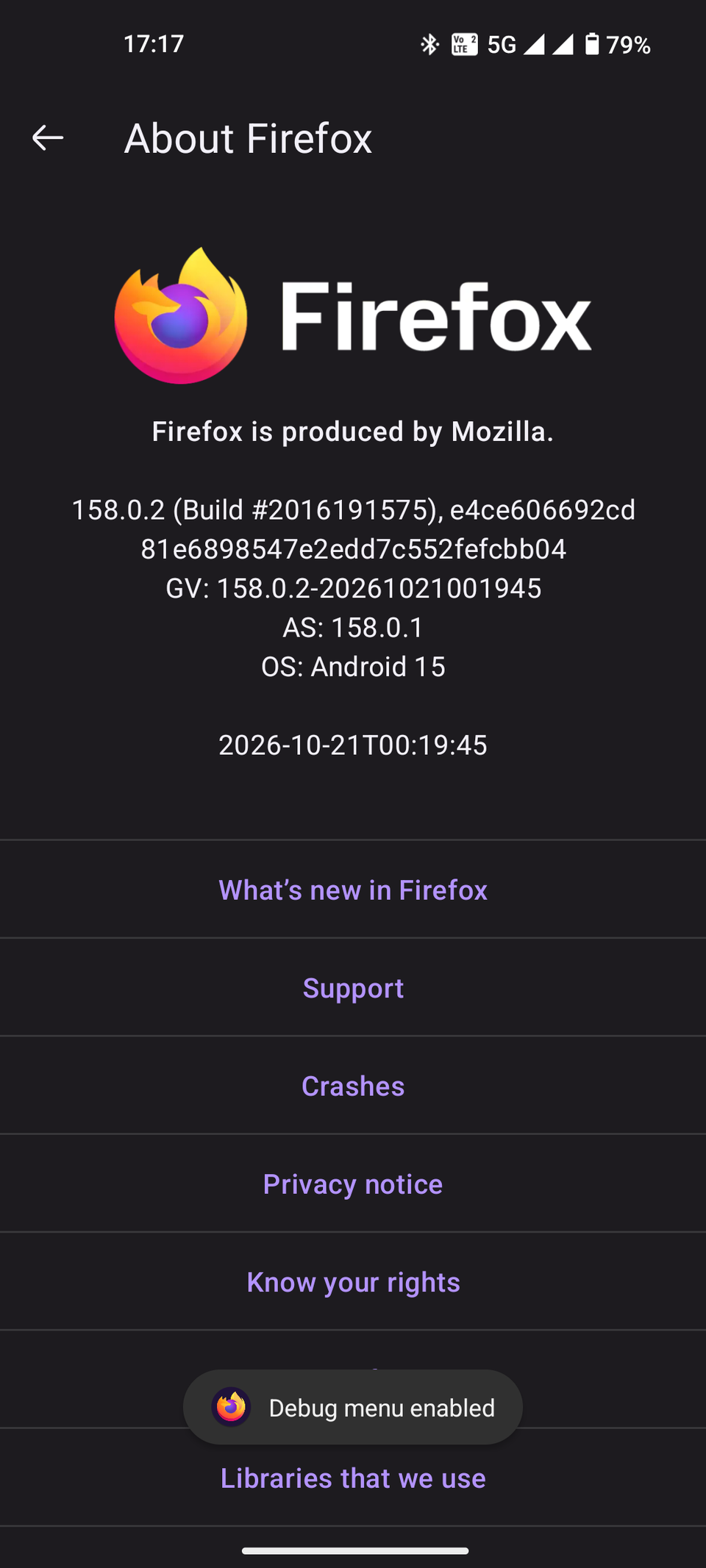
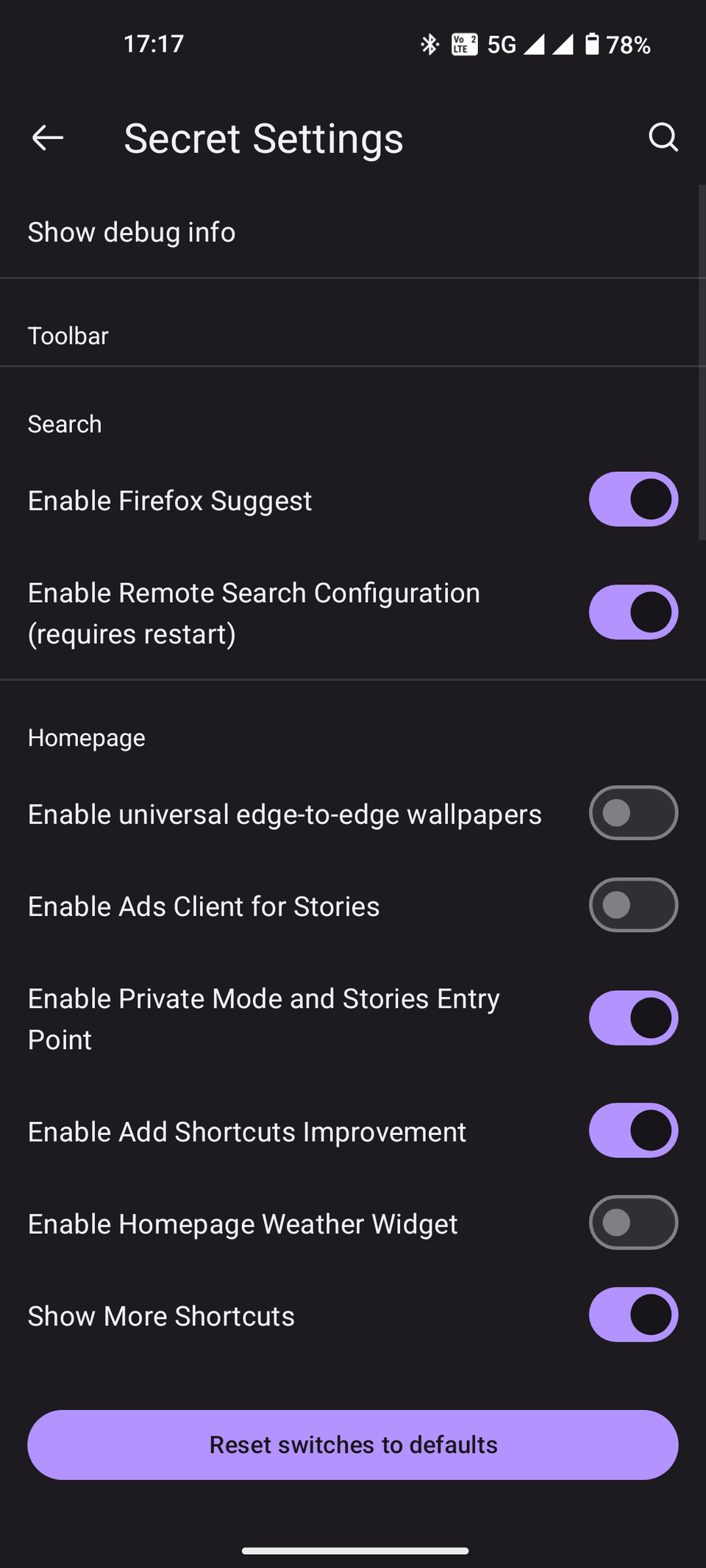
Firefox for Android hides an entire experimental menu deep in its settings. It used to be exclusive to Firefox's beta builds for developers, but you can now access it through Firefox's regular Google Play version.
It's similar to how Android hides its Developer Options. Entering Firefox's Secret Settings requires only a few steps:
- Open the .
- Tap the button.
- Enter .
- Select .
- Tap the Firefox logo five times in succession.
After completing all the steps, you'll see a "Debug menu enabled" notice. Return to the main settings to reveal the newly unlocked section.
Inside, you'll find dozens of settings to adjust, neatly arranged by category. They range from simple changes like modifying the search bar or homepage. Others go as far as enabling third-party certificate authorities or developer debug options.
The first Secret Setting I suggest turning on is . It syncs your Firefox app with Mozilla's experimental preview server to try out features before they become public. Features vary from build to build, so you have to check what's available.
If it isn't enabled by default in your Firefox app, make sure to turn on . This lets you choose your preferred routing method in Firefox. The choices are Default Protection, Increased Protection, Max Protection, and Off.
Increased Protection and Max Protection let you choose which DNS server to use throughout the mobile browser.
Items in Secret Settings come and go, making it hard to keep an up-to-date list of features. For example, Secret Settings previously allowed search bar modifications, such as blocking trending suggestions and the recent searches list. Both toggles are absent as of writing.
If you mess anything up, go back to and select Reset switches to default at the bottom. This doesn't affect other settings in the main menu.


My favorite secret is the hidden Longfox game. To find it, turn on and open a new tab inside Firefox. Tap Help catch trackers to start a round of Longfox instead of showing tracker data.
Longfox is a Snake-style mini-game reminiscent of the title. Instead of a snake catching food pellets, Longfox has a literal long fox eating cookies. It's a fun, time-burning Easter egg that works offline.
Additional power-user options
It doesn't stop at Secret Settings
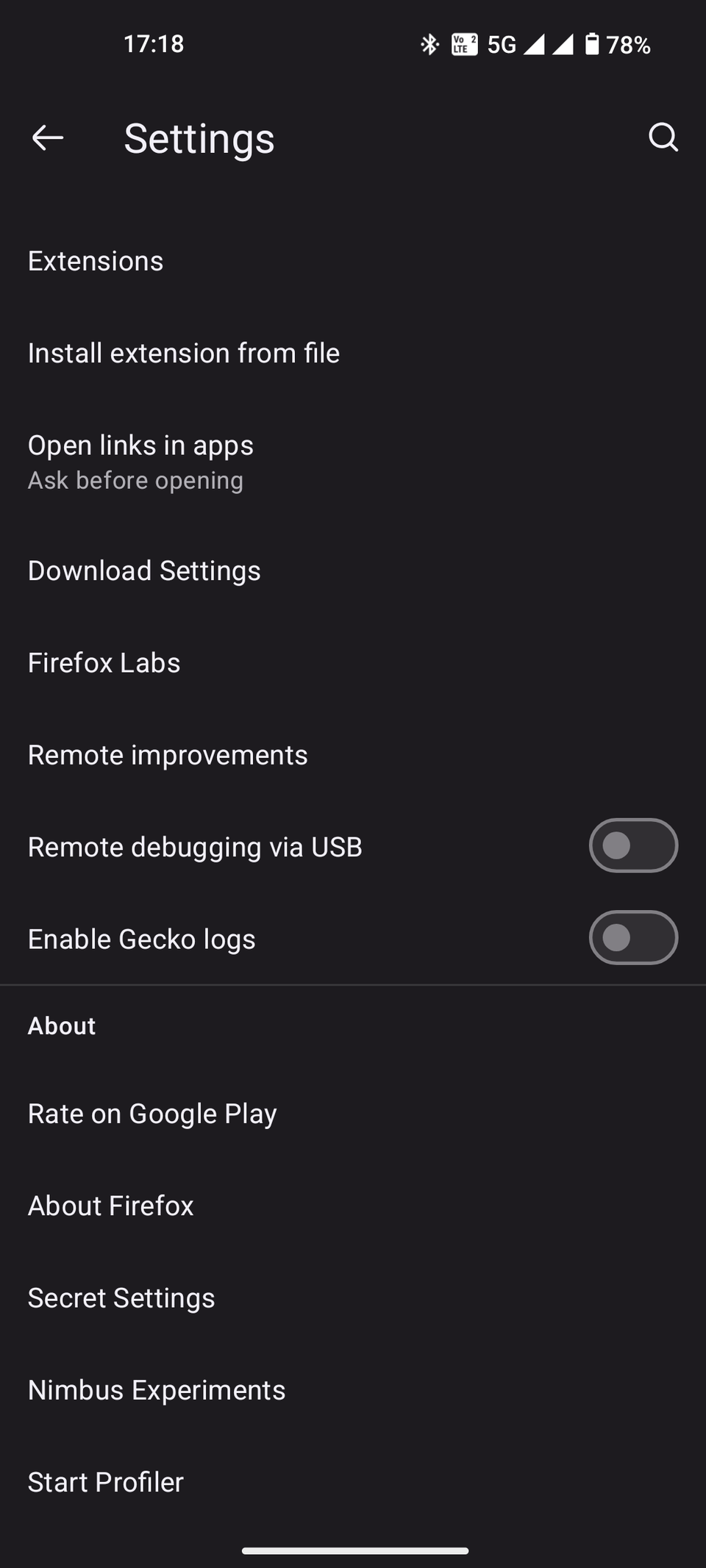
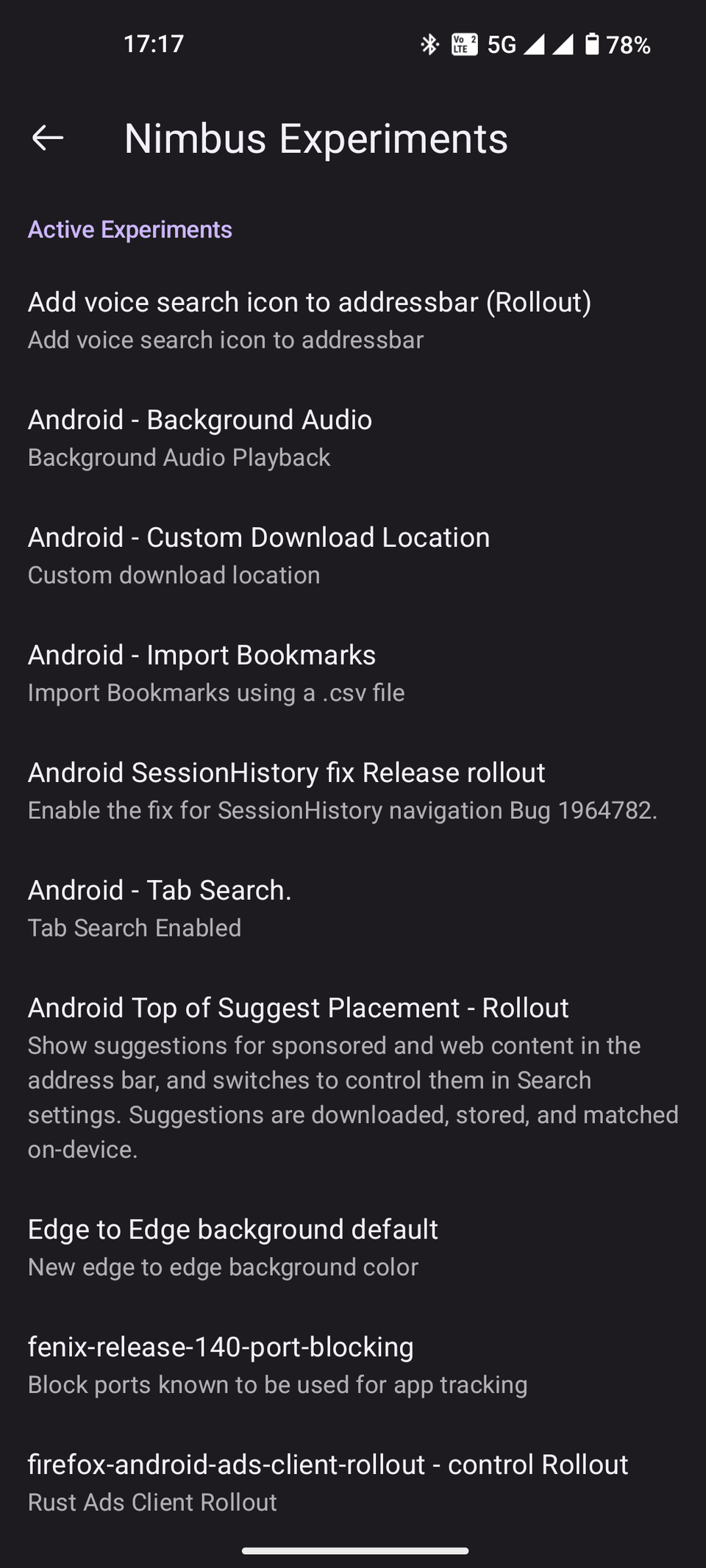
Aside from Secret Settings, tapping the Firefox logo in About Firefox multiple times activates additional hidden options. Nimbus Experiments is the most interesting one.
is in the main settings menu, outside Secret Settings. It appears even if you haven't enabled the Nimbus Preview Collection. The hidden menu gives early access to experimental features not yet released in stable Firefox builds.
Like Secret Settings, features in Nimbus Experiments change periodically. Don't get too attached to certain features; they may disappear after an update and never return.
The Secret Settings menu disappears when you restart Firefox. You can bring it back by applying the same steps.
Install extension from file is another hidden menu inside the main settings. It activates along with Nimbus Experiments after Secret Settings is unlocked.
This allows users to install add-ons from external sources, as long as they're XPI files. This goes beyond the curated extensions Firefox offers, which currently includes over 14,000 extensions.
Firefox is Android's best power-user browser
Firefox's Secret Settings provides deep customization for power users who need more control over their browsing experience. At the same time, it can help casual users learn more about their browser.
Many hidden settings are easy to understand, even for inexperienced Android users. Experimenting with these toggles may surprise casual users with features they didn't know they actually needed. I'm not talking about just the Longfox game.
A certain combination of under-the-hood settings could break the browser and cause unexpected UI glitches. This is why Firefox hides them. Fortunately, resetting everything to its defaults is as easy as turning on Secret Settings.