It's been a few months since I signed up for the Google Home Public Preview program, which gave me access to Gemini on my smart speakers. When I did it, I expected that the experience would be better than Assistant, which had been annoying me for months on end.
Alas, my problems did not drop. In fact, they multiplied, or at least increased in a way that's been more than frustrating. And I'm not alone. Despite Google promising that Gemini would understand me better, or would get faster and smarter, I feel it's getting slower and dumber, and it definitely understands me worse day after day.
4 Google Home and Nest devices, 2 users, and the same issues
This can't be a coincidence
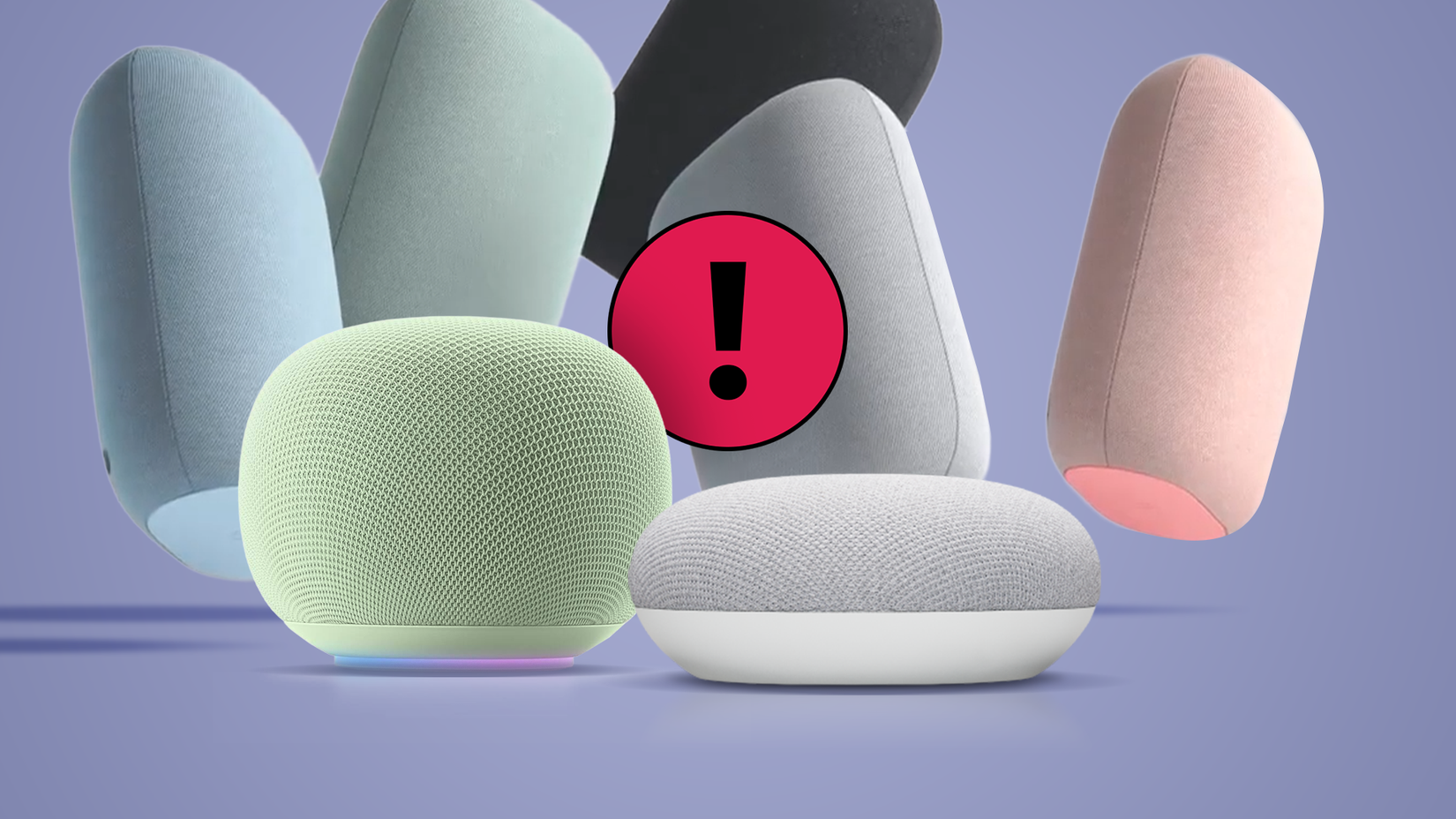
I live in a three-story home with a Nest Audio on the top floor, another Nest Audio in my partner's office and a Pixel Tablet in my office on the middle floor, and a 2nd gen Nest Hub in the kitchen on the ground floor. That's four Google smart speakers and displays in different rooms.
I'm not alone in using these, either. My husband talks to them and issues commands and questions as often as I do. He sets timers when we're cooking, asks about the weather, controls some of our smart home devices, launches routines, and so on.
The problems are consistent and repeat themselves across all four speakers, tablets, and displays, and between the two of us. Some of these issues are carry-overs from the Google Assistant days:
- Two or more speakers listen at the same time.
- The wrong speaker answers despite us being much, much closer to another one.
- Answers are very slow. They're even slower on Gemini than Assistant. I haven't quantified it, but processing times feel longer for everything.
- The speaker listens to the command, thinks for a while, then turns off, without answering or acknowledging that I asked anything.
It's infuriating that these issues continue to happen, despite having a solid and fast 1Gbps Wi-Fi network across the entire house with no bottlenecks or any issues with other computers, phones, or smart home devices.
Every promise Google has made to fix this has not fixed it.
Each time I say "Hey Google," I have to toss a coin to see if it'll even hear me or not. Something is off, and all four speakers seem to ignore the simple wake-up word more often than not these days. I have to repeat "Hey Google" twice at least 20-30% of the time now. That wasn't such a frequent issue with Assistant.
Once it's listening, Gemini has more tendency to ignore what I said and turn off. The other day, my husband was adding a calendar event with his Nest Audio. It asked for the event time, he said 11 AM, and... it stopped listening. Didn't even add the event. He had to re-do the entire command sequence.
A week ago, I was having a Gemini Live conversation with the Nest Hub in our kitchen. I was about five minutes into the chat, asking about things to do in Nantes, and it decided to cut off the chat after I asked it one question. No warning, nothing, it just stopped listening.
And I'm not alone. People have been reporting issues with Gemini on Google speakers for months, and Google even acknowledged the issue, but every promise the company has made to fix this has not fixed it.
Was this supposed to be the future?
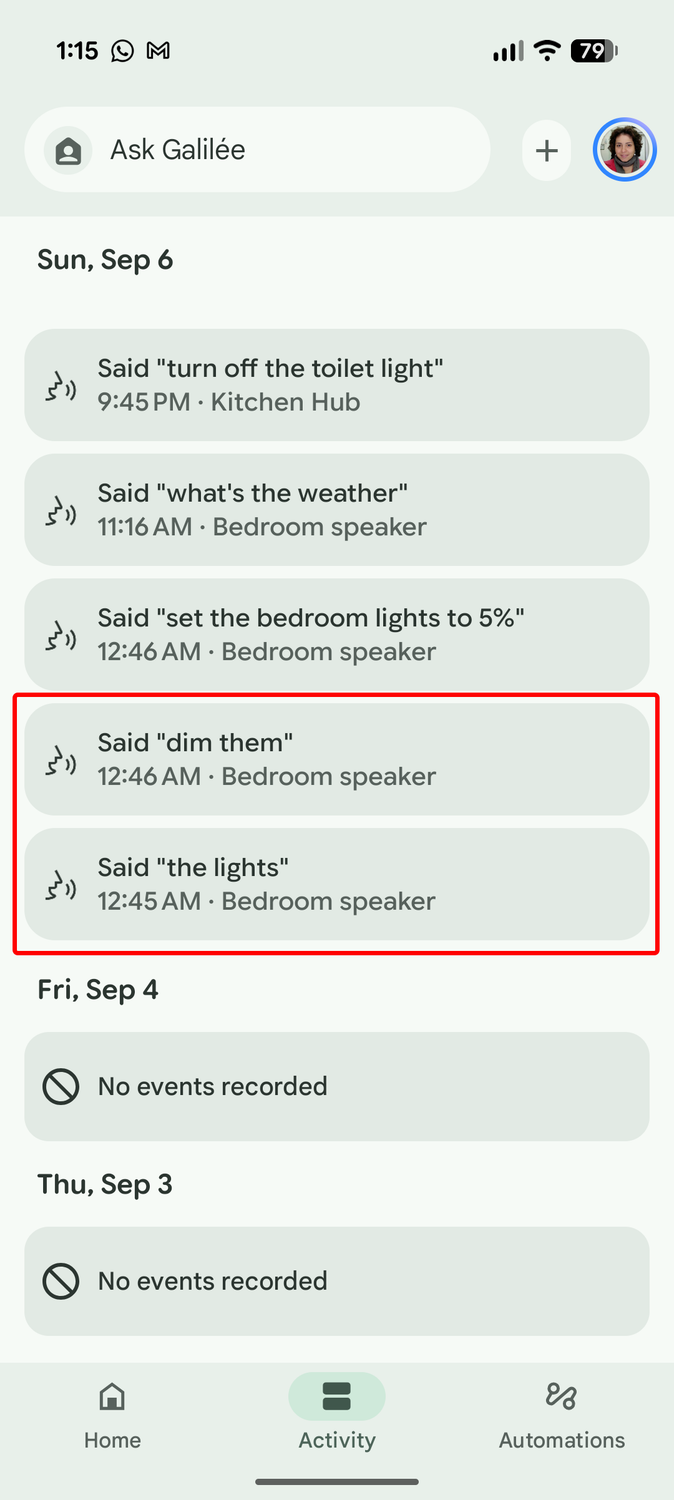
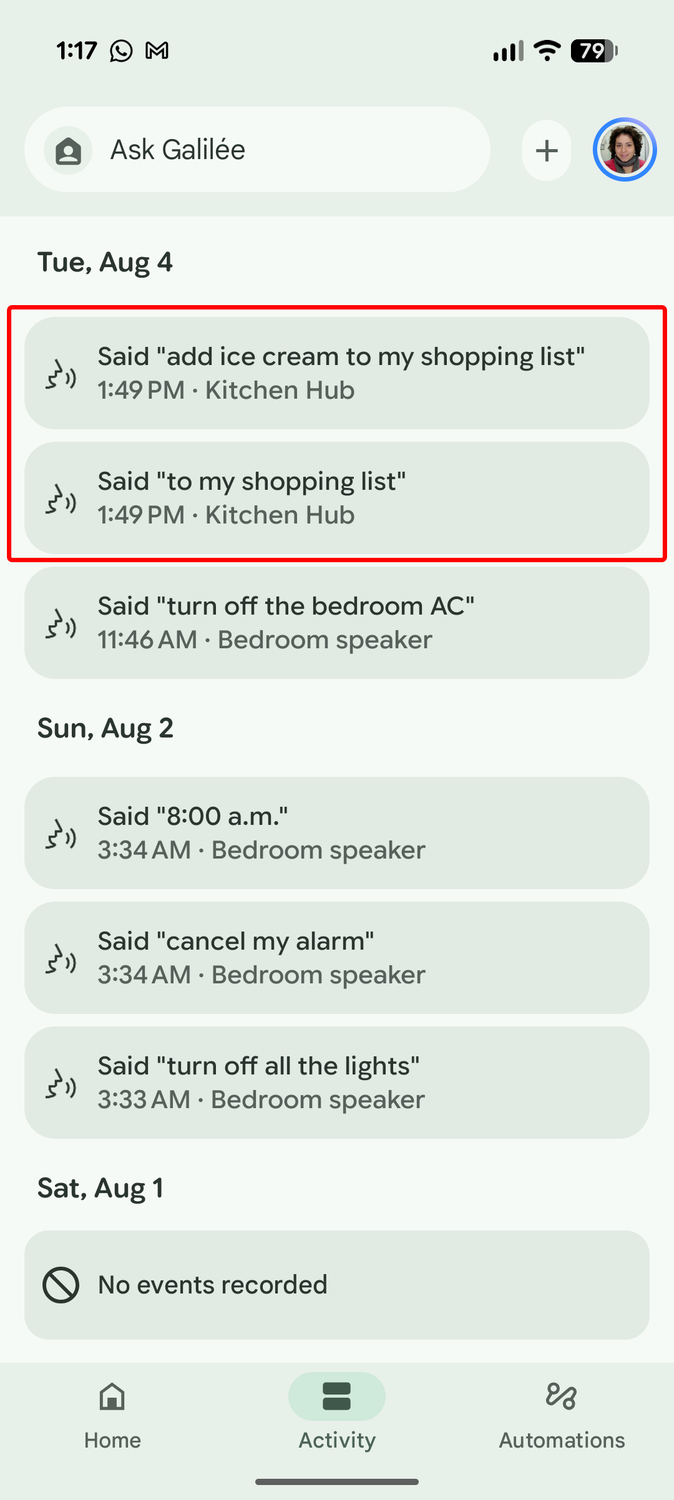
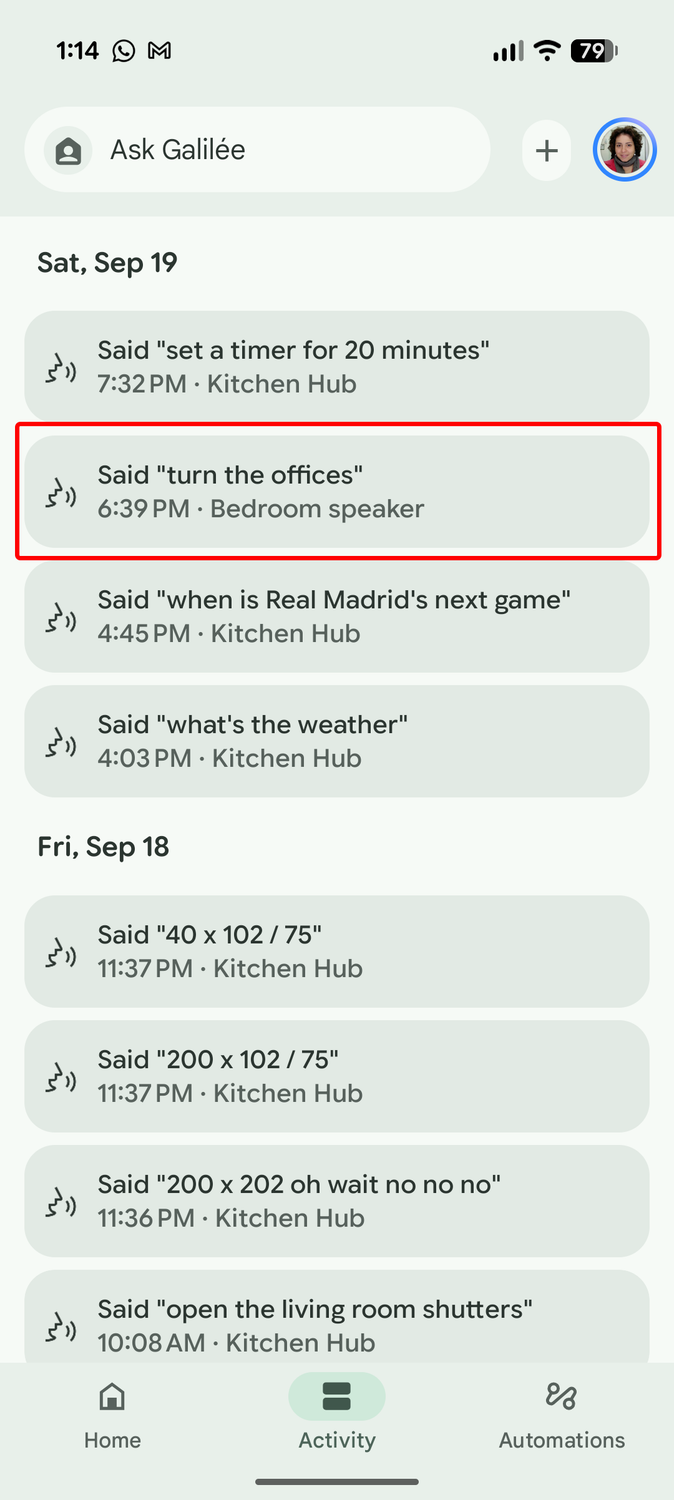
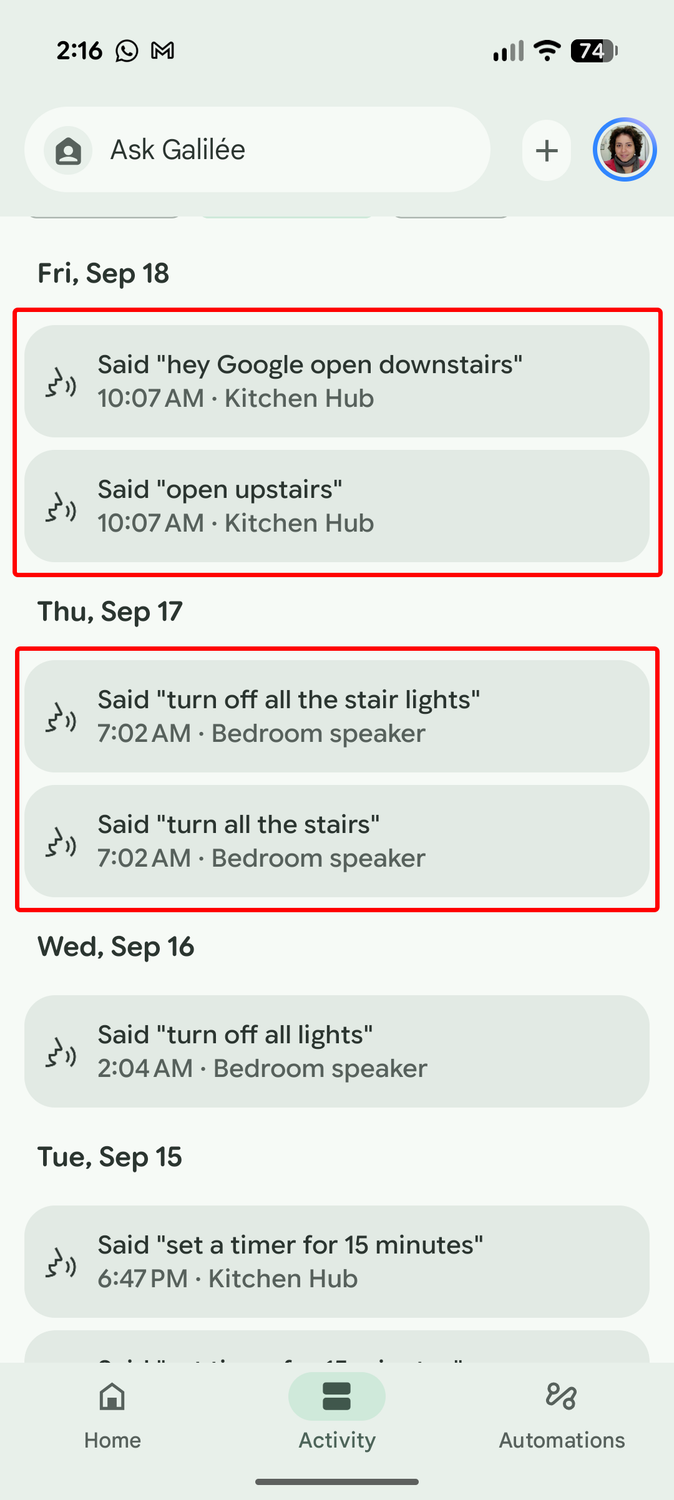
What's more frustrating is that Gemini misunderstands me so often these days or listens to truncated parts of commands. I must repeat a command twice at least once a day, or clarify what I wanted, because it only heard "the light" instead of "dim the lights," or because it ignored the "add item" before "to my shopping list."
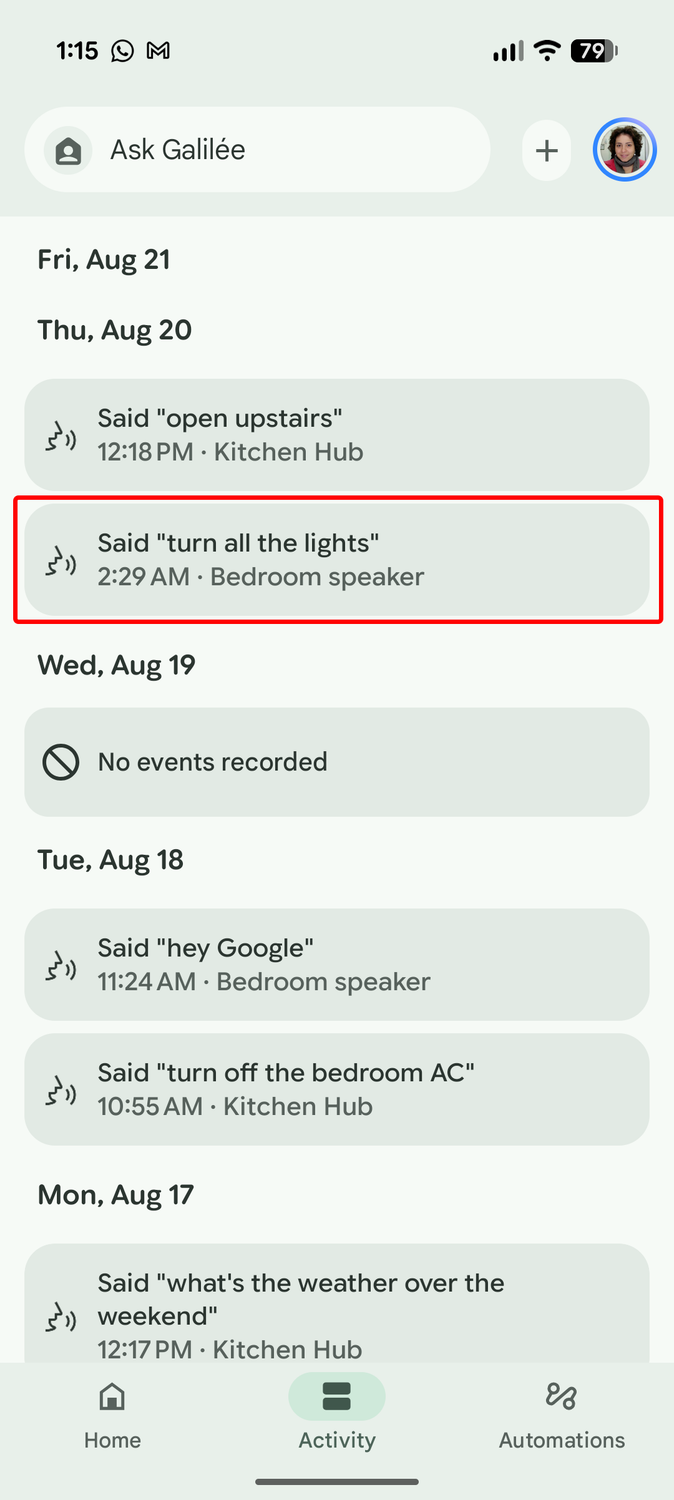
"Turn all the lights" becomes "turn all the lights" once out of every 10 times, if not more frequently, which... you guessed it, turns all the lights. That requires a lot of self-control not to throw all the speakers out the window when it happens at 2 AM.
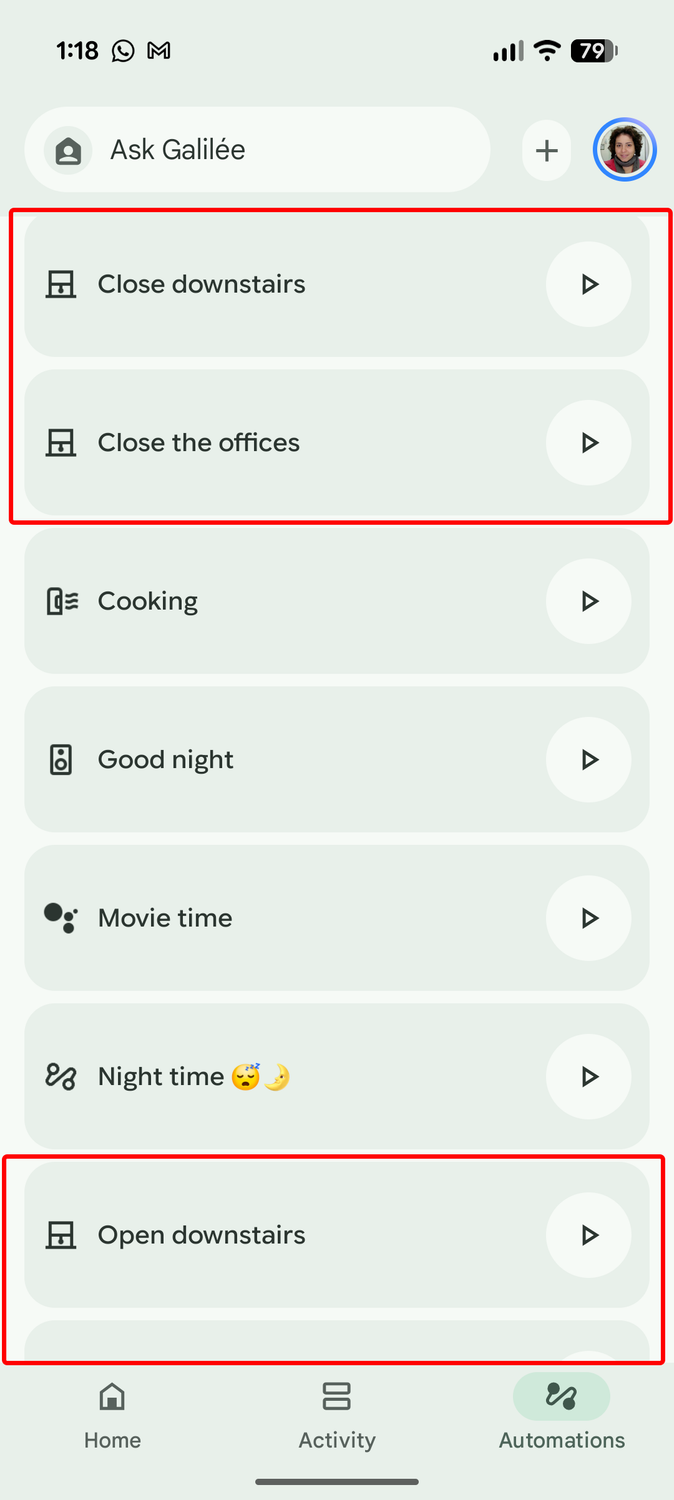
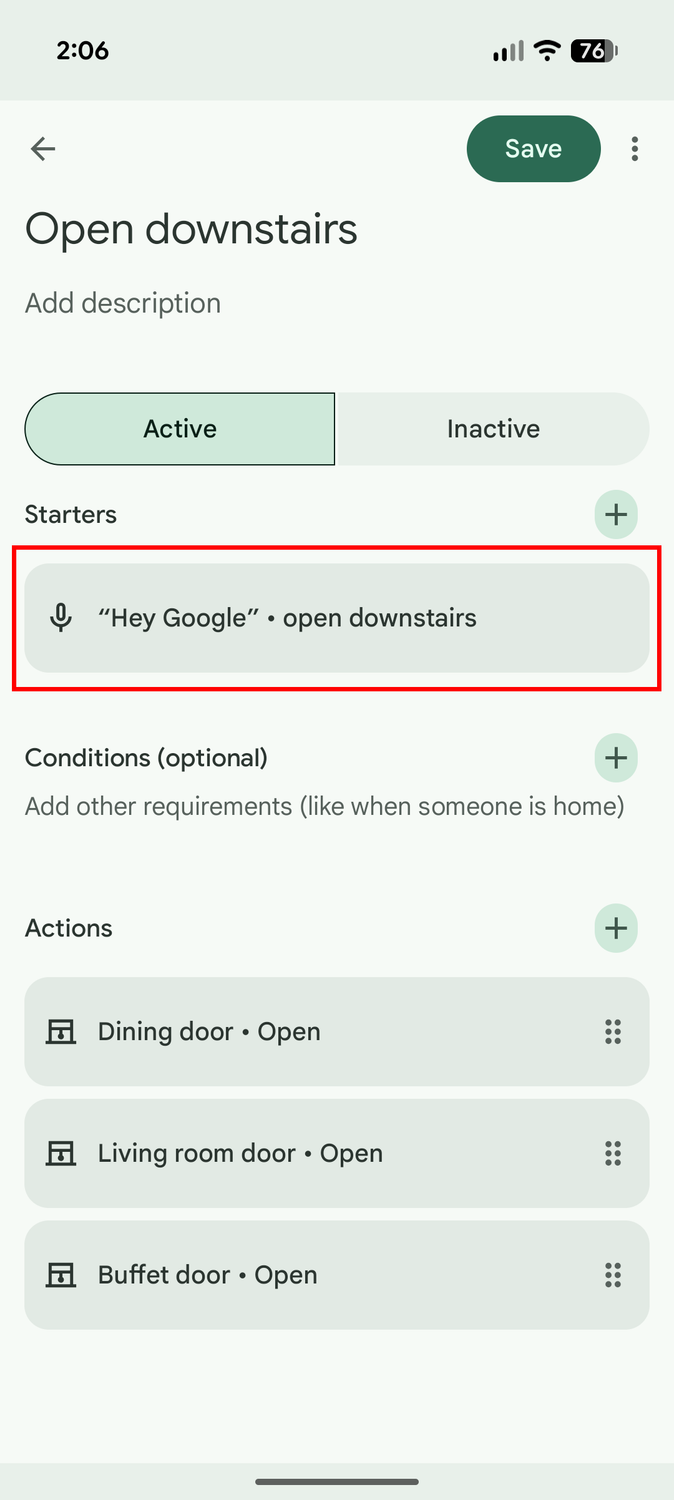
What's worse about this is when it completely ignores my preset automations. The whole point of adding an automation is to save time by assigning one command to execute multiple actions and not have to remember those or pronounce them exactly as Google needs. In theory, at least.
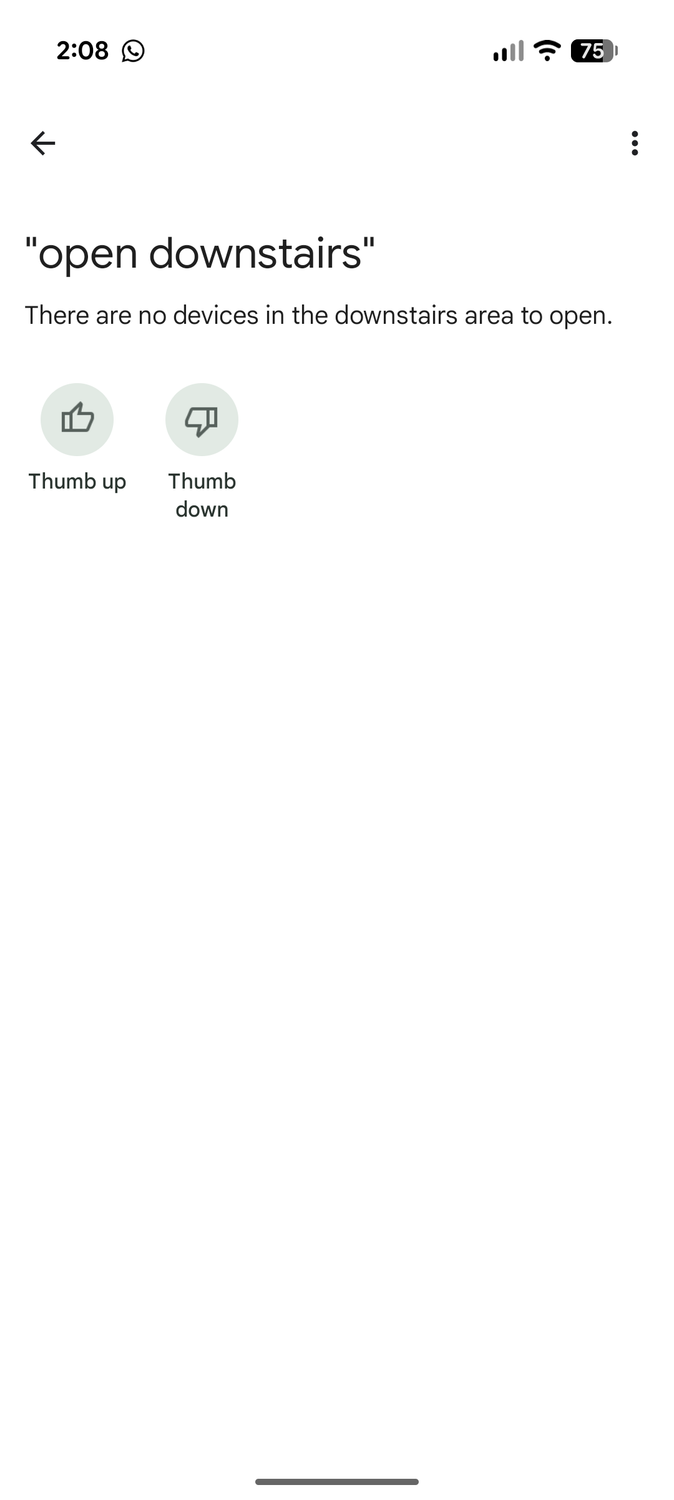
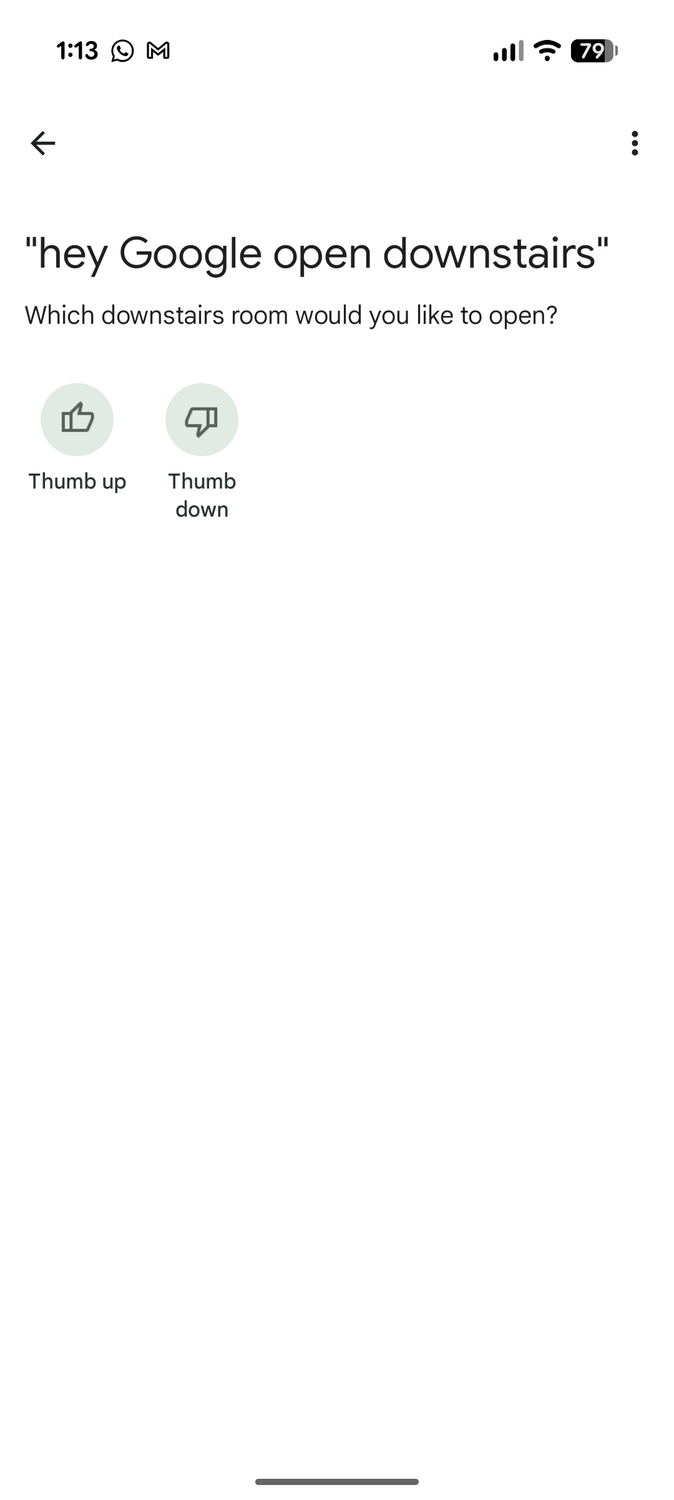
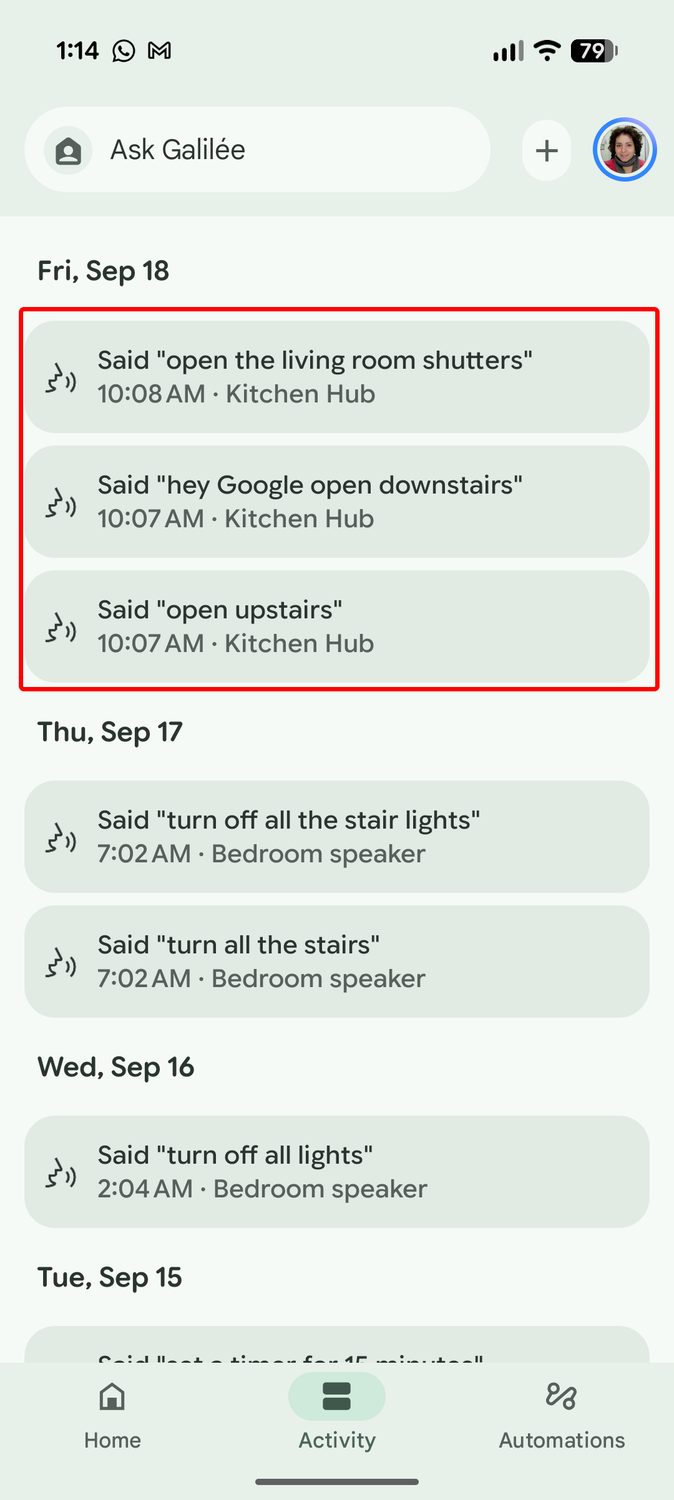
In reality, I have four commands to open and close the downstairs and the offices' window shutters in bulk. Check the screenshots above. Should be straightforward, right? Except I say "open downstairs" and Gemini pretends it doesn't know what that means.
50% of the time, I get "Which downstairs room would you like to open?" or "There are no devices in the downstairs area to open." This is an automation I created. I've already taught it exactly what to do when I say these exact words. How does it not work?! Assistant literally never had an issue with these commands!
And that's if it manages to understand the command. Sometimes, I say "downstairs" and it hears "upstairs" for some reason. Sometimes, I say "open" and it hears "turn." This was supposed to save me time, but it's become so unreliable and frustrating that I just open the Google Home app and manually start the automation.
There's nothing smart about this, Google
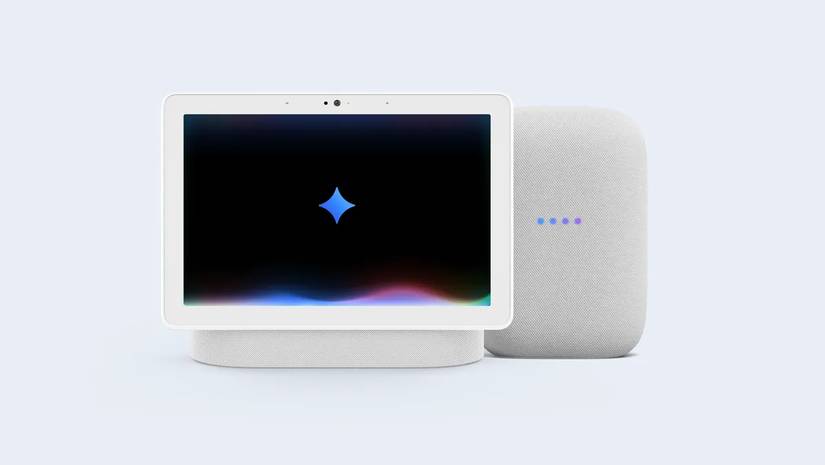
I was really looking forward to using Gemini on my Google smart speakers and displays. The promise of being able to ask more complex questions and talk naturally through Gemini Live was very enticing. It's exactly the kind of smart home future I had dreamed of.
But the execution has been bad and remains bad, so many months in. I can't trust it to get a preset automation with a specific trigger word right, so how am I supposed to trust it with more complex tasks? How am I even supposed to use it when it refuses to hear "Hey Google" or stops midway, too?
The experience is so frustrating that I've lost any faith that it'll do the right thing the right way. A perfect Gemini interaction is so rare that it almost feels like a miracle. I've started launching routines manually, controlling my lights with different buttons and remotes, and avoiding Gemini almost at all costs.
Google is still keeping Gemini as part of the Public Preview program for now, and honestly, I don't think it should even consider graduating it. Nothing about the experience is ready for mass adoption. People are complaining about Gemini on Android, and that's relatively functional compared to this hot mess. Imagine if it switched all speakers to Gemini!