
Google Gemini has come a long way from being just another AI chatbot. Yet, most people barely scratch the surface of what it can do.
They open Gemini, type a few prompts, generate an image or two, and call it a day.
I was guilty of the same thing until I started digging deeper into its settings and .
After making a handful of adjustments, I realized I had been using Gemini the wrong way all along.
I stopped using Gemini with default instructions
I taught Gemini to think differently
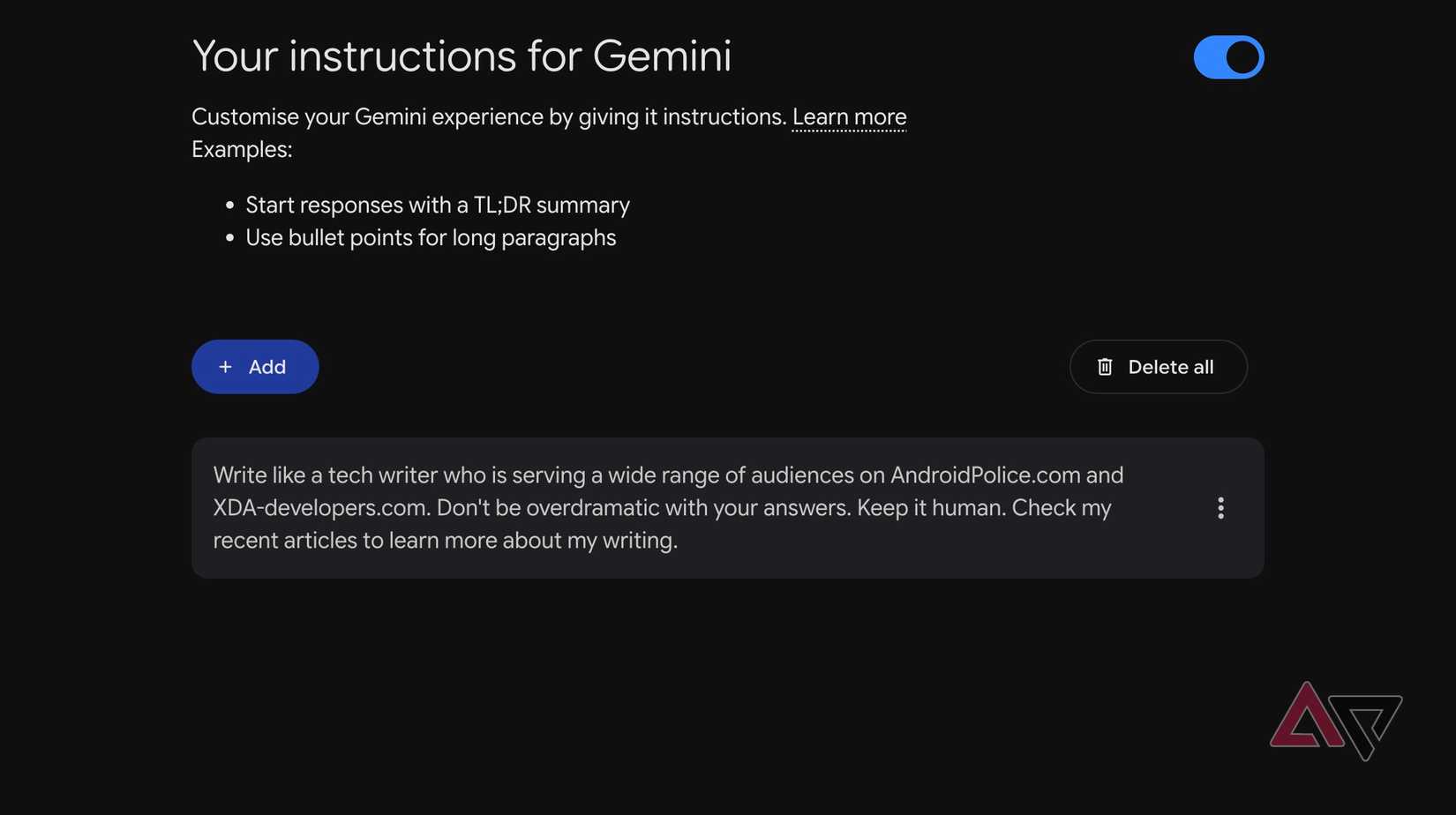
One of the first things I did was go into Gemini's and customize its default instructions.
Instead of repeating my preferences in every conversation, I told Gemini about my profession, my current devices, preferred writing style, interests, and how I want it to structure responses.
For example, I prefer concise, natural answers with unnecessary fluff, especially when brainstorming article ideas or researching a topic.
These small changes made Gemini feel less like an assistant and more like it understands how I work.
Another underrated addition is the ability to import memories from other AI tools like ChatGPT.
You can open Gemini's Import memory to Gemini option, copy the suggested prompt into your existing AI assistant, and paste its response back into Gemini.
You can even import your chat history.
Connected apps changed everything for me
Gemini finally escaped the chat window
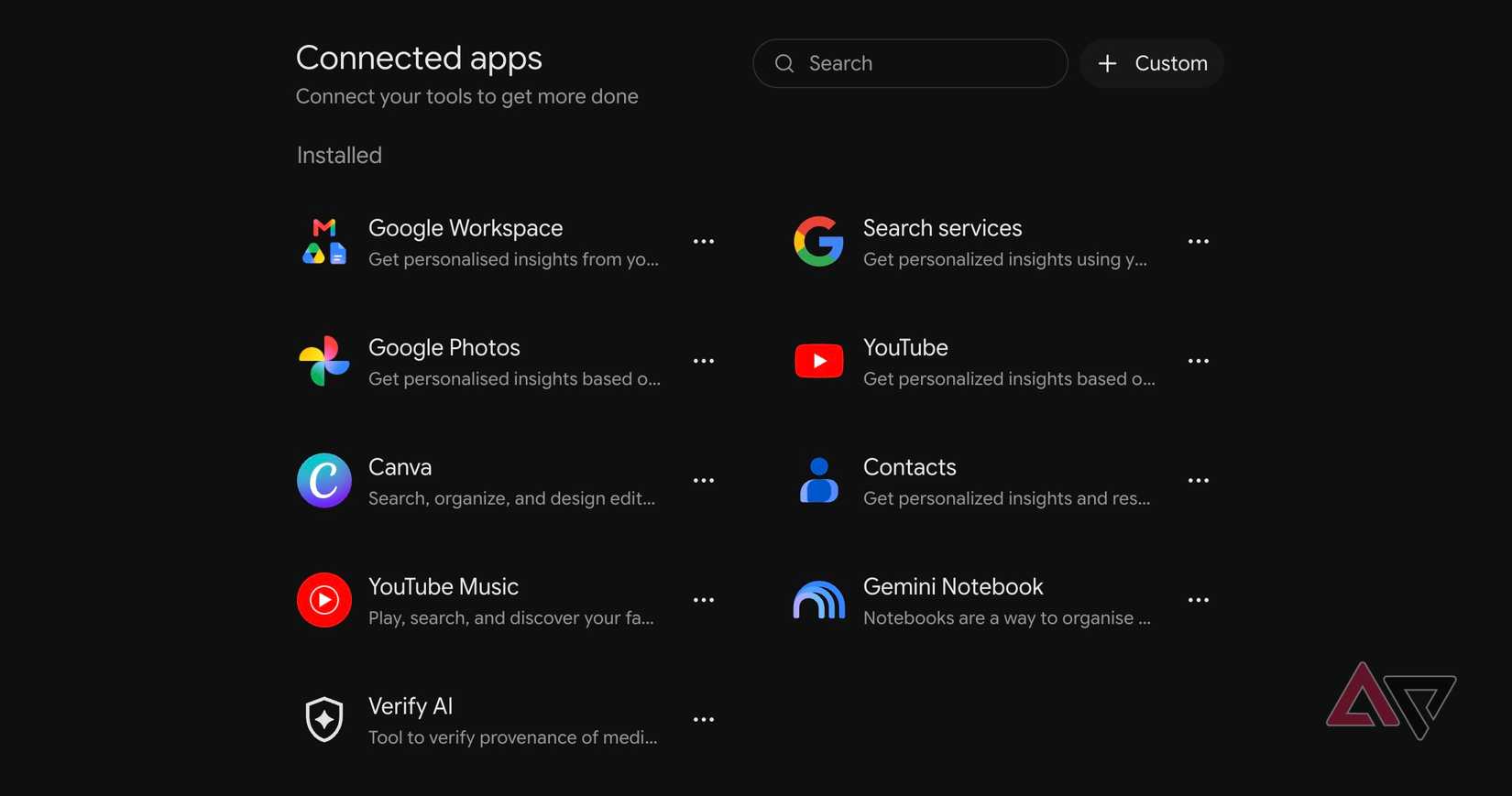
This is where Gemini separates itself from other AI assistants, especially on Android.
I headed into and made sure my favorite services were enabled.
The Device assistance integration (previously called Utilities) is useful. I can ask Gemini to enable Bluetooth, adjust the flashlight, set alarms, or read and reply to notifications.
Google Photos is another game-changer. Instead of endlessly scrolling through my massive photo library, I can ask Gemini to find pictures from my last vacation or pull up specific family memories.
Then there is WhatsApp integration, which lets me send a quick message to my wife that I am running late without opening the app.
I also connected YouTube Music, so I can ask Gemini to play my favorite track, artist, or an album while driving.
I can even describe a movie scene, and Gemini is smart enough to understand which track I am talking about.
These integrations may sound basic, but together, they make Gemini feel like a proper digital assistant.
Create notebooks for complex topics
I stopped drowning Gemini in context
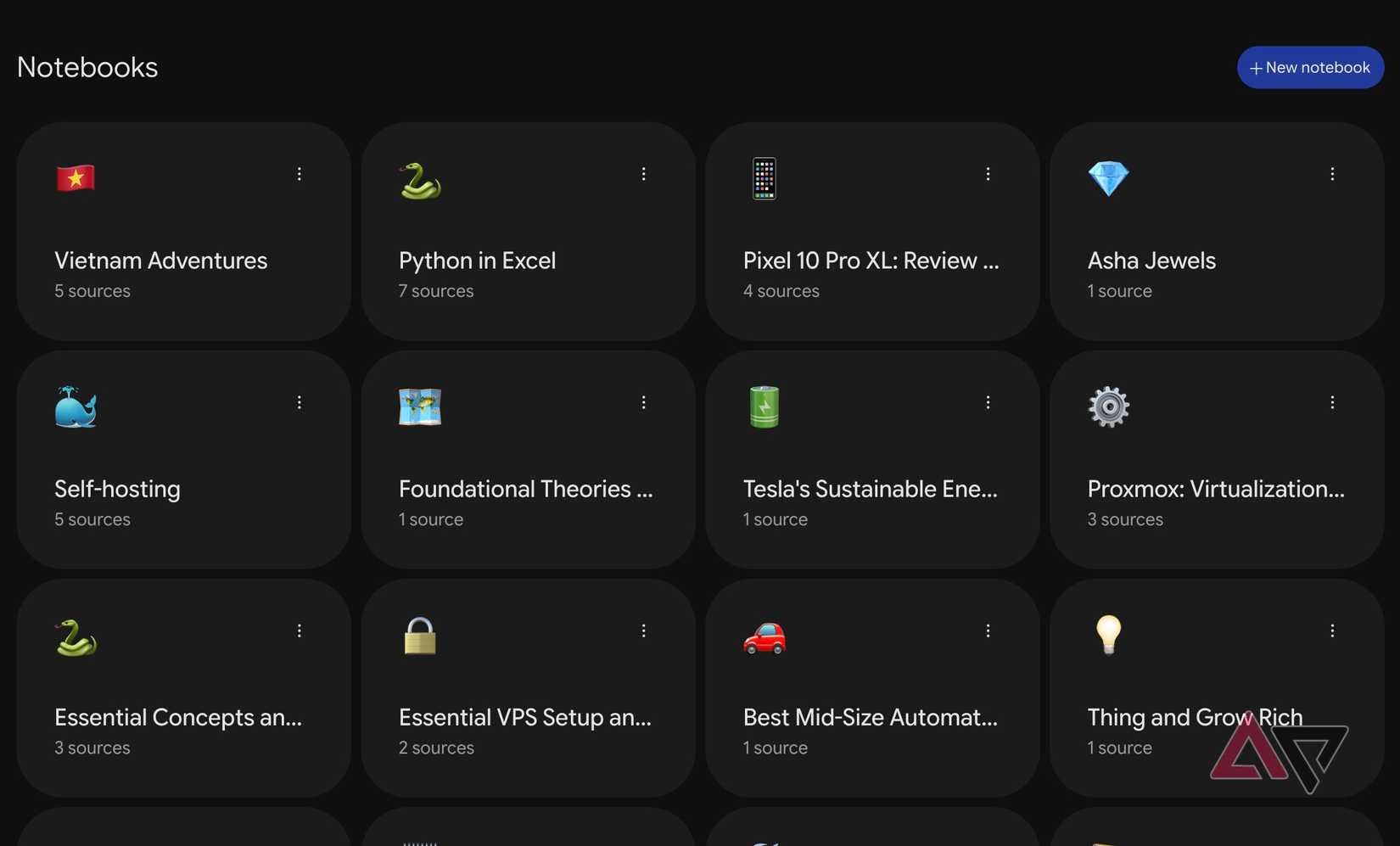
I used to dump PDFs, web links, research papers, and other reference materials into a Gemini conversation when I was exploring a complex topic.
It worked initially, but the conversation eventually became cluttered and difficult to manage. That's why I switched to Notebooks.
Now, when I am researching a complicated subject, I create a dedicated notebook and add all the relevant sources in one place.
For example, if I am researching the latest AI models, I can upload documentation, YouTube videos, articles, and PDFs, then start asking questions without providing context.
I can even generate Audio Overviews, mind maps, quizzes, and visual presentations from my research materials.
It's a much more practical approach to serious research than maintaining an endless chat thread.
I use it for travel planning as well. Students can also use it to learn complex topics.
Put repetitive tasks on autopilot
Gemini started working while I wasn't
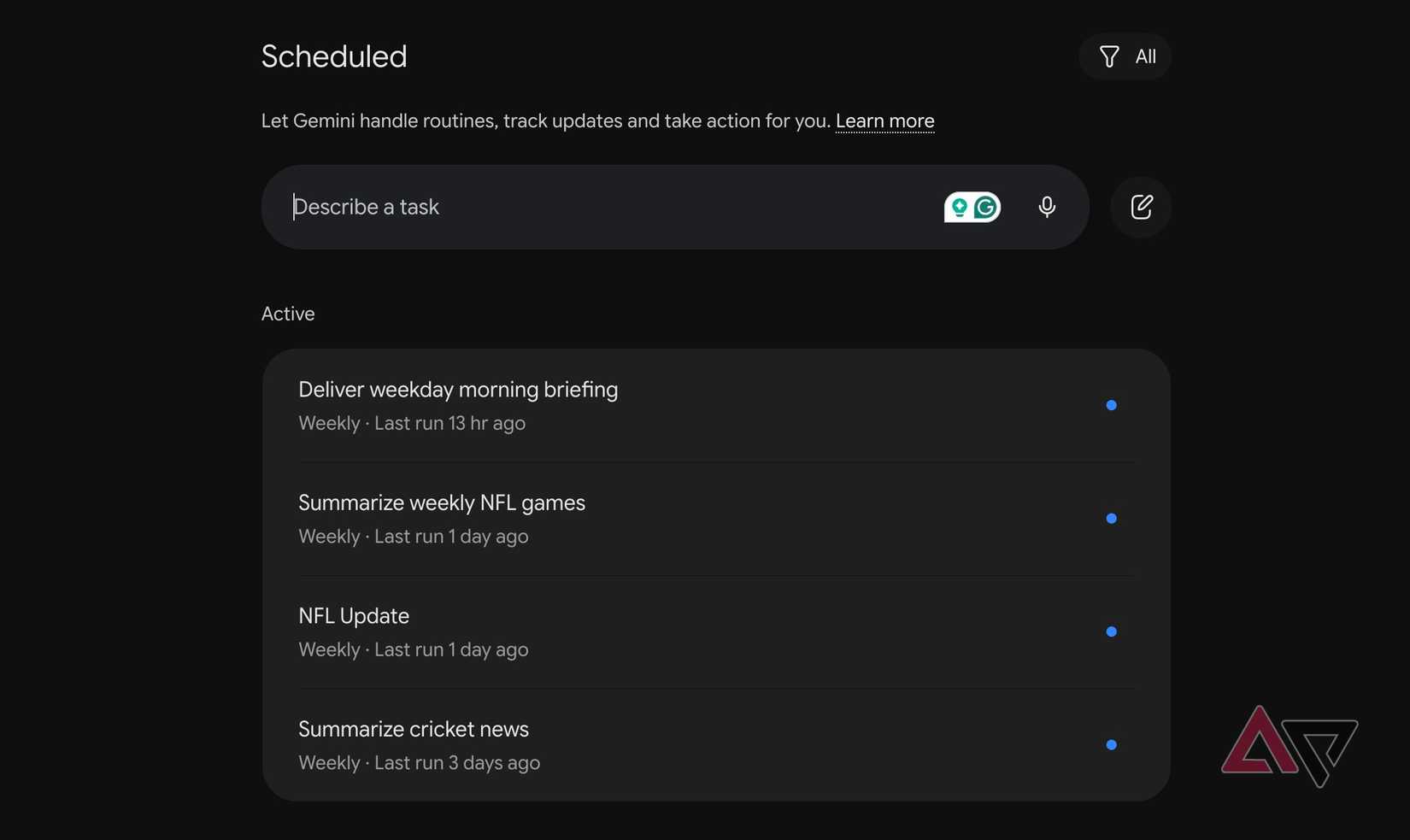
Another underrated Gemini feature is the ability to automate repetitive tasks through scheduled actions.
For example, I have Gemini prepare a morning briefing with my upcoming calendar events, important emails, and pending tasks.
I can ask it to create a schedule that pulls the latest information from the AI world every Monday morning.
I can even set schedules to deliver a daily roundup of interesting AI announcements, Android updates, and productivity tools that might inspire my next article.
When configured, these tasks run automatically and turn Gemini into a proactive assistant.
I created reusable skills for repetitive work
I stopped teaching Gemini the same tricks
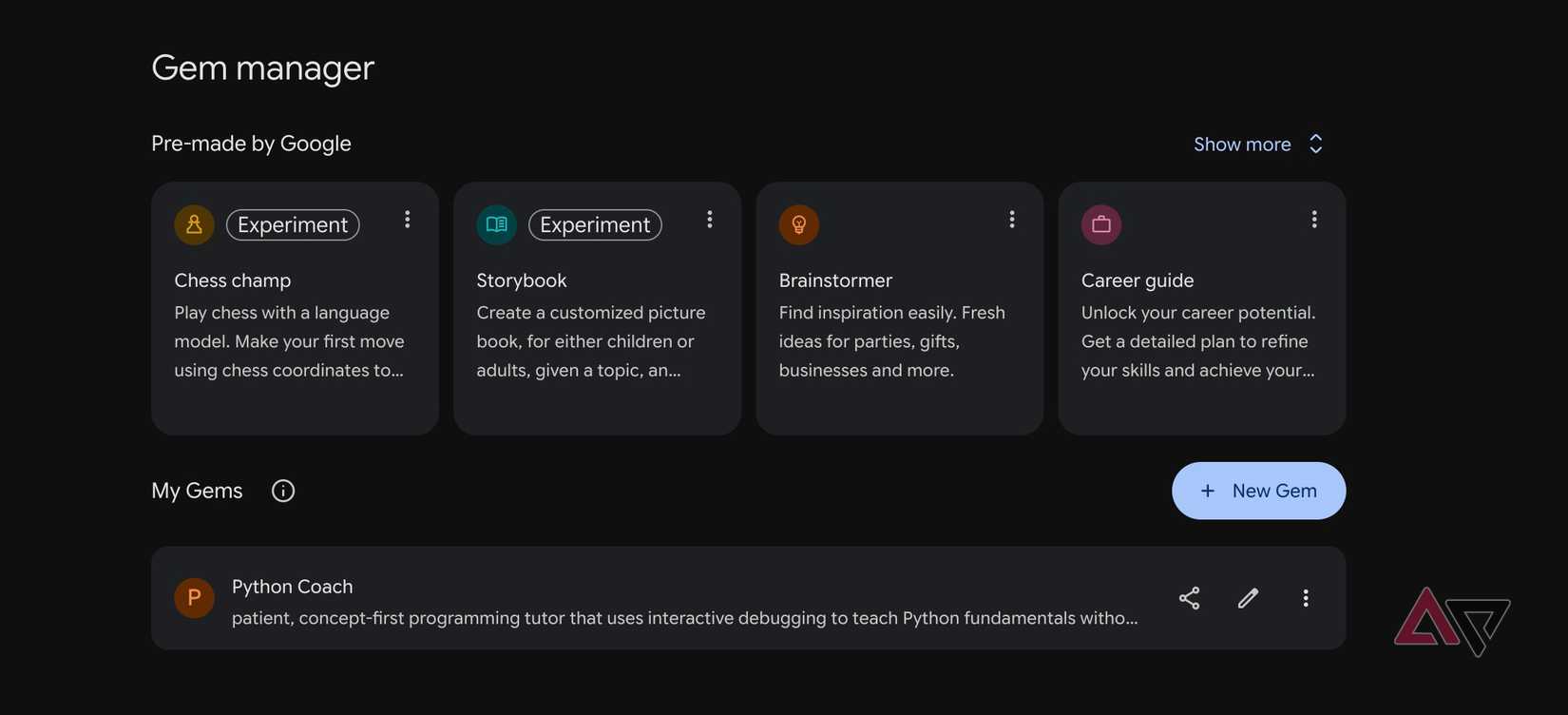
I was tired of writing the same lengthy prompts when I wanted Gemini to handle a specific task.
That's when I started experimenting with . Instead of explaining my requirements every time, I can create a reusable skill with predefined instructions and let Gemini handle the rest.
For example, I created a dedicated skill for brainstorming article ideas.
I instructed Gemini to suggest catchy, curiosity-driven headlines, avoid generic topics, and keep my titles within my preferred character limit.
You can create skills for practically anything.
It's a small adjustment, but it saves me time and keeps my workflow consistent.
The best features aren't immediately obvious
Gemini is already a capable AI assistant out of the box, but using it with default settings means leaving much of its potential untapped.
Custom instructions, connected apps, , scheduled actions, and reusable skills may not sound as exciting as Google's latest AI models, but they have made a big difference in my daily routine.
None of these tweaks require advanced technical knowledge, either.