GhostBSD, the easiest-to-install flavor of FreeBSD for the daemon-curious desktop dabbler, is back with a fresh update.
GhostBSD 26.2-R15.1p6, to give it its slightly unwieldy full version number, is based on FreeBSD 15.1. It brings a new installer, full-disk encryption support, a smaller installation image, and fixes across its desktop tools.
FreeBSD 15.1 was released back in June, and at the time of writing, it's the most recent point release of FreeBSD.
The original plan was that FreeBSD 15.1 would include the option of installing KDE Plasma directly from the setup program, so that the OS would have a graphical desktop from its very first boot. However, this feature isn't ready just yet.
That gap inspired Daemonarchy, which we covered late last month. But its Omarchy-derived, keyboard-driven tiling desktop can feel unfamiliar even to experienced Linux users accustomed to conventional desktops.
GhostBSD has different goals. It brings Linux-like desktop convenience to FreeBSD: a live graphical environment to explore before installation, a graphical installer, and tools for managing software and updates.
These conveniences are familiar to desktop Linux users, but a standard FreeBSD installation takes more work. Its text-mode installer leaves users to install and configure a graphical desktop themselves, if they want one.
This is just how the BSD family does things, and most BSD users we've talked to regard it as standard operating procedure and see nothing wrong with it. For Linux users who are curious about how things are on the other side of the FOSS Unix fence, though, those extra steps can form formidable barriers. GhostBSD is an attempt to lay down a welcome mat.
The standard edition of GhostBSD installs the MATE desktop, and the downloads page also offers a community-maintained version with Xfce instead. As the project said it would back in February, this release uses the XLibre fork of the X.org X11 server.
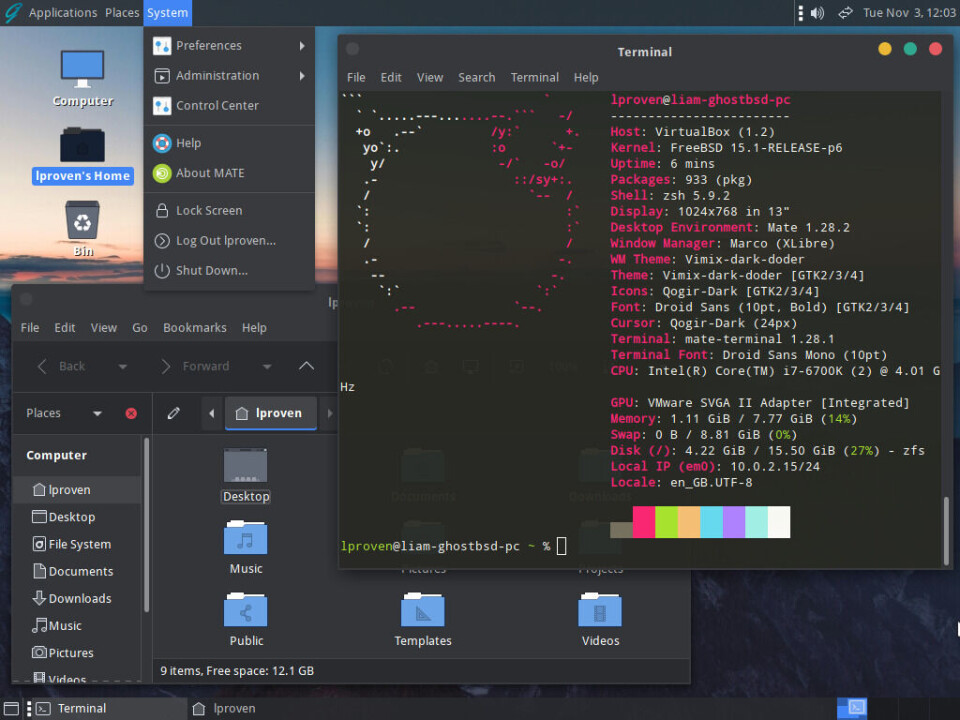
That's one fewer desktop than when we last tried GhostBSD in August 2025. That release also offered the Mac OS X-like Gershwin environment.
There are practical hardware fixes too. The release notes list improvements for Intel AX200 Wi-Fi cards, open networks, password alerts, and non-ASCII network names, while USB HID support is enabled by default.
Where has Gershwin gone?
Gershwin remains in active development, so we asked project lead Joe Maloney why it wasn't included. "It has been difficult to find time to package for GhostBSD. It's the only distro I have ever packaged for," Maloney said. He added that rapid contributions from AppImage creator Simon Peter, known as probono, had made packaging increasingly difficult.
He also pointed to the fact that GhostBSD project lead Eric Turgeon is developing his own environment too: the Mocka desktop. Mocka is still in its very early stages – alpha version 0.0.2 appeared early last month – but the plan is that when it's ready, it will become GhostBSD's default desktop. For now, the only available module is a dock for the MATE desktop, but the curious can follow its development on the GitHub project page.
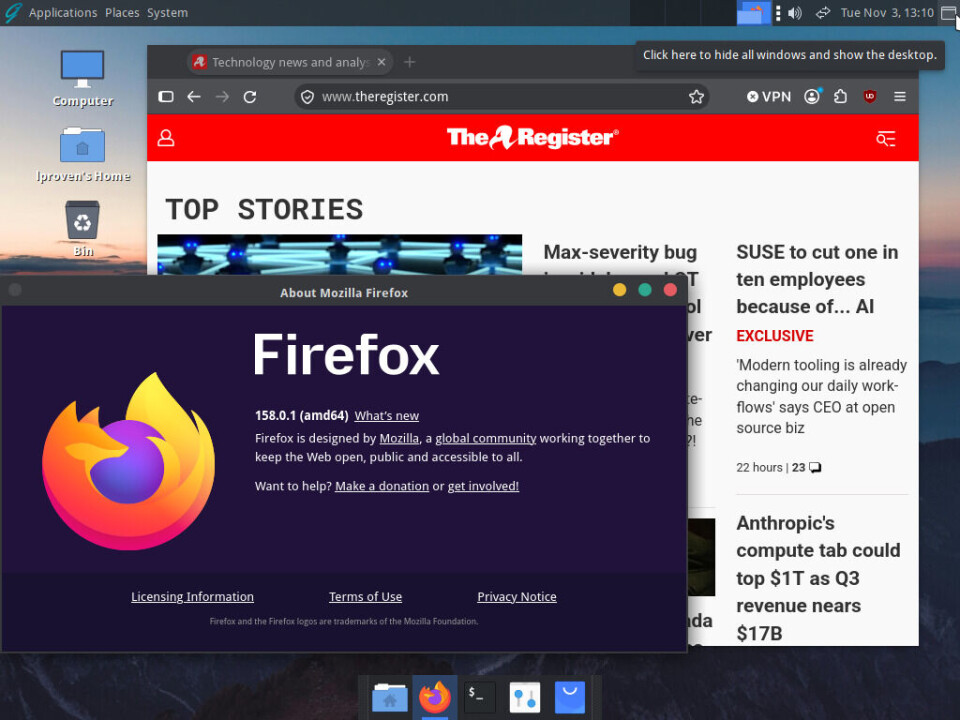
There may be no Gershwin included, but GhostBSD 26.2 offers MATE 1.28, and there's also a community-supported version with Xfce 4.20 instead. We tried the default MATE edition, and it works as well as ever. It defaults to a dark theme and the classic two-panel GNOME 2 desktop layout. The System menu in the top panel has an Administration submenu with a few of the project's own apps that aren't from upstream FreeBSD: "BE Station" for managing system boot environments, "Software Station" for browsing and installing applications, and "Update Station" for updates.
We regularly hear from users growing tired of the Linux vendors' headlong rush into Rust, Wayland, systemd, containerized app formats, and so on. Some are curious about whether FreeBSD offers a usable alternative. GhostBSD is the easiest way to get a complete, ready-to-use graphical FreeBSD desktop. There is a price to pay for switching to FreeBSD: for a start, most proprietary Linux apps, from Chrome to Slack, are not available here. Hardware compatibility needs more checking than on mainstream Linux, especially with recent GPUs and Wi-Fi adapters. If Windows gaming is a priority, this isn't the obvious choice.
But if you can live without those proprietary apps and find suitable open source replacements, FreeBSD is a viable alternative – and GhostBSD takes much of the setup work out of trying it. ®