
Google Messages has started rolling out a new interface for pinned chats, alongside another change that makes searching through conversations easier.
It's only been a day since Google started rolling out its refreshed app icon for Google Messages. Similar to the company's other recently updated apps, Google Messages has also received a new gradient-style icon. And now, it looks like Google is making some noticeable changes to the app's interface as well.
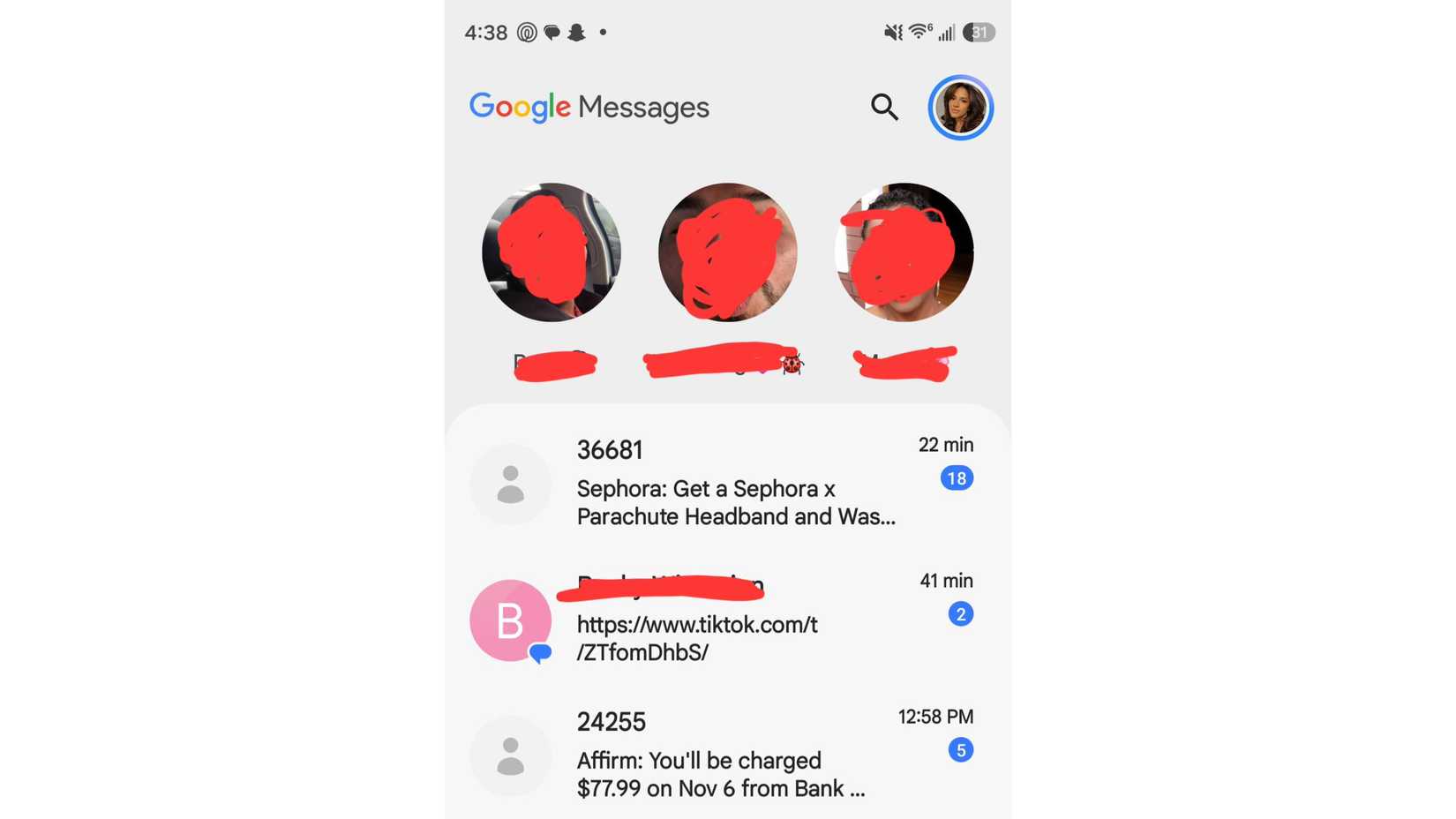
As spotted by Android Authority, Google Messages is getting a redesigned interface for pinned conversations. Currently, pinned chats appear directly at the top of your regular conversation list. But with the new layout, Google is moving them into a separate section at the very top, showing large circular contact photos with names underneath, giving the app a much more iMessage-inspired look.
These circular pinned chats appear above the regular conversation list, making it easier to quickly identify your favorite contacts and jump straight into their conversations.
That said, there's a small downside to this design as well. While the larger contact photos make pinned chats easier to distinguish, you can no longer quickly glance at the last message or see what was recently shared in those conversations without opening them first.
Google is giving Messages a new pinned chats layout
In addition to the pinned chats redesign, 9to5Google reports that Google is also testing another change to the search interface. Right now, the search bar sits at the top of the Google Messages home screen. But with the new design, Google is introducing a floating search button that appears alongside the "Start chat" button when you scroll down through your conversations.
This means you won't have to scroll all the way back to the top just to search for an older message or conversation. Instead, you can simply tap the floating search icon from wherever you are in the chat list.
Several users on Reddit have already reported seeing the new pinned chats interface in Google Messages. However, the rollout still appears to be controlled through a server-side switch.
Even users running the latest version of Google Messages report that they've only received the refreshed app icon and not the new pinned chats layout, suggesting the UI changes are being enabled gradually.
For what it's worth, I'm still not seeing the new interface on my Google Pixel 11 Pro either. So, even if you've updated Google Messages to the latest version, you may have to wait a little longer for these changes to appear on your phone.