
When I took a long-awaited vacation, there was only one Android camera phone I wanted to take with me. The Google Pixel 11 Pro.
It impressed me so much when I reviewed it, I wanted to see how it performed in less familiar surroundings.
However, while the camera was brilliant once again, the weather on my trip was not. It was here a one-tap editing feature in Google Photos came to the rescue. If you haven’t used the AI Enhance button much, here’s why you should be using it more.
From smart albums to AI magic — how well do you really know Google's beloved photo platform?
In what year was Google Photos launched as a standalone app, separate from Google+?
Google Photos ended its free unlimited original-quality storage policy in June 2021. What storage cap applies to free Google accounts?
What is the name of Google Photos' AI-powered feature that automatically groups photos by the people who appear in them?
Which Google Photos feature allows you to remove distracting objects or people from a photo using generative AI?
What is the name of the Google Photos feature that automatically shares relevant photos with friends or family members it recognises in your pictures?
What does Google Photos' 'Memories' feature primarily do?
Which Google Photos editing tool uses AI to suggest brightness, contrast, and color adjustments tailored specifically to each photo?
Google Photos allows users to lock sensitive photos behind biometric authentication. What is this protected space called?
Thanks for playing!
Is AI Enhance new?
No, but functionality varies on different phones

Tap the edit button in Google Photos on the Pixel 11 Pro and there are three Auto options immediately available: Enhance, Dynamic, and AI Enhance.
AI Enhance started out as a Pixel exclusive in 2025, but has since made it to most versions of the Google Photos app. Tap it, and AI works its magic on your chosen photo.

The feature differs depending on the version of Google Photos, and on different operating systems. For example, in iOS, AI Enhance generates three different edited versions of the photo. I’ve found it less effective than the one, single, master version made on the Pixel 11 Pro.
On the surface, AI Enhance sounds like a simple edit feature, as Google claims it enhances color and brightness. In reality, the AI looks at the scene more deeply and makes adjustments according to the subject.
Fixing problems the camera can’t avoid
The weather wasn’t on my side

During my trip away, the weather wasn’t very good. A mixture of cloud, rain, sunny spells, and overcast skies, plus time at altitude in low cloud, made it a challenging environment for the Pixel 11 Pro’s camera.
Most of the photos carried over the drab conditions well. While realistic, they weren’t especially exciting to look at, and sometimes you don’t want a reminder of poor weather.
In the image comparison galleries below, the original unedited photo is on the LEFT and the AI Enhanced edited photo is on the RIGHT.
AI Enhance added a degree of pop and visual punch back into the photos without going overboard. I don’t think the edits stray into hyperreal territory, which can happen with some filters.
Show, don’t tell
See the difference the feature makes


Sometimes, rather than using the manual adjustment toolkit on Google Photos, I just want to see an improved version of the image without resorting to a filter. This is where AI Enhance excels.
The photo of the reservoir above was taken at 5x and is a decent image, but give it the AI Enhance treatment, and it is transformed. The blue of the water is emphasized, the dry banks get texture and tone, and it better reflects what I was trying to capture.
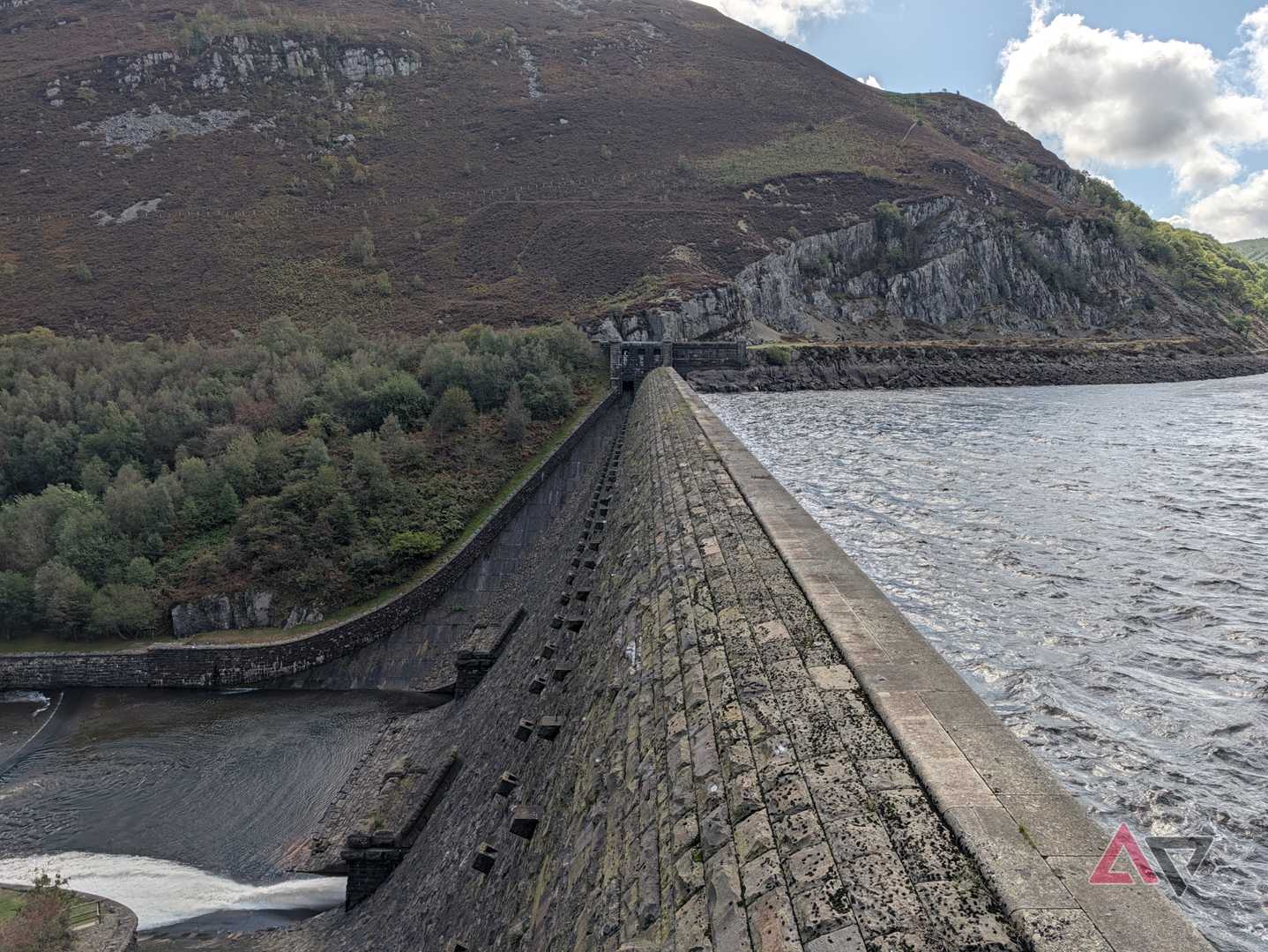
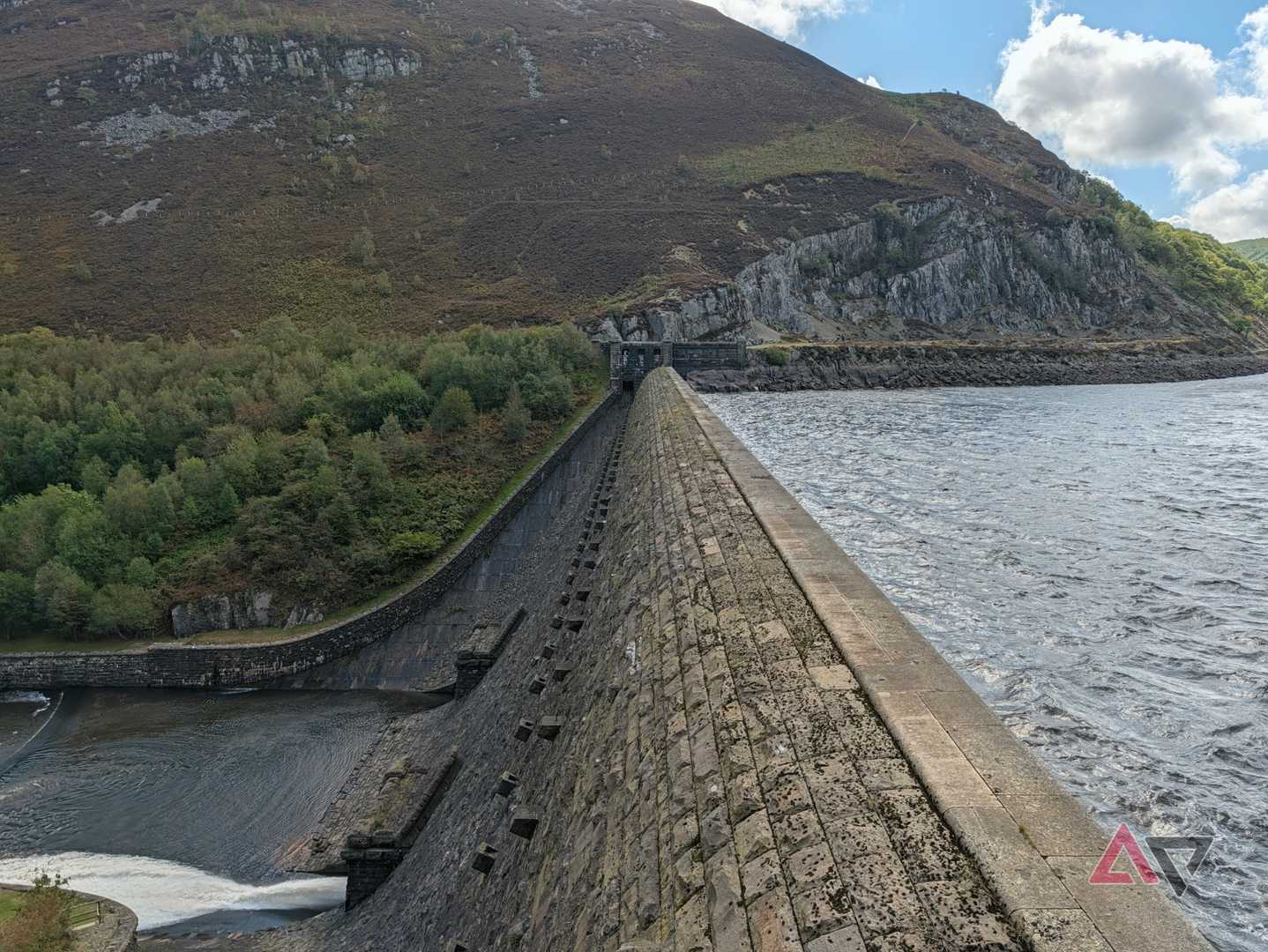
It’s the same situation with the photo of the dam. The original lacks punch and vibrancy, and although it captures the impressive nature of the scene, it’s not very pretty. AI Enhance changes all that, infusing the trees with color, and bringing out the wonderful colors of the aged stone.
One of my favorite edits is another 5x zoom photo. It shows a yellow Fiat Panda Cross on a low bridge over a stream. I was happy with the composition, but not with the colors or the warning post at the entrance to the bridge.
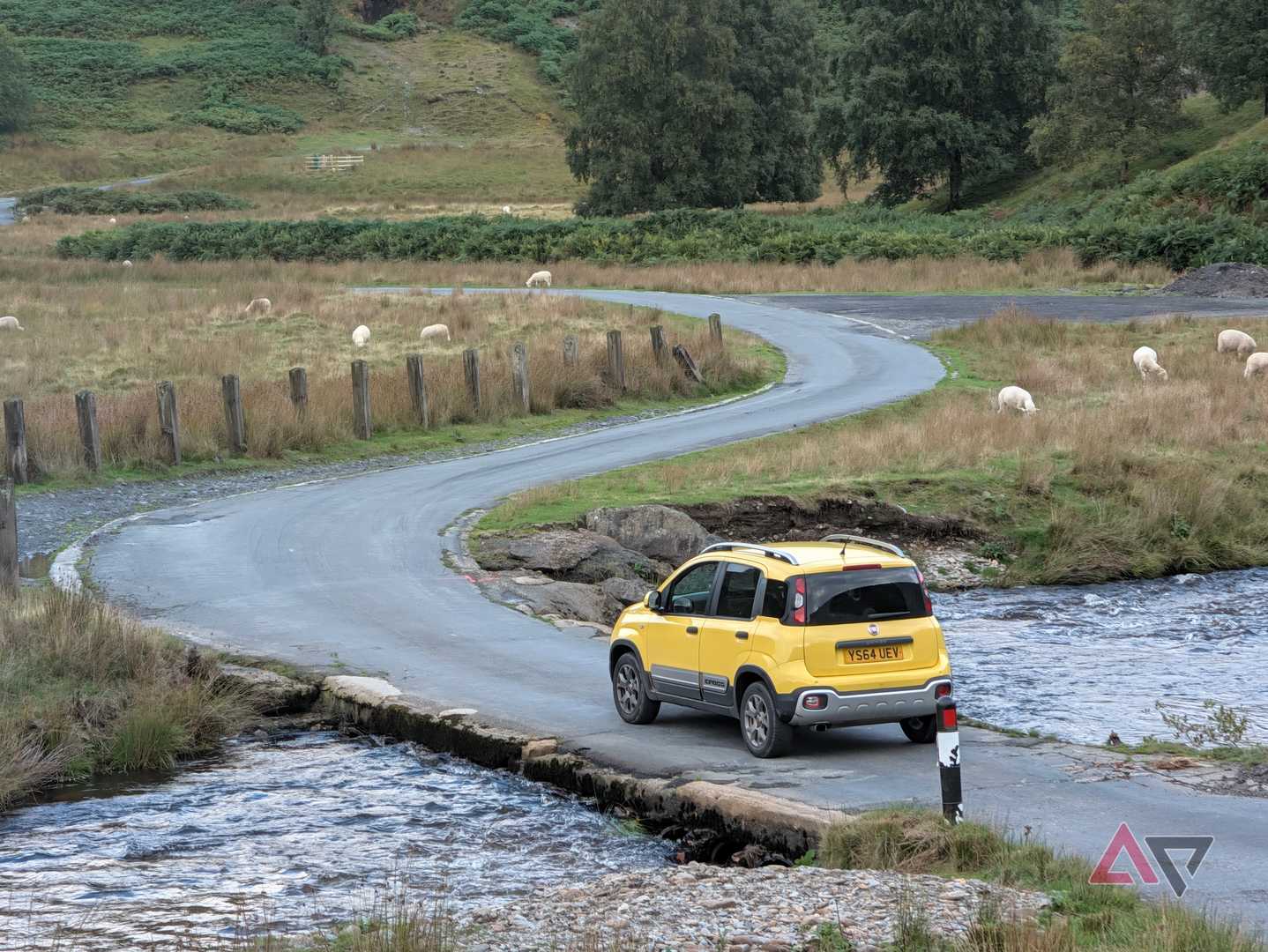
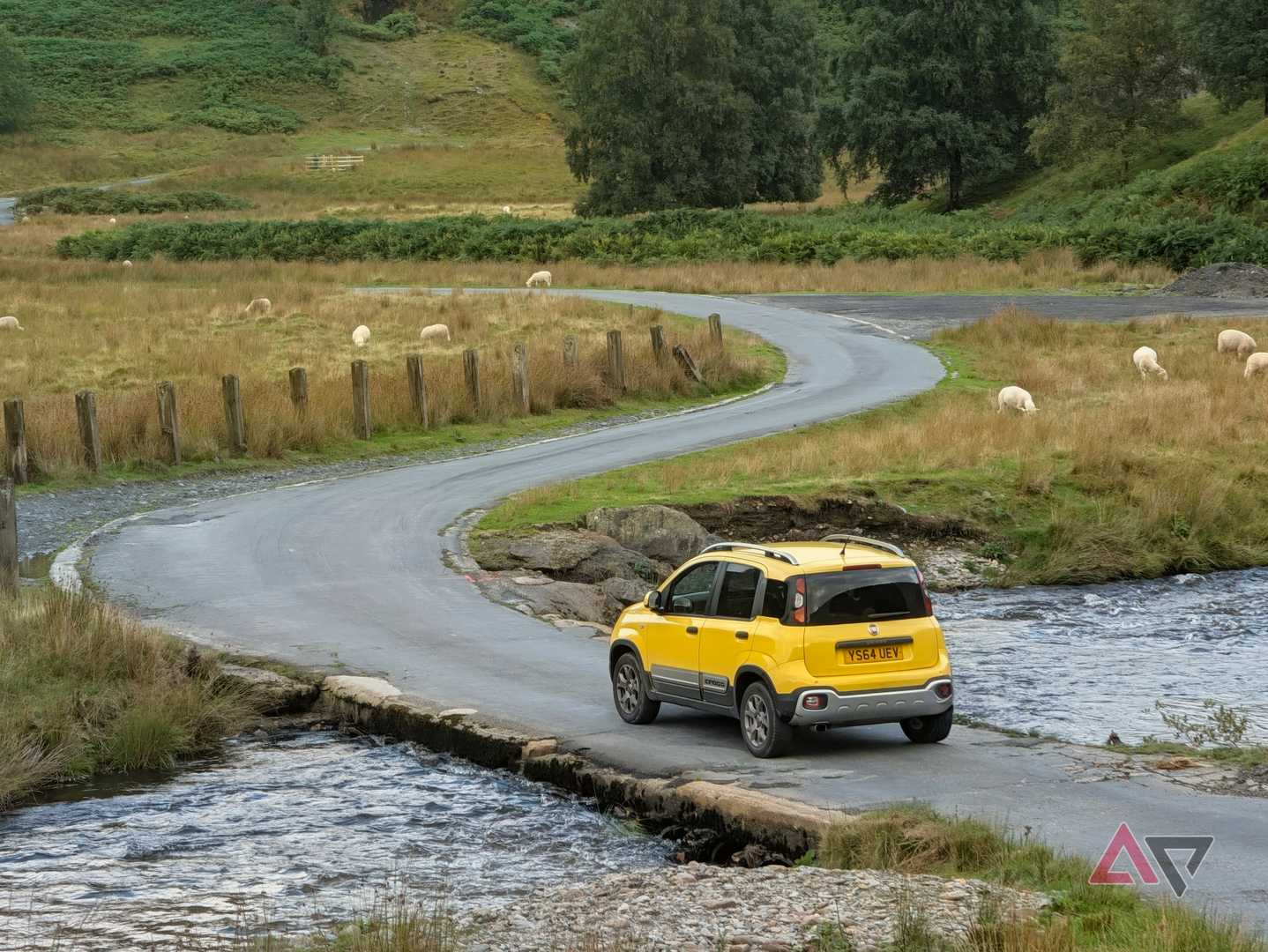
Google Photos fixed all this. Magic Eraser took away the post, and AI Enhance amped up the colors. The tone is a tiny bit too warm for my personal taste, but this could be changed if I wasn’t set on a one-tap edit.
The 5x Portrait mode is still a winner
No matter the subject
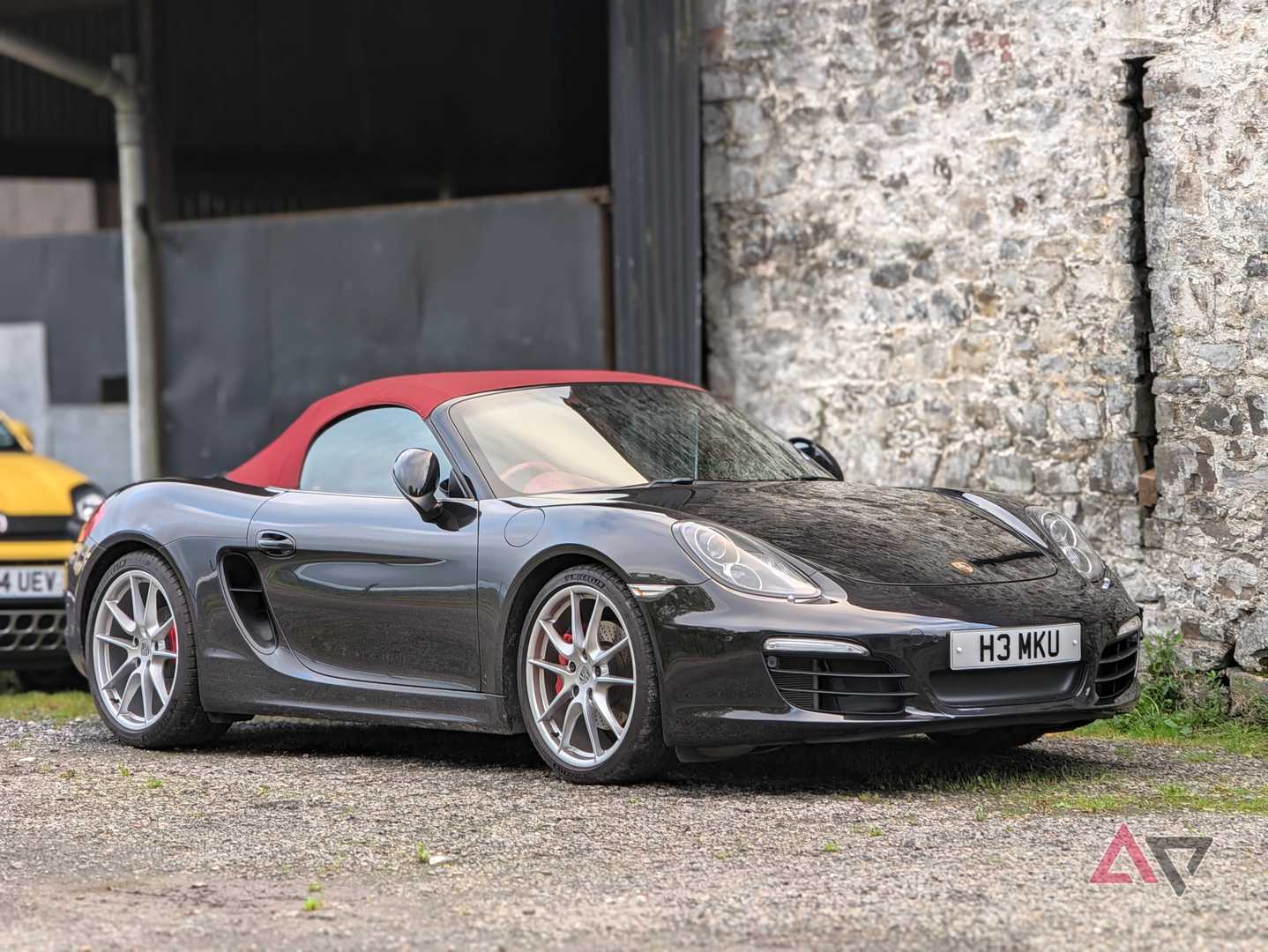
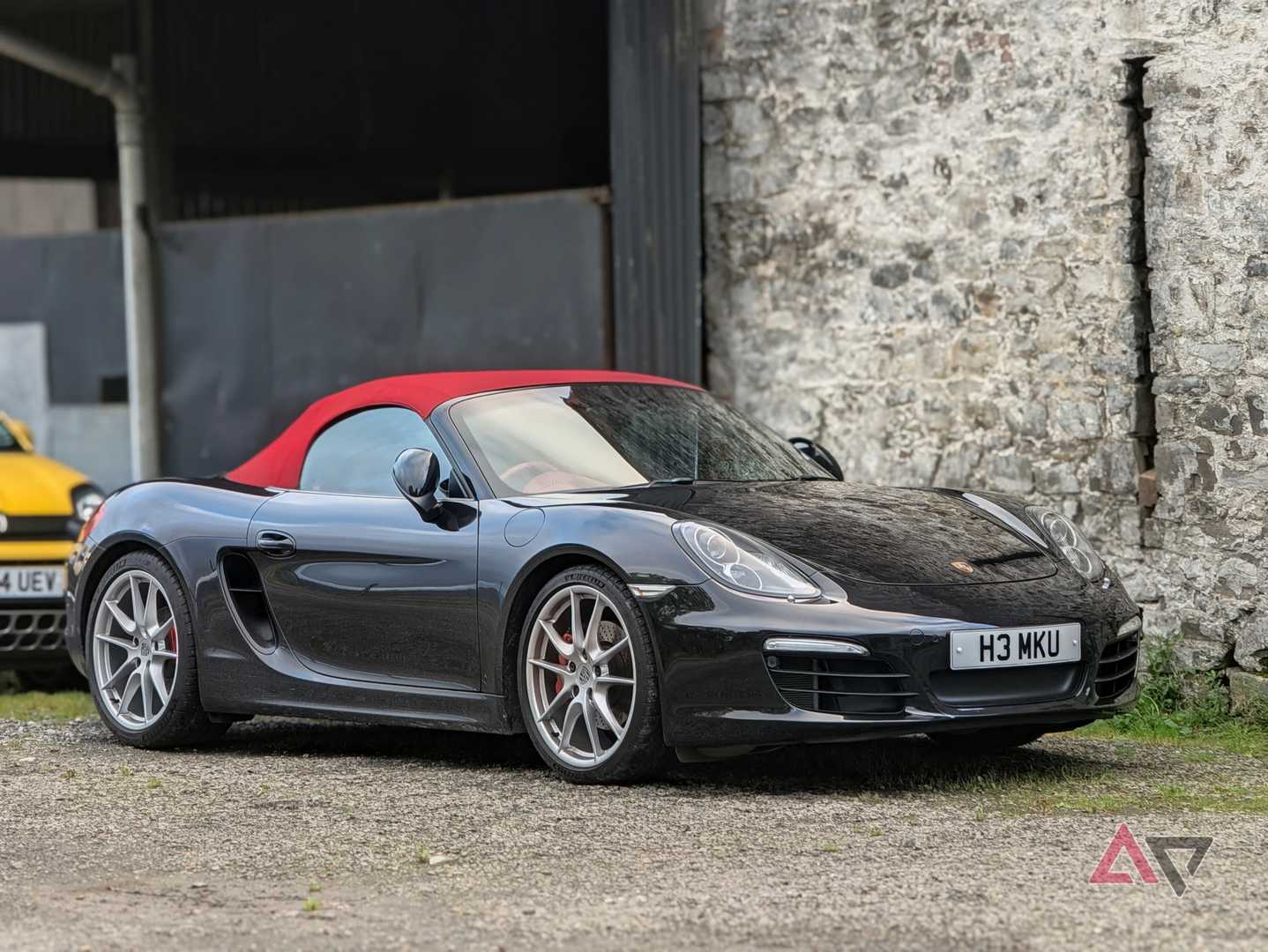
The Pixel 11 Pro’s 5x telephoto Portrait mode can produce some great results, no matter the subject or the lighting. AI Enhance then brings out the best.
The first photo of the black Porsche Boxster S shows how accurate the portrait effect is, even when it’s not used with a person. The lines are sharp, but the blur is well-judged in the foreground and how it tails off towards the back of the car.


The AI Enhance edit does some interesting things. Outside the color boost, it adjusts the contrast levels to minimize the reflections on the glass, making the image more attractive.
Finally, we can see how AI Enhance recognizes subjects. In the photo of the cat, it adds a portrait lighting effect, and cools the surrounding lighting too. The photo was taken in lowlight indoors, and with the night mode active, demonstrating the 5x portrait mode's versatility.
One-tap convenience
Great results

It’s the convenience of the AI Enhance mode that makes it so useful. Sometimes, you just want an improvement without spending time editing manually, and AI Enhance delivers.
While I don’t think it’s perfect every time, and the edits aren’t always exactly how I would tune the photo, the results are usually very close. I’ll take that when all it required was a single button tap and less than 10 seconds to create the final image.
If you haven’t already, AI Enhance is a feature worth exploring in Google Photos. It took my vacation photos taken with the Pixel 11 Pro’s photos, ignored the actual weather, and delivered edits I will keep.