
Even though Google rolled out an that lets me play games or watch YouTube while parked, many opportunities are still missed.
Right now, the list of apps that can run on Android Auto while parked is short, and most of the cool apps you want to use while parked still aren't available.
But a nifty developer released an open source tool that lets me install any app imaginable and use it while parked.
An open source tool is doing what Google refuses to do with Android Auto
Google has already fallen behind
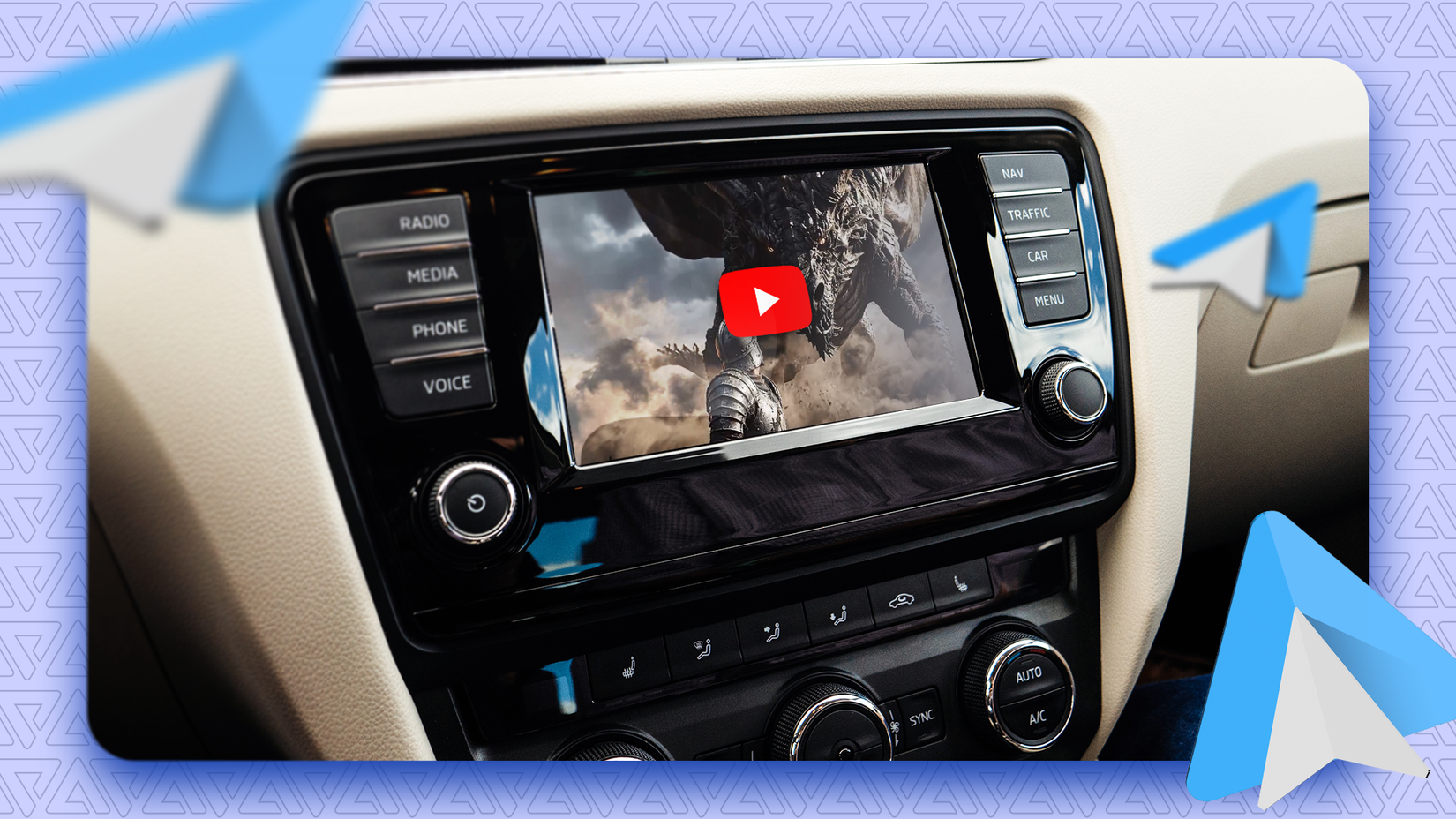
Since Google still won't let me run apps of my choice while parked in Android Auto is quite disappointing.
I was forced to use an approved list controlled by Google, and to put it politely, that list is underwhelming.
But a new lets me install any app I want and use it in Android Auto while parked.
The app is called Android Auto Maker and is only available on GitHub. It takes any regular APK or XAPK file and repackages it so that Android Auto can recognize it as a parked game or app.
It's quite ingenious, if you ask me, and I finally got to use my car's screen to its full potential instead of third-party dongles or sideloading apps.
However, there is one little caveat. You must uninstall the original app first so that Android treats it as a different app with the same package name when it installs via the Android Auto Maker app.
Android Auto Maker only works with phones running Android 15 or newer for the parked apps to appear on the car screen.
When installed, the car must be parked with the handbrake pulled; only then does the app become available to use in Android Auto.
You don't need root access to install apps
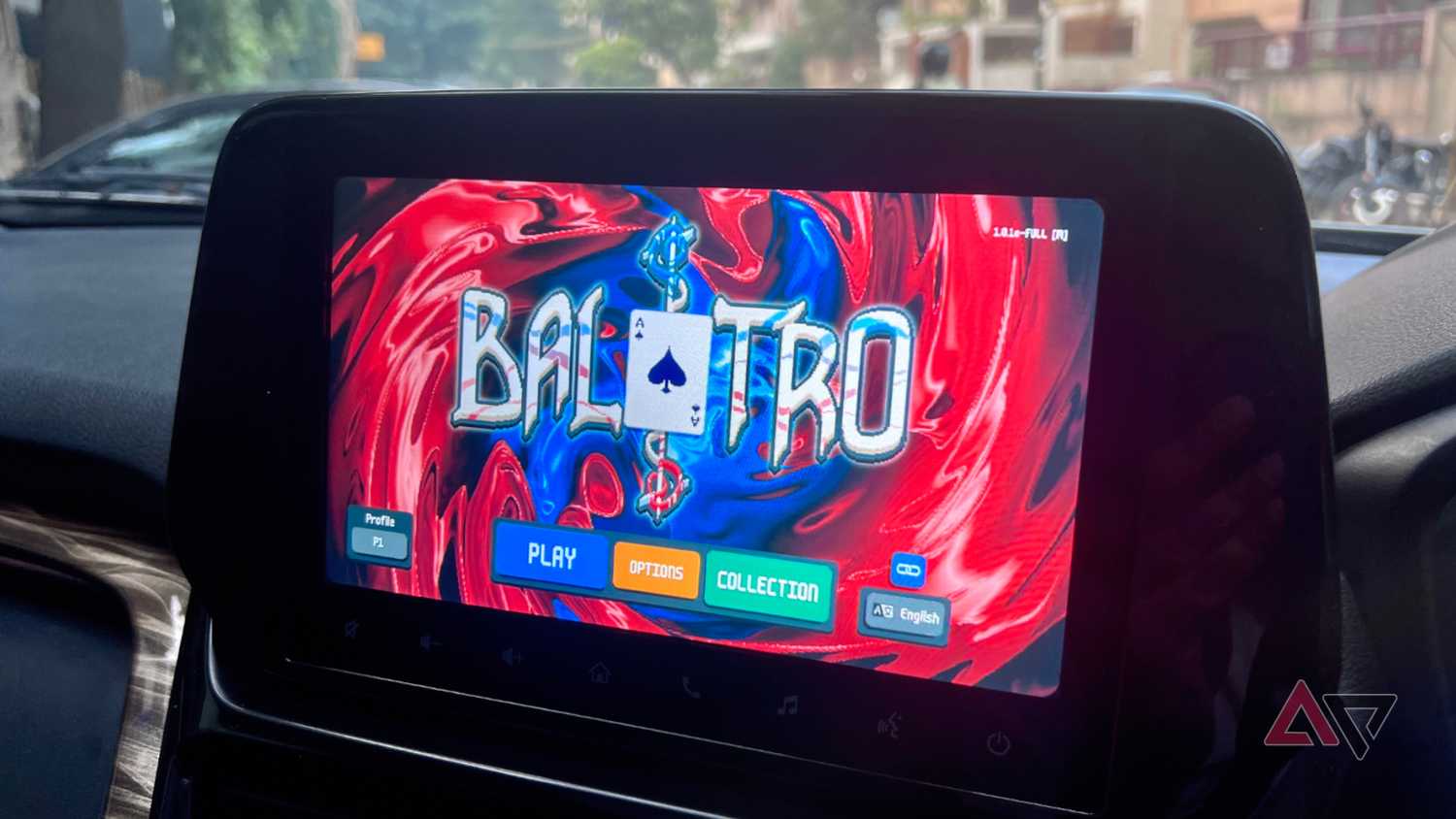
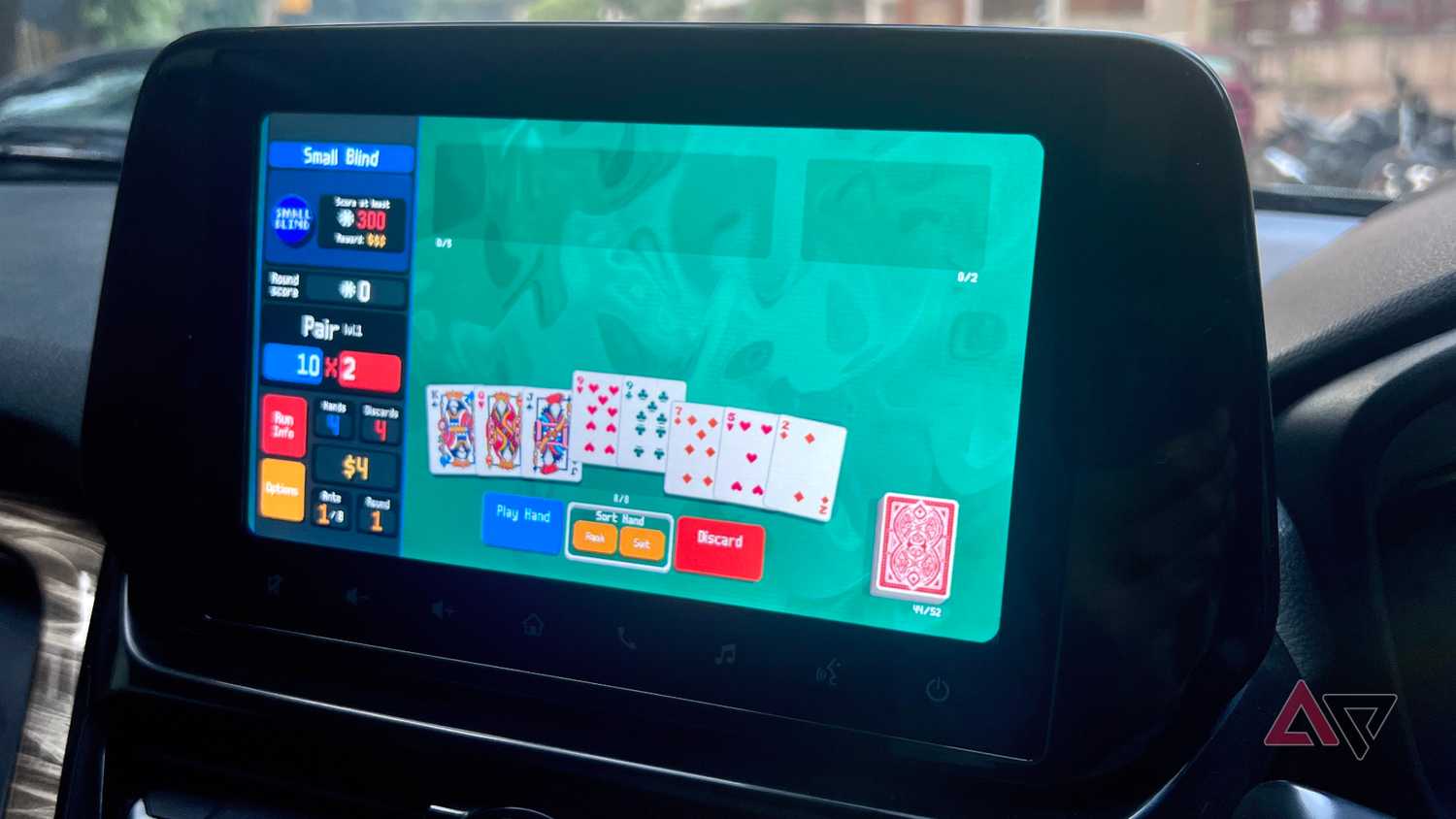
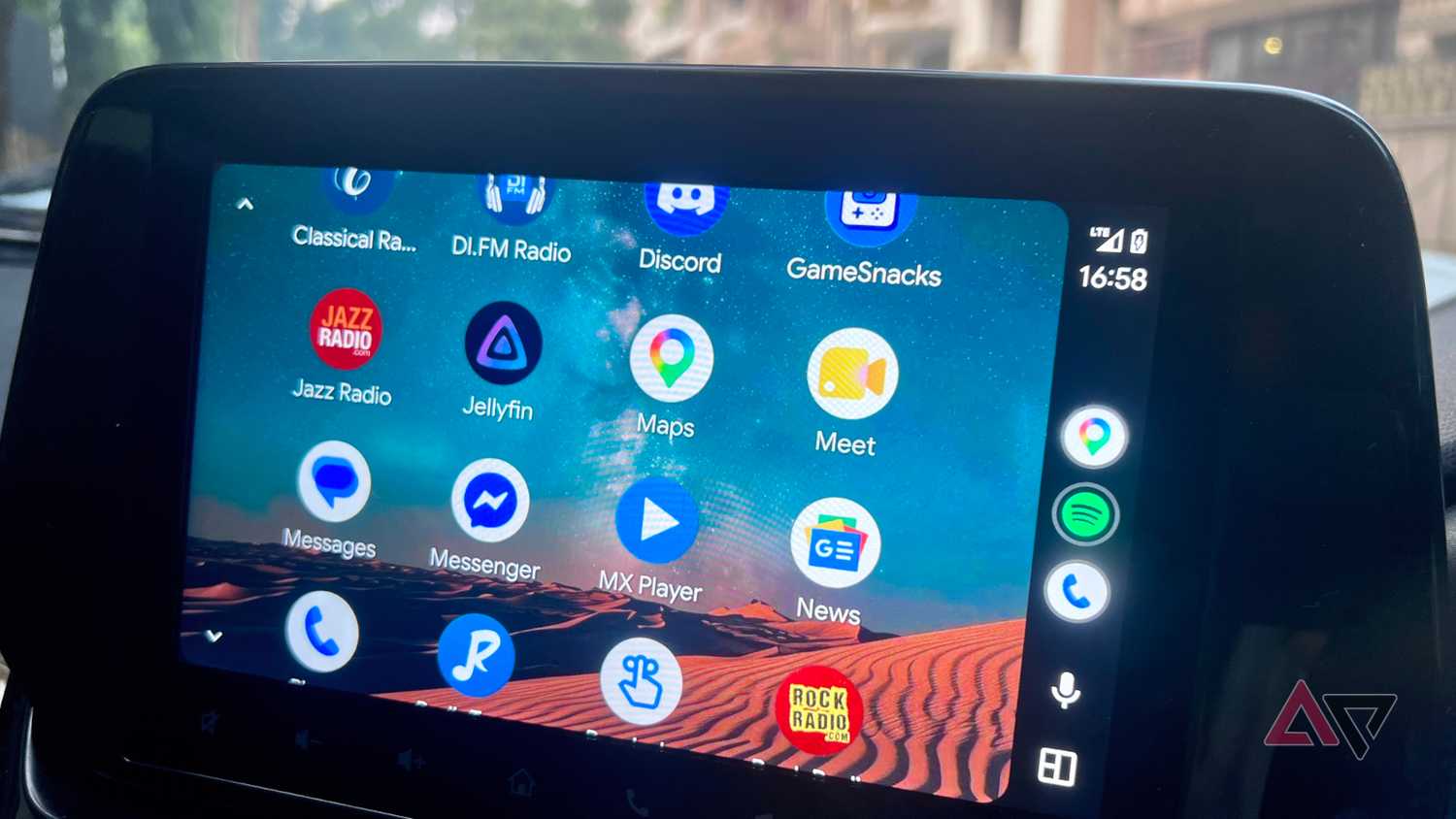
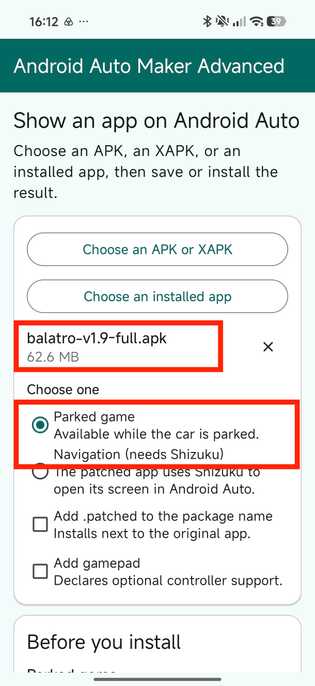
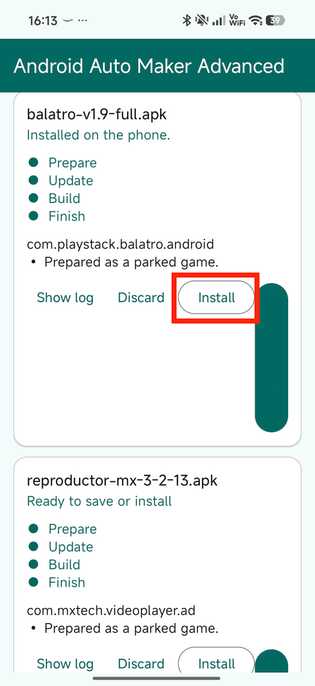
Android Auto Maker unlocked my car screen's true potential without root access or Android's developer options.
It's as easy as installing an app and finding/extracting APKs for games and video players so that I can use them in Android Auto while parked.
But I did notice that certain apps, like Netflix and other paid streaming platforms, don't actually work. That's due to DRM and Play Integrity, but it wasn't bothersome for me anyway.
Since I like to use local files and VLC/MX Player to watch content, I was more excited to catch up on my favorite shows and movies while waiting in the car.
I was also excited to play a quick round of lightweight games when I didn't feel like watching anything.
I figured the best candidates for Android Auto Maker are offline apps that don't need data to communicate with any servers.
Since Android Auto Maker required me to delete the original app, I opted to use alternatives for certain apps like YouTube.
I installed Morphe, MX Player, and lighter games so I can use them while parked, waiting for my partner to get out of work.
The app lets me play like Balatro, Shattered Pixel Dungeon, Beach Buggy Racing, and Slice and Dice in full screen (not screen mirroring) on my car's entertainment unit.
I must admit, I spent most of my time playing Balatro or watching content on MX Player.
If you're wondering how it works, download the latest Android Auto Maker build from GitHub and follow the steps below.
- Grant Android Auto Maker the necessary permissions.
- Get the APK/XAPK of your preferred app.
- Uninstall the original app if already installed.
- Load the APK file into Android Auto Maker.
- Keep Parked game selected.
- Create the Android Auto Package.
- Install the repackaged APK.
After you install the repackaged APK, connect your phone to Android Auto and stay in parked gear.
In Android Auto, open the Parked apps and games section to find the repackaged app you installed with Android Auto Maker.
It's worth noting that Android Auto Maker is a complete open source project, and Google could tighten the parked-apps checks in the near future.
But for now, the app runs flawlessly and lets me play games while parked without rooting my phone.
What's neat is that since Android Auto Maker doesn't use any mirroring, every app feels native to Android Auto.
It's a no-fuss setup that should be easy for anyone who doesn't want to use complicated developer options or sideload Android Auto apps.
Android Auto Maker was the solution I needed
I was never a big fan of rooting my phone or sideloading apps just for . But an open source tool that lets me install any app I want without any of those hoops was a godsend.
It's a practical way to keep yourself entertained with apps that you actually want to use. You can watch local media files using players like VLC or MX Player and play games that are more entertaining than Google's curated list.
I'm going to keep using Android Auto Maker until it works, and you should try it too.