If you're not a , using the platform can be a pain.
You're plastered with more ads than ever, and after a while, you either subscribe or start looking for alternatives. But ever since Brave started blocking ads on YouTube, it's become my only way to watch YouTube.
However, you can improve the experience by tweaking a few hidden settings.
Brave's hidden settings remove everything annoying on YouTube
Using Shields to my advantage
I spend more time on YouTube than any other streaming service. I watch a lot of documentaries, podcasts, and Warhammer 40K lore videos that aren't available anywhere else.
That's why I subscribed to YouTube Premium: to avoid countless ads, especially when I'm binge-watching content.
But there is no denying that YouTube ads are beyond annoying, especially since you can run into them in so many ways.
Pre-roll, mid-roll, and banner ads creep up on you no matter what. The volume of ads has also increased drastically, so I've had to find ways to block them.
I'm not a big fan of paying for too many subscriptions, and if I can avoid it, I will.
I was already using Brave for my daily browsing, and when I started digging through its , I found a way to fine-tune my whole YouTube experience.
Brave blocks ads on YouTube by default, but a few hidden settings can make the experience near-bulletproof.
First, I used Brave's more aggressive shields to block most ads on YouTube.
It gets rid of most ads, but since the two companies are always looking one up, YouTube updates sometimes find a way around it.
Brave developers are no slouch, though, and they usually have a fix in no time. To use Brave's aggressive shield, go to > > Block trackers & ads and select .
This will block most trackers, ad-related scripts, and resources. This eliminates the most annoying on-page ads, pre-roll and mid-roll ads.
While this setting is more than enough to remove ads on the surface, I usually tweak a few other settings for an even better experience.
YouTube has many bloated and distracting features that aren't relevant to me. For example, Membership-only videos often take up space in my recommended section. The same goes for Shorts.
If you've ever wondered if there was a way to get rid of them, there is a way in Brave.
Brave's content filtering transforms YouTube to the way I like it
To keep my YouTube experience clean and ad-free, I use other Brave settings besides the aggressive Shield.
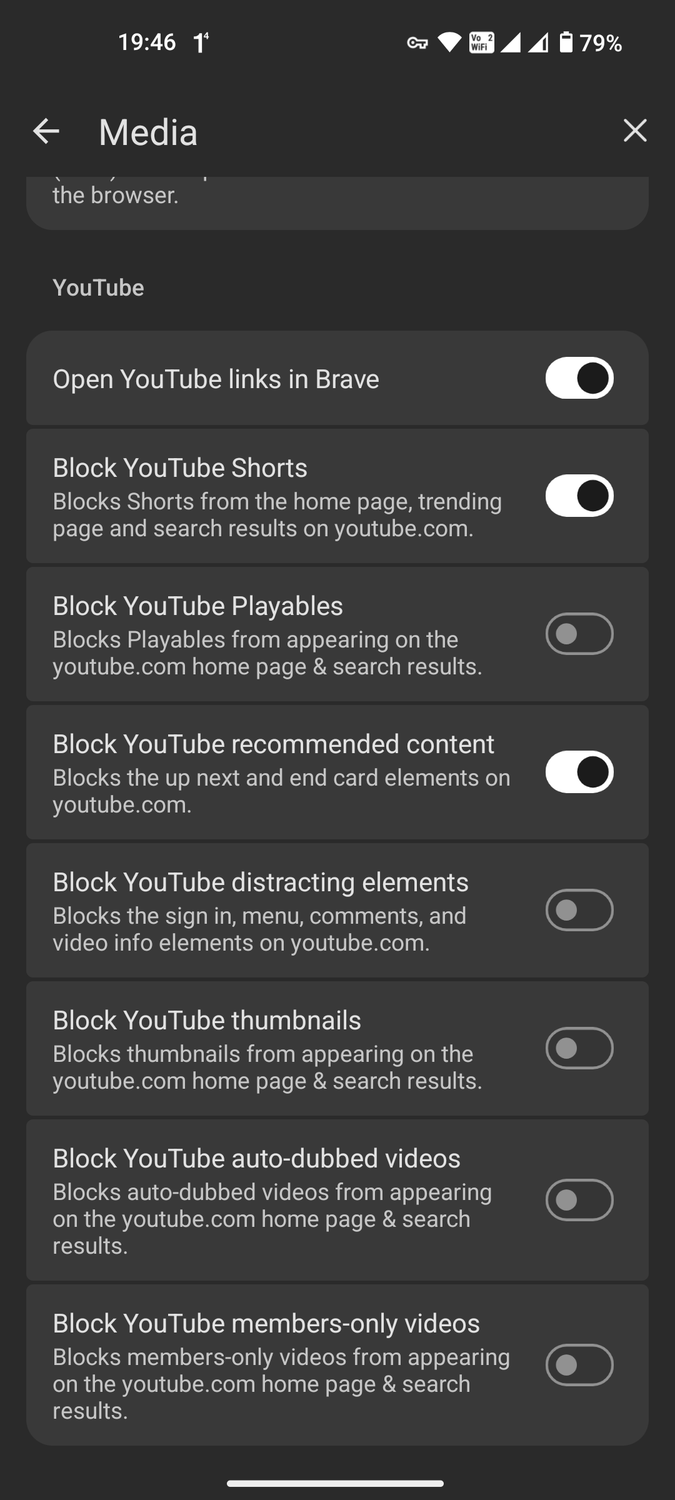
I use it to block Shorts, members-only videos, social media elements, and countless others.
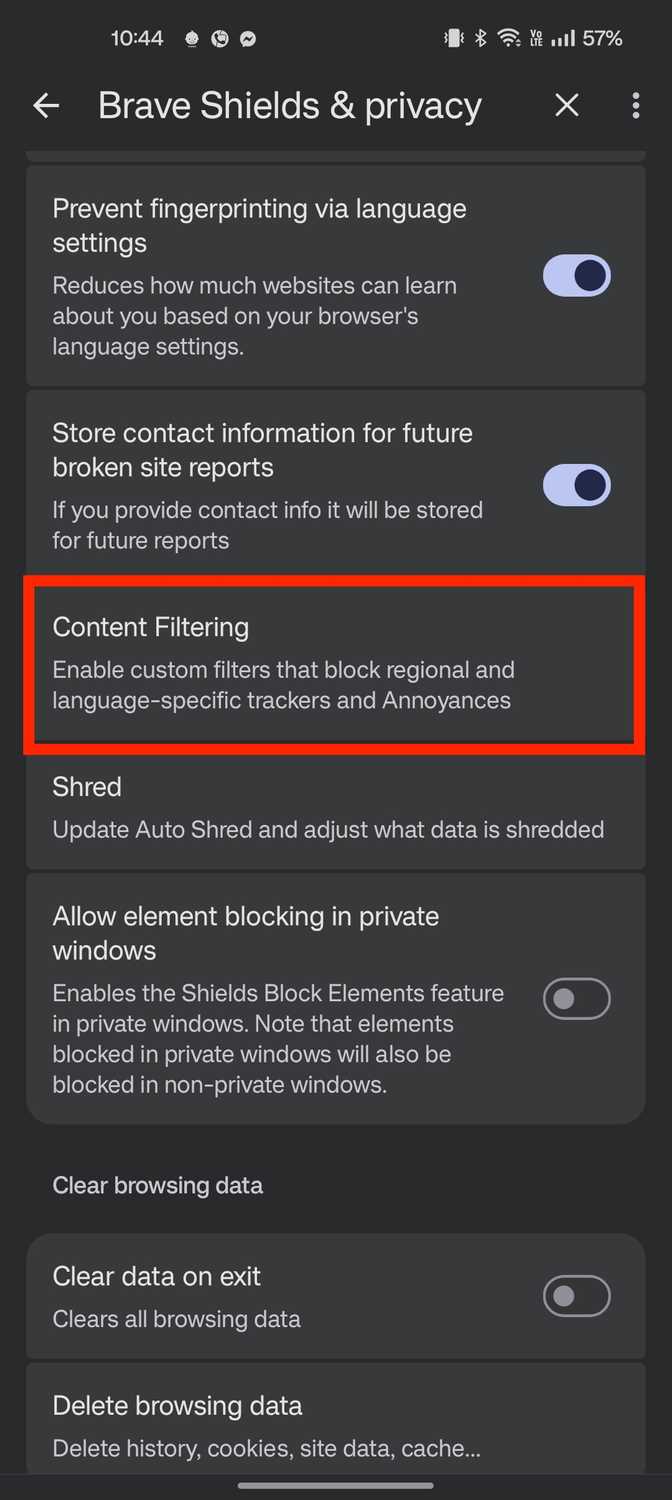
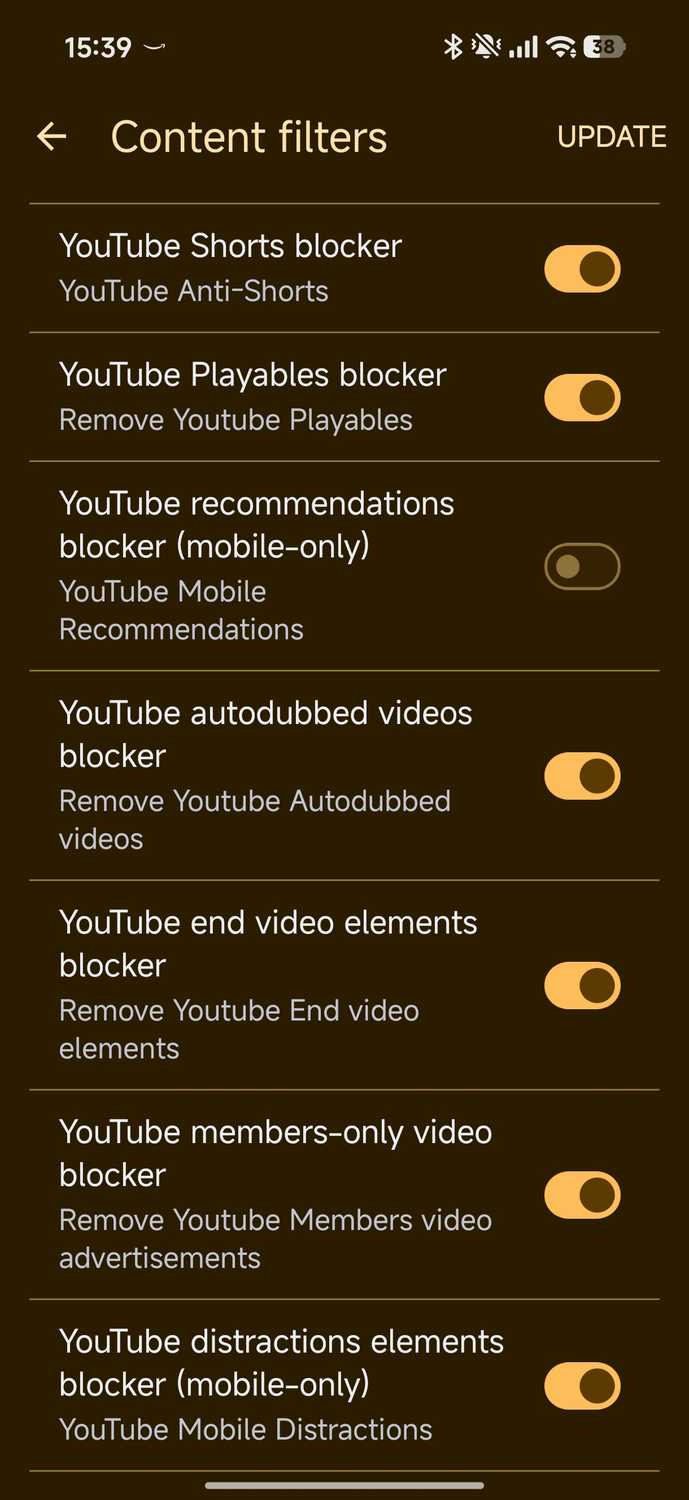
Blocking them in Brave is straightforward. You'll find the settings a little further down in the menu under Content filters.
In the Content Filters menu, you can turn off specific YouTube features you don't want to see.
To start, I turned on Fanboy's Annoyances + uBO Annoyances because I didn't want to see social media widgets, self-promotion banners, or floating overlays.
But for YouTube, I blocked the following features to give me a clean ad-free experience:
- YouTube autodubbed videos blocker
- YouTube end video elements blocker
- YouTube members-only video blocker
- YouTube distractions elements blocker
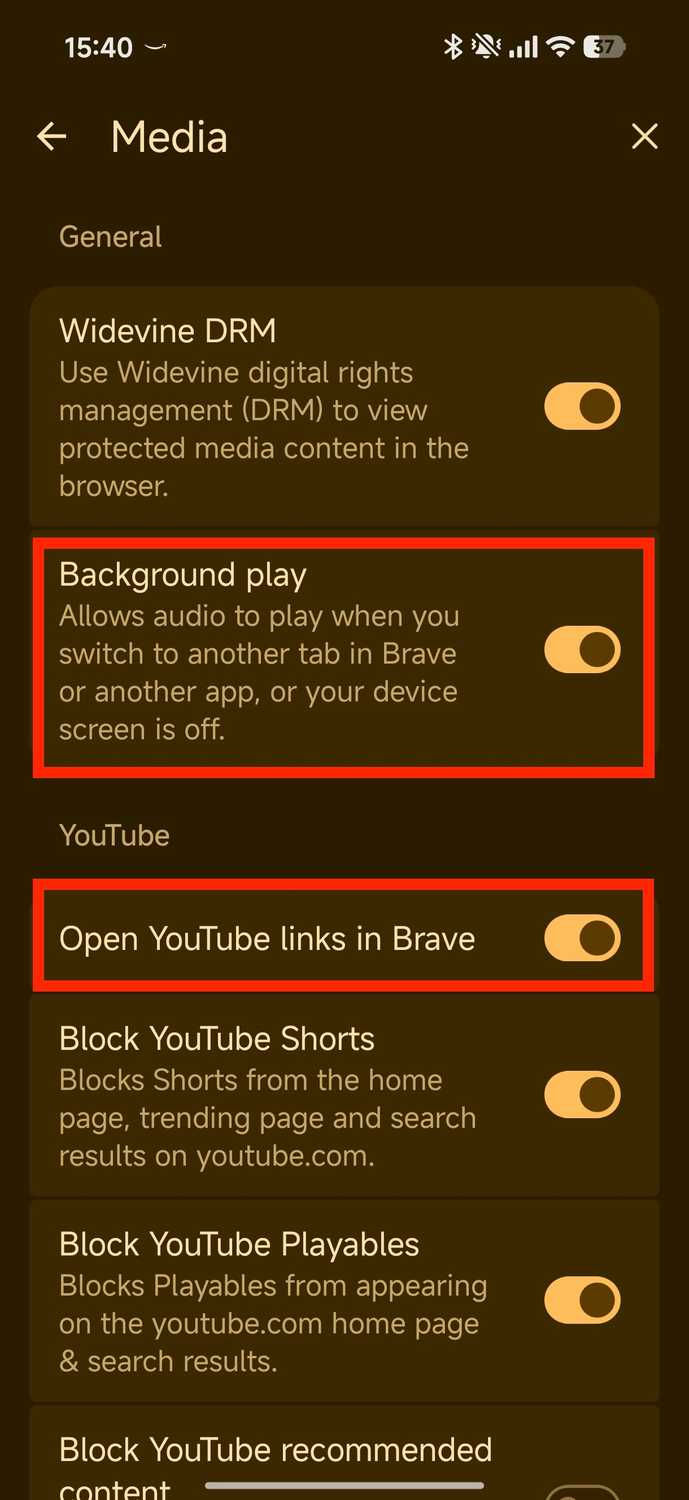
There are two specific settings on your Android phone and Brave that I highly recommend turning on. This way, every time you open a YouTube link, it opens in Brave instead of the app.
Go to > and turn on Open YouTube links in Brave. While you're there, turn on so YouTube keeps running even if you switch apps. It works exactly like YouTube Premium, so I highly recommend turning it on.
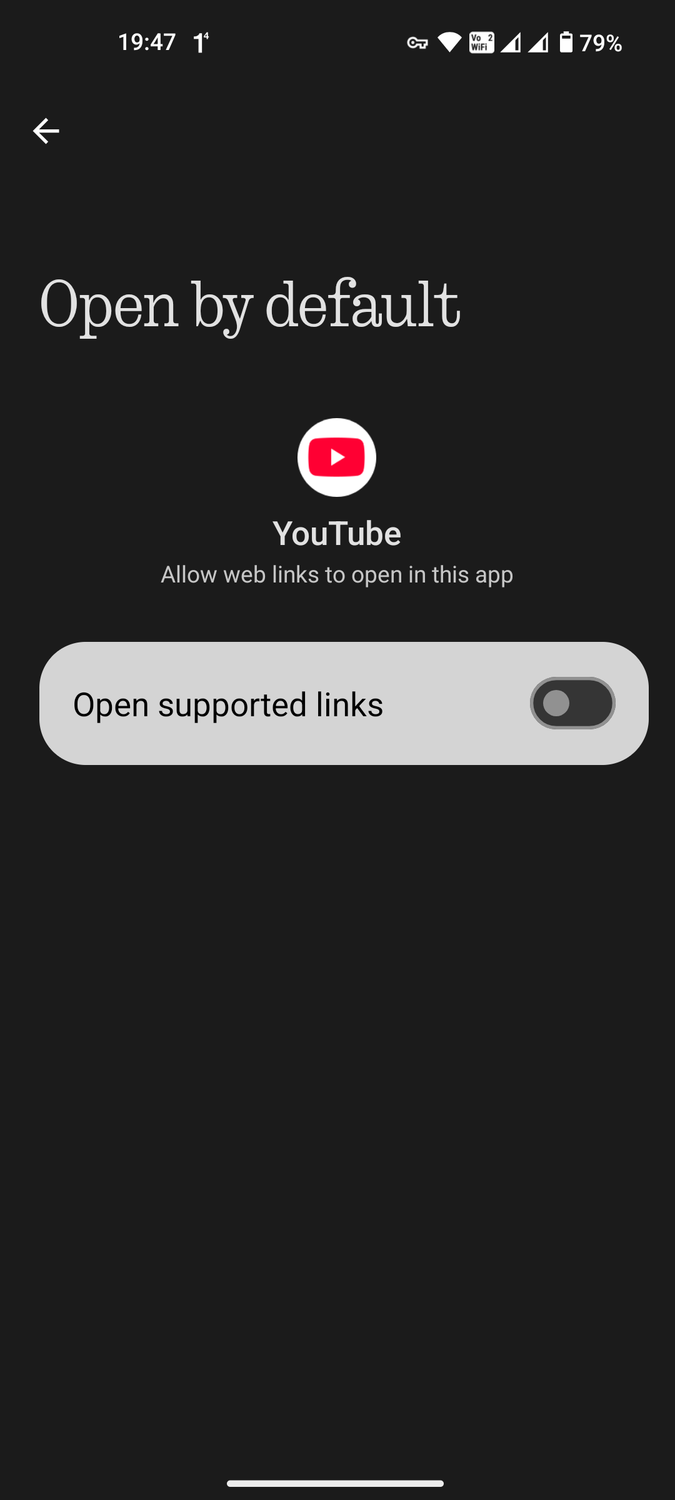
Finally, in Android settings, go to > > Open by default and turn off Open supported links.
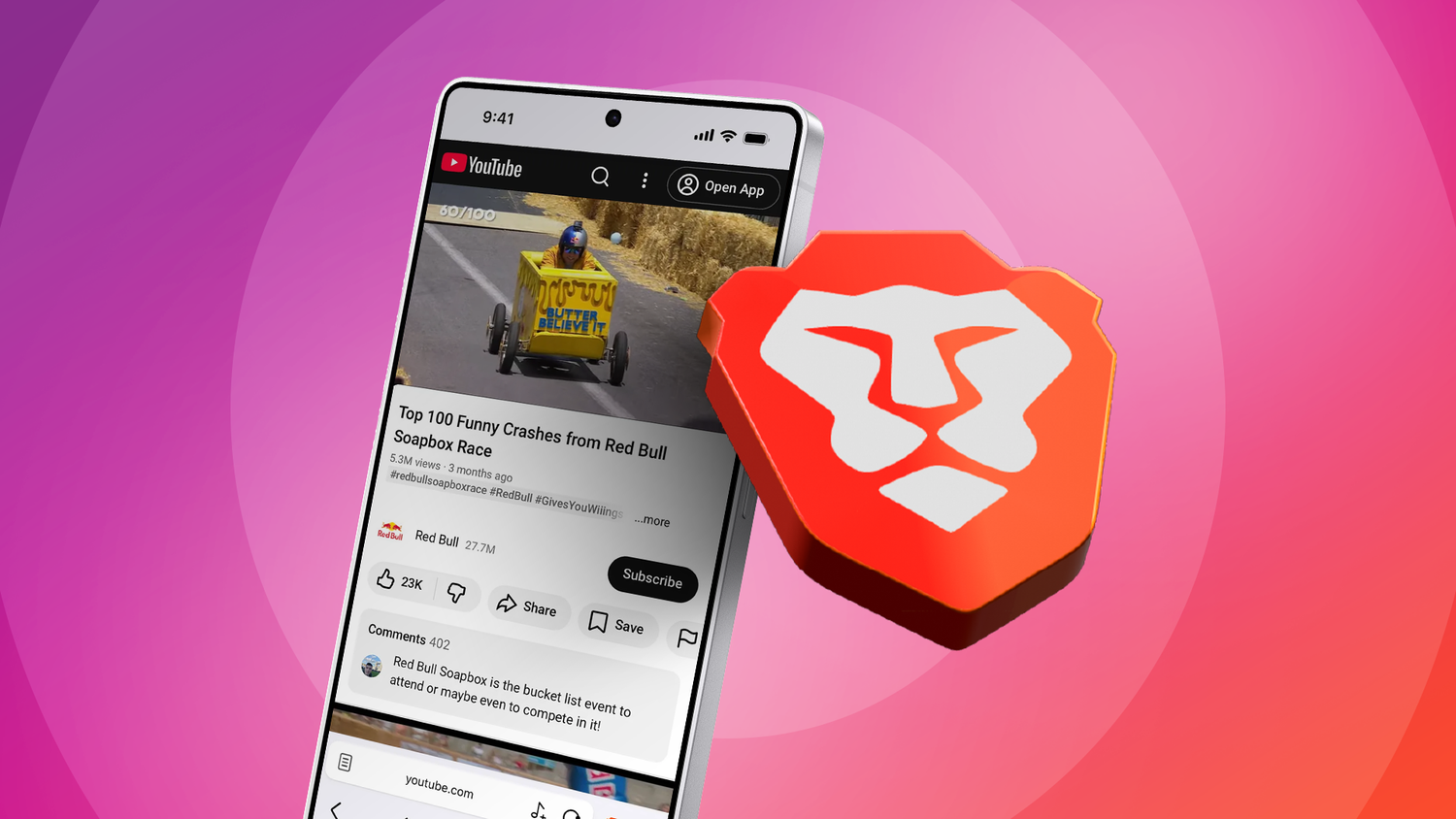
Now that you've changed these settings, every time you open a YouTube link, it will open in Brave, sidestepping any ads you would have encountered in the app.
You will also notice that when you watch media on YouTube, your phone's battery lasts longer and you use less data.
This is because, since we banished all ad scripts and trackers, Brave only uses data to stream the video and nothing else.
I even managed to make Brave the while using a hidden Playlist feature with YouTube.
It's the closest experience to Premium that I have managed to emulate on Brave, and I no longer subscribe to YouTube Premium since this workaround exists.
Brave made me cancel my YouTube Premium subscription
If it weren't for these hidden settings in Brave, I'd still be shelling out money every month for .
But it seems like someone on Brave's development team shares my sentiments and keeps adding features to remove YouTube's bloat.
It's my only way to consume media on YouTube, and I couldn't be more grateful that it lets me save a few bucks in the process.