The quick answer is “for over a decade.” Realistically, the answer is “until Amazon bricks it."
We may receive a commission on purchases made from links.
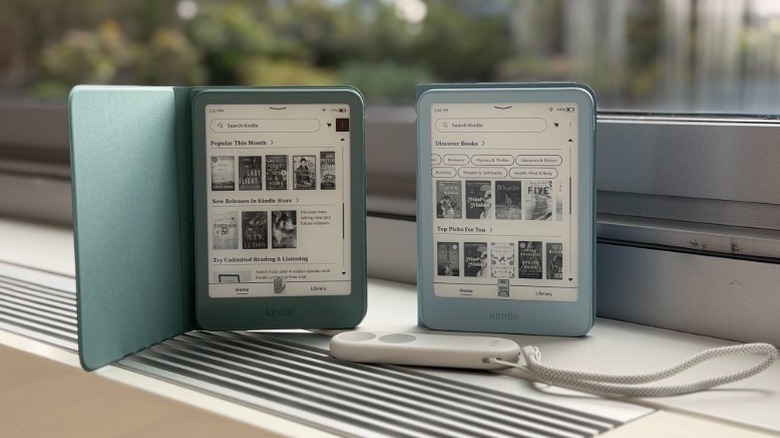
Kindles are built to last, so you can lose yourself in your favorite books for years. But for how long should you expect to use a Kindle? Amazon promises at least four years of security updates for every Kindle it sells, yet many devices stay in use well beyond that window, with some people even getting 15 years from one unit. However, a Kindle also can become effectively unusable long before it physically breaks down.
Software support ends, batteries lose their capacity to hold a charge and older models fall outside the ecosystem Amazon actively maintains. Understanding what drives a Kindle's lifespan helps you get the most out of your current device and make a smarter call when you're in the market for a new one. That's especially relevant now, thanks to the latest 2026 Kindle releases.
How long can you use a Kindle?
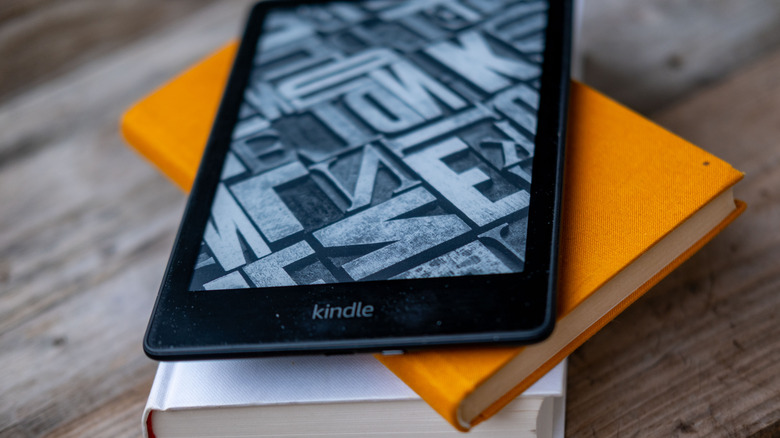
In many cases, Amazon goes beyond its four-year commitment for keeping Kindles updated, as evidenced by the Kindle Updates page. The 2024 Kindle Paperwhite and first-gen Kindle Colorsoft, for instance, are both slated to receive security updates through the end of 2030. That's roughly six years of guaranteed coverage from launch.
However, Kindles often outlast their official support windows by quite a bit. My 2013 Kindle Paperwhite is still in great working order, even though support ended back in 2019. The battery lasts just fine, and I run file transfers the old way via email.
Practically, using a Kindle that doesn't get security patches, while not ideal, is not as serious as doing so on a laptop or phone. Given that they aren't full of personal data, it's not worth attackers' time to break into Kindles; most security patches are focused on removing jailbreak exploits. If you're concerned, you can keep the device offline and transfer DRM-free books to it via USB.
Sometimes, there's a full loss of support, like when Amazon cut off older Kindles earlier this year. Models that released as late as 2012, including the first Kindle that launched in 2007, are no longer able to download, purchase or borrow new books. They can continue reading the ones already on the device, though.
Aside from a direct cutoff like this, for owners of old Kindle models, the most important factor is battery capacity. Out of the box, assuming you read for half an hour per day, Kindles last for anywhere between six and twelve weeks on a single charge. That means battery can last for months if you're in a reading slump and shove it in a drawer, or way less if you're devouring a book a week.
How do I know if my Kindle is dying?
First, you should estimate when your Kindle will have its turn on the chopping block. Amazon has already cut off the first Kindle, Kindle 2, Kindle DX, Kindle Keyboard, Kindle 4, Kindle Touch, Kindle 5 and the first Kindle Paperwhite. These were all released between 2007 and 2012.
Amazon hasn't announced any further plans to drop support, but intuition says the list of devices that next become obsolete will start with the second-gen Kindle Paperwhite, even though it still works just fine. This might not happen for a while, but we can expect the next list to only include devices that haven't received updates in years.
You should also consider whether your device is actively dying. Here are a few warning signs to watch for, both hardware and software:
-
Battery drain: If your device no longer holds a charge for weeks at a time and needs frequent charging, your Kindle is aged.
-
Screen issues: If you start noticing stuck spots of black or white, discoloration or yellowing that isn't related to the warm light mode, your ereader is slowly dying.
-
Sluggish performance: If books take forever to load, swapping pages is super slow and navigating the menu is a chore, your Kindle is likely getting close to its end of life.
-
No more software updates: Once Amazon stops issuing updates for your specific model, you'll miss out on security patches, as well as new features. Check endoflife.date to see where your model stands.
If you're unsure what model you have, go to Settings > Device Options > Device info on the Kindle, or visit Amazon's Manage Your Device page to check online.
The bottom line on Kindle longevity
A Kindle's lifespan isn't fixed, but rather shaped by the model you buy, how often you read and how well you care for it. Amazon's four-year minimum support guarantee is a reasonable baseline, but upgrading to a new model isn't mandatory when that date passes. A well-maintained device can live for a decade or more; the real issue occurs when your old model loses Kindle Store access.
The appeal of upgrading is easy to understand considering the new colorways, extra features, color display of the Kindle Colorsoft and the Kindle Click, which only works with devices from 2024 and newer. But if you already own an older Kindle that's still working, there's no urgent need to replace it unless you're seeing clear warning signs like battery failure or screen damage.