
If there's one thing I dislike doing on Android, it's file management.
While it's easy to use cleanup tools to save gigabytes of space, organizing the files I want to keep is a chore.
My downloads folder is filled with random files, my on-device images are scattered across multiple folders, and my documents folder is somehow empty.
So, instead of manually creating folders and dragging files around, I automated the process with the FilePipe app.
Prep work is necessary before I open FilePipe
There's no point organizing files I don't need
The problem with most automated cleanup tools is that they tend to target large files, for example, videos. They're great for , but often unhelpful for finding old documents.
Most of the documents on my phone take up less than a megabyte of space. They're always overlooked by cleanup tools. However, there is an option to identify these old but small documents in Files by Google.
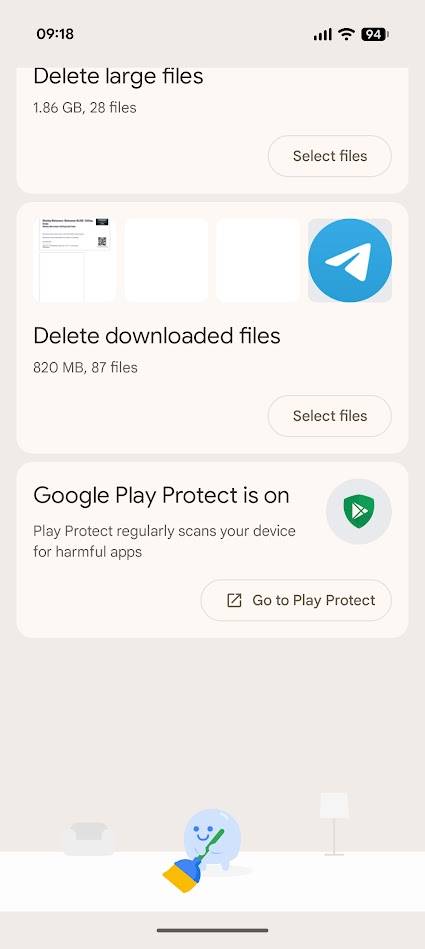
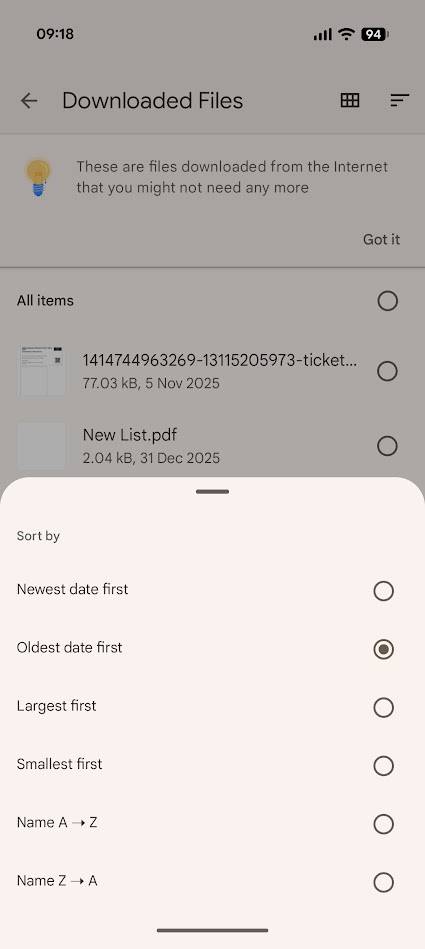
In the tab in Files by Google, you'll find an option to delete downloaded files at the bottom. This is the Downloads folder with easy delete options, but I use it to identify old files.
By filtering the list by the oldest files first, I can quickly purge unwanted downloads from my phone. However, this tool only affects files in the Downloads folder. After I clean out this folder, I turn to the FilePipe app.
FilePipe offers broad or focused tools
But a broad approach is best
FilePipe can work everywhere, including microSD cards, app folders, and internal storage. However, granting permission to modify everything can feel like too much.
Instead, FilePipe can target only the folders you grant it access to. However, this option cannot be used to select the folder, which is exactly what I need the app for.
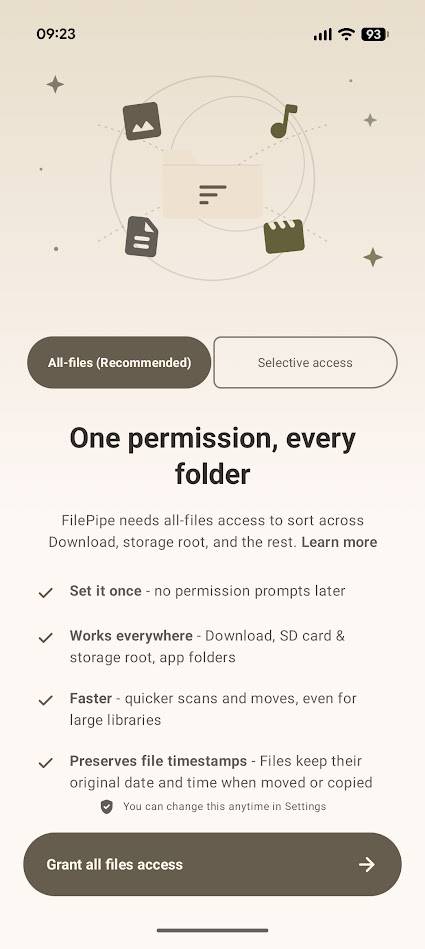
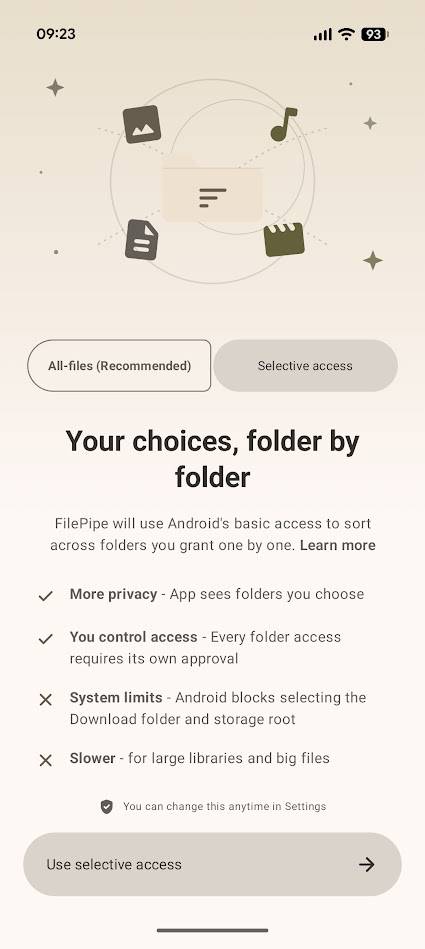
Granting permission to access all your phone's files doesn't mean FilePipe jumps right in and starts moving stuff around. Instead, FilePipe works on a system of rules similar to automation apps.
Here's how it works:
I download a lot of e-books, which come as .epub files. Even though I tend to upload these to Play Books, I like having them on hand. However, while concentrated in my Downloads folder, they're also scattered across different locations.
So I want to locate every .epub file on my phone and move them into a Books subfolder in the Documents folder. I also like to run this rule every month. Here's what that looks like in FilePipe:
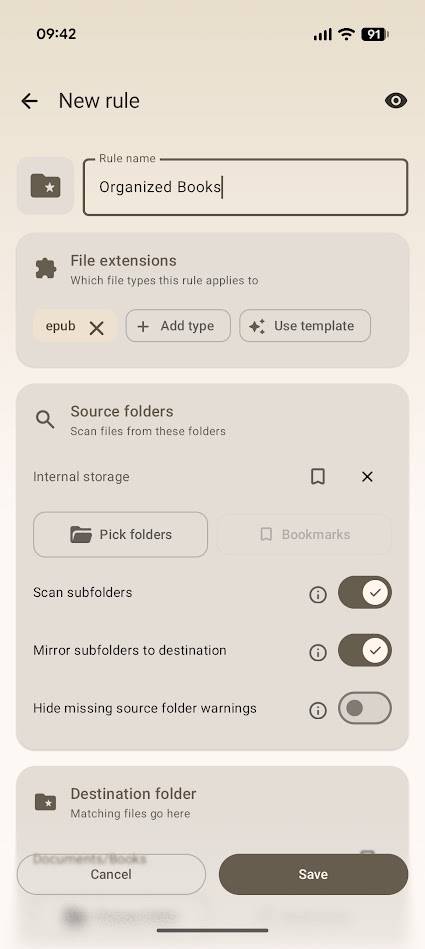
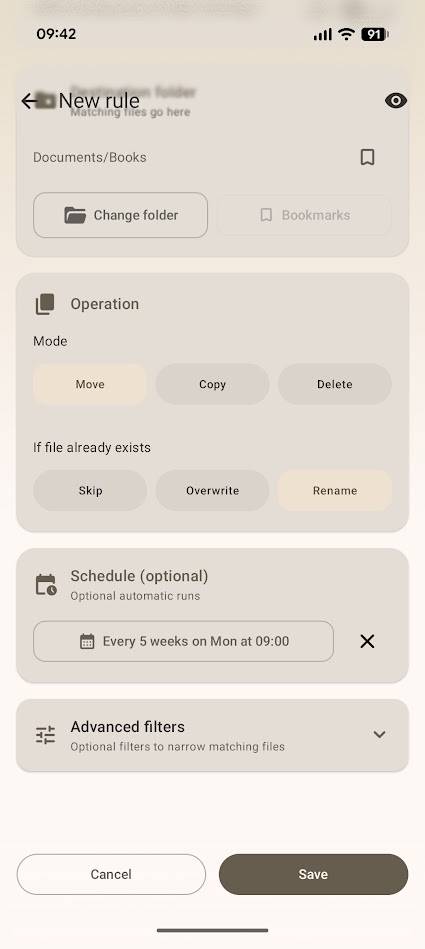
The File extensions section is the most important. A handy tool here is the Use template button, which contains preset file groups for common files, but more on that later.
For most of my FilePipe rules, I toggle on Scan subfolders and toggle off Mirror subfolders to destination. However, leaving the latter option enabled replicates the folder structure, which is handy for complex organization.
There are a few more options to toggle, but I find the toolmost useful. I've never been comfortable automating file deletion, but automating moving files? Yes please.
So every five weeks, FilePipe scans my phone for .epub files and moves them into my new Books folder.
Running a FilePipe rule gives me peace of mind
I can see exactly what's happening
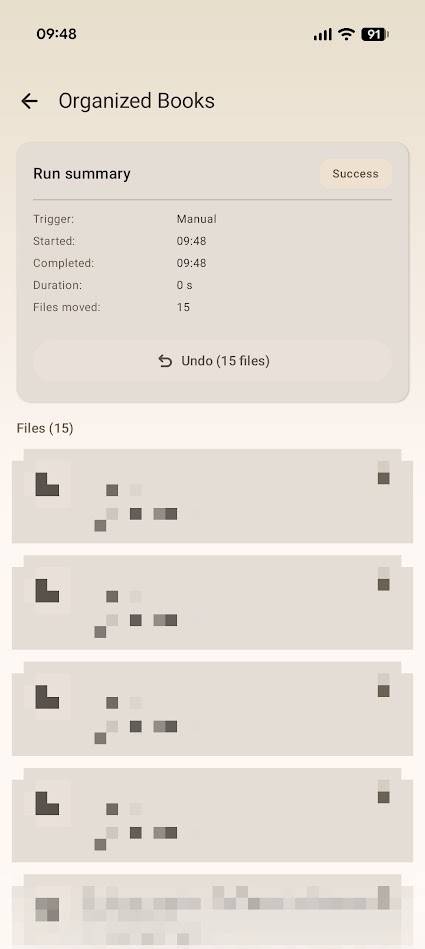
I've never felt entirely comfortable with automations; I like to know exactly what's going on. However, FilePipe gives me peace of mind by providing a full breakdown of each actioned rule.
After running a rule, it provides a summary detailing how many files were moved, how long it took, and any errors that appeared. There's also an undo button, which returns all files to their original place.
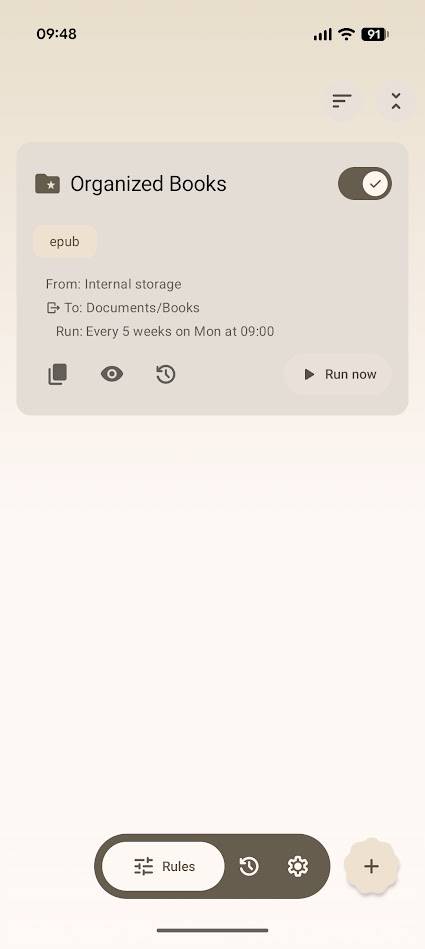
After manually creating a rule, I tried out FilePipe's templates. I was hoping for advanced features that would suggest destination folders, but the templates are simply preset groups of file names.
After exploring FilePipe's features further, I realized that it's simply a hyper-specific automation tool. Automating file moves isn't new, but I appreciate FilePipe's approach.
FilePipe is the most straightforward automation app I've used. Even better, it gives me all the details I want to know about how my rules are running.
FilePipe and Files by Google are a match made in heaven
I now have a set of rules, some automatic and some manual, that I run every time I clean up my files using Files by Google's tools.
While I had to do some manual work to create and delete old folders, the process of cleaning and organizing all my phone's files now takes me minutes, not hours.
There are stronger automation apps, but FilePipe's straightforward approach made it the first to earn a place on my phone. Also, there are plenty of customization options if you want your file organization app to look pretty. That's cool too.