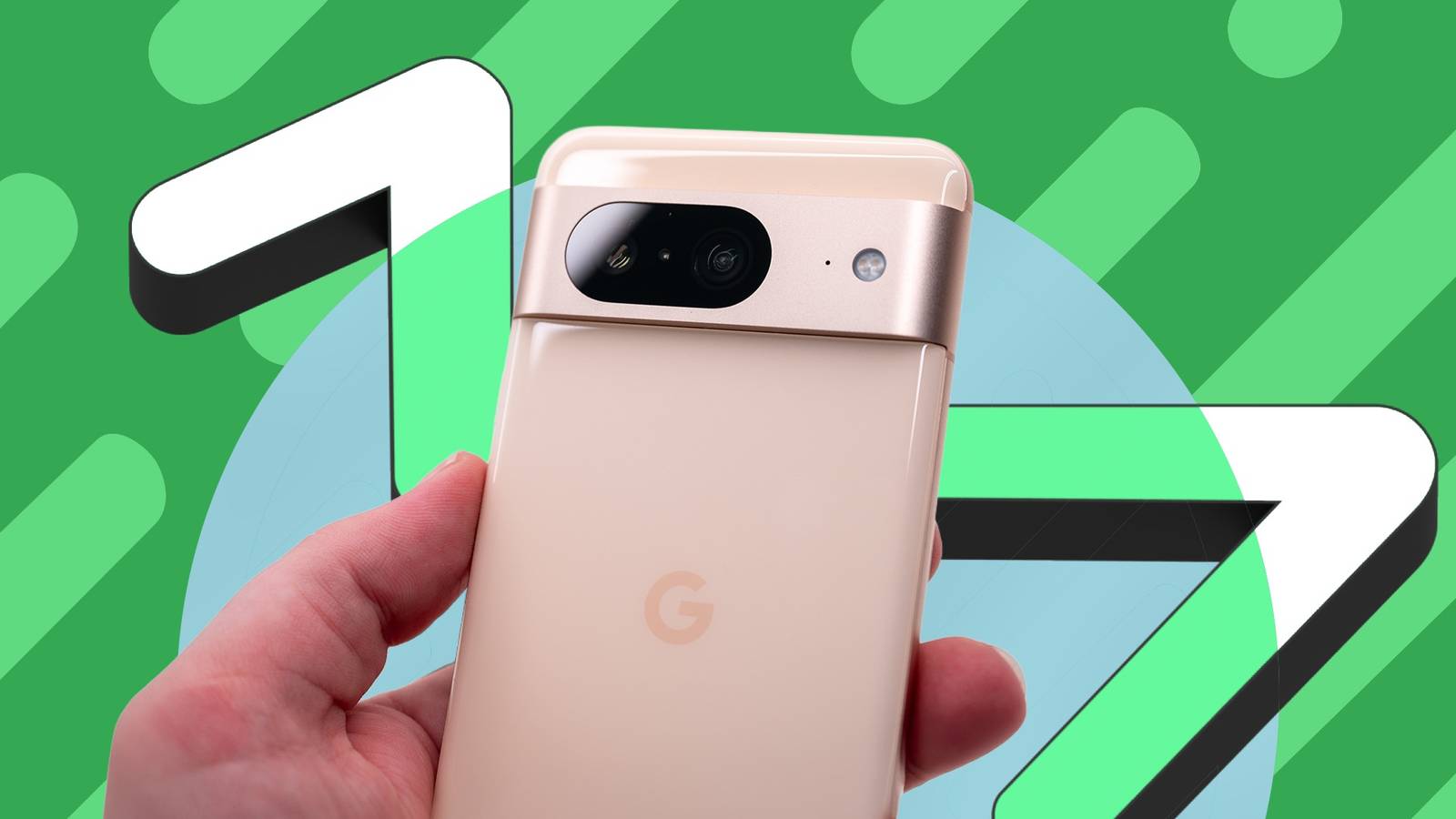
I'm three generations behind the latest Google Pixel 11 series, and yet it doesn't feel like it.
I recently bought a UK-used Pixel 8 in excellent condition, courtesy of a price watch on the Droplert app.
I scored it for $256, which is $443 less than the original launch price and a 63% discount. It's quite a steal, given the punishing cost of inflation.
Coincidentally, I was just in time for the September 2026 Pixel Drop and the broader Android 17 update. Little was held back for my new flagship.
I finally feel like my Android experience is complete with Pixel-first features backing it up. These are the ones that sing to me the most.
I feel at home on the home and lock screens
I'm a whole page richer
Part of my eagerness to update to Android 17 was the double-tap-to-lock gesture, one of the shortfalls that still hasn't been fully addressed on Google Pixel.
I'd say I'm disappointed, given the gesture has been in development since at least April 2025 and every other manufacturer I've handled shipped it years ago.
But I forgive Google because they did hand me lock screen widgets, and that added enough value that I stopped counting what it didn't deliver.
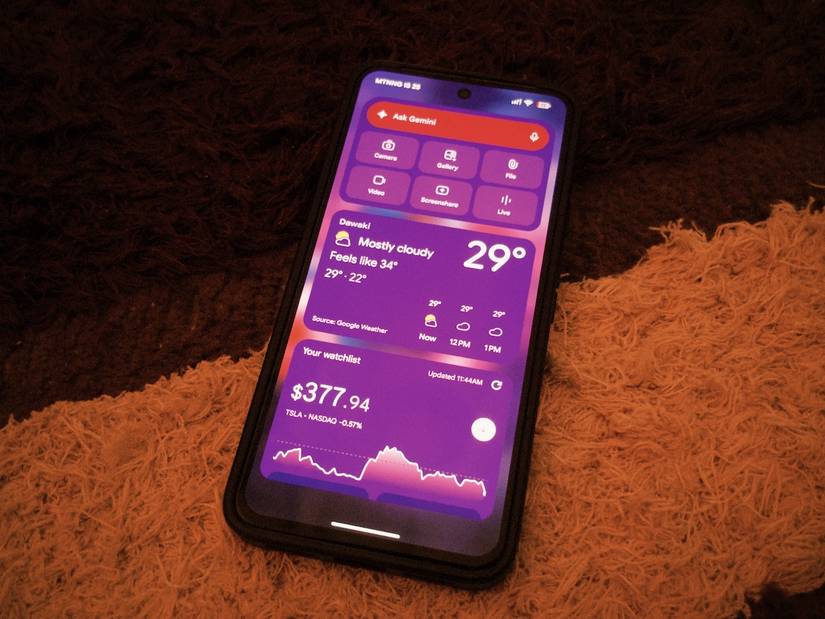
Lock screen widgets are a thing again, and this is the first time I've seen them since they went away with Lollipop in 2014.
I entered Android's settings and turned them on in > Lock screen.
Now, I swipe right on my lock screen to access them.
Ask Gemini is the only card that breaks the muted palette with its purple-to-pink gradient across a full-width pill at the top of the page.
But like the other widgets, it adds flair and options to what used to be two shortcut slots parked in the bottom corners.
It also feels good to unlock a home screen with some translucency in the search bar at the bottom.
Google cast a style spell on my icons
It feels like magic when I customize my phone
I still can't remove the annoying search bar on my home screen. But it's easier to tolerate now because of the liquid glass fever going around.
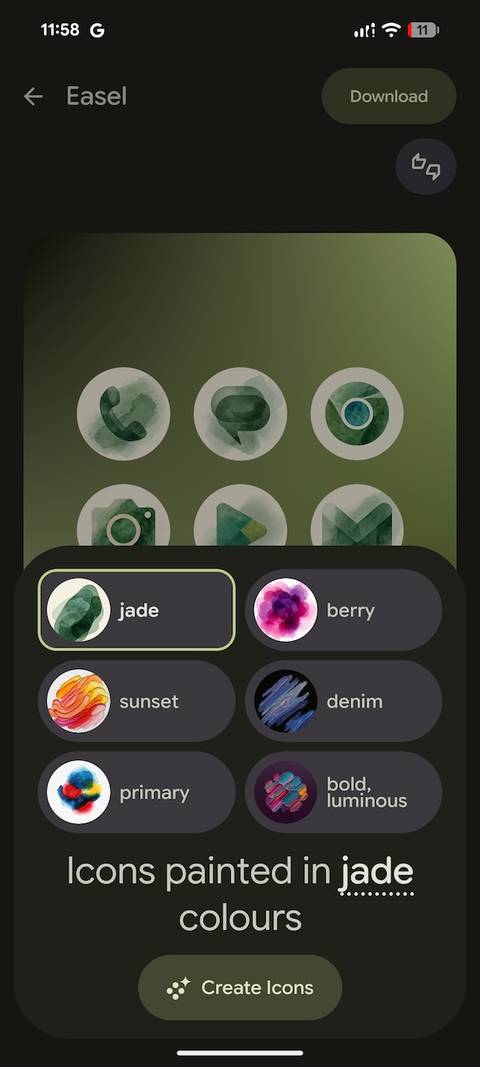
Long pressing the widget allows me to access its settings and adjust its transparency. Interestingly, there's now the option to create custom icons under the Wallpaper and style menu.
I found six styles, including Disco, Scribbles, Cookies, Easel, Treasure, and Stardust.
I enjoyed toying with Easel, which gave me AI-generated choices like jade, berry, sunset, denim, and primary.
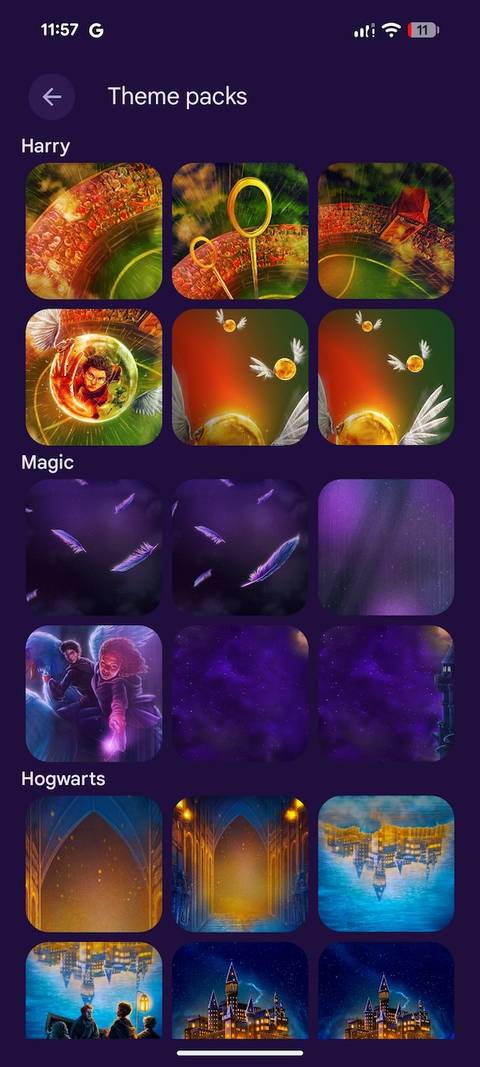
I'll admit that the Harry Potter collection, launched with the September 2026 Pixel Drop, was underwhelming.
They looked pretty artificial or just banal for a universe with that much visual material behind it. The three packs are Harry, Magic, and Hogwarts.
Each one applies a wallpaper with a matching icon treatment and a full system color at once.
Unlike me, if you don't want to assemble a color scheme by hand, one tap does the whole phone.
Forced dark theming is the light of my life
It really is lights out, one app switch at a time
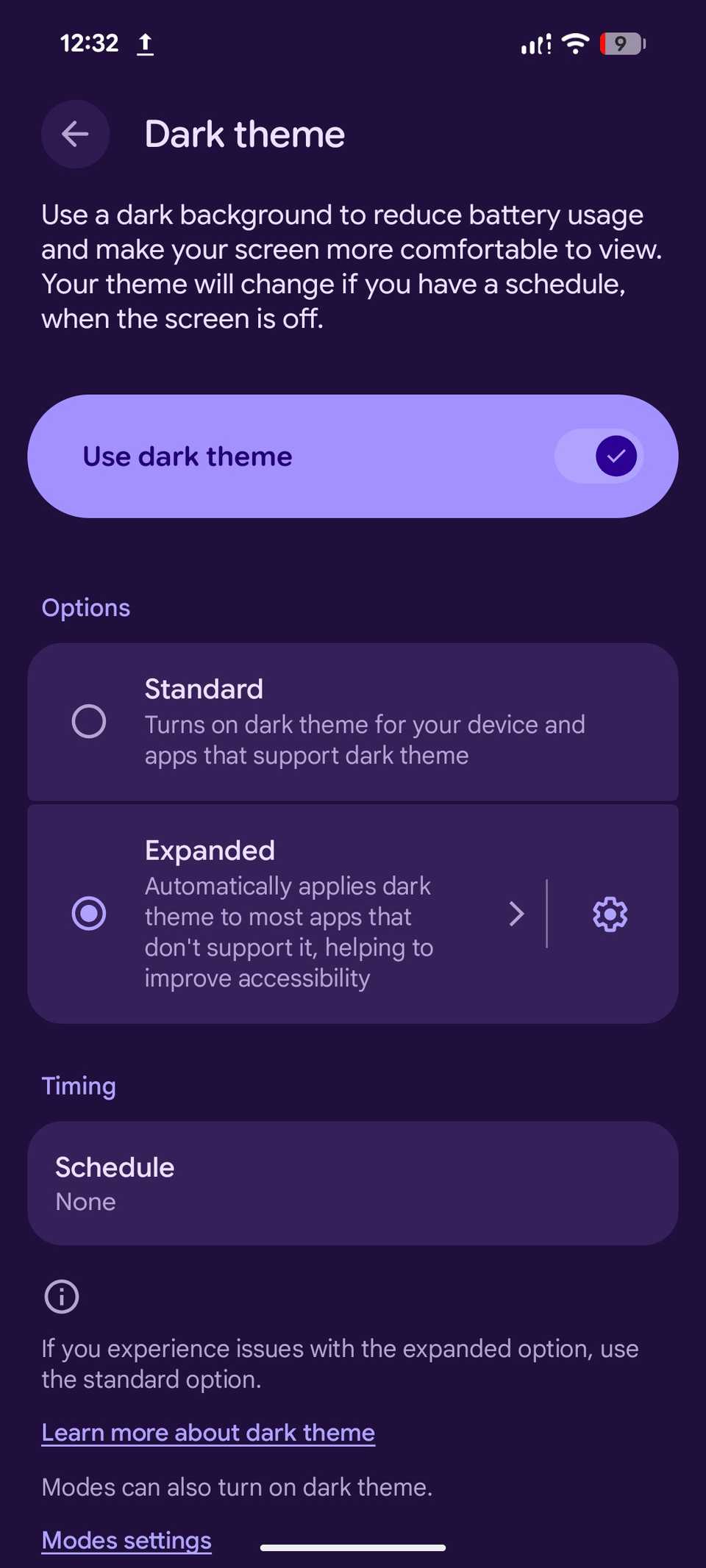
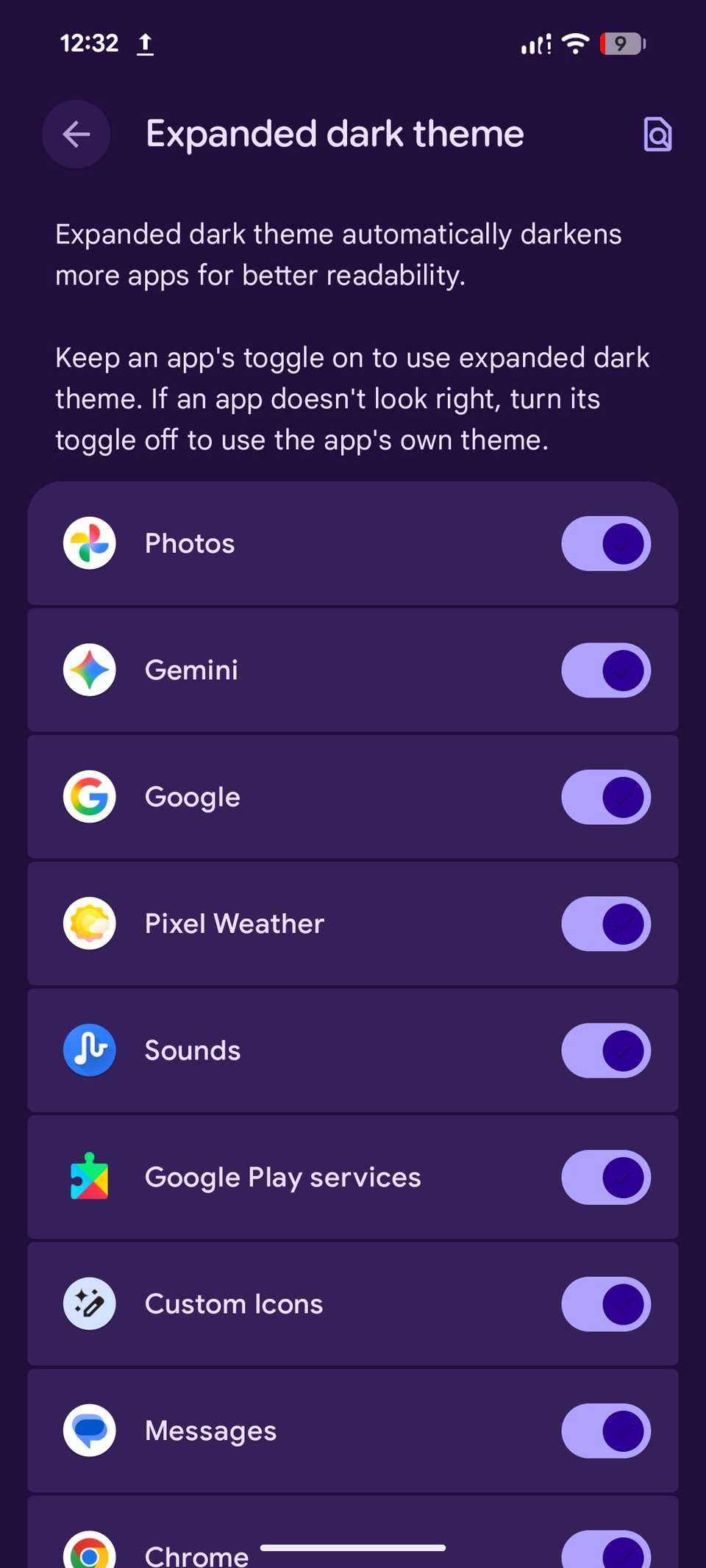
Another big win for me on Android 17 is the expanded dark theme.
I'm myopic and a night owl, and have also grown a lot more sensitive to sharply introduced light from my doomscrolling after midnight.
The new setting changed my nights for the better. The Dark theme menu under now offers and options.
Expanded has a beside it that opens a list of every app installed on my phone. Each one has a beside it.
I can force an app into dark mode, even if its developer hasn't built in support.
Besides being easy on the eyes, Purdue researchers found that dark theming can save 3% to 9% of the battery at high brightness.
They measured it across four Android phones, though the benefit is smaller at the lower brightness most people use indoors.
I find that every percentage counts, and I'll gladly take the range on a 4,575mAh battery.
I blow bubbles when I'm swarmed with multitasking stress
They're my adorable side-screen accessories
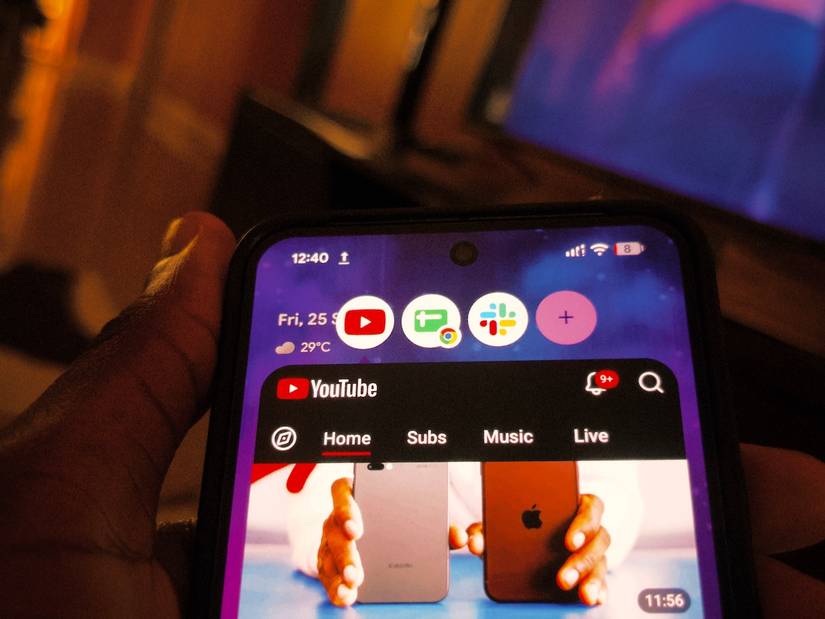
When I first heard about App Bubbles, they sounded like the app switcher screen with a new coat of paint.
The feature holds a handful of apps and spares me a trip to the app drawer.
The recent apps screen is more of a temporary history menu, and Bubbles is a shortlist that doesn't disappear until I close it.
Also, my usage determines the apps, and I can stack up to five handpicked bubbles. I can move them from the left, right, top, and bottom edges anytime.
I could open my recorder in a bubble while simultaneously taking notes in Docs and responding to messages in Slack.
During my commute, I use Maps in a bubble alongside social media while discussing directions with whoever I'm meeting.
I'd hate to leave the interface, come back to a recentered view, and lose sight of an unpinned spot.
Pixel 8 has a lot of fight left in it
There's more to Android 17 on the way, and I have four more years of receiving updates on my phone.
Google generously attached seven years of OS upgrades and security patches to the Pixel 8 at launch in October 2023. So the support window runs to October 2030.
QPR2 becomes stable in December, and with that month's Pixel Drop not so far away, I'm excited to see the advanced Gemini automation, among other features.
While I wait, I'm learning to make the most of the features I can access and replicating upcoming ones like Rambler with third-party apps.