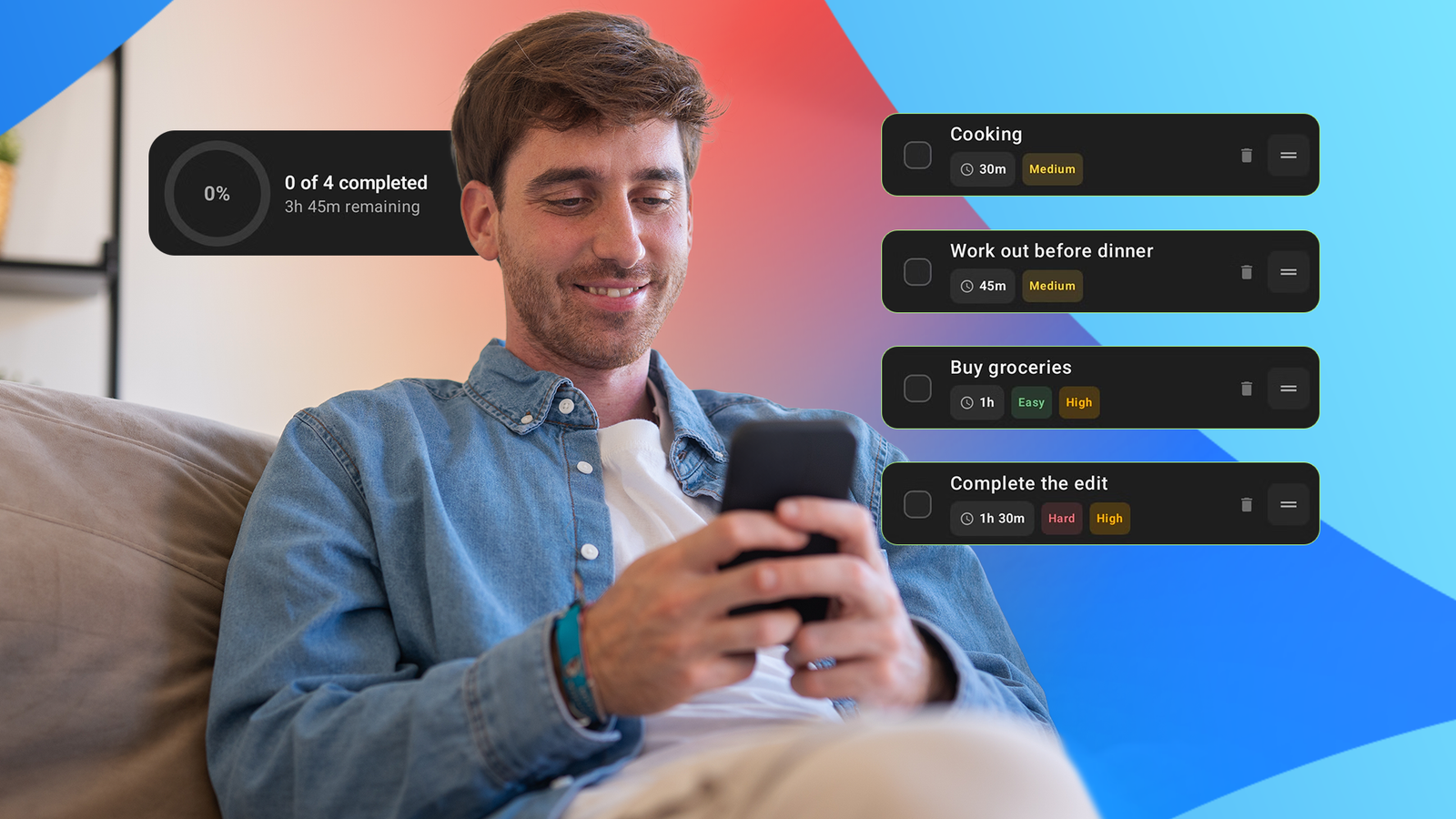
AI has revolutionized app development for people in the profession and those outside the field. But the improvements are not limited to building apps. It can also improve how you interact with software.
I previously tested a couple of to-do list apps, but stopped using them after a while because building the list for the day with all the time estimates and manual sorting was too much of a hassle before I could get to the actual work.
I could see AI handling all of those things while I simply dictated my plans for the day. It could figure out the individual tasks and how to organize them. That's exactly what I wanted from a To-do app.
I executed my plan with Gemini in Google AI Studio over a weekend.
It turns one voice note into an organized to-do list
I just tell it what I need to do
I open the app at the beginning of my day, then talk aloud about everything I have planned, totally unstructured. I pause, think for a moment, and change or tweak my plans while the app is listening.
If you've ever used the standard speech-to-text engine through Gboard, you know how frustrating it can be to manually fix all the mistakes afterward. It defeats the purpose of saving time by dictating.
That was a major concern for me: whether it could get the transcript right.
AI chatbots, on the other hand, can handle dictation surprisingly well. So I dared to ask whether I could do the same in my own app. As it turns out, it's possible. The app can send the recorded audio to AI, just like the chatbots, and get an accurate transcript.
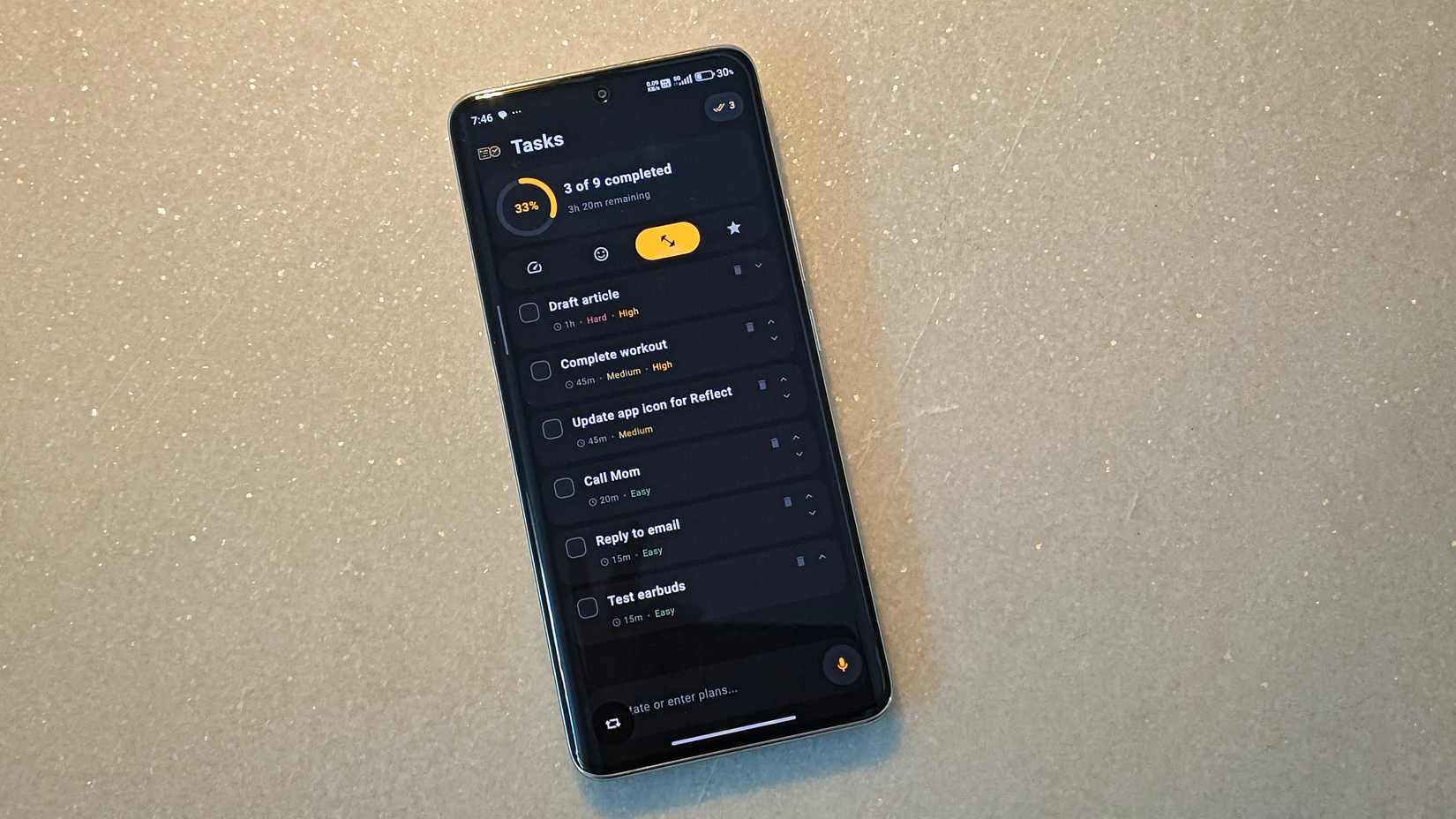
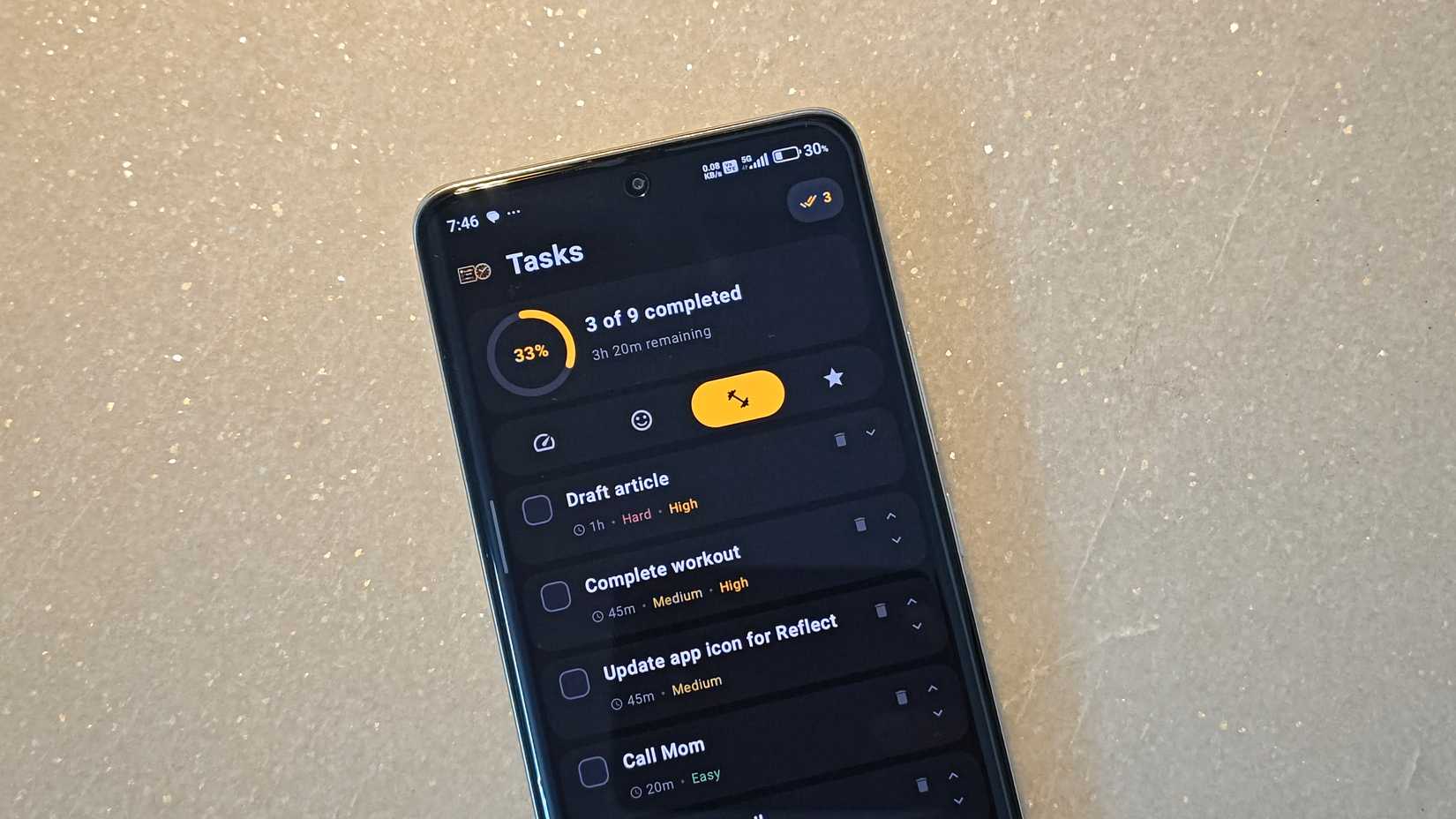
That's just the beginning. After it gets the transcript, it can separate the tasks, analyze how long they should take, and tag an estimated duration to every task. It also analyzes the estimated difficulty level and priority, all of which can be used to sort them.
Now I can choose whether to start with the quickest, the easiest, the hardest, or the most important first. All of this happens when I say my plans out loud for a couple of seconds and wait two to four seconds for Gemini to handle the rest.
I can also customize the order. If you look closely, there are up and down arrows on the right side of the box for every task.
As a cherry on top, it visualizes my progress with the percentage of tasks completed. For example, being at 40% late in the day immediately tells me I am behind. I need to focus.
It automatically clears completed tasks at the end of the day while keeping anything left.
Building it was much more iterative than using it
The first version wasn't quite what I wanted
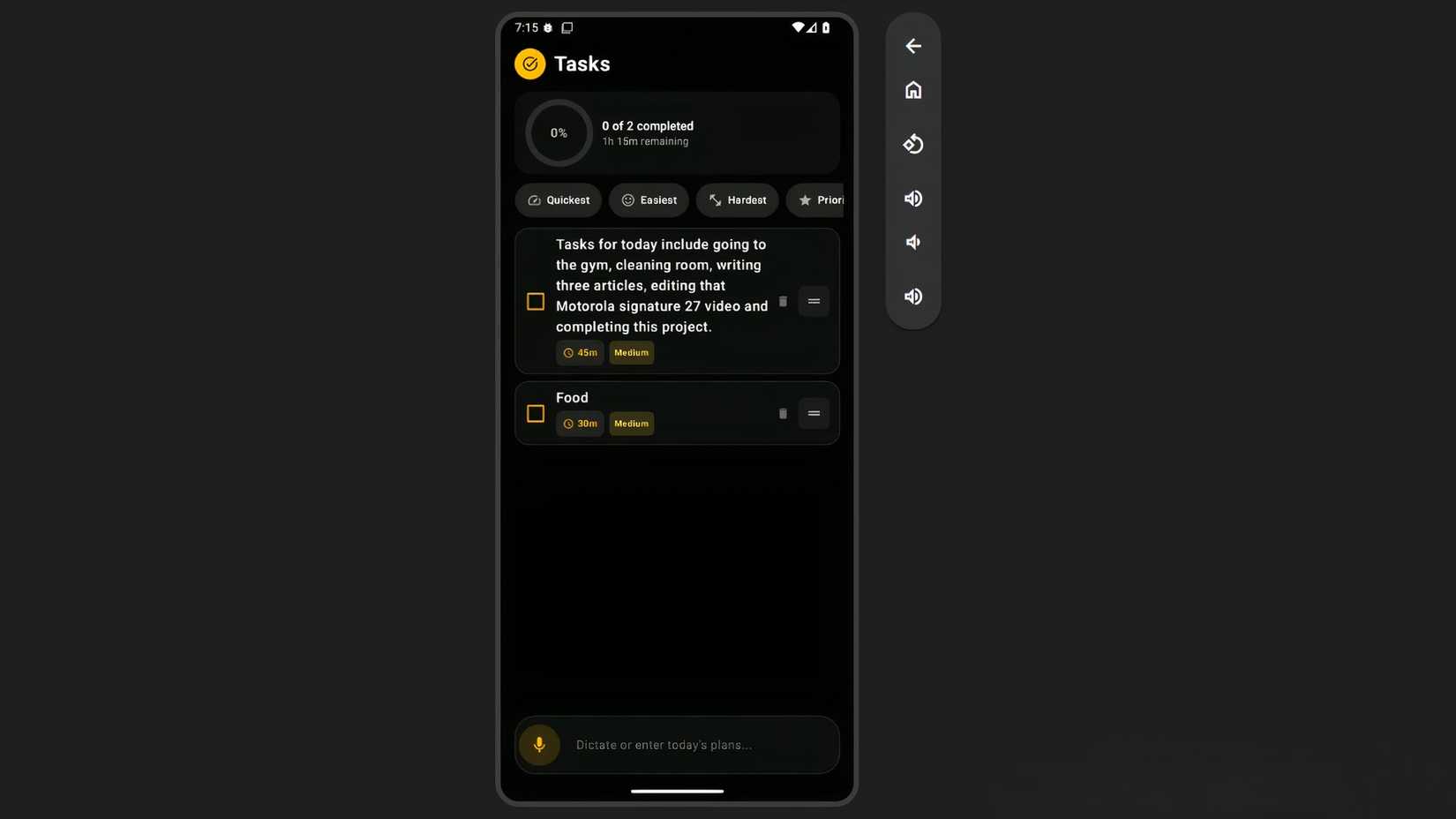
I mentioned Google's Material Design 3, along with charcoal and amber as the primary colors, in the first prompt.
But I didn't like the first version for a couple of reasons. It had too much amber everywhere, too much text, and all the text was equally bright, demanding the same attention. It lacked a focal point.
Also, the alignment of different elements inside the task boxes wasn't right. As soon as a single task became a bit longer and went to the second line, it looked pretty bad.
The drag-and-drop implementation for the task boxes didn't work even after multiple iterations, so I asked it to use arrows instead. Then I also had to ask it to align the arrows properly.
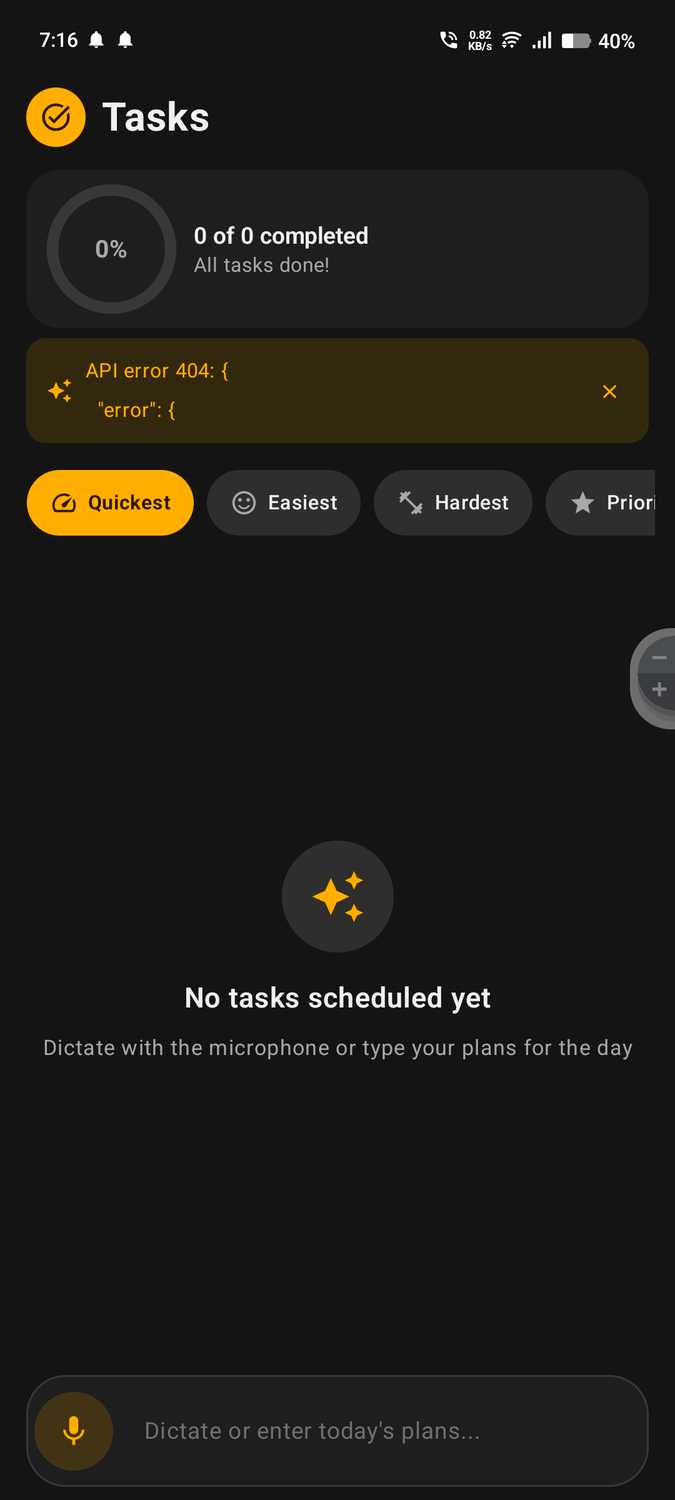
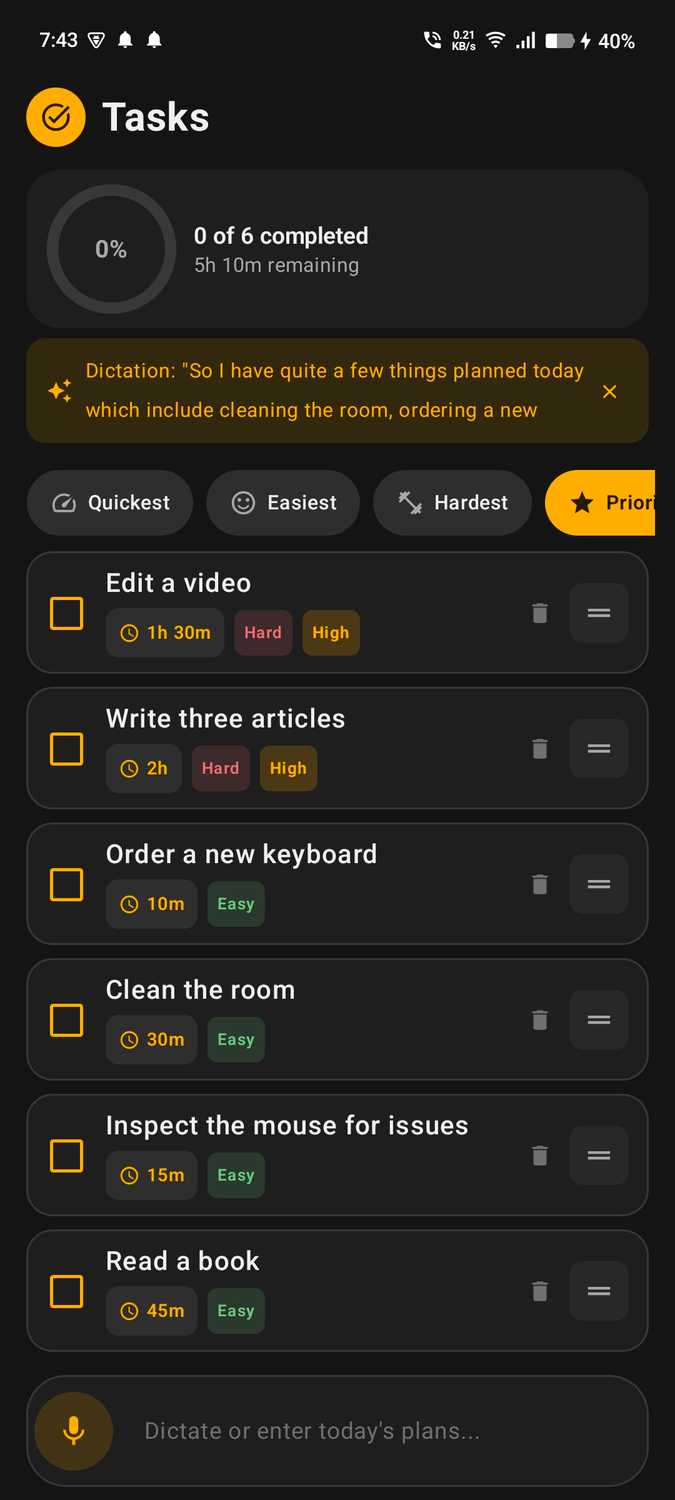
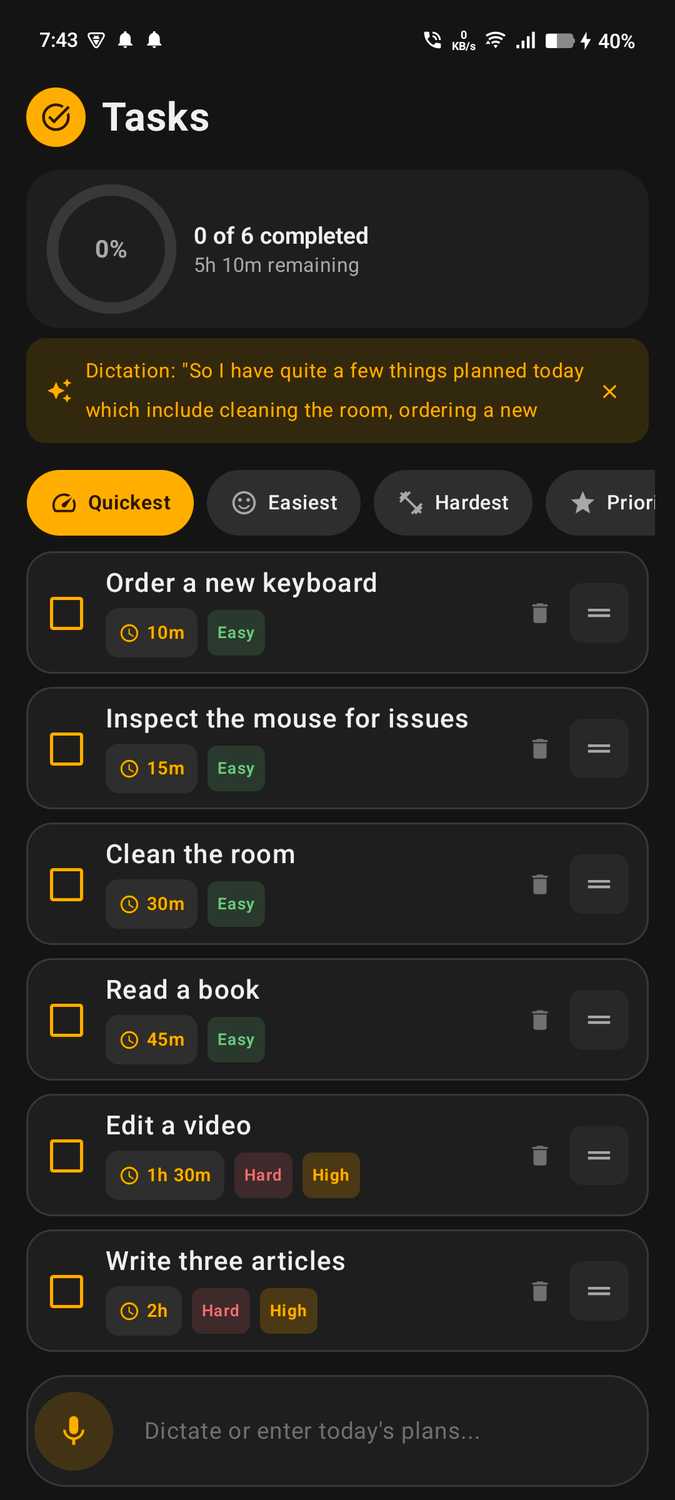
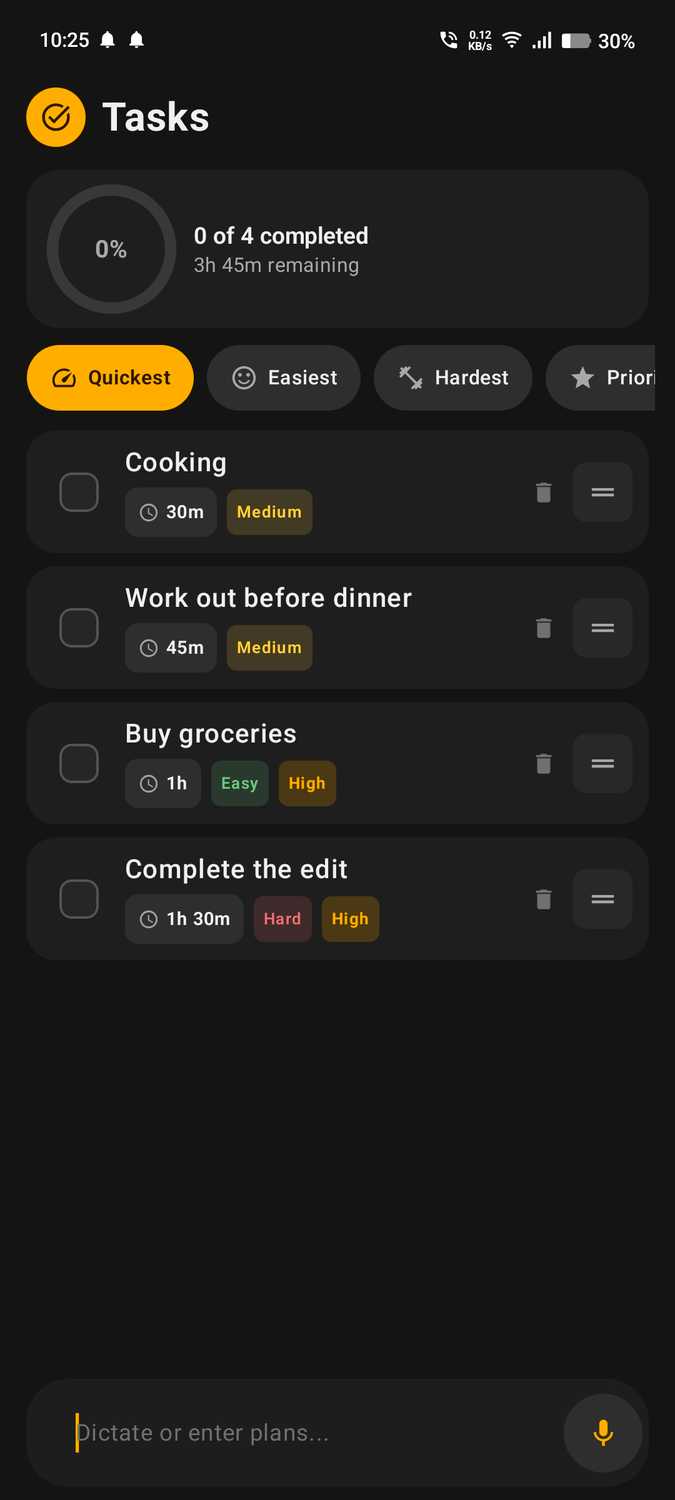
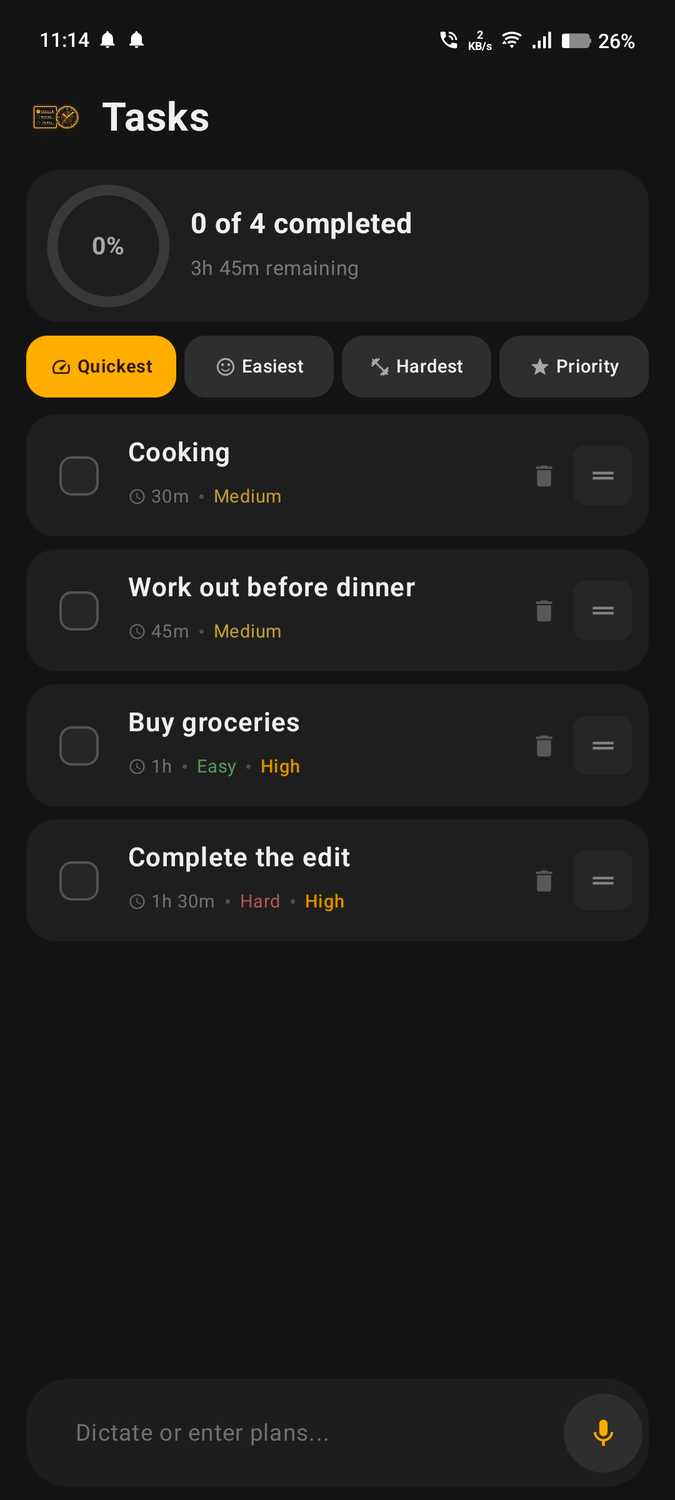
Another change I made was to the sorting chips for quickest, easiest, hardest, etc. It added a "Custom" chip that wasn't visible on the screen. I had to scroll to find it, and it had little purpose.
I removed the "Custom" chip and the text from the remaining options, making the icons larger, and took inspiration from the Google Photos app for the pill-shaped design. Now the controls look cleaner and fit inside the screen.
I also moved the microphone from the left side to the right for more right-hand-friendly use.
Gemini 3.8 Flash (in Google AI Studio) took about 10 minutes to finish the first version, and I immediately loved it because it was working. Then, as I tested it, I realized it wasn't as impressive as I'd thought.
What's actually surprising is that I could tweak the design and features to exactly what I wanted and install the app on my Android phone through USB debugging before Monday.
Why not just use ChatGPT or Gemini?
The purpose-built interface makes it stand out
AI is doing the hard work here through a free API, so why not go to Google's chat interface and do the same thing there?
That chat interface doesn't have the progress indicator, the checkboxes, or the buttons for quickly sorting my tasks, whether I want to start with the quickest, easiest, hardest, or most important.
It's also a bit easier to access. Instead of going to the chatbot, searching through my recent chats, finding the right conversation, and then asking it to reorganize my tasks or remove the ones I've completed, I can open this app from the home screen.
Google Docs gives me a clean space, but I have to write everything myself. Chatbots have the intelligence to make it 10x more efficient for me, but they don't have the purpose-built interface.
Some to-do apps can do this, but I found one that asks for a subscription the moment I open it. And this app has the design I like.
If I want to scale this up and put the app on the Play Store, I'll probably have to pay for the API. But for now, it's completely free and functions exactly how I want.
This is where AI changes how we interact with software. AI can provide the intelligence, while a purpose-built interface turns that into something we can actually use.
I previously built a dynamic Life Calendar that also lets me set goals. But that focuses more on what I want to achieve in the long term. This "Tasks" app fills out my productivity stack with a clean space for short-term goals that are removed after accomplished.