
I've always loved tracking my daily expenses in a simple spreadsheet. But the amount of work it takes to bring it all together always discouraged me.
So I defaulted to mostly mental calculations with occasional written notes, which is a quick way to lose track of where your money goes.
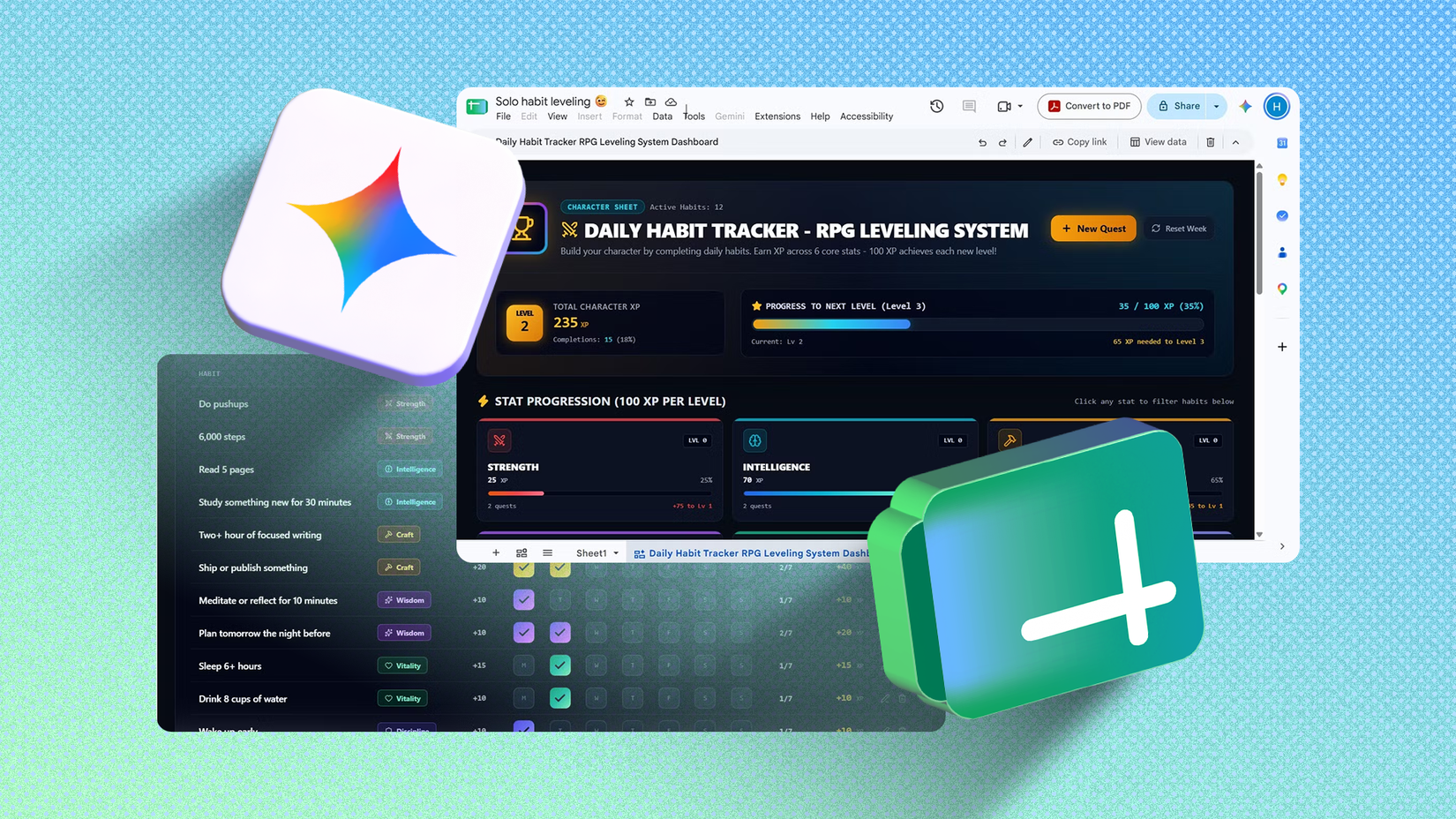
But Google Gemini in Sheets is changing that. A few weeks ago, I used it to build a habit tracker that turned my tasks into a game.
This time, I handed it a month of messy bank transaction reports to see what it could do. I think this will save me hours of manual tracking (and spare me from the occasional mental arithmetic).
Gemini in Sheets sorts raw bank data with ease
Even the ones I'd struggle to label
It might seem easier to track your expenses daily. Open your bank app or check your SMS/email notifications and write down everything you spent that day.
But between work, chores, and personal routines, that can get cumbersome. If you wait until the end of the month, you'll likely struggle to remember what each payment was for.
That's . I gave it a sample bank export of 42 October transactions, formatted the way banks usually show them.
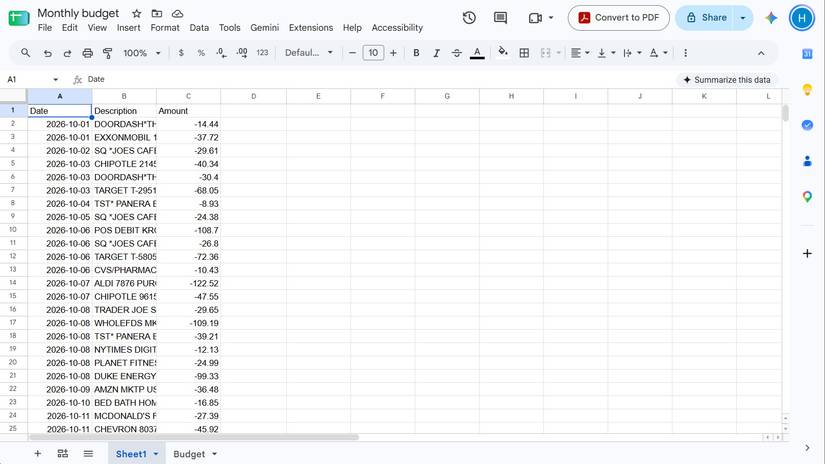
I had entries like "POS DEBIT KROGER #6948" and "SQ *JOES CAFE," and so on. It easily sorted them into my 10 existing categories.
Even though I supplied the category names, Gemini likely could've sorted them anyway.
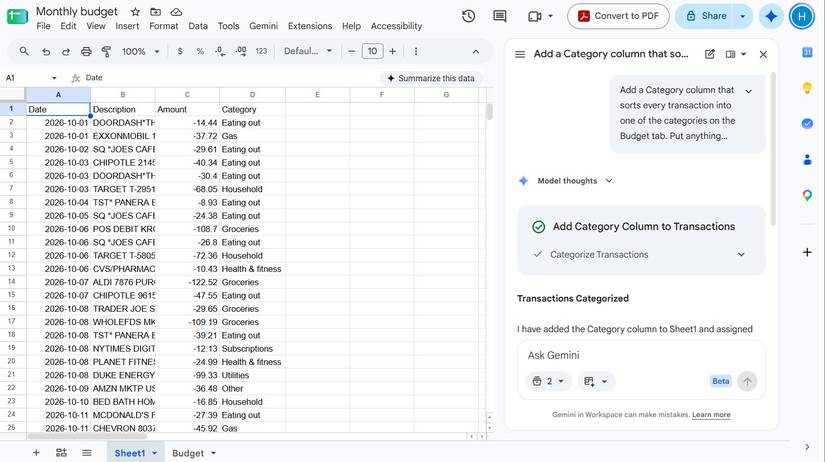
It knew Duke Energy was a utility, Planet Fitness belonged under health and fitness, and Whole Foods counted as groceries. The ones that were hard to place, like an Amazon purchase and a Venmo payment, went into "Other."
It also correctly identified a Target return as a refund and subtracted it from my household spending.
Imagine how long it would take to sort, categorize, and manually enter each of those transactions in a sheet.
It also builds dashboards from your data
Lets you see everything at a glance
Beyond the time it takes to input all the data, another reason I haven't done much manual tracking in Sheets is .
So I asked Gemini to create a new tab showing my total spending per category, compare it to my budget, and highlight anything over budget in red.
The picture wasn't pretty. I'd spent $3,440.84 against a $2,830 budget. Most categories were in the red, led by groceries at $177.36 over.
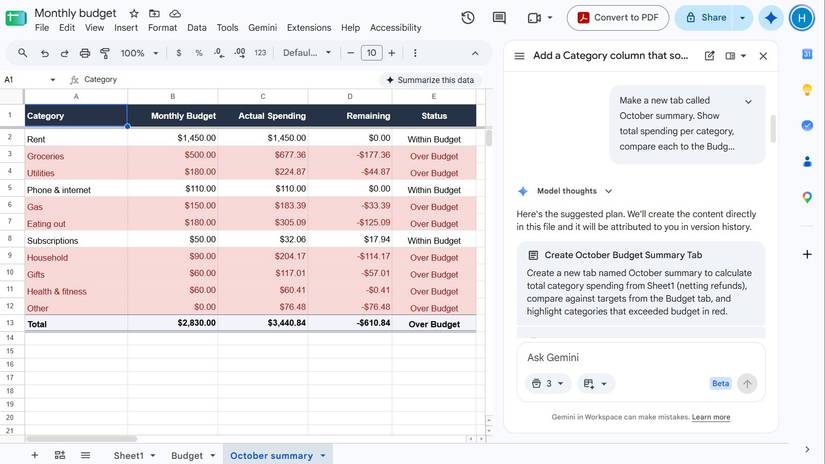
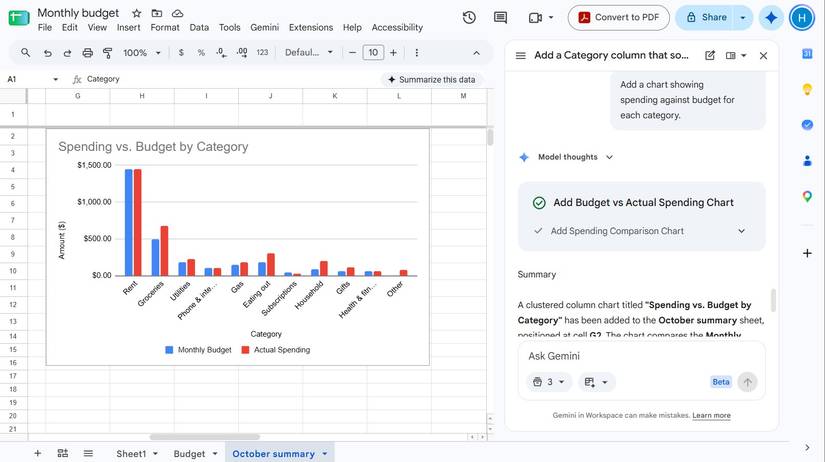
I also asked for a chart comparing my budget against my actual spending for every category, which made the problem obvious at a glance.
Then I selected the tool and asked for a budget dashboard. It turned the same data into an interactive page with spending cards, an over-budget alert, and a chart I could sort by spending or overage.
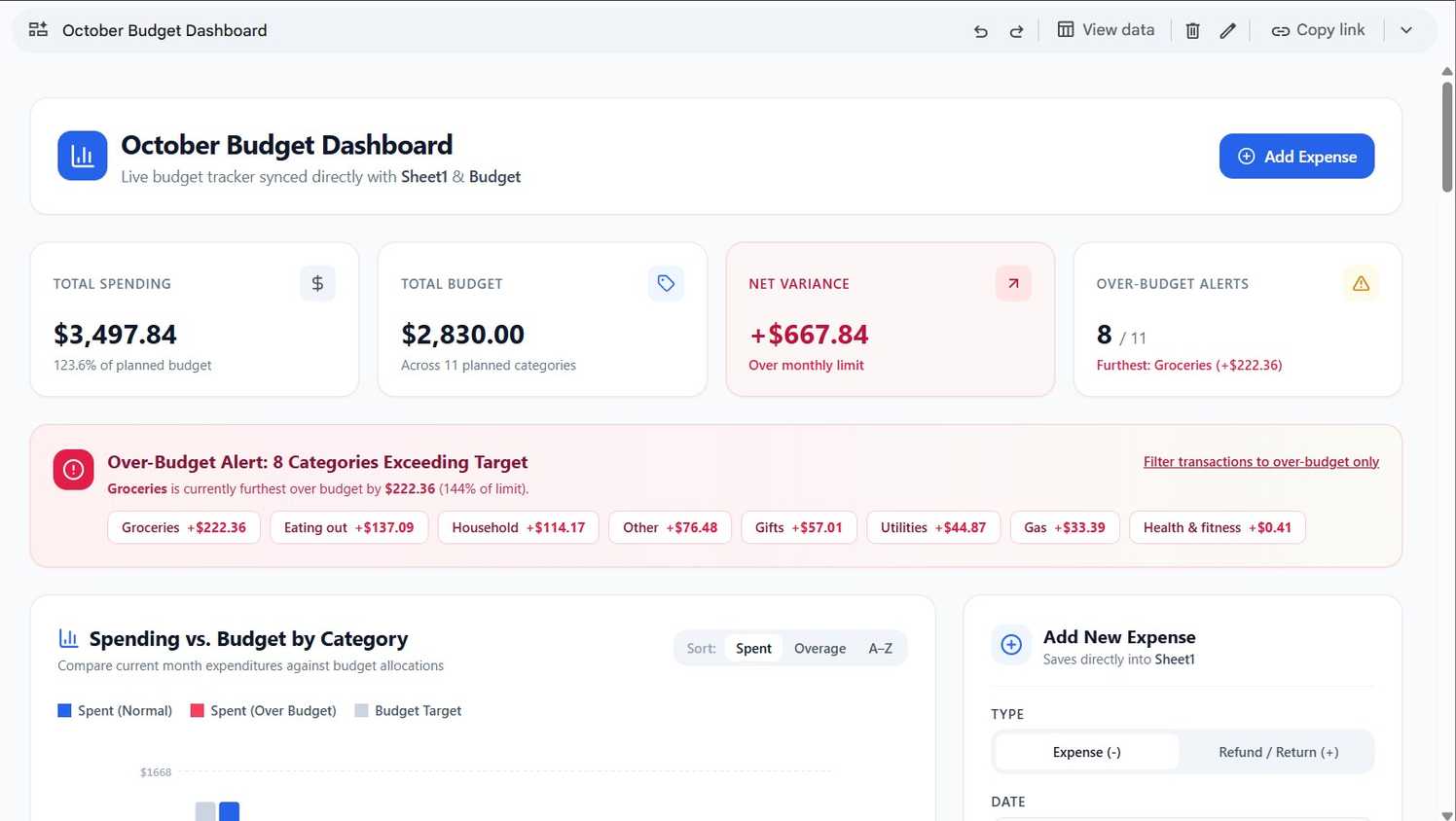
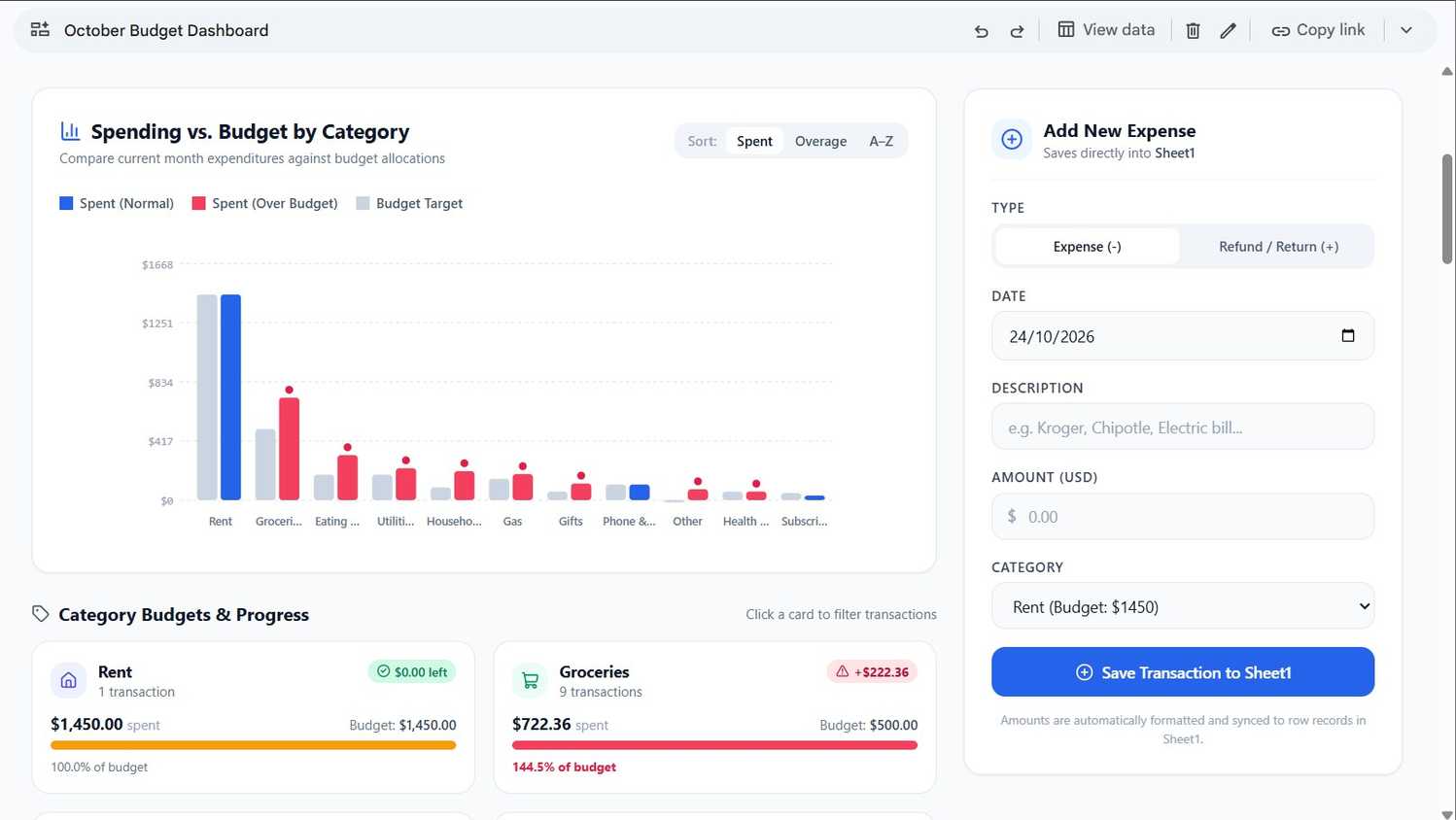
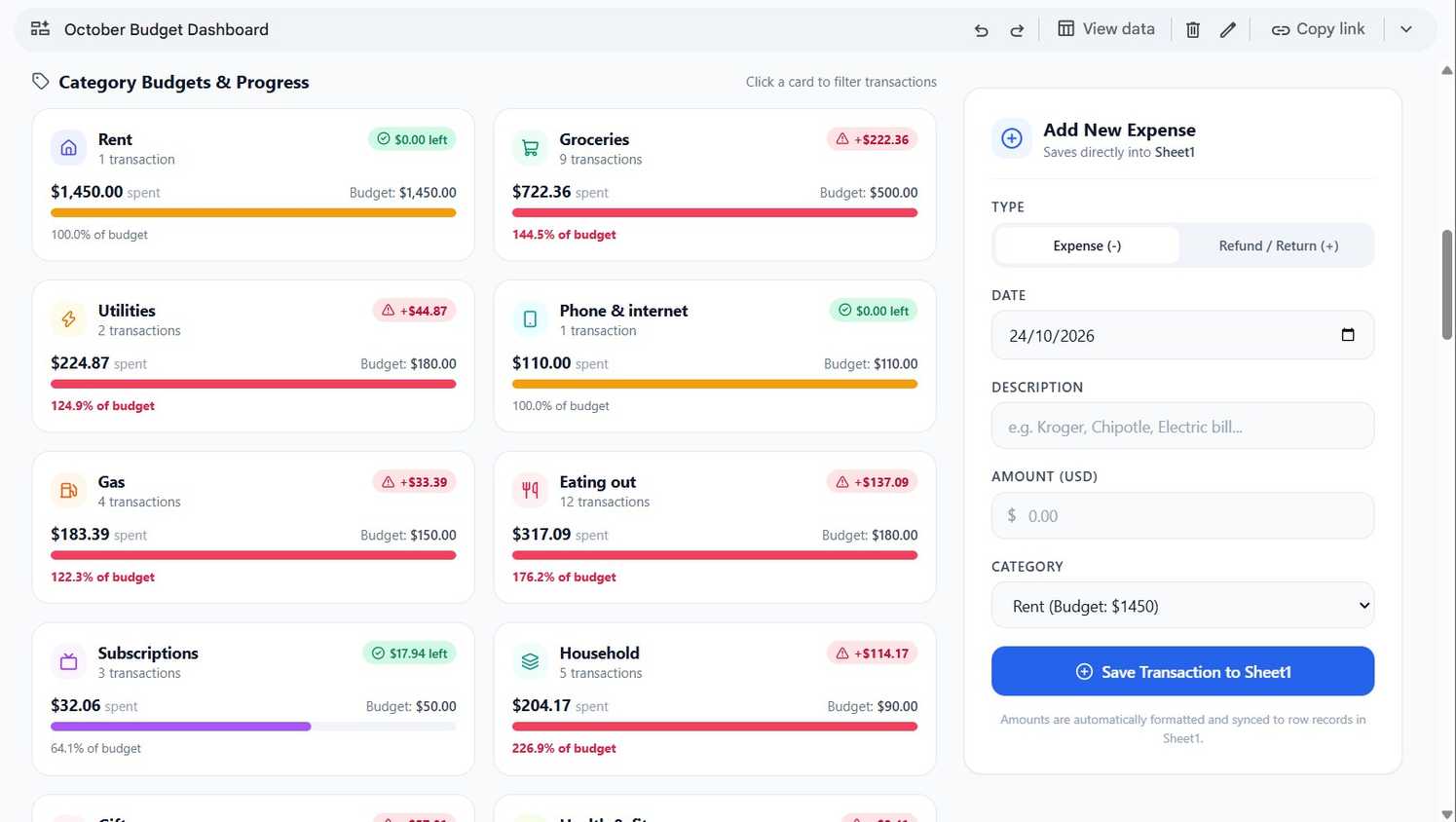
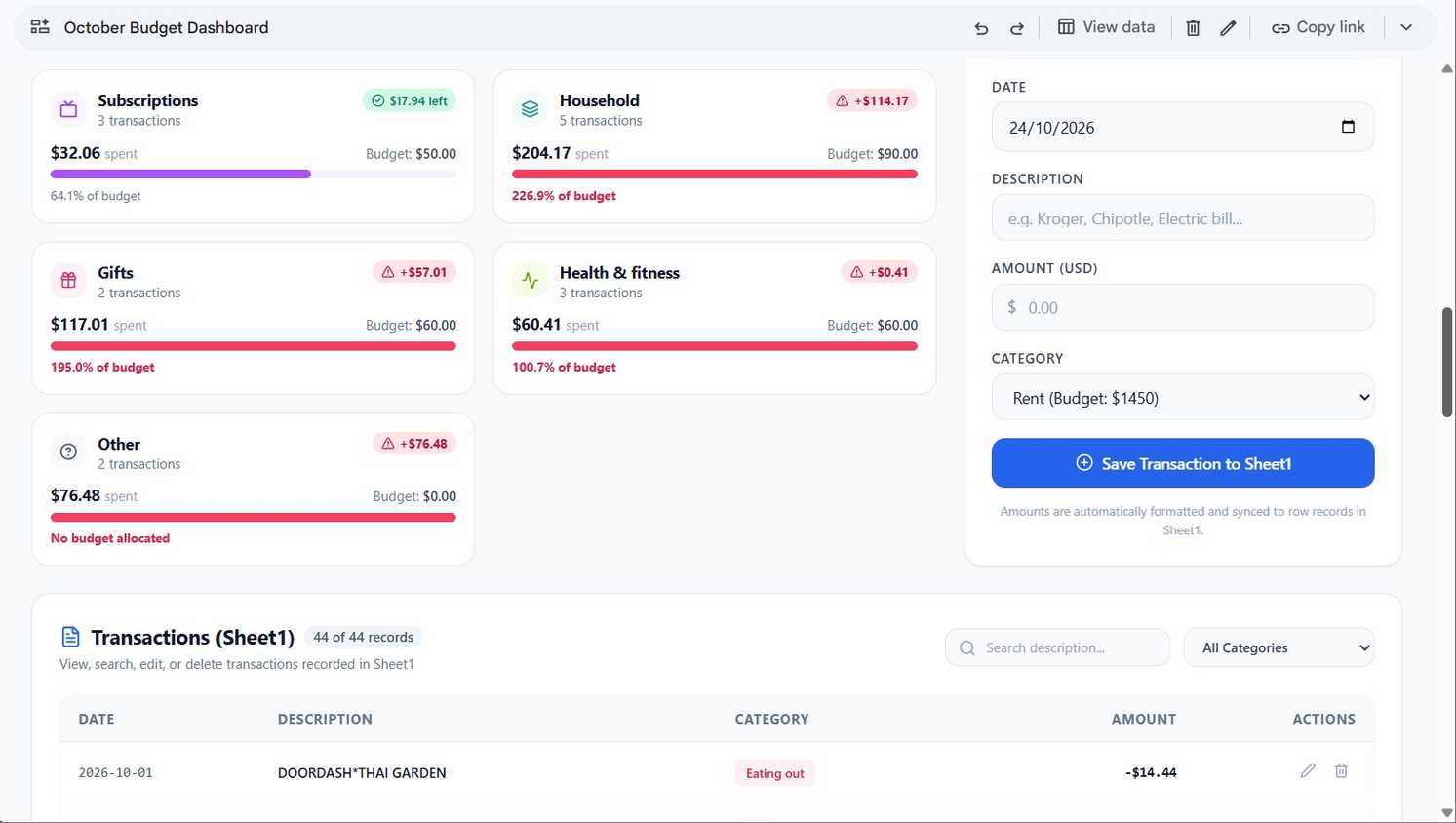
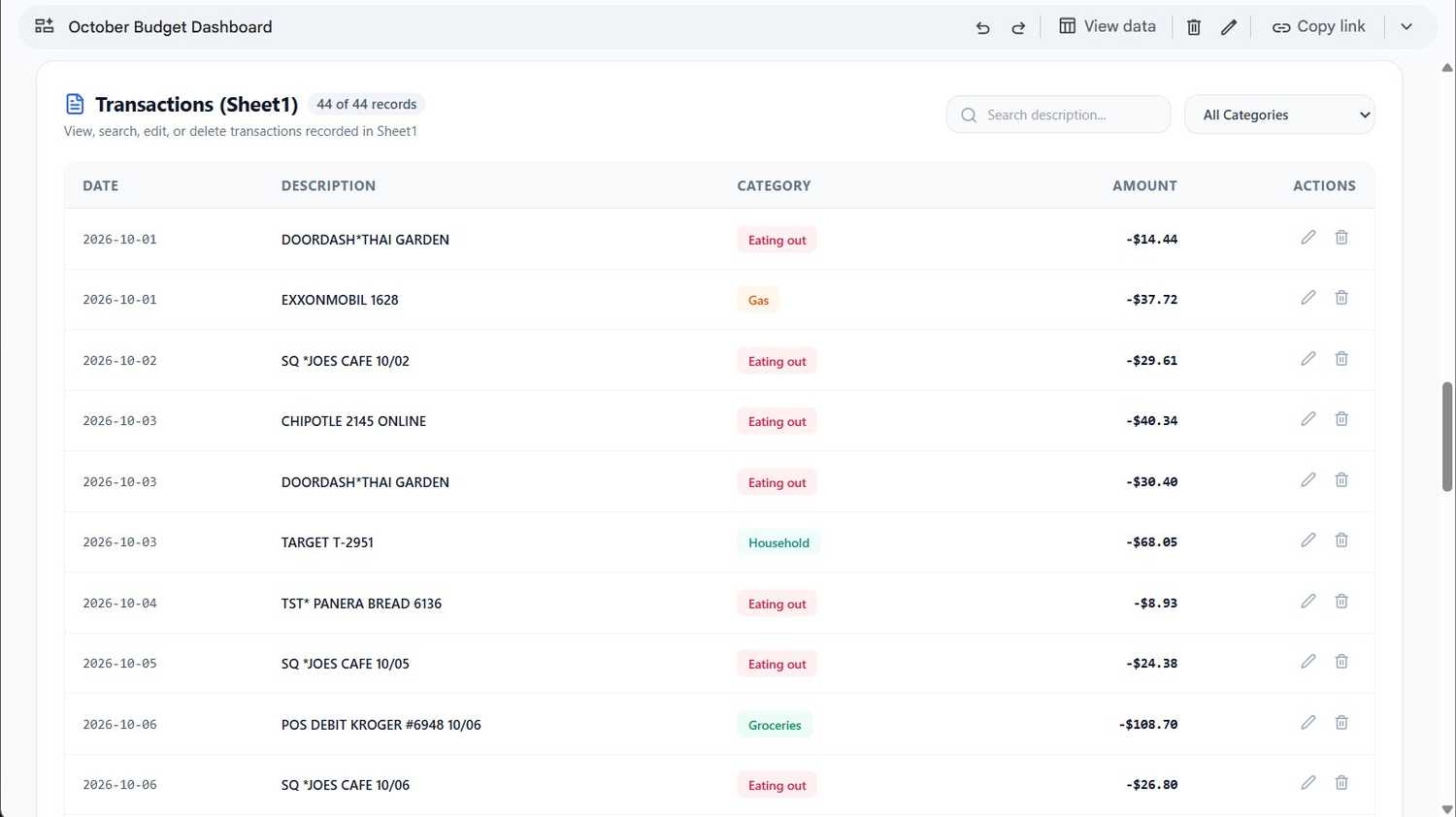
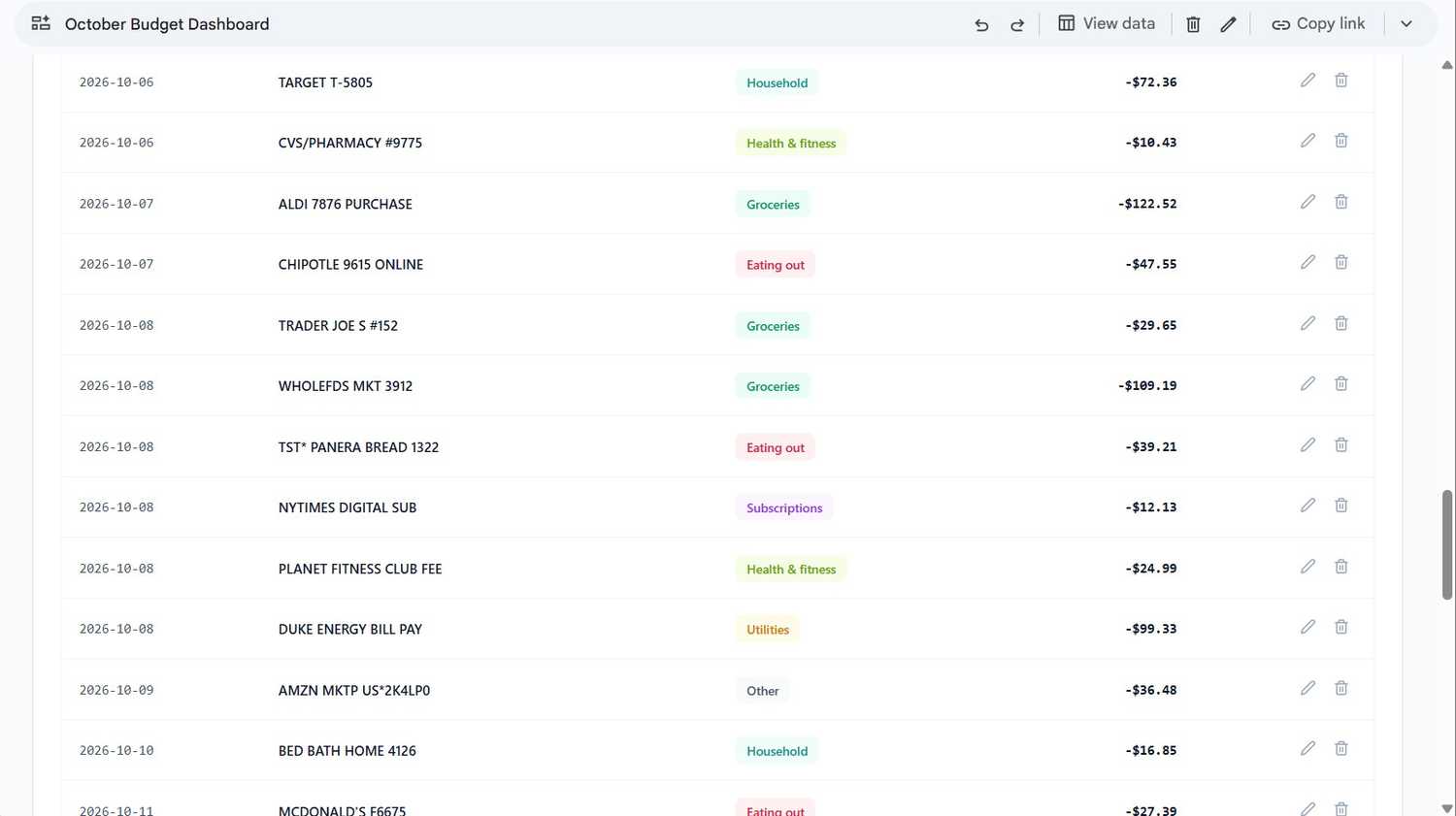
Gemini added a button to add new expenses to the sheet. It's a nice touch, but I won't use it because it only adds single transactions.
I'd much rather dump all my bank reports at the end of the week or month and ask Gemini to sort it all out.
For an interactive dashboard, you need to use the tool. The tool gives you a simple dashboard with nice colors and formatting, but you can't interact with it.
You can ask Gemini about your spending patterns
It spotted things I'd likely have missed
After it sorted my data, I wanted insights into my spending habits.
I asked Gemini which categories were most over budget, and whether I had any unusual transactions.
It pointed out that groceries were furthest over in dollars, at $177.36. But household spending was furthest over by percentage, at more than double its $90 budget. I could already infer these from the tables.
However, its insights on my unusual transactions really impressed me.
It flagged two identical $24.99 Planet Fitness charges four days apart as a possible duplicate worth checking with the gym. It also noticed I'd shopped at four different grocery stores in 72 hours.
Perhaps most importantly, it pointed out that my data only ran through October 22, which means I was over budget with more than a week left in the month.
These are the kinds of things I could easily miss if I were tracking by hand, especially the duplicate charge.
One more thing: because my category had no budget, anything in it automatically showed up as over budget. So, you might want to include a small budget for your miscellaneous category.
You'll need Google AI Pro for any of this

Gemini in Sheets is a paid feature, so you'll need to shell out $20 a month unless you qualify for Google's free AI Pro for students.
The Canvas feature also only works in the Sheets web app for now, so you can't use or see your created dashboards on your phone.
If you pay for Google AI Pro, there's no reason to still be tracking your budget by hand.
And if you'd rather use a dedicated app, Spendee is a good option.