
There's a lot to like about , but Now Playing is my favorite. Be it at the gym, at a club, or on a bus ride in a foreign land, Now Playing helps me discover a growing number of favorites without opening apps like .
My only gripe is that I have to look down at my screen to see what's playing around me. That's a logical approach, but for a feature built around ambient computing, there has to be a better way. Turns out, I wasn't the only one thinking about this.
I recently came across an app called Now On Wrist in a Reddit discussion thread. The app bridges the Pixel's Now Playing feature and a Wear OS watch.
It won't give your Pixel Watch Now Playing capabilities. Instead, it gives you a natural spot to see what the phone is detecting and fixes one of the few annoyances I've had with an otherwise incredible feature.
Now On Wrist puts the Pixel's Now Playing on your wrist
Handy when your hands are full
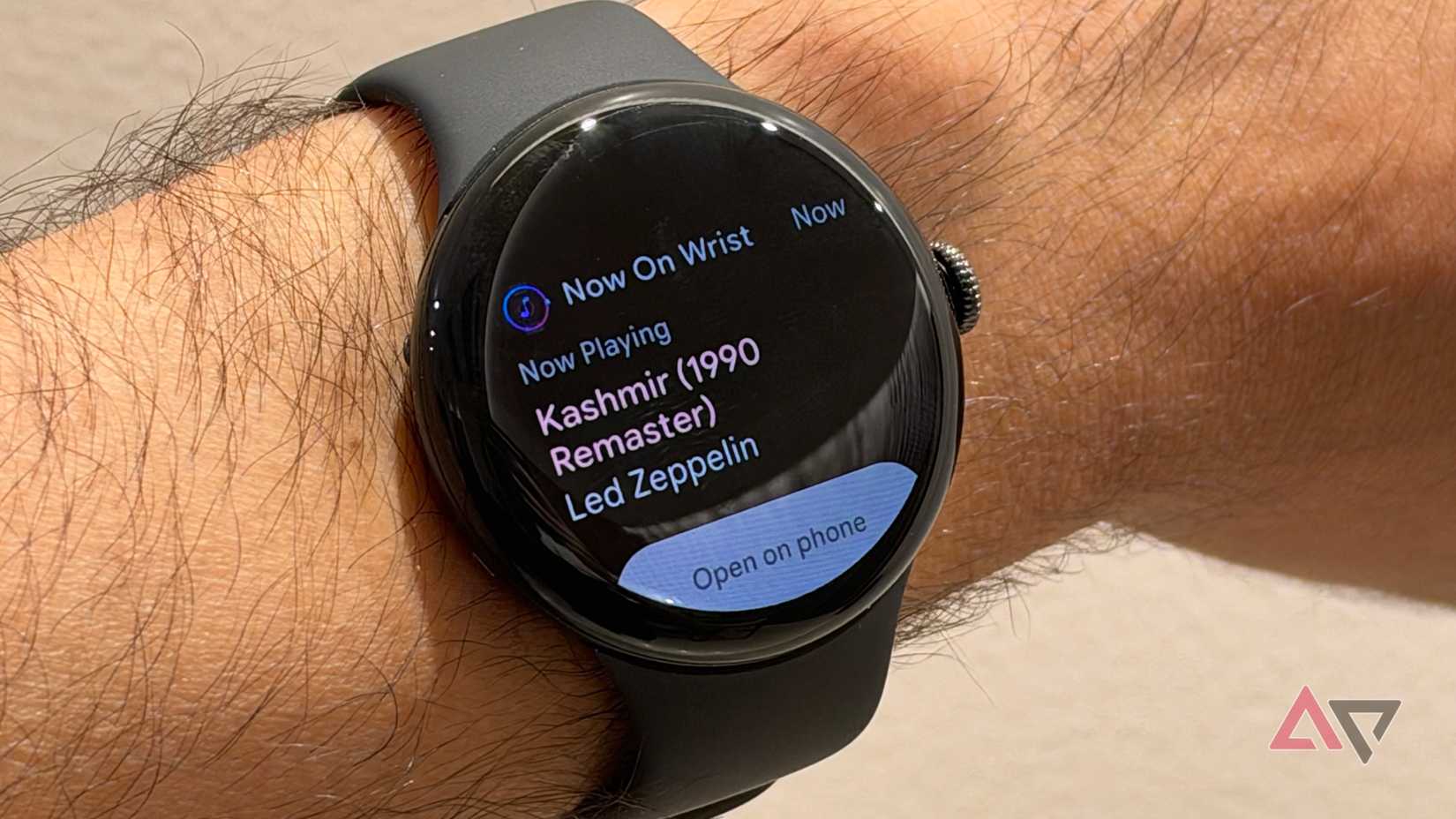
The app, if I had to call it that, is extremely simplistic. Which is fine, as it serves a very particular use. If I hear a song playing, I should be able to look at my wrist and know what it is.
This happens more often than you'd expect. Most days, I have internet radio while I'm getting work done. Or, I might be working from a café. Either way, when I come across a track I want to save for later, I usually pick up my phone to see whether Now Playing recognized it.
Now On Wrist removes that friction. After the Now Playing feature identifies the song, Now On Wrist reads that song information and displays it on my wrist. This lets me glance down without interrupting my workflow.
It's also useful when I'm out and about or driving. My phone isn't always easy to reach, and I'm not always in a situation where I'd be comfortable handling it. Whether I'm driving or cooking, a watch is less intrusive and more convenient.
You still need your Pixel phone nearby, since none of the music recognition happens on the watch.
Elsewhere, I've found the app's notification approach useful. It can send a haptic alert to your wrist when it detects a new song, with configurable vibration behavior.
There's more room to customize the haptic behavior. For example, you wouldn't want your watch to buzz constantly at a party or while watching a movie.
These notifications are actionable. You can tap it on the watch and open the track on your phone — similar to the Pixel phone's native Now Playing experience.
The complication is where Now On Wrist shines
See what's playing without any swipes
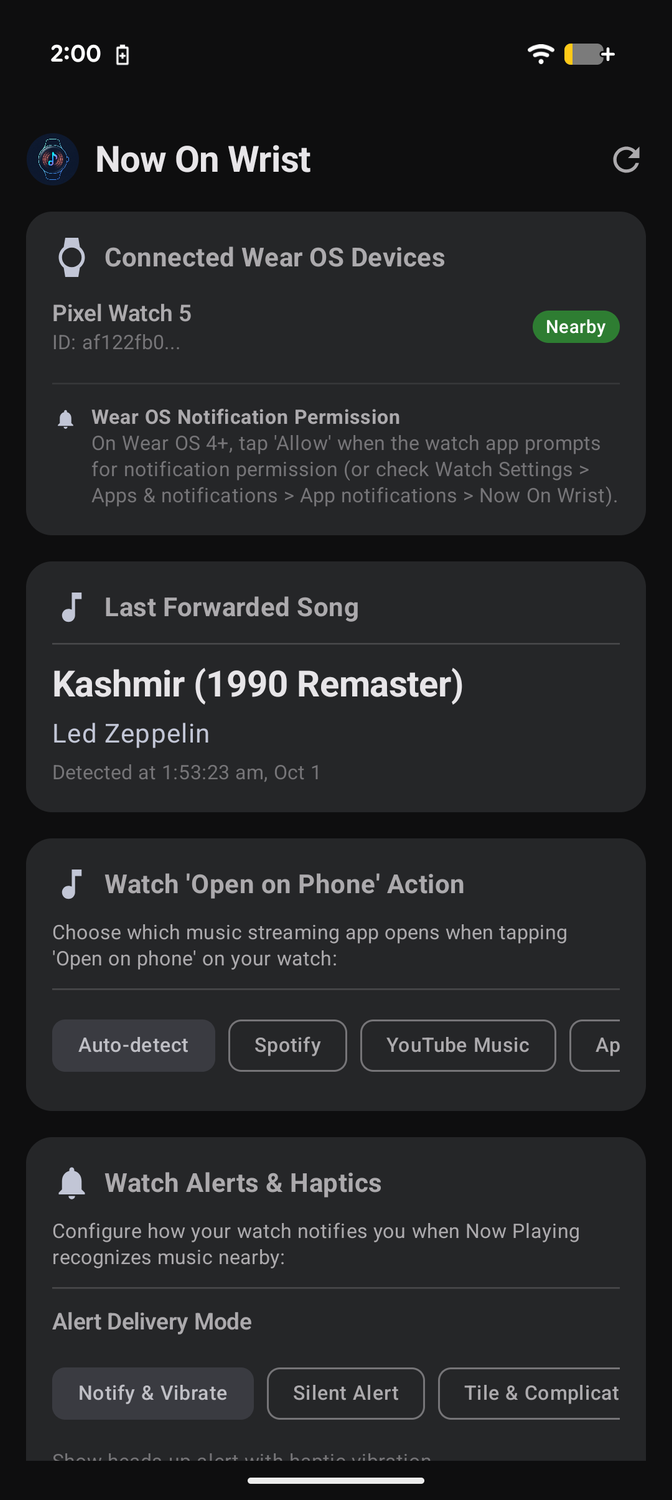
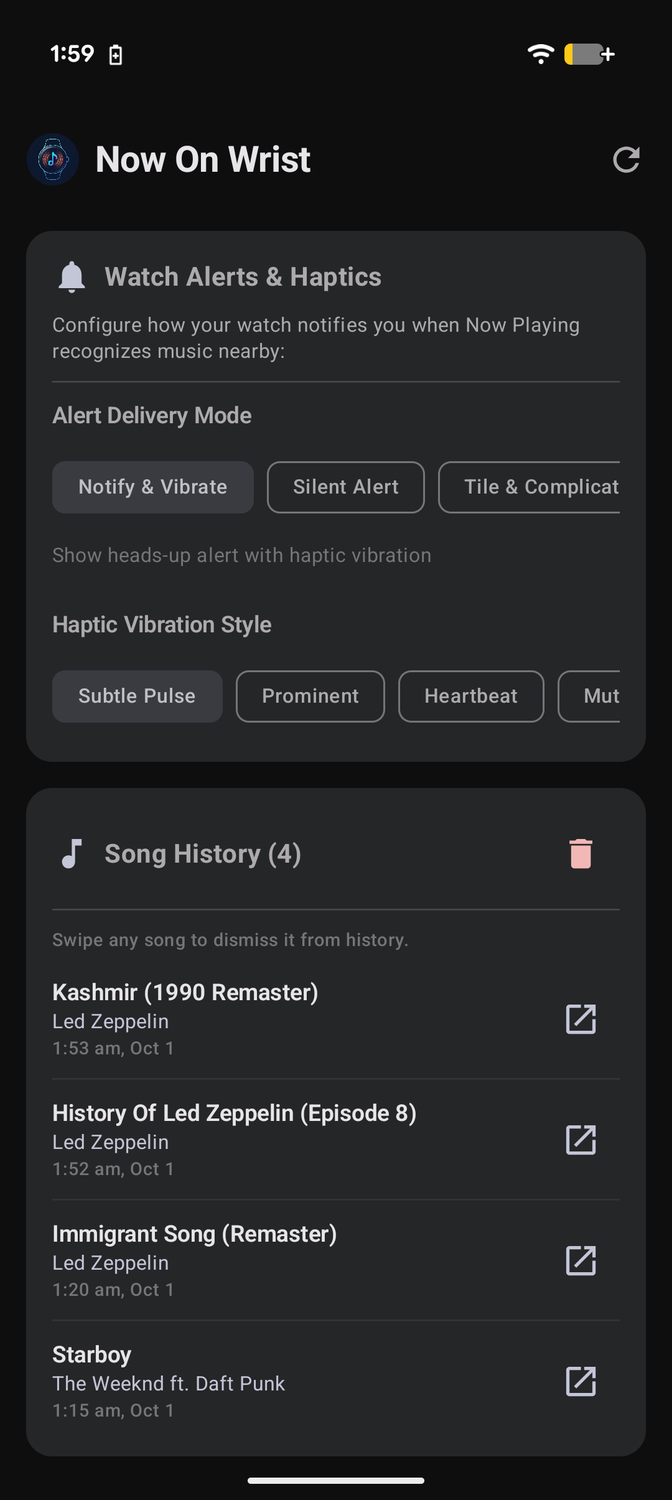
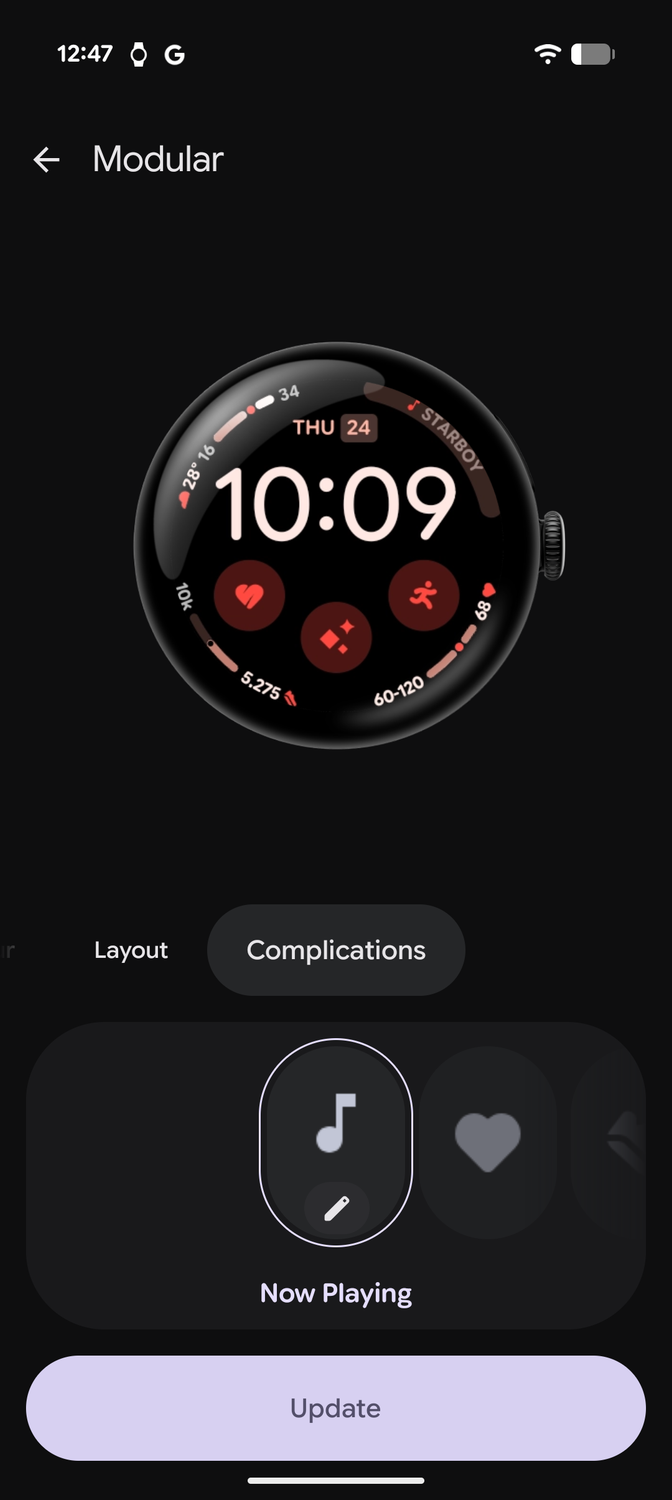
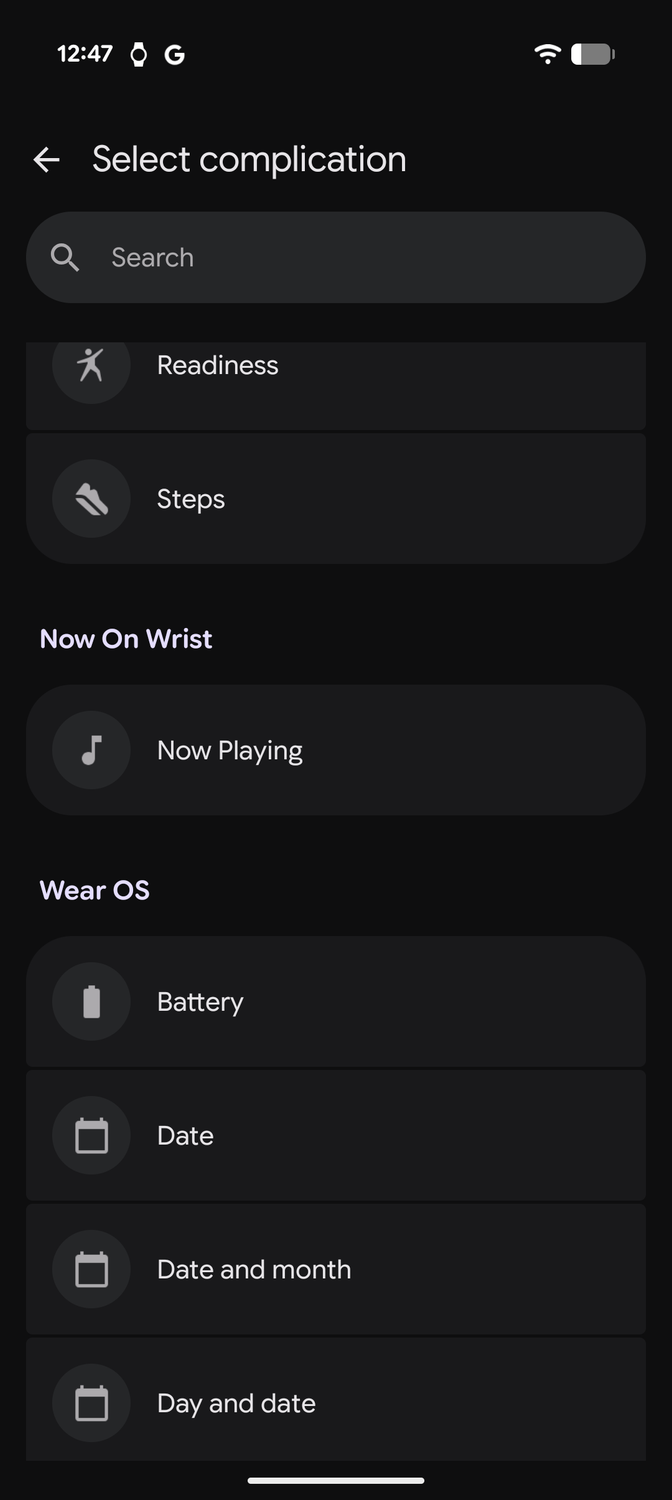
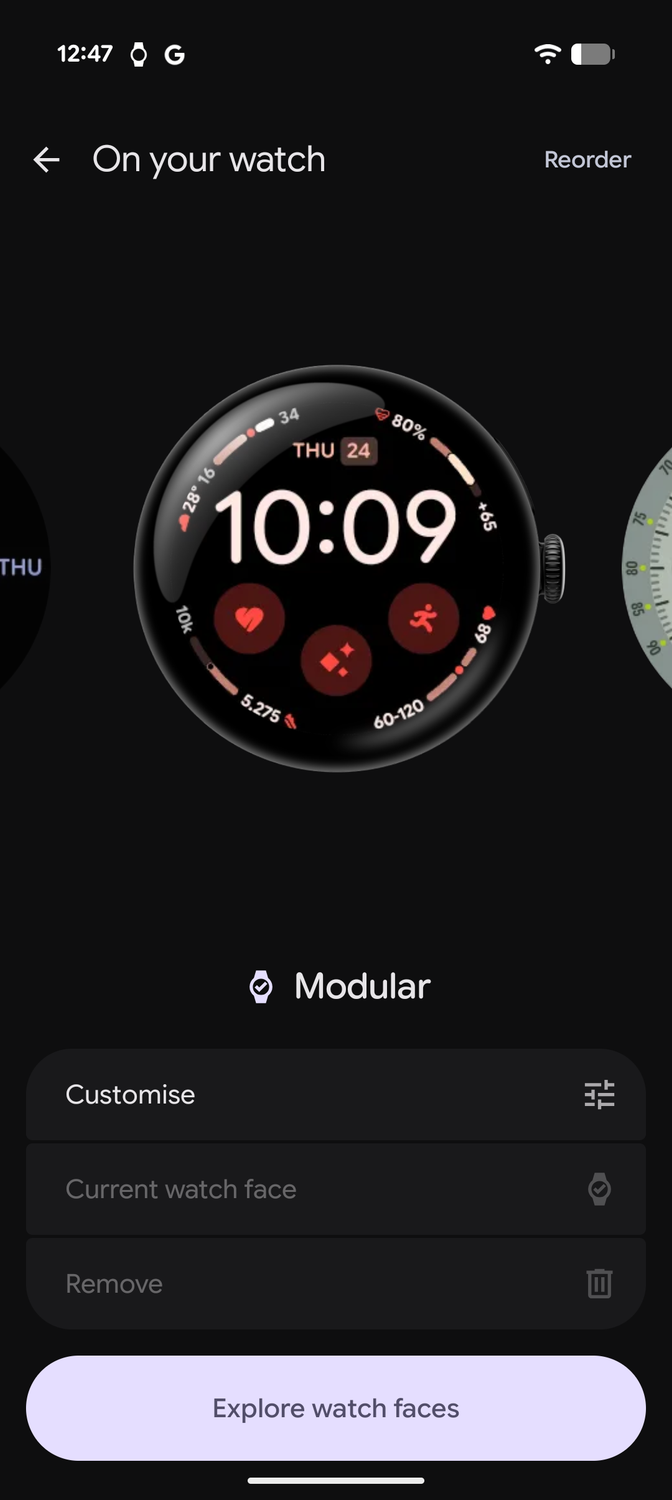
While the tile is cool, the one aspect of Now On Wrist that I keep coming back to is the .
I'm a sucker for a good complication on a watch face, especially when it gives me useful information without making me open an app.
Now On Wrist fits that idea beautifully. It can put the recognized song and artist on the watch face, using a complication. This makes it faster than swiping to a widget when I want to see what song is playing.
Moreover, it changes how I interact with Now Playing. Instead of waiting for a , I get a light buzz on my wrist and can see which artist is playing on my watch face.
The Wear OS tile would be my go-to if you prefer full details about the song and artist. It also gives you one-tap access to open the song on your phone. Using the accompanying phone app, you can choose which app to launch the track in, with all popular streaming services represented.
Finally, tapping the Wear OS tile reveals a history of recognized songs on the watch. If you missed the track playing around you, you can go back and check the Now Playing history as long as your Pixel recognized the song.
Now On Wrist fixes my biggest Now Playing annoyance
What makes Now On Wrist interesting to me is that it doesn't duplicate an experience built into my Pixel phone. Instead, it takes the data that the Pixel is processing and saving to Now Playing, and exposes it on my wrist. That, in my opinion, is the smarter approach.
From a functional point of view, though, my wrist is precisely where I want to see the currently playing , and this app enables it.
If the Pixel doesn't recognize the song, Now On Wrist can't do anything about it. But that's a rare occurrence.
After using it for a couple of days, I'm convinced there's no going back to the old way of glancing at my Pixel phone's lock screen.