
A good eye can outshoot an amateur holding a professional camera set to automatic. Gear helps with low light, zoom, and depth of field, but it doesn't compose shots for you.
My 50MP main and 12MP ultrawide lenses, paired with Google's processing, remind me of this. Even with RAW capability, the camera app has shortfalls the processing can't hide.
They used to affect my results, until I worked around them. Here's how.
I always reach for the stars
Even though my hands are shaky when I do
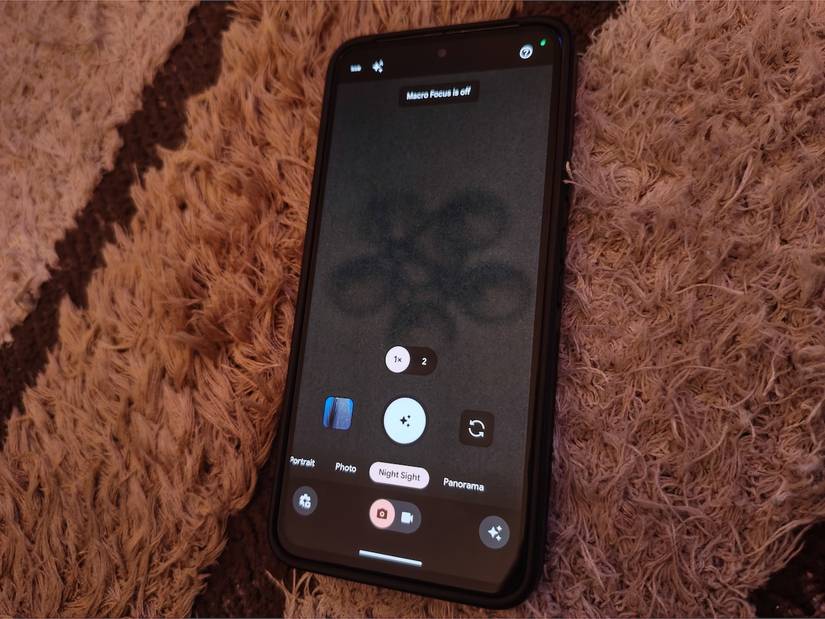
Astrophotography is a Pixel-exclusive feature that's ridiculously demanding. It's part of Night Sight and generally makes for sharper shots in near-total darkness, where a quick shot would come out mostly grainy.
The camera takes a series of shorter exposures and captures up to 16 frames, each about 16 seconds long. Then it stacks them into one image for up to four minutes.
Any movement smears the shots into streaks, and the camera's gyroscope refuses to switch into the mode if it detects shakiness. I usually place my phone on its back on a flat surface until the viewfinder goes pitch black.
Then the shutter button switches to tiny stars indicating a successful switch.
The viewfinder may show noisy, grainy feedback as the sensor strains to find signals when you cover the lens.
If the shutter doesn't switch to the Astrophotography icon, exit Night Sight. Then briefly switch to Photo mode, and try again in Night Sight.
I tap the stars to lock the mode and quickly frame the subject against a stable support. If you move the camera before tapping it, the gyroscope detects it.
It reverts to the moon icon, which is Night Sight's regular mode without the needed multi-frame stacking.
A countdown appears during processing. When it ends, the Pixel smooths out grain from the final shot and removes stray bright pixels a long exposure would otherwise produce.
My videos are rich, with or without 4K
A quarter of the pixels still buys me what I need
My Pixel 8 runs Google's Tensor G3, which has a history of running hot. It warns and throttles when it overheats. It's a problem for long outdoor shoots in my region.
Temperatures normally range from 16°C to 34°C, and daily highs reach 32°C from late January to mid-April.
These numbers aren't dangerous for the phone. Yet, they leave almost no room before prolonged camera activity pushes my phone past the 35°C Google says it's built for.
I love shooting in 4K for the detail when I crop later, but it's the heaviest resolution my phone can handle, and it draws a lot of current from the 4,575 mAh battery.
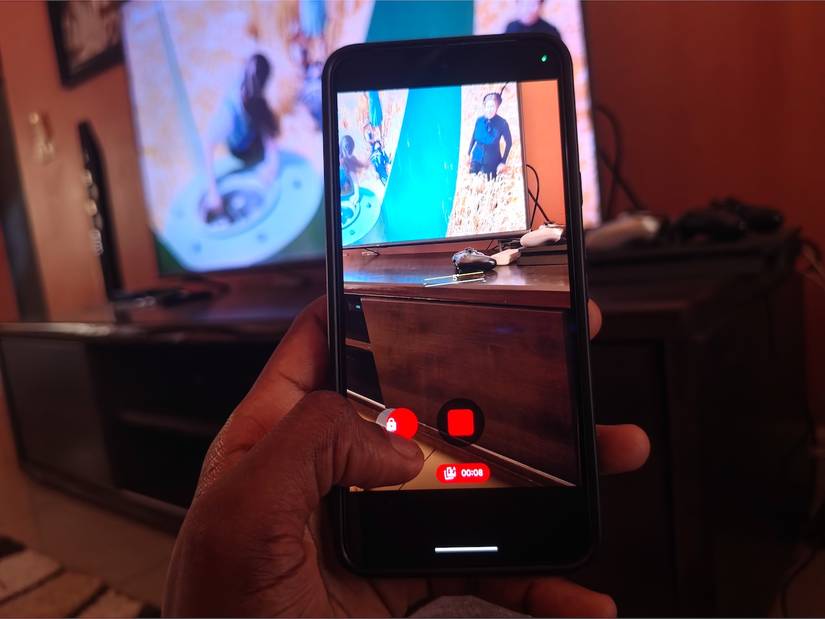
I'm extra cautious since this is a recently bought used unit. At best, I get three to four minutes of 4K at 60fps before a heat warning cuts it out. I hit fewer warnings after switching to QuickTake in Photo mode.
I hold the shutter and drag it to the left, then release when I see a lock icon to keep filming hands-free. My camera then records at 1080p, which is about a quarter of 4K's pixels and lighter work for the chip.
I could drop the resolution in video mode, but I'd have to switch it back every time I want 4K. QuickTake works as a second, instant setting instead.
Besides, 4K doesn't guarantee the best video any more than a megapixel count guarantees the best photo.
Light, dynamic range, stabilization, and bitrate are just as important, and the platforms I post on compress 4K. On a six-inch screen, most people won't spot the difference.
My camera doesn't glare at my subjects anymore
The best lens hood I own is attached to my wrist
A strong angled light frequently bounces between the lenses and sensor on my Pixel 8.
Whether it's truly anti-reflective, uncoated glass reflects about 4% of light per surface, while coatings reduce it rather than eliminate it.
So stray light shows up as ghosts, colored orbs, veiling glare, or a contrast-draining mist in my shots. I considered buying a clip-on phone hood on Amazon. But why spend the money when I have one already for free?
I use my hands, cupping one above the camera bar and angling it toward the light source. How you place your hand depends on the light source and which lens you're using.
The ultrawide lens sees more of the scene, so my hand creeps into the frame more easily. I may hold it higher and further out, step into a shaded spot, or let my fingers slip into the corner and crop them out later.
Cupping your hand only blocks light from outside the frame. It won't fix a light in the shot, light from several directions, or flare from a smudged lens. Reposition yourself until the light hides behind something in the scene or wipe the glass before you shoot.
Sometimes, a camera protector makes flares worse. You're stacking another sheet of glass on the cover glass, which adds two more reflective surfaces plus an adhesive layer.
If you're using cheap ones, it's likely they don't have an anti-reflective coating, contrary to manufacturer claims. Dust or air gaps trapped underneath them scatter light even more.
I've circled back on Google Lens
The habit transformed my viewfinder into an effective search bar
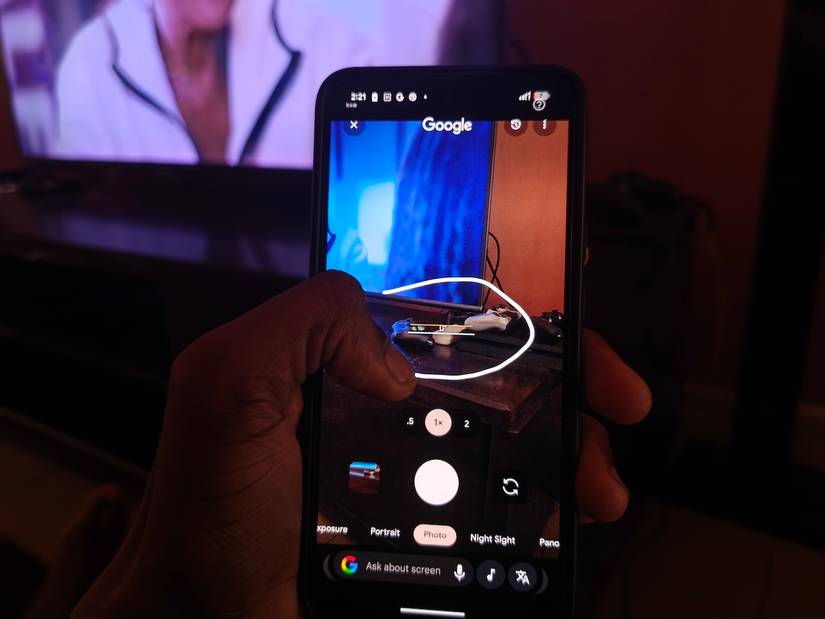
I'm mad that Google removed Lens from the camera's viewfinder. Now, if I want to look something up, I have to open the Lens app or snap a photo and search for it later.
The latter option leaves my gallery full of unwanted images I forget to delete. Thankfully, Circle to Search works on almost anything on my screen, including a live camera feed.
Plus, my camera is always accessible, even from the lock screen and with a double-press of the power button. I simply launch it and point it at an object.
Then I long-press the at the bottom of the screen to activate Circle to Search. Next, I circle objects in the viewfinder with my finger and get results without adding to my storage.
Although this trick doesn't fix a shortfall in photos or videos, I find it makes the camera app worth opening more often.
There's more magic behind Pixel lenses
My Pixel camera's rough edges have shown me how much more it can do. The above workarounds, in combination with other features like Rich color in photos, fix most of the blandness in my everyday shots.
I keep experimenting beyond the phone's built-in options.
My most whimsical attempts involve wrapping a sliced Ziploc bag around the lenses for a dreamy mist and rolling a toilet paper tube into a cone to spotlight subjects in the dark.