Google Wallet has made me much less interested in carrying my physical cards around. My credit cards, debit card, loyalty cards, tickets, and other passes are on my phone, which is incredibly convenient.
I can tap my phone at a checkout instead of reaching for my wallet, and I don't have to worry about forgetting a physical card at home.
But putting that much of my financial life on one device also made me think about what would happen if something went wrong. So I went through Google Wallet's security options and changed a few things.
A few settings can make a meaningful difference to how my payment information is protected, and they're easy to overlook if everything already seems to be working fine.
I turned on the extra NFC protection
Contactless payments now have one more security check
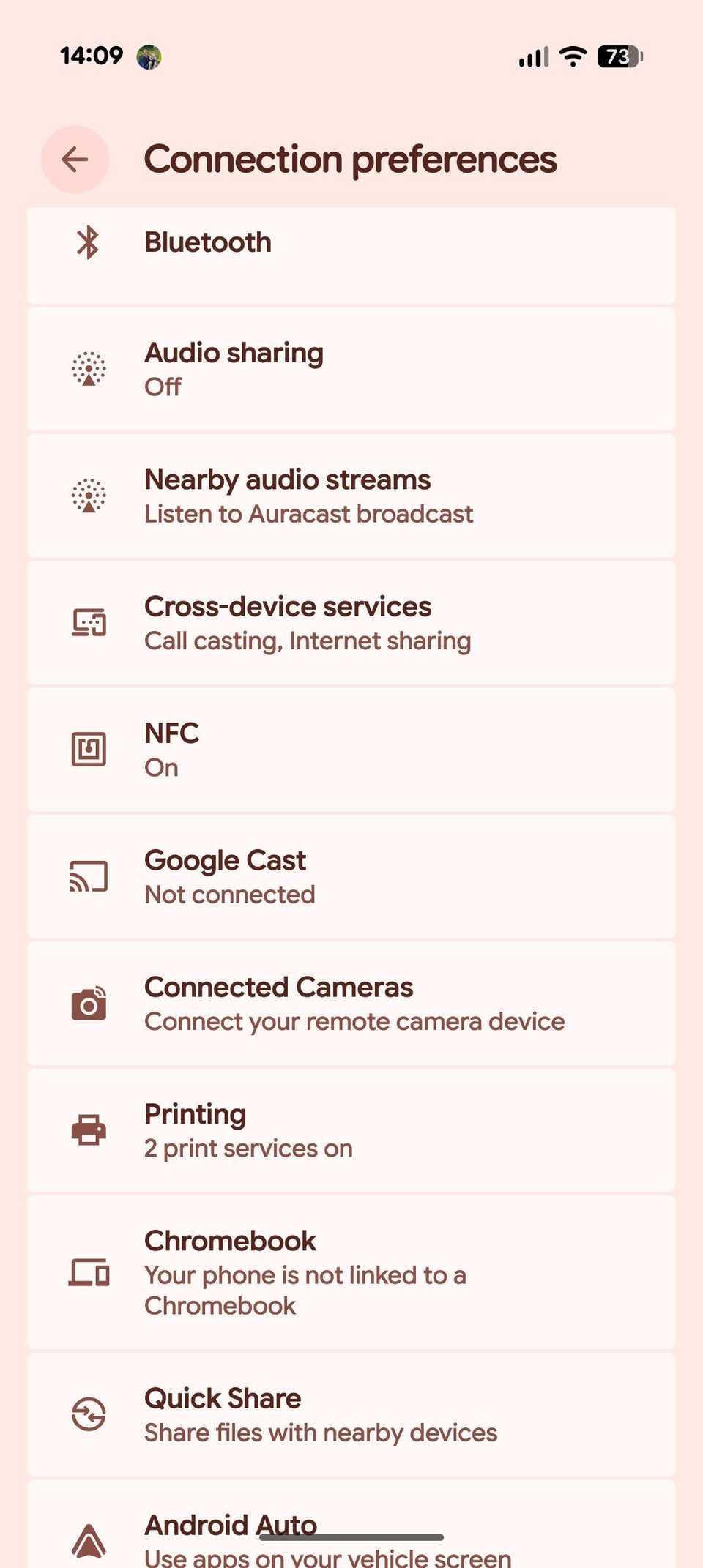
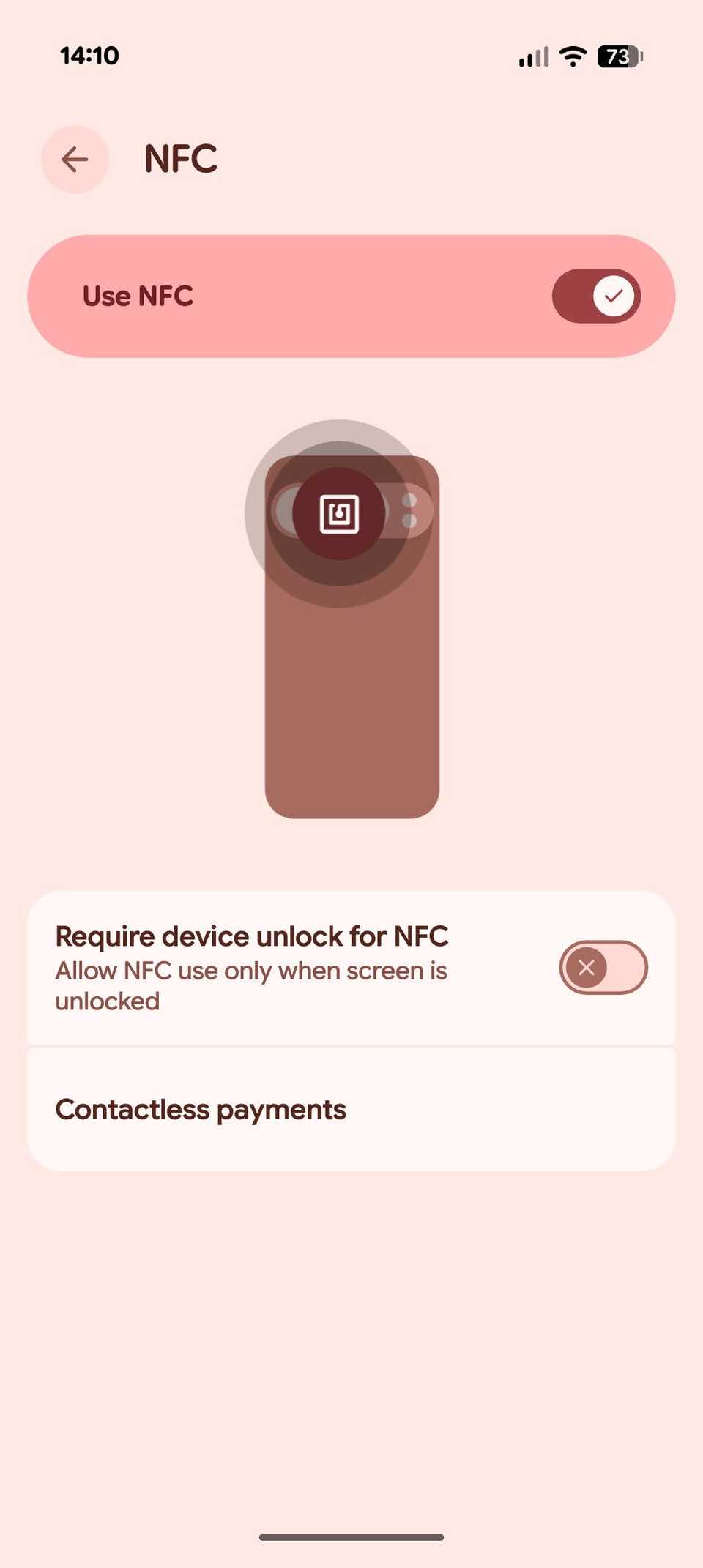
One setting I enabled was Device unlock for NFC. It adds an extra step for contactless payments by ensuring that my phone is unlocked before completing an NFC transaction.
Google Wallet requires a screen lock for contactless payments, but this setting takes it a step further.
With it enabled, bringing my phone close to an NFC reader is not enough. The device has to be unlocked.
You can find the option under > Connected devices > Connection preferences > .
After I turned on Require device unlock for NFC, I felt more comfortable carrying my phone around with Wallet set up for contactless payments. Even if someone brought my locked phone near a payment terminal, they couldn't trigger a small contactless charge.
I removed the Wallet shortcut from my lock screen
I kept it out of quick access
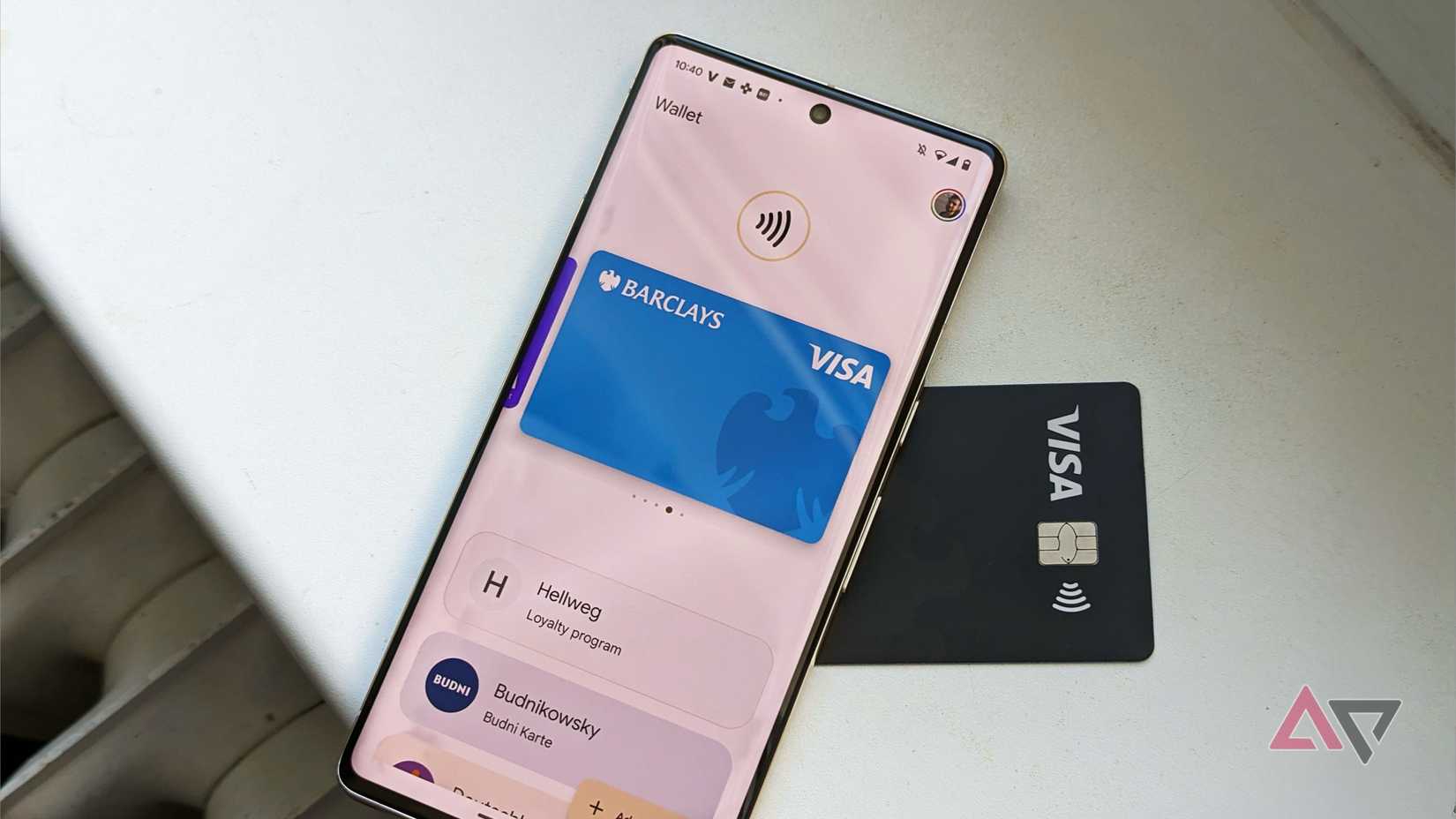
I used to keep Google Wallet on my lock screen because it was convenient. If I needed to pay, I could access my cards quickly without navigating through my phone.
Google Wallet lets you turn this quick-access option on or off from the phone's by going to > Lock screen > Show wallet.
The exact steps may vary depending on your Android device and Android version.
On my phone, I toggled off the Show wallet option. That removed the Wallet shortcut without affecting the app or my ability to make contactless payments.
Some of my Wallet passes need extra protection
Not every pass needs to follow me across Google
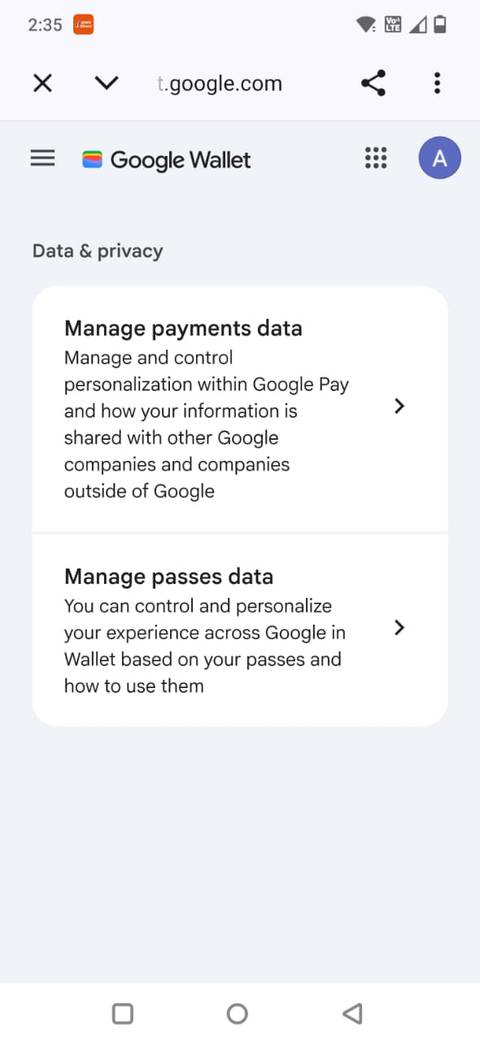
Google Wallet isn't only for payment cards. I use it to store tickets, loyalty cards, and other passes in one place.
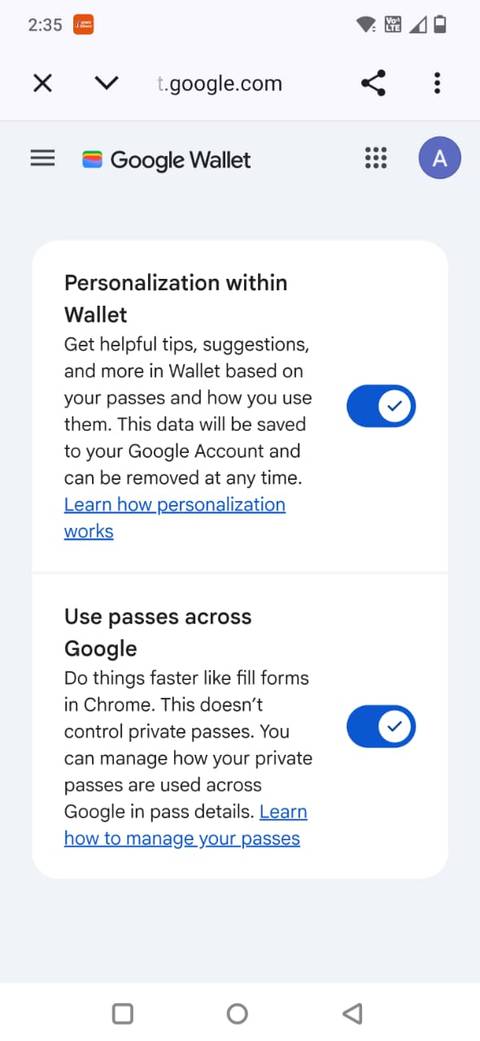
Wallet lets you access your passes from Google Maps, Calendar, and Chrome. This setting is on by default, and you can turn it off if you don't want Wallet to share the information with other Google services.
You'll find the setting in Wallet by navigating to your and selecting Your data in Wallet > > Manage passes data > Use passes across Google.
You can also control this for individual passes by opening a pass, tapping , and turning Use pass across Google on or off for that pass.
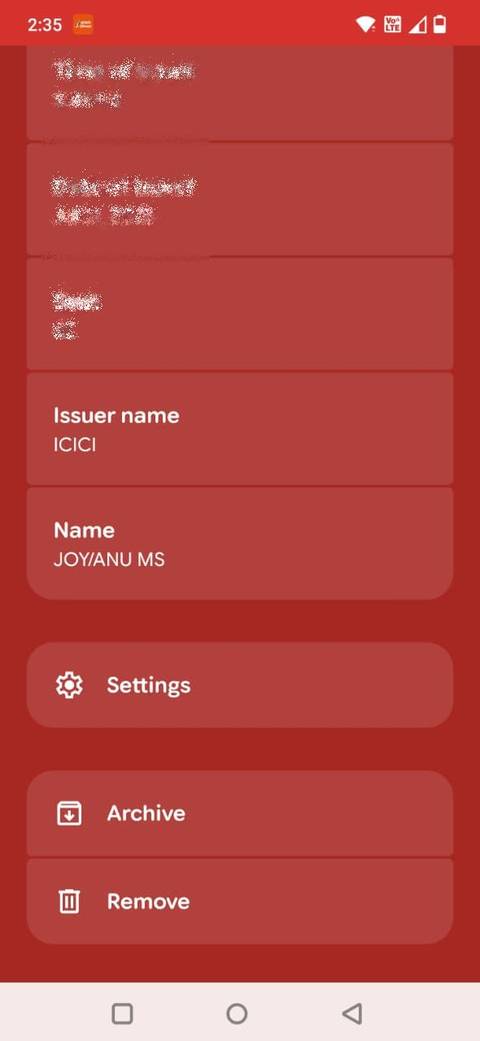
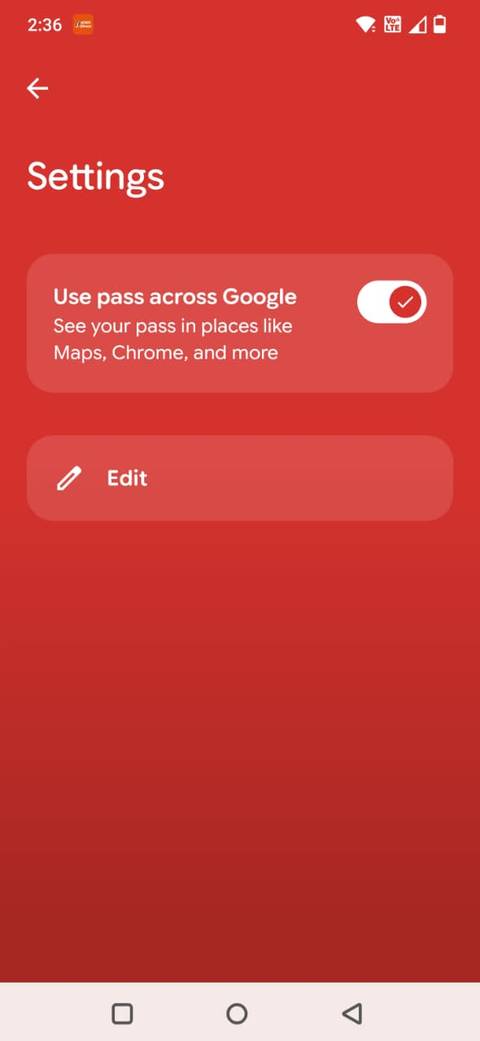
I prefer not to have every pass I save in Wallet available across my Google account, so it's worth checking this setting.
I don't keep old cards in Wallet
Unused cards don't belong there
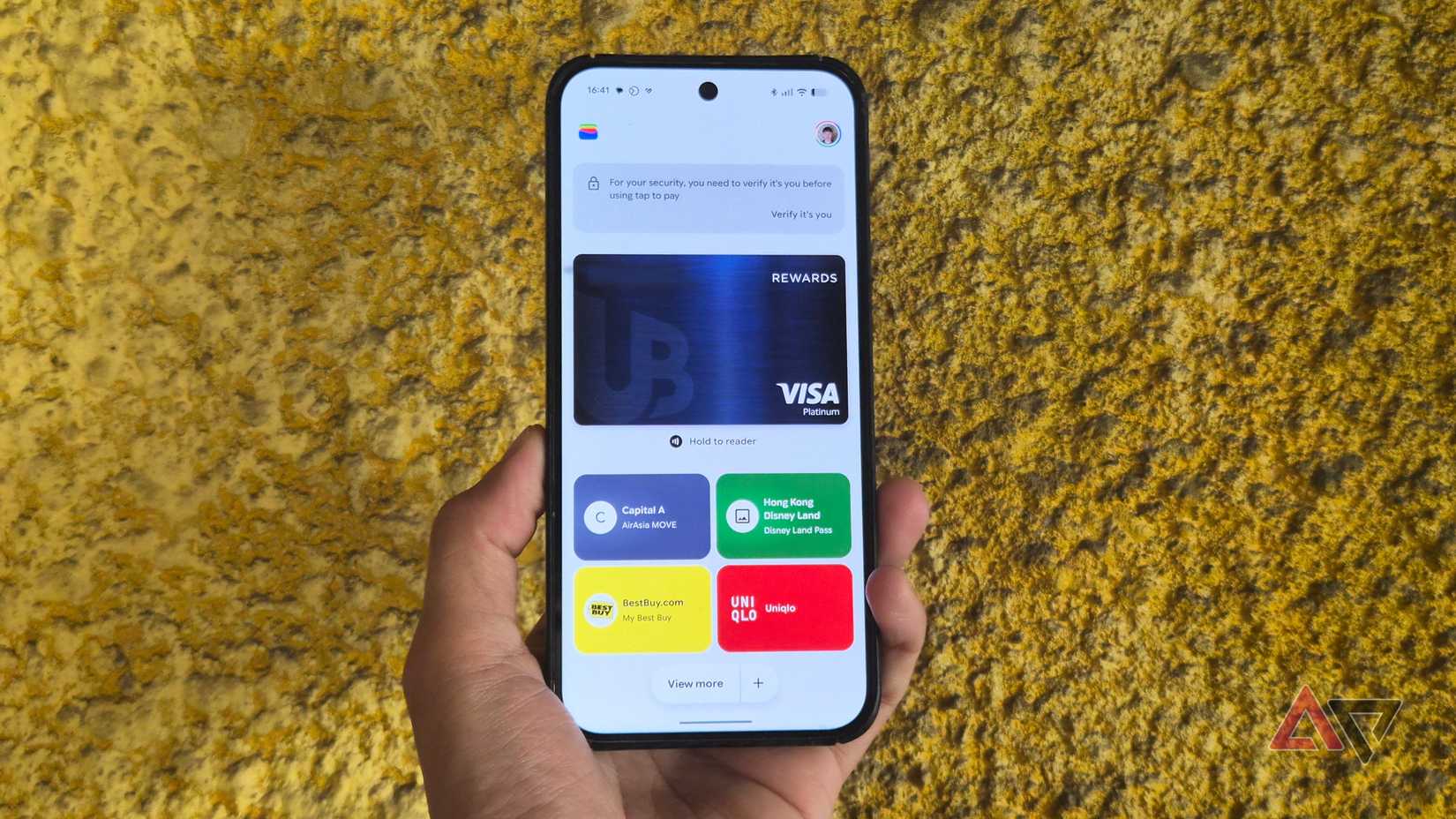
I also went through Google Wallet and removed cards I no longer use.
If I've stopped using a card, there's little reason for me to keep it available for contactless payments on my phone. I would rather remove it and only keep the cards I actively use.
You can remove a debit or credit card from the Wallet app by opening the card, tapping (), and selecting Remove payment method.
However, removing a card from the Wallet app on one device doesn't necessarily remove it from your Google Account.
A payment method can remain available for online payments and other Google services even after you remove it from a particular device.
To remove an old card from your Google payment setup, check your payment methods at payments.google.com.
A few small changes make Wallet feel safer
If you use Google Wallet regularly, it's worth opening its settings and seeing what you have enabled. You might find that a few small changes can give you more control without getting in the way of everyday payments.
I added an extra layer of protection for NFC payments, removed the Wallet shortcut from my lock screen, checked how my passes are shared across Google, and removed payment cards I no longer use.