
The biggest problem I've faced lately is paying my credit card bills on time without getting hit with predatory interest rates.
Some months I pay on time if I see the email; other months I pay fees and watch my credit score drop.
That's when I got sick of my own shortcomings and decided to use Gemini as my bill watcher.
How I set up Gemini to read my credit card bills and notify me
Setting it up is quite easy

Before asking Gemini to scan your bills, turn on a few features that let it communicate with your email.
Since I use Gmail, setup was easy: I just had to turn on Google Workspace in the Connected Apps section.
To , open Gemini's , tap , and turn on the option. This will also connect other Google apps such as Tasks, Keep, and Calendar.
Scheduled tasks have now moved to the main sidebar on both Gemini's web and app platforms.
I use a simple prompt that I instructed Gemini to provide, which I run every morning as a Scheduled Task. Here's the prompt:
Scan my Gmail for any credit card statements, bills, or payment due notices received in the last few days. List the card name, total due, minimum due, due date, and any payment link or account number if available. Flag anything due within the next 7 days.
This prompt makes sure I never miss a payment because I get notified the moment bills hit my inbox and when payments need to be cleared in the next seven days.
I also instructed Gemini to add high-priority due dates as advance reminders in Google Tasks, but you can also add them as events to Google Calendar.
I never missed a payment again
 Lucas Gouveia / Android Police
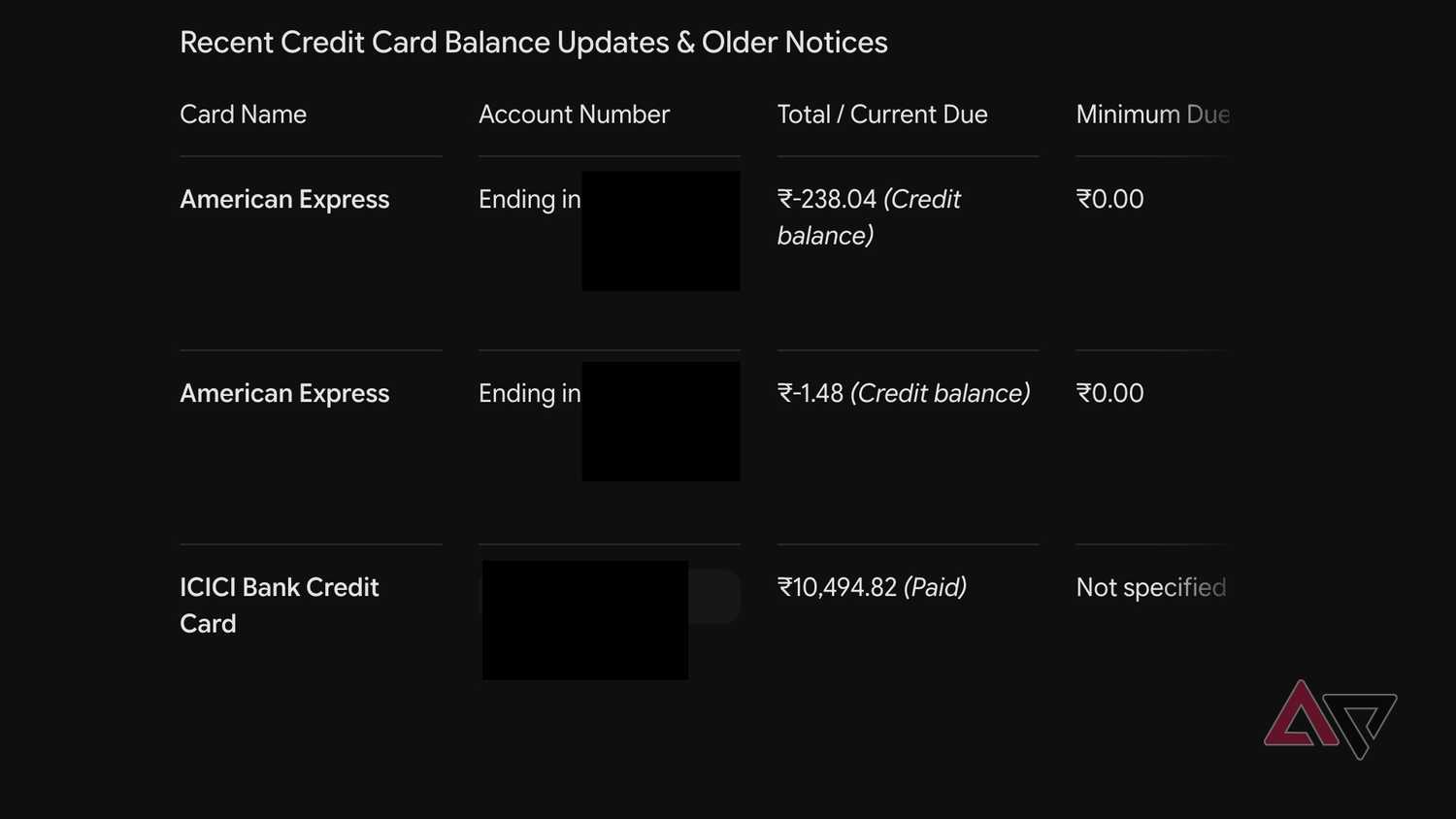
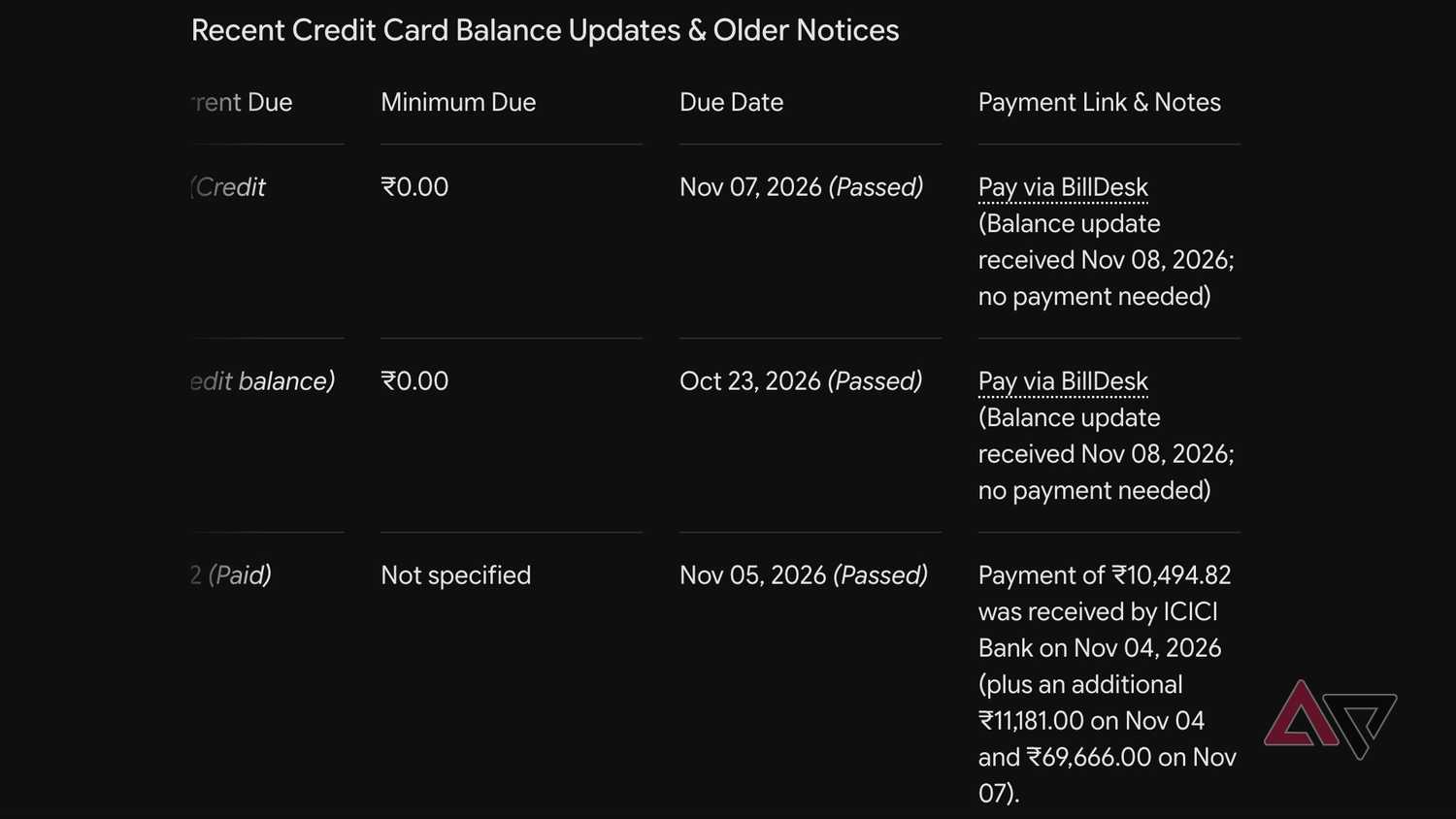
After setting up the Scheduled Task, I get a morning notification and a chat summary showing all my credit card due dates.
When a new statement hits my email, Gemini parses the information and sets up a reminder in Google Tasks. I usually cross-check the details with the text message I received just to make sure the information is accurate.
I don't need to open the Gemini app, as I can use Gemini Voice to ask what my due dates and payment amounts are for a specific credit card.
This meant I didn't miss any payments, and it reduced the late-payment fees and interest I'd been racking up earlier.
It saved me quite a bit of money, and I never had to dig for statement emails again. To make this process more detailed, I asked Gemini to list all my credit cards and their details in a Google Sheet.
I also added my monthly income and fixed expenses to that sheet, so I know my real cash flow for the month. You don't have to do this, but it lets me check my bank liquidity and control credit card spending accordingly.
This gave a clear picture of all recurring charges and subscriptions that I could weed out later if I no longer needed them.
If you also use , you can set up Autopay, get deeper spending insights via Plaid, and correlate the information as well.
But this system does come with some caution. Since AI parsing isn't perfect, double-check everything before you fully rely on this system.
Even though this Gemini method can have minor shortcomings, I haven't faced any issues to this day.
The real benefit might be financial, but I've also noticed I no longer panic or wonder if I've made my payments this month.
I still use my banking apps to make payments since I prefer to do them manually, but Gemini removed most of my anxiety about missed payments.
Gemini can keep track of all your expenses and bills
While I use this system solely to track credit card bills, you can apply it to any bill you get by email. You can use it to track utility, phone, and internet bills like I did with credit cards.
I recommend trying it and starting with one or two cards or bills to see if it works for you. If it works as intended, you will never have to stress about managing payments again.