The Lenovo Idea Tab Pro Gen 2 sounds like it should be a top-tier tablet, a premium offering, but having seen the new Yoga Tab Plus at IFA, my expectations have been somewhat spoiled.
A 13in tablet with an attached keyboard and cover, with a bundle that also includes the Tab Pen Plus, is actually quite affordable at just £548 for the lot. Particularly if this is going to be used by front-line workers or those on the go.
Lenovo Idea Tab Pro Gen 2: Design
The Gen 2 of the Idea Tab follows on from older models in that it's all grey and has a straightforward design with few frills. The large 'Lenovo' icon across the back is the most glamorous thing on the design, and that's pretty much a standard inclusion on most devices. What I am saying here is that this is a suitable business device; nothing outlandish, and just a tad boring.
It's 6.2 mm thick, weighs 598g, and has just one rear camera lens (13MP wide). It's all a bit dull until you attach the keyboard and cover, which are very well made and simple to both attach and adjust. You need a flat surface to use the stand; it won't stay up on a lap, and it just has one angle of use.
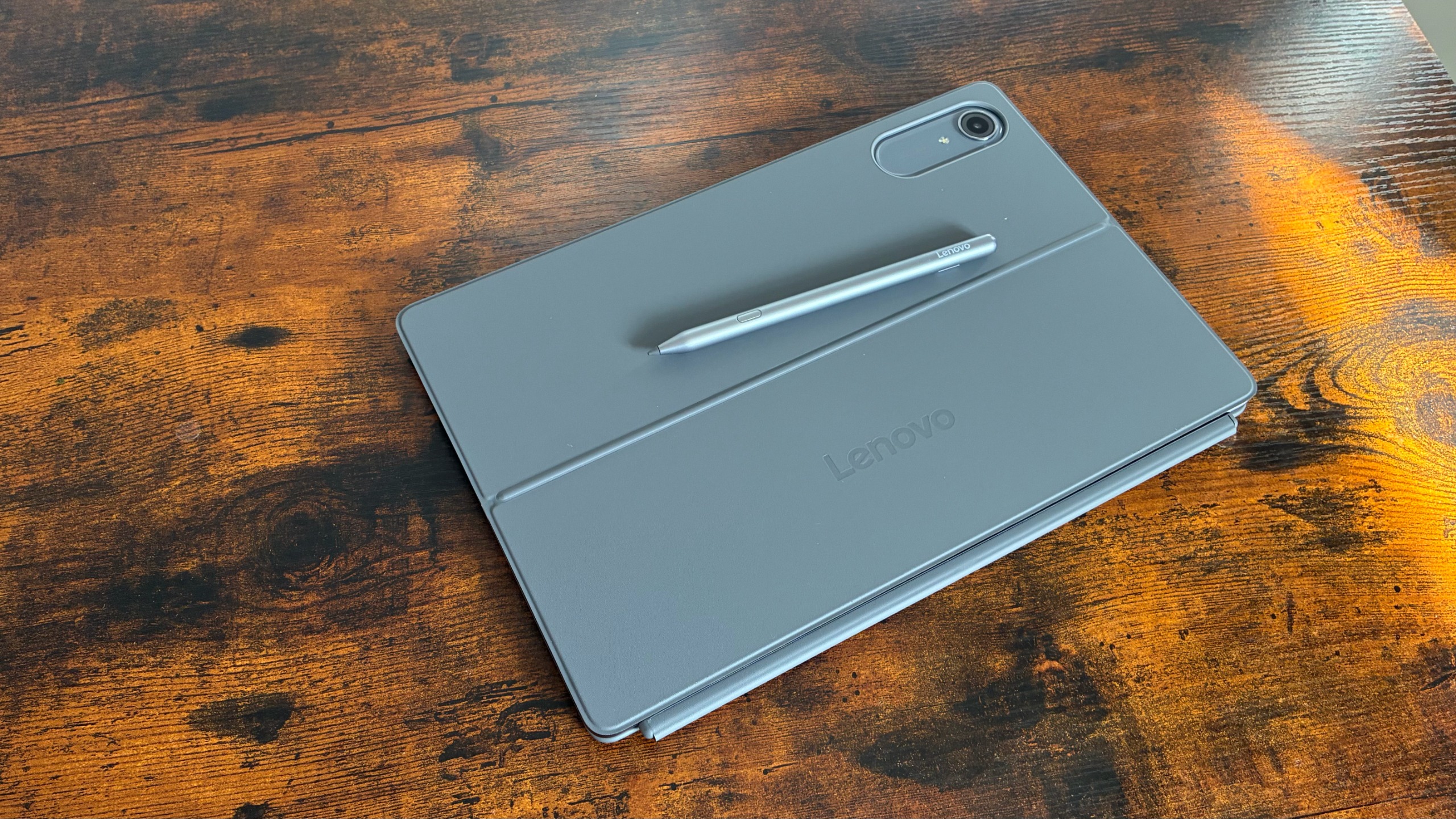
The 13in display is large and bright, with chunkier bezels than we're used to seeing on tablets. There are Pogo connections on the bottom for the keyboard. Speaker holes on the left, on either side of the sole USB-C port, a pair of volume buttons on the left, and a power button on the top corner.
Lenovo Idea Tab Pro Gen 2: Display
You have an IPS LCD panel on the Idea Tab Pro, which has a generous 144Hz refresh rate, 3504 x 2190 pixels, a 16:10 ratio, and 318 ppi density. The refresh rate makes for smooth visuals, great for surfing the web or infinite scrolling on socials. I suspect this could be a good screen for illustration, but you're let down by the included stylus (more on that later).
With our colorimeter, the Tab Pro had a peak brightness of 629.78 cd/m2, which is frankly ridiculous. That's not even an HDR video playback test; it's just simply capable of insanely good brightness. And it has adaptive brightness control, so you can literally go outside, in the sunniest of weather, and not need to adjust anything.
Sign up today and you will receive a free copy of our Future Focus 2026 report - the leading resource for IT decision-maker insight on priorities and investment areas in AI, security and more.
For color accuracy, we fall slightly in quality: the Tab Pro recorded 95.6% for sRGB gamut color coverage and 96.4% volume. These are by no means terrible scores – anything above 95% is considered good. But they do pale in comparison to the latest Galaxy Tab, iPad, and other alternatives like the Huawei MatePad Pro and OnePlus Pad
Lenovo Idea Tab Pro Geb 2: Keyboard and pen
There is a strange collection of key icons on the detachable keyboard. And they don't seem to be what they say they are. Colons, forward slash, and the '@' symbol are not where they say they are and, in some cases, nowhere to be found. I worried that I may have rushed through the setup process and selected the wrong keyboard layout, but no, this keyboard is just odd.
It's a shame because I found it to be very comfortable to type on. For an attachable tablet keyboard, you get a nice solid base, a fair amount of travel, and nice-sized keycaps. I hit my typing speed relatively easily (if we ignore the time spent working out icons).
Below the keys, the trackpad is quite good. Again, it feels solid to click through, has a wide field to spread the cursor around, and responds well. It's fairly large, as far as tablet trackpads go, but still gives you enough room either side for palm rests.
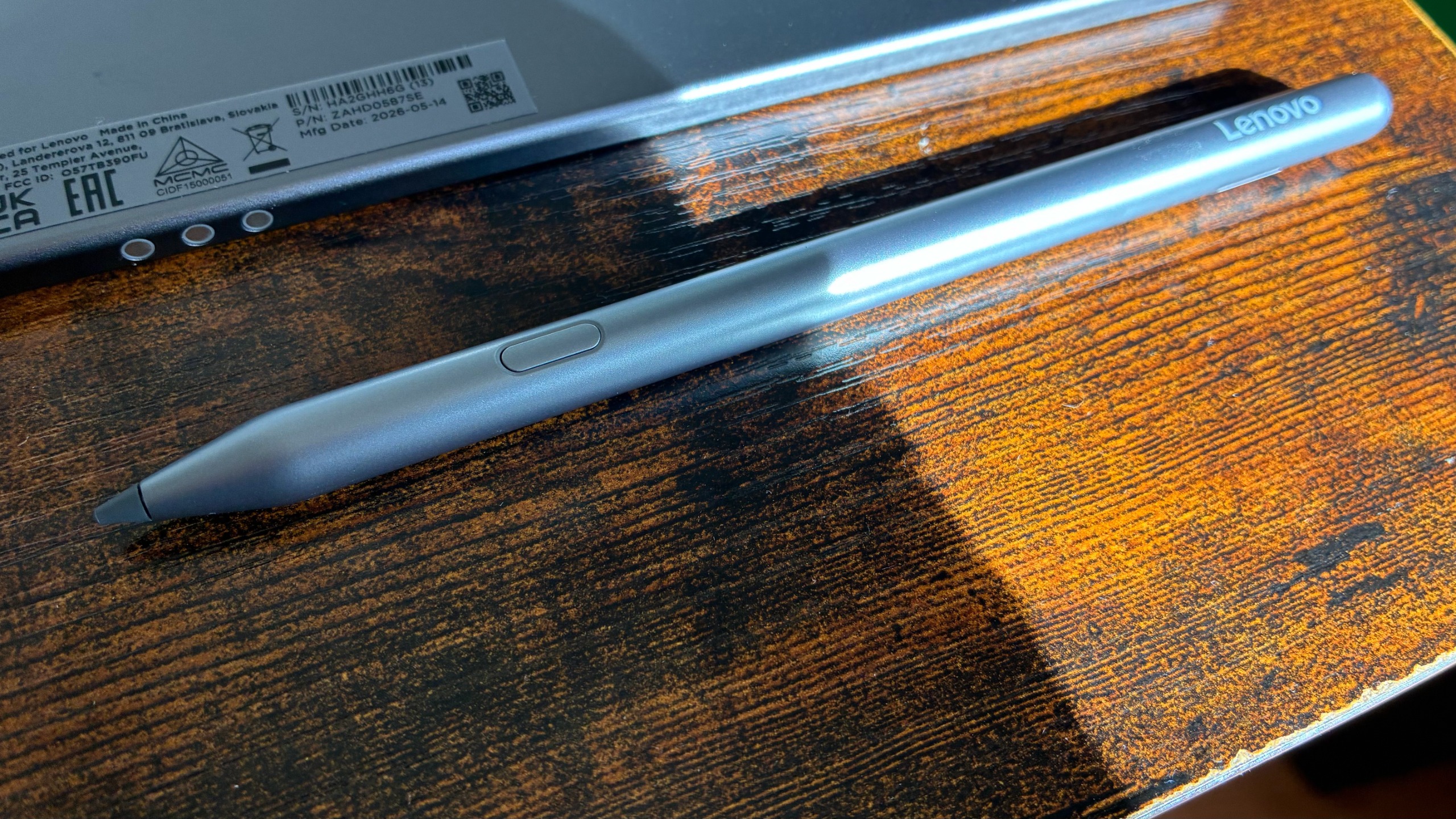
However, the Tab Pen Plus stylus included in the Idea Tab Pro Gen 2 bundle isn't particularly good. It's slippery on the screen, hard to control and keep straight, and lacks the precision to make decent illustrations. It's best to keep an eye on upcoming launches and look for the Yoga Pen Pro (Gen 2) if you want a stylus for detailed artwork.
Lenovo Idea Tab Pro Gen 2: Specs and performance
Under the hood of the Idea Tab Pro is a Qualcomm Snapdragon 8s Gen 4 (SM8735 ) processor, and our review unit has 8GB of RAM. You can pay more for the 12GB version, though the limit for storage is 512GB.
As a 'Pro' model with the Snapdragon 8s, there's no surprise that its benchmark scores are pretty decent. In Geekbench 7, the Idea Tab Pro scored 1,862 for single-core workloads and 6,612 for multithreaded. Those are fairly good scores, and our own experience can attest to this being a snappy device, but the benchmarks are a little behind the likes of the OnePlus Pad 3 and the Galaxy Tab S11.
When it comes to battery life, there's more to shout about. In our looped video test, the Idea Tab Pro Gen 2 lasted 15hrs. Which is as good as, and in some cases better than, a few recent tablet tests. Though, again, it's nothing compared to the Galaxy Tab S11.
Lenovo Idea Tab Pro Gen 2: Is it worth it?
The biggest failing of the Lenovo Idea Tab Pro Gen 2 might just be that it's not as good as its competitors. It probably also doesn't help that Lenovo's soon-to-be-released Yoga Tab Pro is, on paper, considerably better – the pen alone is a hell of an upgrade.
So what we have here is an OK tablet, a good but confusing keyboard, and a poor, low-quality pen bundled in. It isn't quite 'Pro' enough for me, though it is an affordable bundle at just £548.
Lenovo Idea Tab Pro Gen 2 specifications
|
Qualcomm SM8735 Snapdragon 8s Gen 4 (4 nm) |
||
|
Up to 12GB RAM |
||
|
Up to 512GB |
||
|
13in IPS LCD, 144Hz, 3504 x 2190 pixels, 16:10 ratio (~318 ppi density) |
||
|
Wi-Fi 7, Bluetooth 6.0 |
||
|
296.5 x 191.9 x 6.2mm |
||
|
598g |
||
|
Operating system |