LG's 39GX950B-B is one of a kind, with exceptional visual quality ready for games, movies, and other entertainment. Unsurprisingly, its 5K2K resolution (5120x2160) does a lot of heavy lifting, but that's further complemented by its 39-inch display size, providing a higher 143 PPI (Pixels Per Inch) than its 45-inch counterpart, and its fantastic 4th-gen tandem OLED panel. It's very pricey, but that doesn't stop it from being one of the best gaming monitors money can buy.
Why you can trust TechRadar We spend hours testing every product or service we review, so you can be sure you're buying the best. Find out more about how we test.
It's impossible to describe the LG UltraGear Evo 39GX950B-B as anything short of phenomenal. It's the end goal for any PC gamer striving for the best quality, with its immersive 21:9 aspect ratio and crisp image quality, thanks to its 5K2K (5120x2160) display resolution.
It also uses a 4th-gen tandem OLED panel, best known for its improvements in sustaining high levels of brightness, reducing burn-in chances, and better efficiency, which is great for those long hours of gaming and productivity.
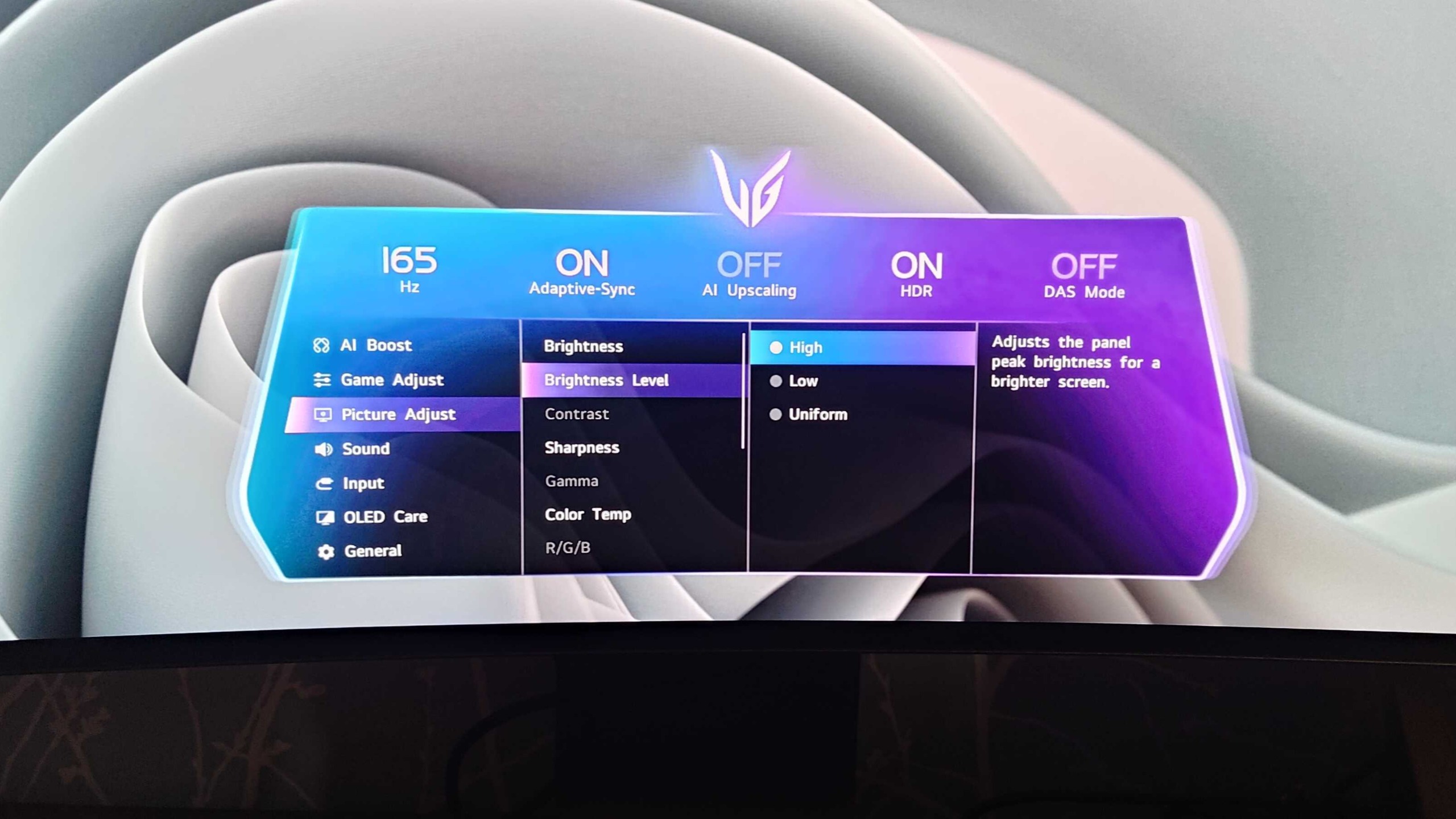
The 39GX950B-B has options to tackle the brightness uniformity and ABL (Automatic Brightness Limiter) frustrations that are common with OLED displays. In the monitor's OSD (On Screen Display), under 'brightness level', there are options for high and low levels as well as a 'uniform' setting that ultimately produces lower brightness, but sidesteps ABL issues.
Fortunately, though, I had little to no issues with ABL during gaming sessions, especially when testing , where HDR works best, and there are constant changes in scenery and color — but it's worth noting that it's more noticeable while working on a Windows desktop, where you may be opening and closing several different applications.
At 5K2K, you're essentially getting a standard 4K tandem OLED monitor that's widened to a 21:9 aspect ratio from 16:9. That doesn't come without downsides: 5K2K drives 33% more pixels than 4K, so using this display means you'll be better off using a powerful GPU (at least an RTX 4080 Super, RTX 5070 Ti, or higher) to hit higher frame rates without being overly reliant on upscaling.
While you might think the latter is solved if you already own a beefy GPU, 5K2K is effectively a permanent commitment (at least for the foreseeable future) to purchasing high-end GPUs, unless the generational leap in power for low- to mid-range GPUs increases sooner.
However, the 39GX950B-B features a 1080p Dual Mode (2580x1080 resolution), with a bump up to a 330Hz refresh rate, and an AI upscaling option within the display itself. The former is not only great for competitive gamers who prioritize high frame rates in online games, but it also ultimately reduces the heavy strain on the GPU.
AI upscaling is a great bonus for anyone looking to drop the internal resolution, especially if console gaming is required, as the monitor detects a non-native input signal and upscales it to 5K2K. I didn't have much reason to use this since my RTX 4080 Super is much better off utilizing Nvidia's DLSS technology in games, but it's great that LG included this as an alternative.
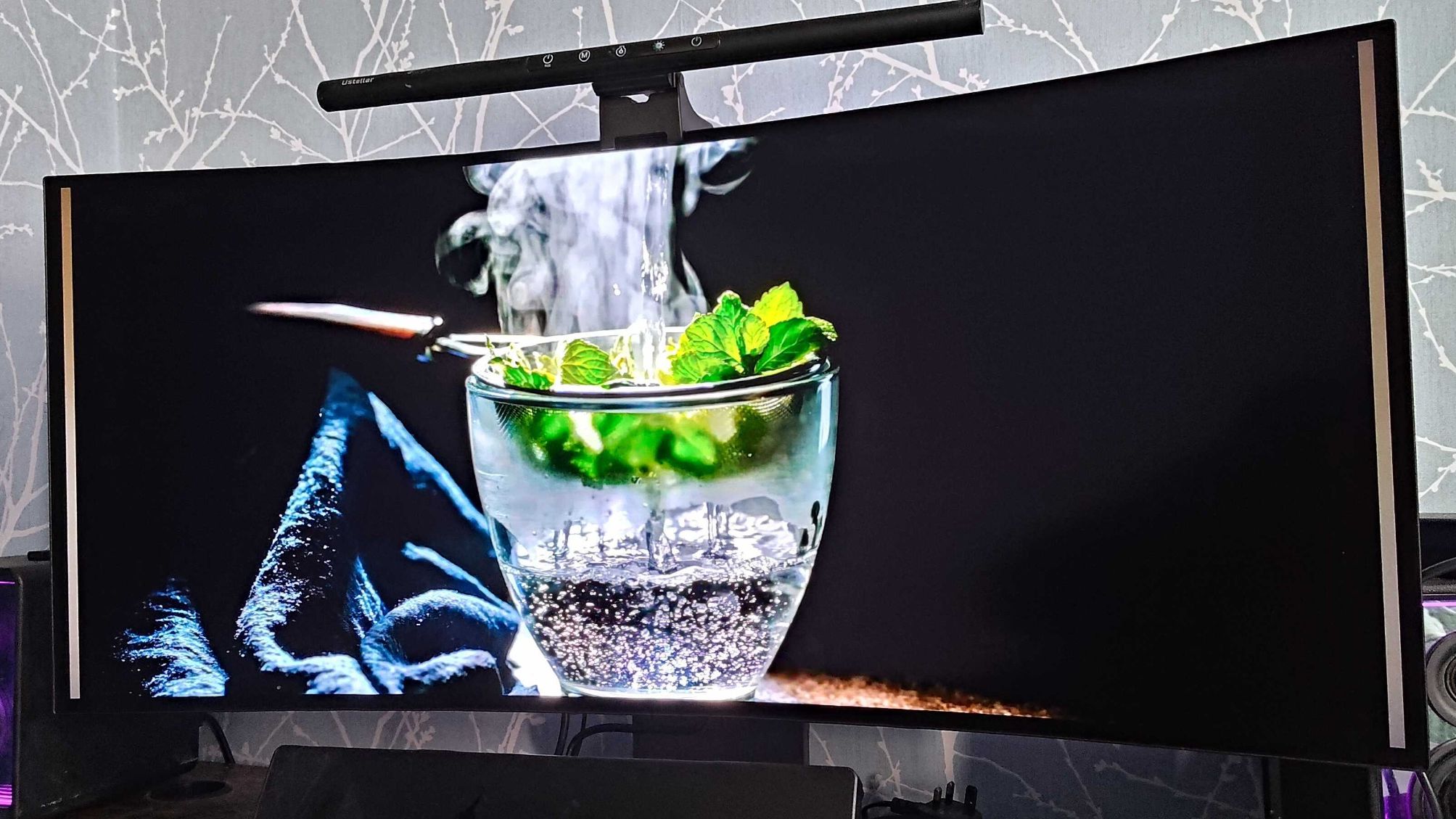
Overall, the LG 39GX950B-B is almost unmatched at delivering the most immersive gaming experiences possible, with HDR brightness that can hit up to 1,500 nits (in small highlights), and visual fidelity that had me gobsmacked at the visual detail in every game and movie I tested. I say for a good reason.
LG UltraGear Evo 39GX950B-B: Price & Availability
- How much does it cost? $1,799.99 / £1,599.99 / around AU$2,799
- When is it available? Available now
- Where can you get it? Available in the US, UK, and Australia
The biggest downside of the LG UltraGear Evo 39GX950B-B is its price, starting at $1,799.99 / £1,599.99 / around AU$2,799. It essentially places this display out of reach for most PC gamers, especially when its only major competition, the Alienware AW3926QW, is much cheaper at $1,099 / £999 / AU$1,999.
It's made worse for PC gamers, who may need to upgrade their entire gaming PC or GPU, in a PC hardware market already in complete disarray during an ongoing RAM crisis, leading to exceedingly overpriced hardware.
For a system that can handle the 5K2K resolution, the entire setup (including the monitor) would likely cost over $2,000 / £2,000 / AU$2,840, so it's not exactly accessible, despite its high level of quality.
Before the Alienware AW3926QW entered the market for consumers, the 39GX950B-B was still an expensive purchase, but the presence of competition at a far more affordable price has slightly diminished the value of LG's display.
If LG can drop the RRP (Recommended Retail Price) closer to Alienware's, it will likely attract more buyers for this 5K2K monitor.
- 3.5 / 5
|
45-inch |
39-inch |
39-inch |
|
|
21:9 |
21:9 |
21:9 |
|
|
5120x2160 |
5120x2160 |
5120x2160 |
|
|
0.03ms GtG |
0.03ms GtG (Extreme Mode) |
0.03ms GtG |
|
|
4th Gen RGB Stripe Tandem OLED |
4th Gen Tandem OLED |
||
|
270 nits (Typical), 1,300 nits (Peak) |
300 nits (Typical), 1,300 nits (Peak) |
335 nits (Typical), 1,500 nits (Peak) |
|
|
1,500,000:1 |
1,750,000:1 |
1,850,000:1 |
|
|
165Hz |
165Hz |
165Hz |
|
|
DisplayHDR True Black 500 / Dolby Vision / HDR Peak 1,300, Peak 1,300 Bright |
|||
|
1x DisplayPort 2.1 / 2x HDMI 2.1 / 1x USB-C with DP & 90W PD / 2x USB-A ports / 2x 10W speakers |
1x DisplayPort 2.1 / 2x HDMI 2.1 / 1x USB-C with DP 90W PD & Data / 1x USB-A downstream / 1x USB-C upstream |
1x DisplayPort 2.1 / 2x HDMI 2.1 / 1x USB-C with DP 90W PD / 2x USB-A ports / 2x 7W speakers |
Much like fellow UltraGear Evo ultrawide displays, the 39GX950B-B features the same sturdy monitor stand, with excellent flexibility in swivel adjustments, as well as height and tilt. I often prefer a heavy-duty monitor arm for ultrawide monitors for more space, but I was reluctant to opt for one for my previous LG 45GS95QE 1440p ultrawide OLED, and I've kept the same trend with the 39GX950B-B.
Unlike its competition, the 39GX950B-B's screen has a matte finish and anti-glare design, and the latter has been fantastic when gaming or working in a bright, sunlit room. I prefer glossy screens, as they often provide an extra edge in image sheen and sharpness, evident in my review of the Alienware AW3426DW; however, glossy screens (not Alienware's) can suffer from unwanted reflections in some scenarios, so I'm satisfied with the matte finish on this LG 5K2K monitor.
The OSD feels like a strong step up from non-UltraGear Evo models in terms of its style, with a new segment for an image to represent each category in settings, providing a premium look for a premium gaming monitor.
It's also great to see the 90W Power Delivery USB-C charging port, which is ideal for charging laptops or any separate devices used on a desktop.
I have my own PC speakers, so built-in monitor speakers aren't a focus at all for me, but unlike other monitors, the 39GX950B-B features two internal 7W speakers — and this was actually quite handy for me using my PS5 console (at a 16:9 aspect ratio) on the 39GX950B-B, since Sony's console can't use normal Bluetooth functionality on any audio device.
The only downside that's quite noticeable is the high temperatures felt after a few hours of use, which, in all fairness, should be expected for a monitor with 11 million pixels and 1,500 nits of peak brightness.
- 4.5 / 5
There is a wide range of features to utilize on the LG UltraGear Evo 39GX950B-B, which is pivotal considering the 5K2K resolution's high demand on GPUs.
AI upscaling for both image and sound is available via the OSD, with the former notably useful for any user with a PC that might not be able to handle 5K2K. It works by dropping the display resolution on Windows (or Linux) and then enabling the mode with either the high or low setting.
Combining AI image upscaling with Dual Mode works wonders and is a great option for anyone looking to buy the 39GX950B-B and planning to upgrade their PC hardware to utilize the full 5120x2160 display resolution.
Dual Mode also allows 2560x1080 at 330Hz, which is a match made in heaven for competitive gamers, especially when taking advantage of upscaling via AMD's FSR or Nvidia's DLSS 4.5.
Brightness level options are high, low, and uniform. I found high to be the best setting to use for gaming, particularly games that are bright and colorful, and either low or uniform for movies and TV shows. Using high in movies or TV shows often made the ABL and dimming issues more noticeable, whereas uniform ensures brightness remains consistent.
- 4.5 / 5
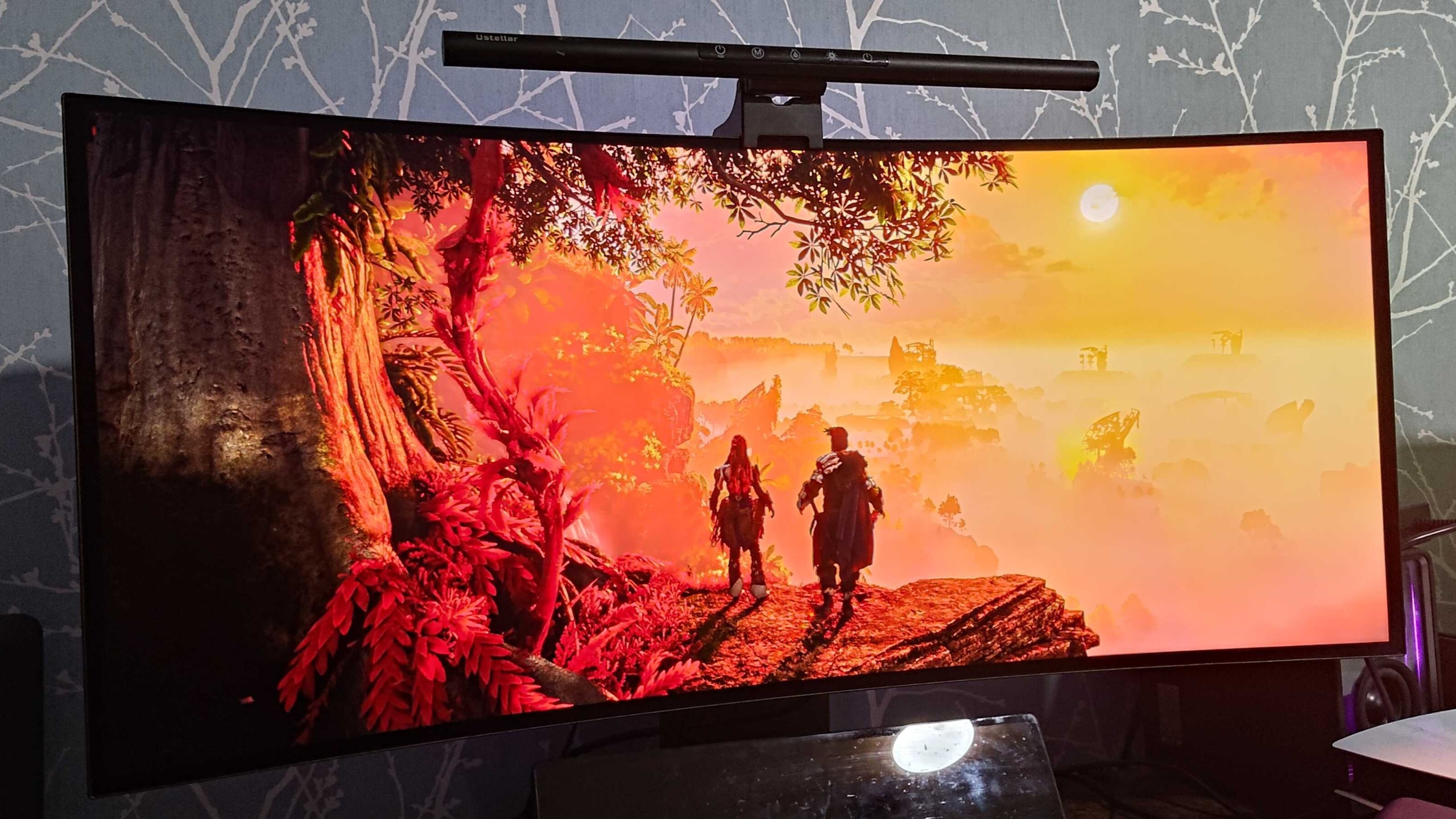
The LG UltraGear Evo 39GX950B-B absolutely knocks it out of the park in performance. The 4th-gen tandem OLED setup really shows its worth, with high levels of brightness in HDR across several games, inky-deep black levels thanks to the 1,850,000:1 contrast ratio, and exceptional image quality at 5K2K.
To really showcase the 39GX950B-B's standout performance, I played games like , , and notably, , all of which are well-optimized PC ports and have well-implemented HDR.
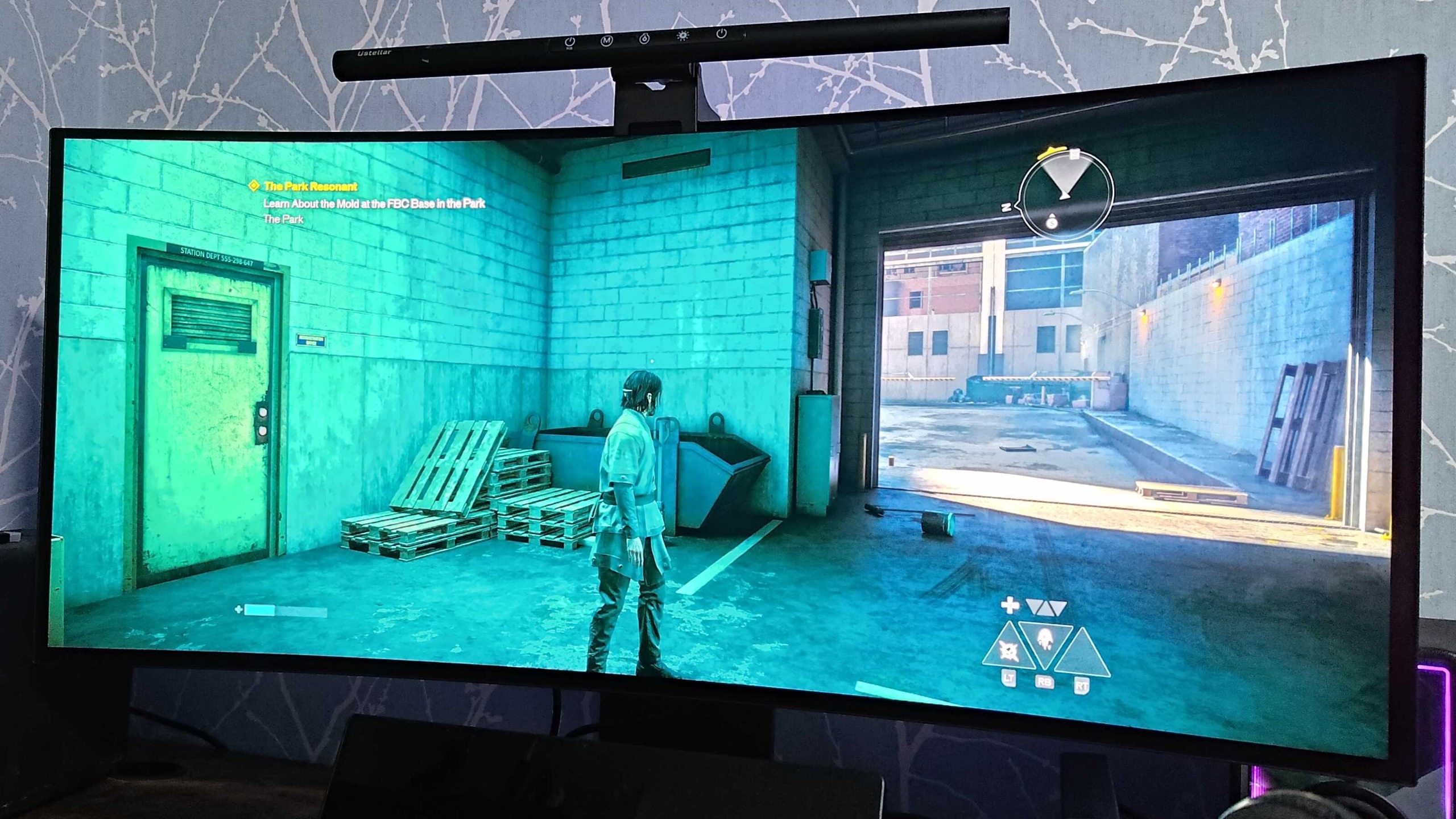
looks phenomenal on this display, with its colorful environments and intense gameplay. Using DLSS 4.5 on my RTX 4080 Super, playing this game in either DLSS Balanced or Performance mode felt no different, as the image quality is at a new level entirely.
In case it wasn't clear enough, 5K2K is essentially a 4K monitor at ultrawide, so the benefits of the expanded field of view and increased immersion are still present, while sharpness in character model details and foliage take a huge leap.
I left Dynamic Tonemap on via the OSD for most of my game tests, including the high brightness level option, and found that HDR worked brilliantly in several scenes, even in the brightest scenarios. I realized that the detail that might usually be lost in bright sequences on older OLED models was maintained with the LG 39GX950B-B, and that's evident in the example above.
Before reviewing this model, I was accustomed to a 240Hz refresh rate with the LG UltraGear 45GS95QE OLED ultrawide, at a 3440x1440 display resolution. The fall to 165Hz with this UltraGear Evo 39GX950B-B seems significant, but it wasn't noticeable for me or a concern at all, especially since the jump from 1440p on a 45-inch display to 2160p on a 39-inch monitor is massive. To clarify, that is going from 83 PPI to 143 PPI, providing better sharpness in every way.
Unlike the Alienware AW3926QW, the LG 39GX950B-B doesn't feature an RGB stripe subpixel layout; instead, it has a white subpixel layout, but honestly, text clarity wasn't an issue for me using LG's monitor — and frankly, that's due to the heavy lifting done by the 5K2K's pixel density.
Should I buy the LG UltraGear Evo 39GX950B-B?
|
A 5K2K OLED ultrawide is the best you could possibly ask for to game, but its price point is a very tough ask, especially considering its cheaper competition. |
3.5 / 5 |
|
|
LG's UltraGear Evo monitor design is great, all the way from the monitor stand, tilt, swivel, and height adjustments, to its OSD being easy to understand and use. |
4.5 / 5 |
|
|
There are a wide variety of options for gamers to utilize, especially for those who may not have PC hardware capable of handling the heavy 5K2K resolution, with AI upscaling and Dual Mode 1080p at 330Hz. |
4.5 / 5 |
|
|
4th-gen tandem OLED shines on the LG 39GX950B-B providing fantastic performance in HDR, reducing ABL and dimming issues, and providing the finest/sharpest image quality in some of the best looking games available. |
5 / 5 |
|
|
Average rating |
While its price stands as a potential dealbreaker for most, its one of the best gaming monitors on the market, and aside from its competition, it's the best you can buy for gaming on the market right now. |
4.37 / 5 |
Buy the LG UltraGear Evo 39GX950B-B if...
Don’t buy it if…
The Alienware AW3926QW is essentially in the same category as the LG UltraGear Evo 39GX950B-B, spec-wise, with the bonuses of its RGB stripe subpixel layout, Dolby Vision, and glossy screen (depending on preference). It's a much cheaper 5K2K OLED monitor, starting at $1,099 / £999 / AU$1,999, instead of the 39GX950B-B's $1,799.99 / £1,599.99 / around AU$2,799.
How I tested the LG UltraGear 39GX950B-B
- Tested for two weeks
- Played several modern games such as Control: Resonant, Horizon Forbidden West, and watched multiple movies
- Tested mostly using the brightness level option on high, with Dynamic Tonemap enabled
I used the LG UltraGear 39GX950B-B for two weeks for gaming, movies, and productivity. The games I tested include: , , , Crimson Desert, Horizon Forbidden West, Uncharted: Legacy of Thieves, and . Some of the movies include and Guardians of the Galaxy Vol. 2, and .
While this display doesn't have the RGB stripe subpixel layout that its rival Alienware AW3926QW has, I had no issues with any form of text fringing or clarity, which I suspect is due to the pixel density at 5K2K.
ABL issues are always present on OLEDs in some form, but thanks to the 4th-gen tandem OLED, this wasn't noticeable in most gaming scenarios, and it comes with a solution: a uniform brightness option when watching movies or TV shows, where it can be slightly more obvious.
- First reviewed September 2026
Isaiah is a Staff Writer for the Computing channel at TechRadar. He's spent over two years writing about all things tech, specifically games on PC, consoles, and handhelds. He started off at GameRant in 2022 after graduating from Birmingham City University in the same year, before writing at PC Guide which included work on deals articles, reviews, and news on PC products such as GPUs, CPUs, monitors, and more. He spends most of his time finding out about the exciting new features of upcoming GPUs, and is passionate about new game releases on PC, hoping that the ports aren't a complete mess.