The Pro MP245PDG is MSI's latest premium 24in monitor. But while the Pro business branding suggests that it solely has the workplace in its sights, even a cursory glance at its specifications reveals that it's been designed to live a double life.
The integrated KVM switch and 98 watts of USB-C power delivery makes light work of swapping from home PC to work laptop or using both side by side, and the 144Hz refresh rate isn't just easier on the eyes for long days – it's also more capable for gaming. Put it all together, and you have a fine recipe for a true do-it-all monitor.
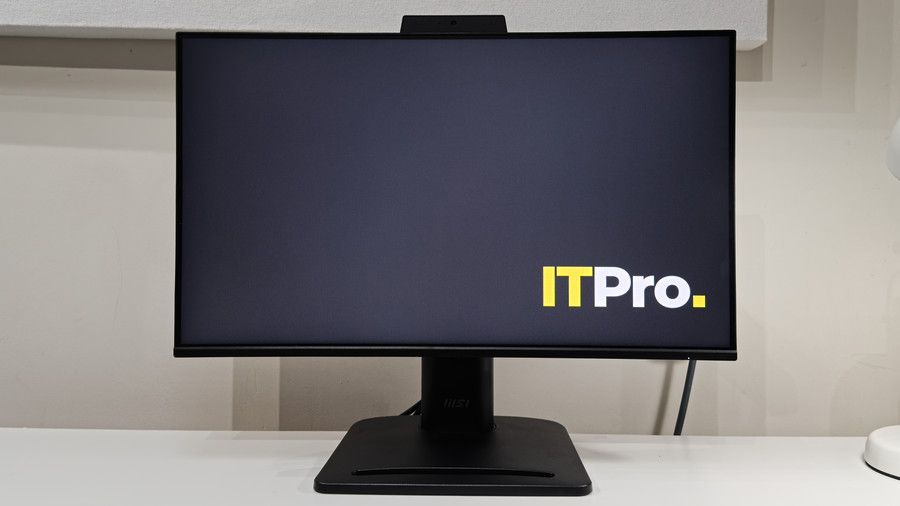
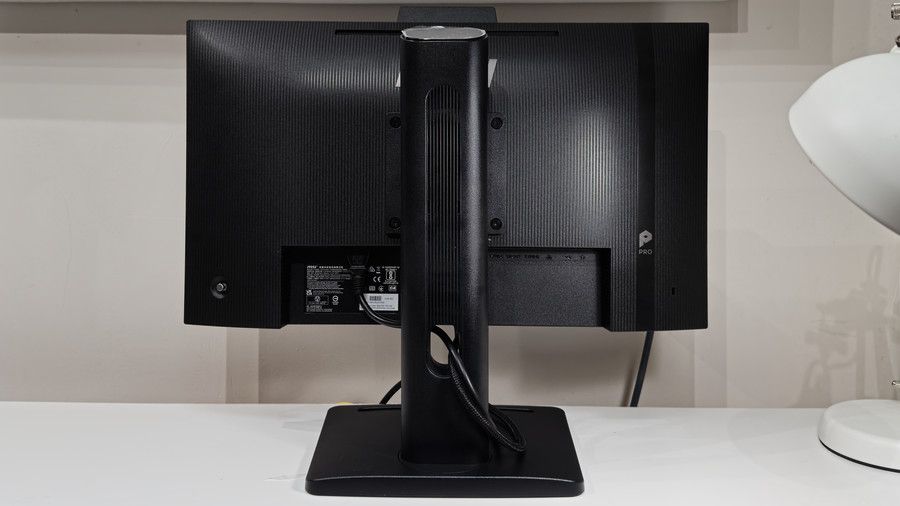
If you've seen MSI's previous generation of 24in Pro monitors, then you know what to expect here. And this isn't a bad thing: the fact that you can barely tell them apart means that offices rolling out new models will get a neat, consistent look from desk to desk.
As the priciest model in the line-up, MSI lets the specifications do the talking: while the Full HD panel uses VA technology and lower refresh rates for the cheaper models in the MP245 family, the MP245PMG opts for a more colour-accurate IPS panel with a 144Hz refresh rate and a 1ms MPRT response time.
Eagle-eyed buyers will wonder why the claimed brightness and contrast are down on the previous model, however – and this is likely due to upgrades elsewhere. Firstly, I'd point the finger at the new USB-C port. This accepts DisplayPort Alt video inputs from compatible laptops and devices, and also provides up to 98 watts of power delivery.
There are more subtle changes that you won't see in the specifications, but are very welcome for business use. For instance, the matte anti-glare coating is very slightly better at suppressing bright lights, and while the exterior is still all plastic, the MP245PDG feels markedly more taut than the previous model. Tap on the rear of the panel, and it sounds just that bit more rigid and damped. Better build quality is always a bonus.
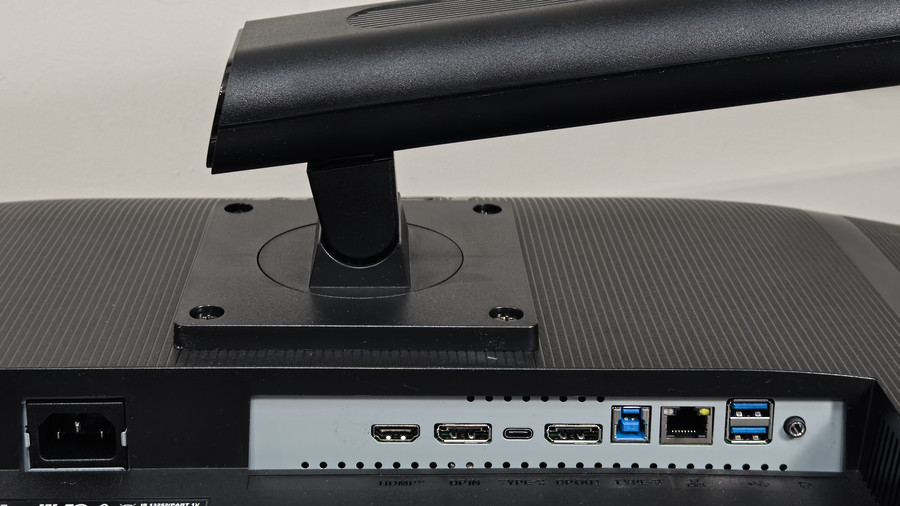
The adjustable stand is unchanged – and this is no bad thing. It attaches to the monitor via a standard VESA 100x100mm mount, and there's no quick-release mechanism, so you do need to lay the monitor flat and insert the four screws. Again, though, there's a benefit here – you don't need to mess about with VESA adapters if you prefer to mount the screen to a monitor arm or aftermarket stand, and you can then reuse the stand with any VESA-compatible monitor.
Sign up today and you will receive a free copy of our Future Focus 2026 report - the leading resource for IT decision-maker insight on priorities and investment areas in AI, security and more.
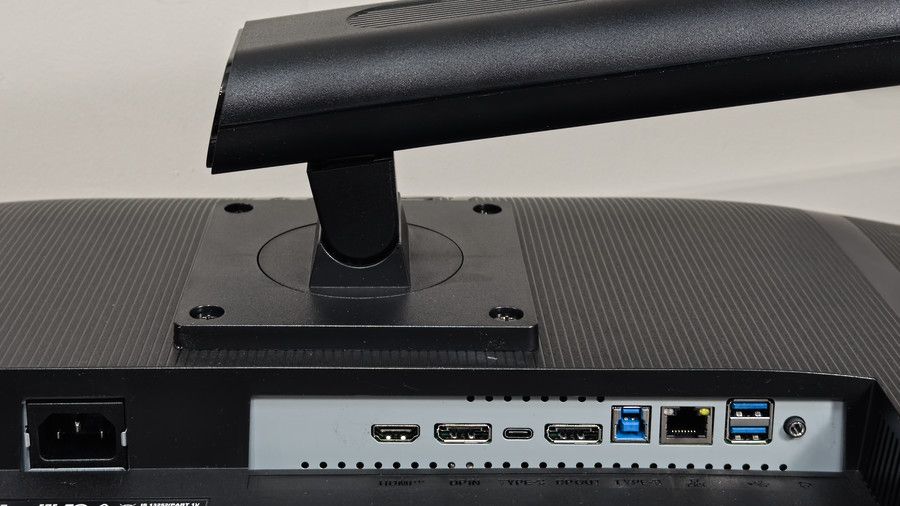
Connectivity marks a decent upgrade overall. Given that this is 2026, it's no great surprise that the D-SUB (or VGA, if you prefer) port from the previous MP242PMG model has disappeared. In its place, you get USB-C (with DisplayPort Alt and 98W Power Delivery), one DisplayPort 1.4 input, one DisplayPort 1.4 output for daisy-chain duties, and one HDMI 1.4b input. MSI has also added a Gigabit Ethernet socket. The USB hub has been upgraded, too, with a USB-B input powering two 5Gbps USB-A ports, both positioned at the rear. The 3.5mm headphone output is still present, however.
You do also get a basic Full HD webcam thrown in. This does struggle in lower light, with both detail and colour draining from the image in dimmer environments, but add some good lighting to the mix, and it's actually very serviceable. With good lighting, skin tones look natural, and colors are nice and punchy, and there's ample detail for video calls. What's more, the sensor here does a much better job of preventing overexposure than the older MP242PMG: with both monitors and cameras working side by side, the newer model does a far better job of preventing highlights from getting blown out.
Given all the connections on offer, it's good to find a basic KVM switch included along with PiP and PbP functions. This allows you to share the USB peripherals and Ethernet connection between two machines – albeit only one at a time. Unlike pricier models, however, you're limited to swapping between a device connected to the USB-C video input and one of the other video inputs – unlike pricier monitors, you can't select any two video inputs.
Still, swapping between machines is a simple case of pressing left on the monitor's little OSD joystick – or you can install MSI's Productivity Intelligence software (Windows 10 and 11 only) and assign a specific keyboard shortcut. The only missed opportunity here for the Productivity Intelligence software is the lack of remote management of the monitor's features – the Ethernet socket is purely there for networking, not remote control.
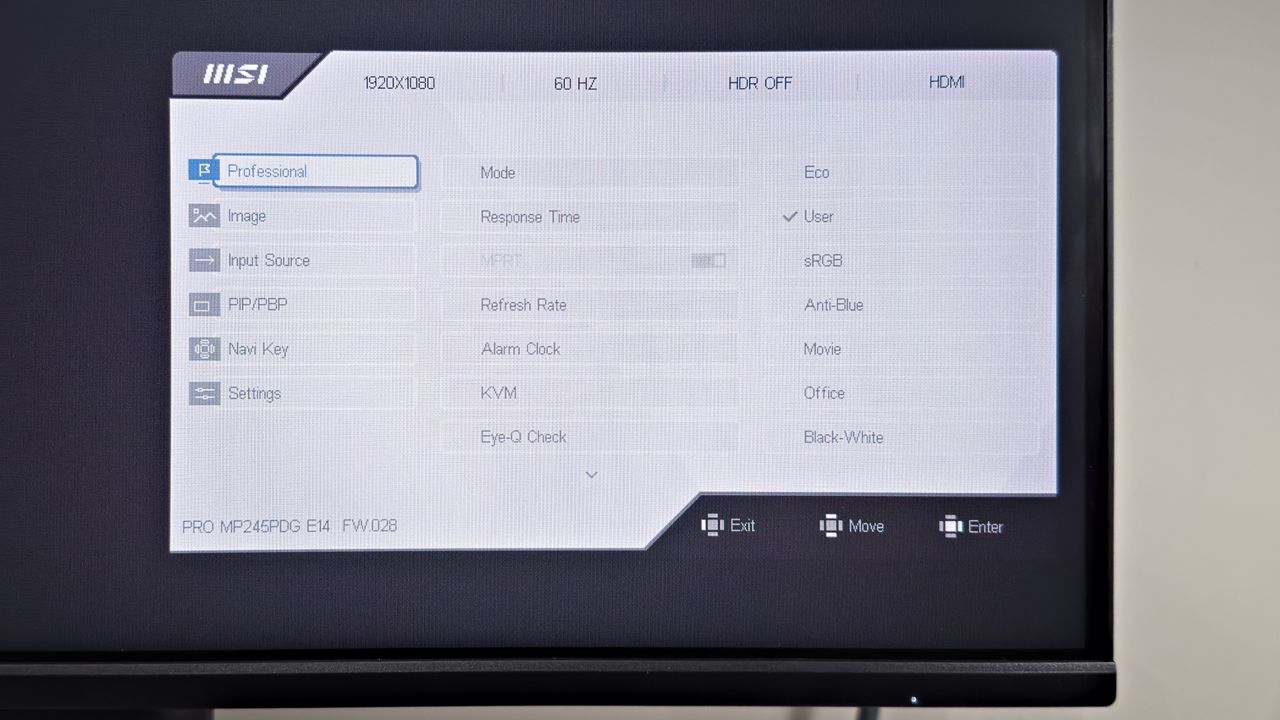
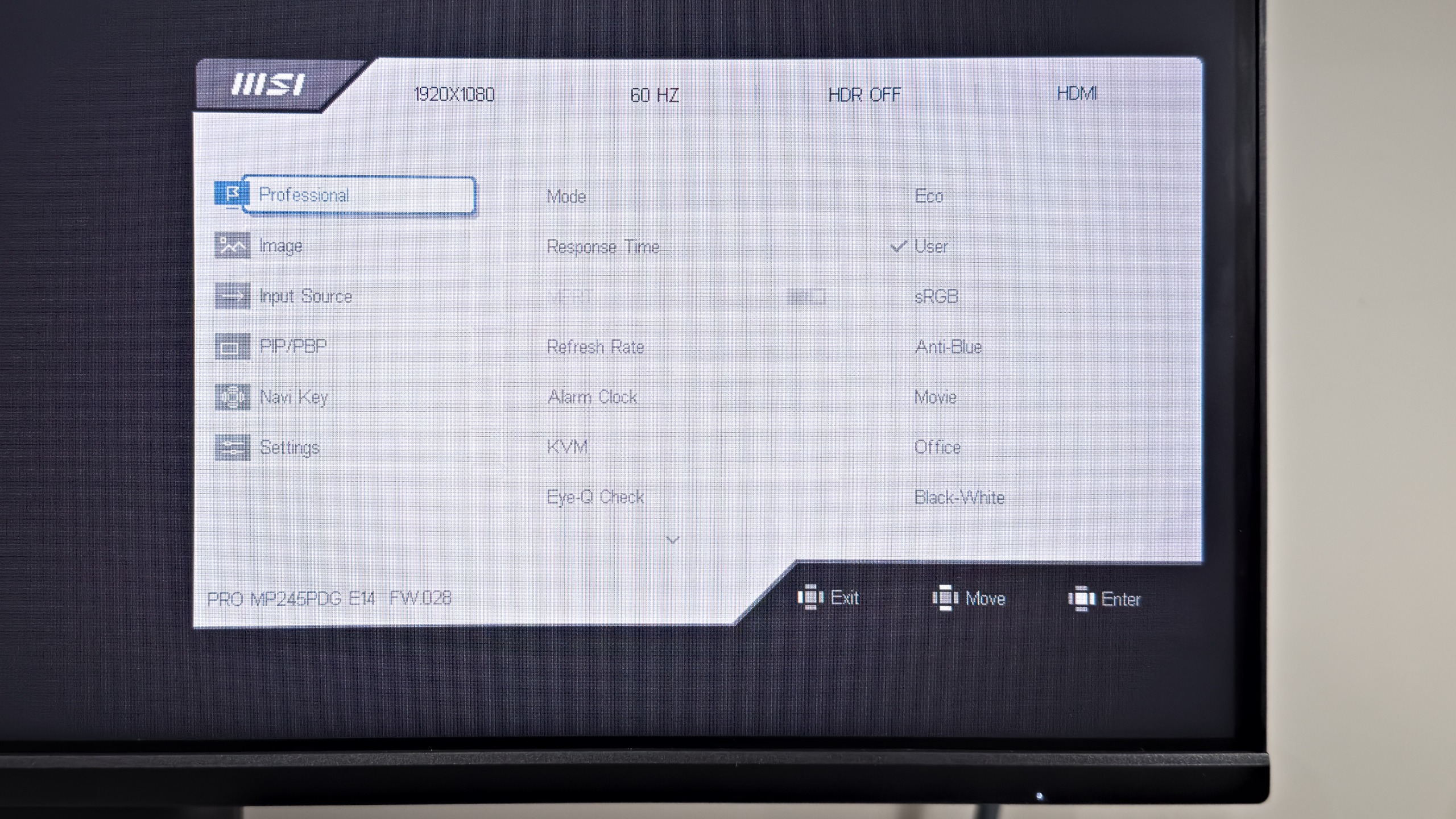
The on-screen display remains unchanged. The menus are still sensibly laid out and easy to navigate, so nothing needed upgrading for 2026. There is one issue, however: the clickable four-way joystick seems to have gotten worse. It could just be this specific review sample, but during my testing it had an annoying tendency to not register some directional movements. The old model didn't suffer from this issue, so it could be that it might ease up after more use – or it could just be an inferior design.
It's worth noting that the new model isn't a universal upgrade. With the MP245PDG and older MP242PMG models side by side, the most obvious change is brightness – the old model is substantially brighter at maximum brightness. This, however, is of limited use: while the new model only reaches a peak brightness of 353cd/m2, that's far too bright for normal office usage. Even half that figure will feel overly bright under normal lighting.
Contrast has taken a tumble, too, with the previous model's claimed 1,500:1 dropping to 1000:1. In testing, however, the difference isn't as stark as that sounds – I saw a measured contrast around 1,134:1 vs the 1,444:1 of the previous model. It's enough to produce slightly greyer blacks in darker environments, but night and day it is not. If there's a downside to the lower contrast and brightness, it's HDR performance is slightly worse. But again, given that it wasn't really usable before, this isn't a deal breaker.
More crucially, however, the new panel looks very slightly sharper than the old. There's no getting around the fact that this is a 24-inch Full HD display, so pixel density is relatively low, but text and fine detail look subtly more defined than the old generation. This could be down to the new panel, but I suspect it's more likely due to the upgraded matte anti-glare coating – this appears to be slightly better at diffusing bright reflections. Regardless, it's a subtle but welcome improvement.
Despite the lower brightness and contrast, the overall image quality is improved. Color accuracy is almost identical – I saw average Delta E figures of 1.3 for the sRGB mode, which is more than good enough for color-critical work – but the more accurate white point now produces more natural, untinted whites dramatically. Gone is the warm yellow hue from the old model's sRGB mode, and this improvement is night and day with the monitors side by side.
While the upgrade from 120Hz to 144Hz might not seem like a huge leap, the overall motion clarity is slightly improved. This has the biggest impact in fast-moving games where there's just a tad less blur – for a business display, the level of detail on show during gaming is unusually refined.
MSI MP245PDG monitor: Is it worth it?
As ever with a new product, the launch price does not work in the Pro MP245PMG's favour: £219 is very expensive for a 24in Full HD monitor. That kind of budget will easily stretch to a 27in QHD monitor, which will deliver a larger, significantly sharper desktop. For instance, at the time of writing, the very competent Philips 27E1N1600AE is retailing at £139. If you can live with a far more basic set of features, that provides a larger, sharper panel with 65W of USB-C power delivery for vastly less money.
That's not to say that the MP245PMG won't be an attractive package for some businesses and home offices, though. Not everyone has room on their desk for a larger monitor, and MSI has crammed a good amount of connectivity and genuinely useful features into a compact, well-designed footprint. If that sounds like what you've been looking for, then the price premium may be one you're happy to pay.
|
23.8in IPS panel |
|||
|
Panel resolution |
1,920 × 1,080 (FHD) |
||
|
Refresh rate |
144 Hz |
||
|
Panel response time |
1 ms (MPRT) / 4 ms (GtG) |
||
|
HDMI 2.0b × 1, DisplayPort 1.2a Input × 1, DisplayPort 1.2a Output (Daisy Chain) × 1, USB-C Upstream (DP Alt Mode, Data, Power Delivery up to 98W) × 1, RJ45 (LAN) × 1, USB-B Upstream × 1, USB-A Downstream × 4, 3.5mm headphone out × 1 |
|||
|
Other features |
Built-in FHD webcam with mic, KVM Switch, PiP/PbP, G-sensor auto-rotation |
||
|
Tilt, Swivel, Pivot, Height Adjustable |
|||
|
536.0 × 145.0 × 620.0 mm (WDH - Maximum Height) |
|||
|
5.83 kg |