Businesses are faced with a bewildering choice of network monitoring solutions, and WhatsUp Gold from Progress Software stands out for its simplified licensing plans. Progress is commendably transparent about pricing and offers flexible subscription-based and perpetual licence options, along with a free version that monitors 10 devices and all of their components.
The Progress WhatsUp Gold 2026 on review delivers plenty of new features; the SSL certificate discovery and tracking introduced in the previous version has been updated to allow certificates to be discovered on any port, with new dashboards helping to maintain compliance with more information on expired or expiring ones. Stored device credentials are protected by customer-specific encryption keys. And businesses invested in Hirschmann will be pleased to know WhatsUp Gold now provides out-of-the-box support for its industrial network devices.
Security is even tighter with the introduction of a master secret key. Created during WhatsUp Gold installation, this key encrypts sensitive information in the WhatsUp Gold database and will be required if you want to recover or migrate to a new environment – so make sure it's stored safely in a secure location.
Progress WhatsUp Gold 2026 review: Plan to monitor
Progress Software employs device licences that allow you to monitor everything on a device, regardless of the number of components, aspects, or channels. Aimed at SMBs, a Business subscription starts around £920 per year for 50 devices and enables network discovery, topology mapping, alerting and reporting, plus cloud, wireless network and storage monitoring.
An Enterprise subscription starts at £1,540 per year, adds internet, virtualization host and application monitoring, network path analysis plus log management, and supports two WhatsUp Gold installations for distributed monitoring. Larger businesses will find Enterprise Plus appealing as it starts at around £2,600 per year and adds switch, router and firewall configuration management along with the NTA+ (network traffic analysis plus) module and support for four distributed installs.
Value for the Enterprise and Enterprise Plus plans gets a boost as they both include access to the WhatsUp Gold 360 service. This is ideal for distributed networks as you can monitor multiple sites from a single cloud portal.
Progress WhatsUp Gold 2026 review: Swift deployment
We installed WhatsUp Gold on a Windows Server 2025 host in 20 minutes and followed the quick start wizard to create our first network discovery. You add your networks and subnets, enable AWS and Azure discovery, and expand it to look for virtualization hosts, wireless infrastructures plus storage devices.
Sign up today and you will receive a free copy of our Future Focus 2026 report - the leading resource for IT decision-maker insight on priorities and investment areas in AI, security and more.
After adding all required device and service credentials, you specify which ports you want the certificate discovery to query and then set the scan to run at scheduled intervals. Our first discovery on a single subnet took around 10 minutes and reported back with a detailed list of all our Windows servers and workstations, network switches, firewalls, printers, NAS appliances, and VMware and Hyper-V hosts plus their VMs.
From the console's network view, you can select devices and manually enable monitoring, but WhatsUp Gold can do all the hard work for you as discovery jobs can be set to automatically monitor devices using predefined sets of roles and sub-roles. WhatsUp Gold also applies base sets of active and passive monitors and thresholds to each discovered device.
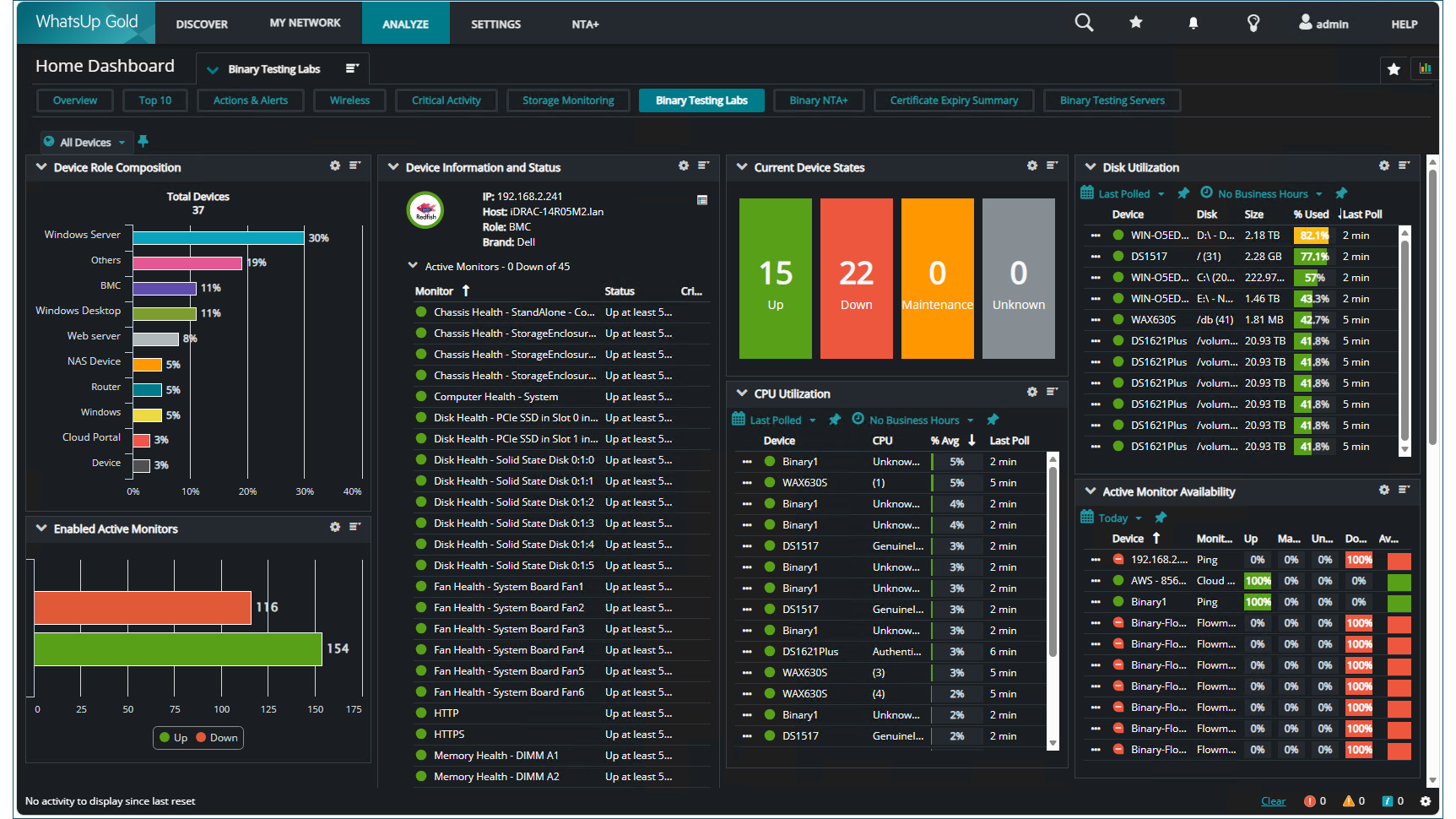
Redfish is fully supported, and after providing the appropriate credentials, WhatsUp Gold assigned a group of monitors to our Dell iDRAC and HPE iLO server management controllers. These can gather a lot of valuable information on server hardware, including the status of the chassis, CPUs, memory, storage devices, fans, temperatures, and power supplies.
Progress WhatsUp Gold 2026 review: Console and actions
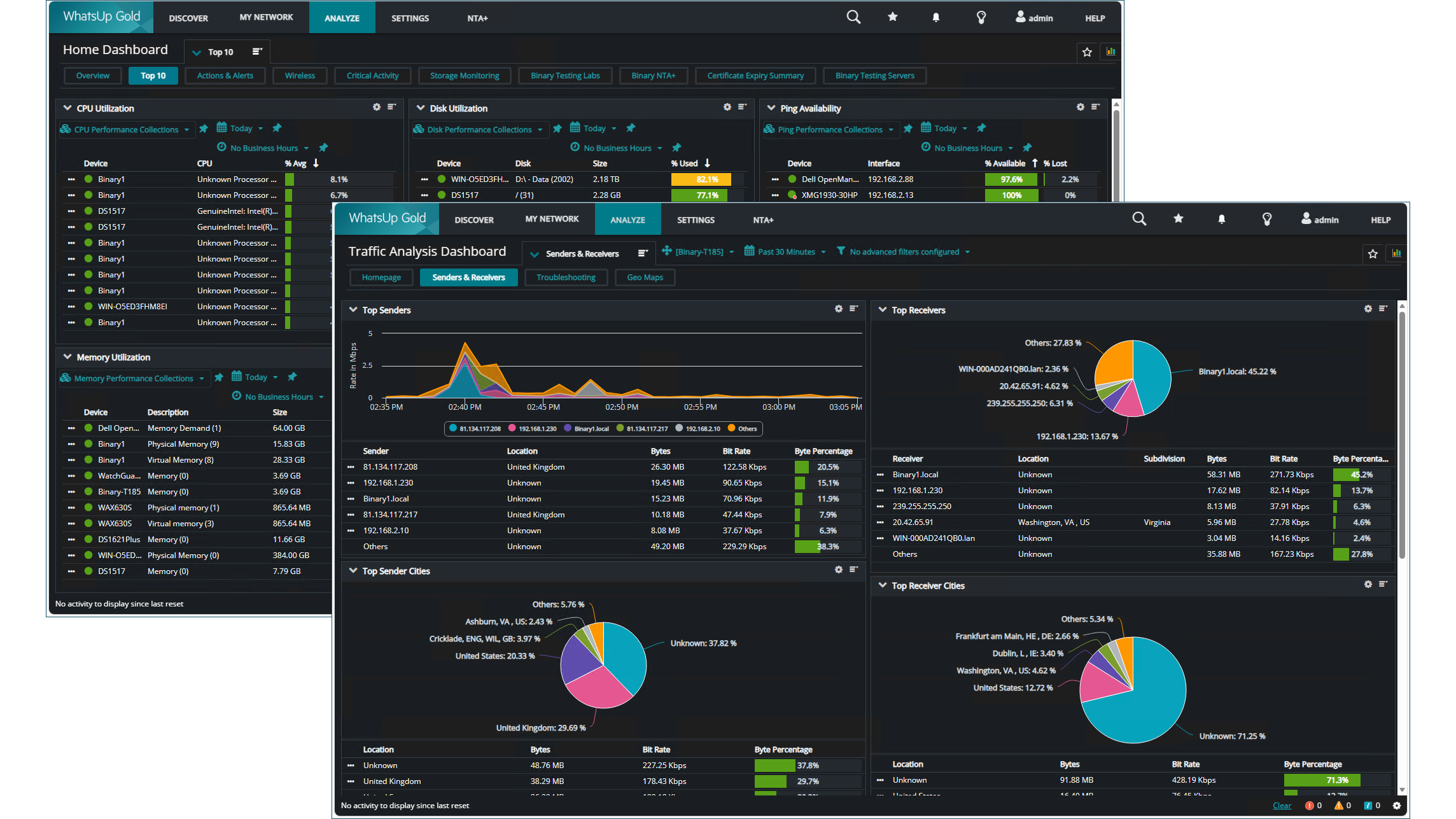
The WUG console is easy to use as it groups all features under five main menus in an upper ribbon bar. The NTA+ menu tab is specifically for viewing flow data from Progress Software's FlowMon Collector appliances.
Colour-coded icons are assigned to each monitored element so you can easily see if they are up or down, while frequently used views can be added as Favourites for quick access from the star icon to the right. Analysis dashboards are a great feature as you can design detailed custom views, while the NOC (network operations centre) feature presents support staff with a heads-up display that combines slide decks of multiple dashboards with a view duration.
WhatsUpGold spotted all our secure web servers during its discovery and added an active SSL certificate monitor to each one. These default to checking them every 11 hours, and if they have expired or will expire in the next 30 days, it changes their status icon to show them as requiring attention.
Plenty of tools are provided for creating alert policies, linking them with device state changes, and assigning actions. WhatsUp Gold currently provides 24 types of actions, including sending SMS and email, restarting a service, running a PowerShell script, and linking up with services such as Microsoft Teams, ServiceNow, and Slack.
The Application Monitoring module is the weakest link, as the list of available profiles desperately needs updating. Links to the Progress community for downloading third-party profiles have also been removed as Progress is in the process of moving them all to GitHub.
Progress WhatsUp Gold 2026 review: WhatsUp Gold 360
WhatsUp Gold 360 is easy to deploy, as we logged into the customer portal using our Progress ID and, from the Connectors page, downloaded the install file. The connector must be virtualised, and we chose the Hyper-V version – others are available for VMware, KVM, Nutanix and Azure, with AWS support coming soon.
Creating a new Hyper-V VM using the supplied VHD file took a minute, and for tighter security, the connector will only link up with and send data to the WhatsUp Gold 360 tenant that created it. Adding our WhatsUp Gold instance was equally swift as we provided a meaningful name, its IP address, and admin credentials along with the thumbprint copied from the certificate viewer in the local WhatsUp Gold web console.
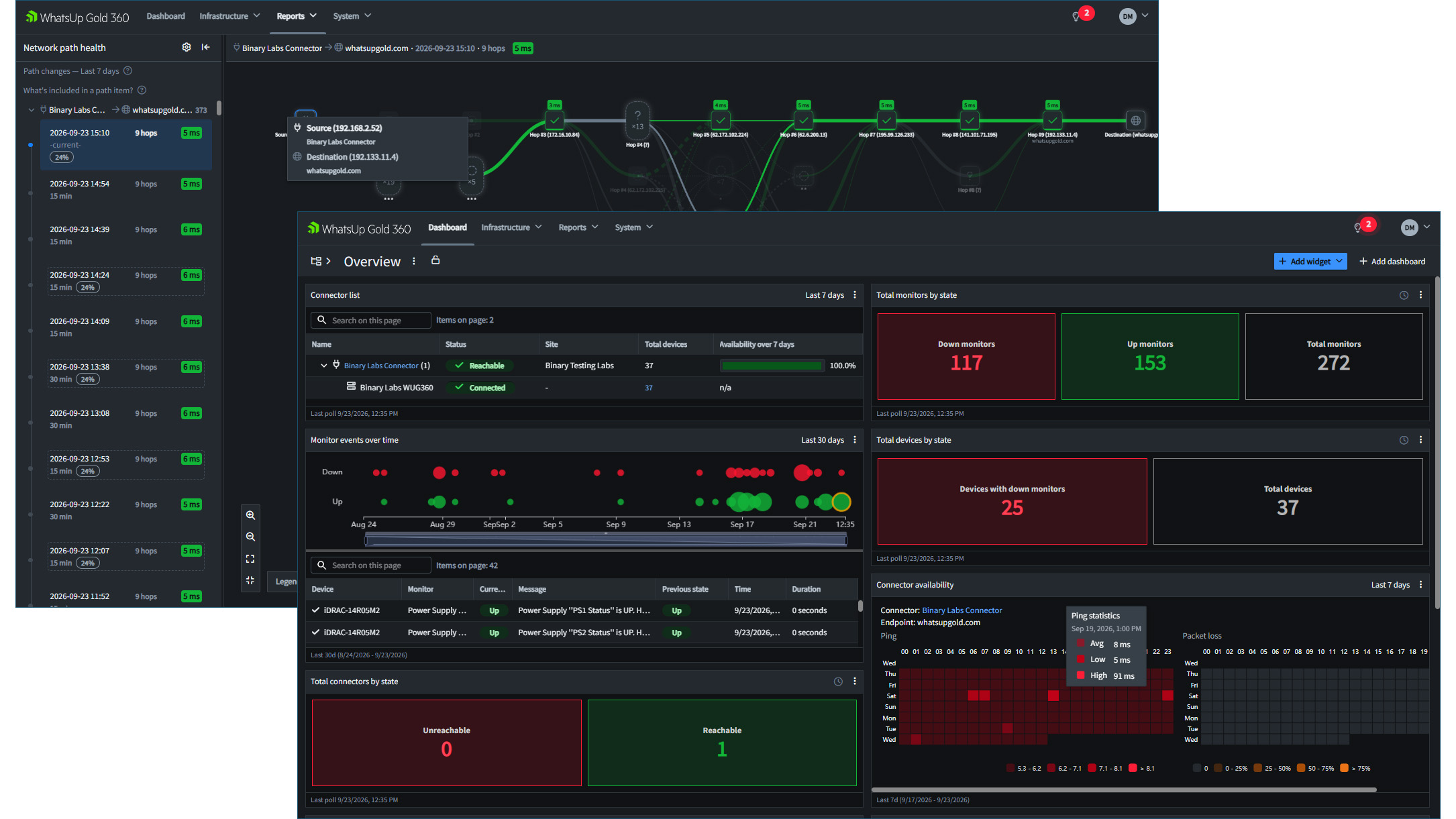
After a brief synchronization, the WhatsUp Gold 360 portal presents a dashboard with a choice of customisable widgets, including ones for connector and instance status, connector availability, total WhatsUp Gold monitors and devices, and events over time. You can create multiple dashboards, choose the widgets you want, and drag them around the view to suit.
WhatsUp Gold 360 pulls in a lot of information from each WhatsUp Gold instance, with its Infrastructure menu providing lists of all monitored assets, detailed hardware and software inventories, used credentials, and more. Details can be refined as all lists are searchable, and you can select WhatsUp Gold instances to view specific sites.
Communications channels are being replaced by the new notification management feature, allowing WhatsUp Gold 360 to send alerts via email or webhooks to Microsoft Teams and Slack. The webhook service is currently in beta testing, and the only alert we could send to our Teams channel was to warn of connector state changes.
Progress WhatsUp Gold 2026 review: Is it worth it?
WhatsUp Gold 2026 is an affordable network monitoring solution, and the flexible device-based licensing plans make it easy to keep costs under control. The highly configurable web console delivers a remarkable range of network monitoring services, and the Enterprise and Enterprise Plus plans look like even better value, as these include access to the WhatsUp Gold 360 cloud portal.