
Artificial Intelligence is a huge part of modern smartphones, so much so that many of the Google Pixel 11's differentiating features over its predecessor were AI features.
Samsung phones are not much different, with a host of intelligence tools under Samsung Galaxy AI.
However, AI features are largely divided into those that run on the cloud and those that run entirely on your device, like Google's Gemini Nano.
Samsung has a switch, Process data only on device, to completely turn off all cloud AI processing, leaving only the on-device tools.
The OEM describes it as a way to prevent collection and processing of your data when using Galaxy AI's advanced intelligence features. It's basically for those who want extra privacy.
However, it takes away the features I find most useful. Plus, there's a loophole that still lets some AI features upload your data to the cloud. Let me explain.
You lose several features across multiple apps
Notes, Voice recorder, Internet, Gallery…

When off, the page shows all the advanced intelligence features. However, when on, the list visibly shrinks, and it shows only those available with on-device processing.
I immediately noticed that a few of the options that disappeared were the ones I use most. For example, the Notes app, Voice Recorder, Samsung Internet, and Samsung keyboard all lost AI-generated summaries.
The Notes app lost drawing assist, which turns simple doodles and sketches into detailed art, and cover generation, which automatically generates stylish front covers for your notes.
Samsung Internet lost the option to read highlights aloud, and the Samsung keyboard lost its text composer and organizer.
All the generative photo features in the Gallery app also rely on cloud processing, so they were affected. The AI eraser, which removes unwanted objects in pictures, sketch-to-image, the portrait features, and Creative Studio all stopped working.
These heavier tools require larger models than your phone can run on its own, so they need online processing.
The main survivors across all apps were the translation and transcription tools. Live translate and call screening in the phone app, audio eraser, and Now brief also survived.
However, I was curious whether blocking cloud usage slows the processing speed of on-device AI tools. So, I tried transcribing different audio lengths. With short audio, there was basically no difference between the switch on and off.
With 1 hr+ audio, the difference was negligible (only about 30 seconds). I wasn't sure whether this was due to other variables like device temperature, battery, or background apps, since I didn't run the test under strict parameters.
So, I ran it a second time and got similar results. That leads me to believe that cloud processing probably helps in some way. But the difference is negligible, so it shouldn't factor into your decision.
To use the on-device AI function:
- Open the app and tap .
-
Scroll down and select Process data only on device.
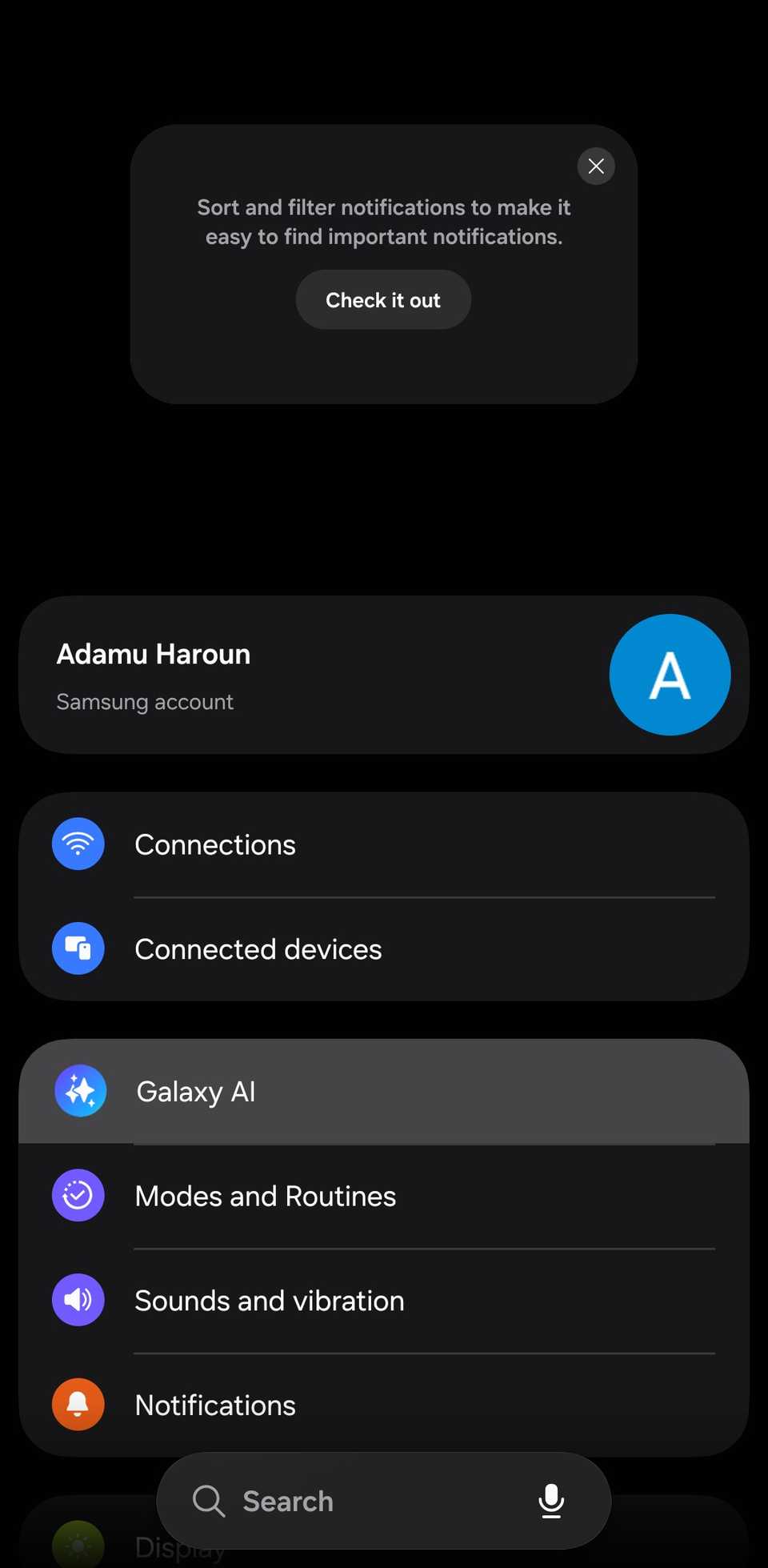
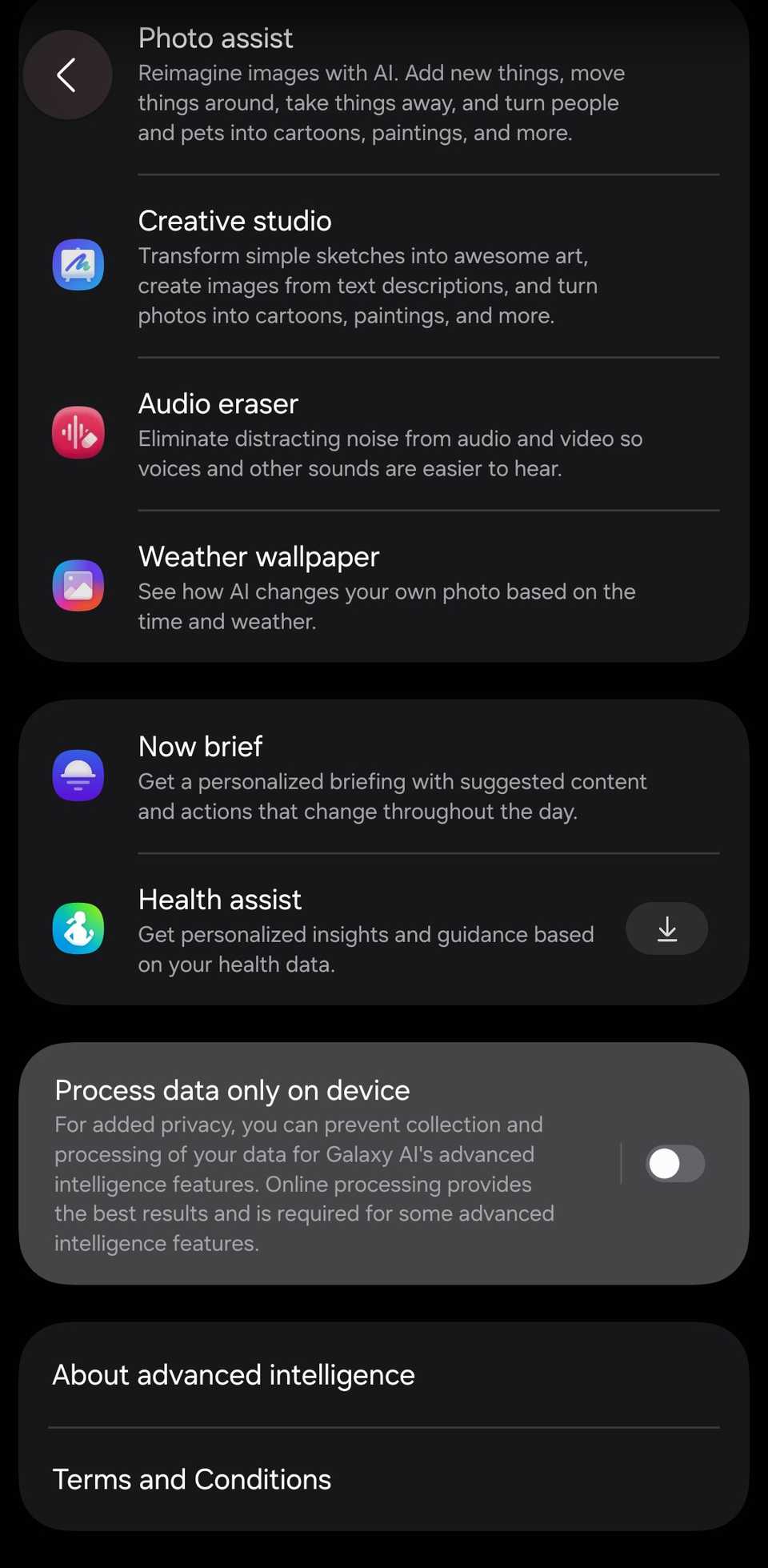
-
Flip the toggle to enable it.
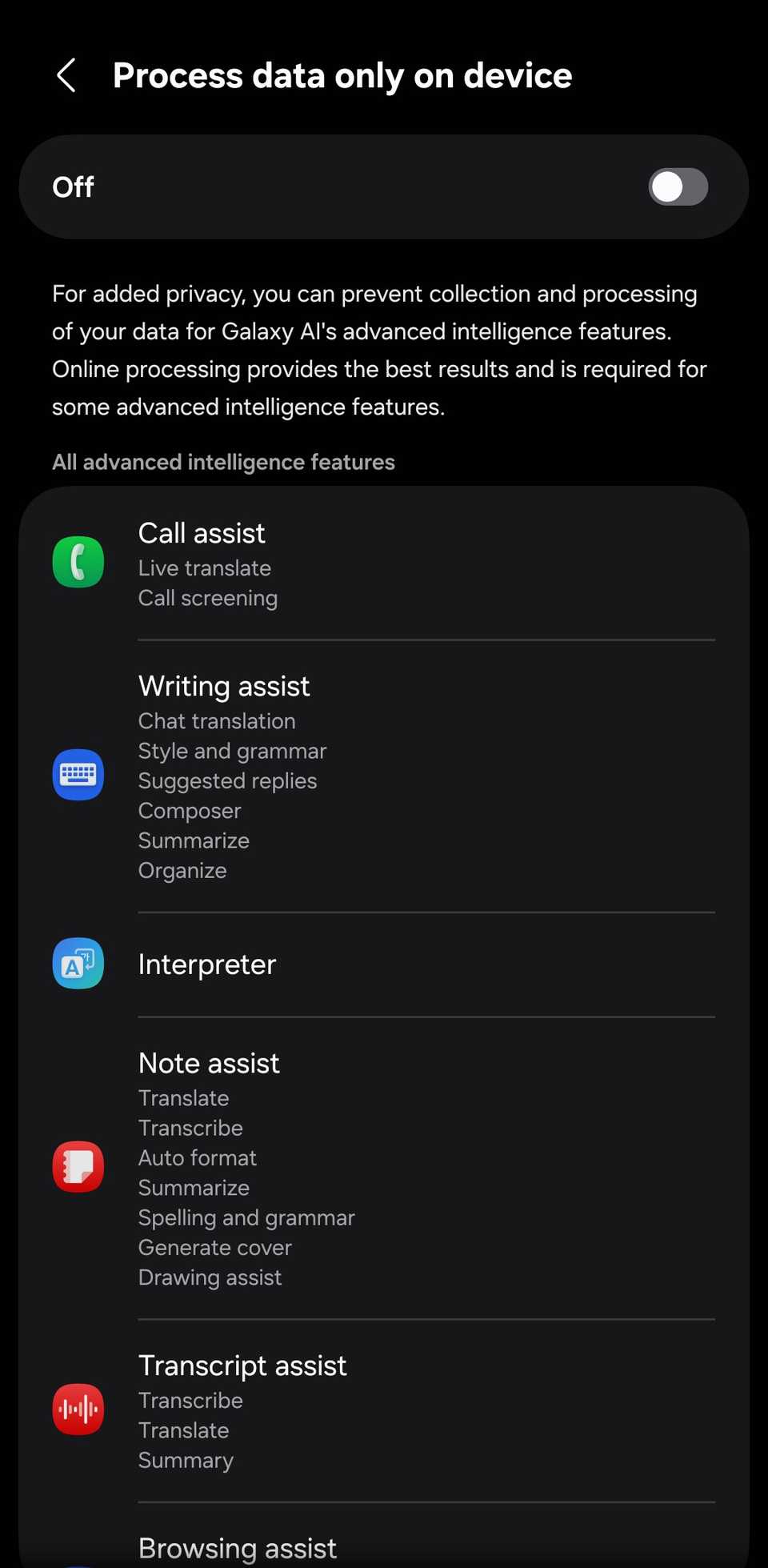
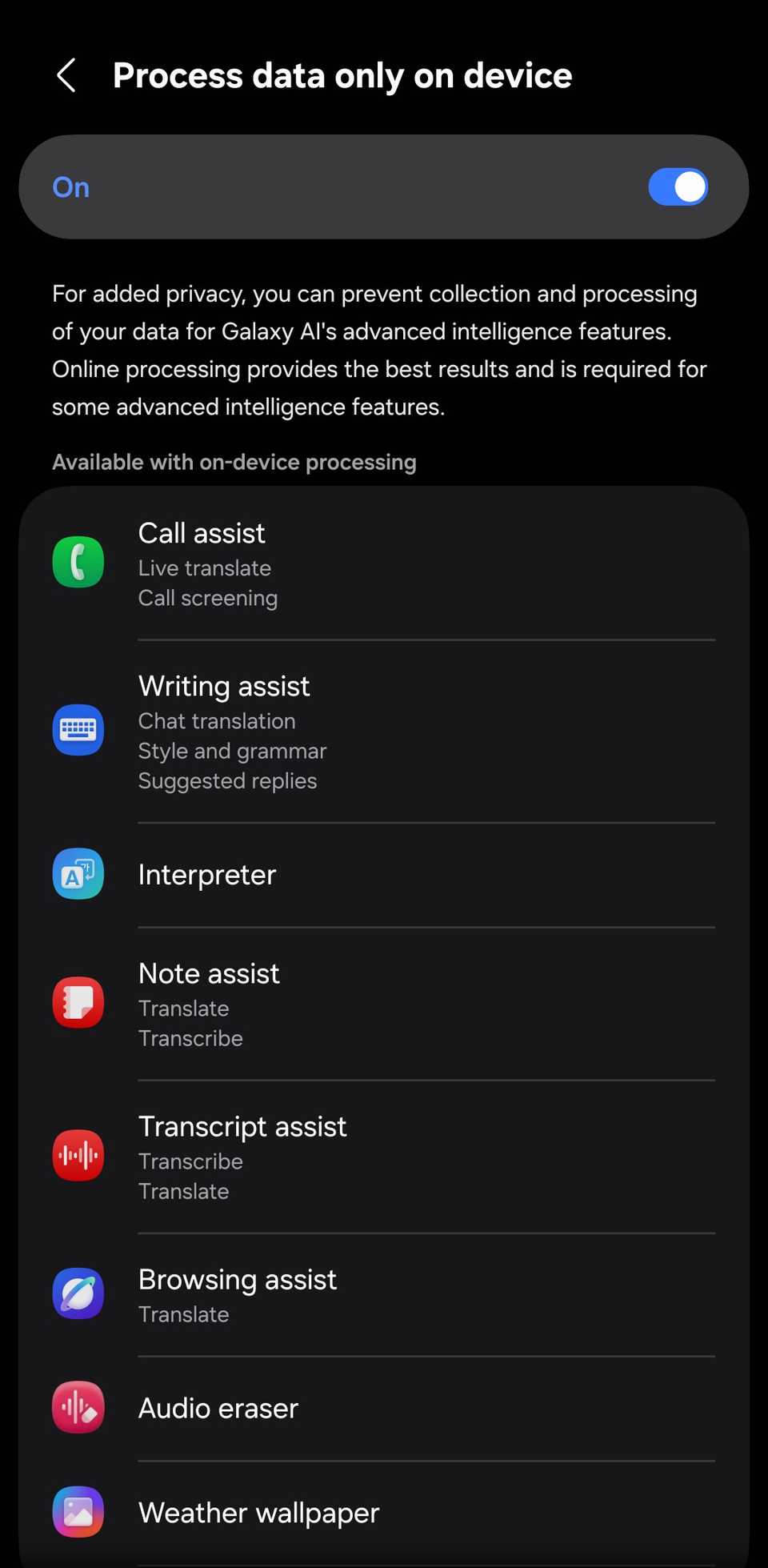
When enabled, if you use a cloud AI tool, a pop-up appears at the bottom of the screen asking you to turn off Process data only on device. You can cancel it or tap the settings option, which takes you to Galaxy AI to turn it off.
Some cloud AI features still collect your data
The switch doesn't go beyond Samsung
The option to process data only on device is limited to Galaxy AI, meaning Samsung's intelligence features.
It does nothing to the Google AI cloud processing happening on your phone, and that's probably where most of your data goes.
So, if you ask Gemini a question with the switch on, it still routes to Google's servers. Circle to Search still uploads what's on your screen to look it up. Magic Compose in Google Messages, which rewrites your texts, still runs in Google's cloud.
Process data only on device only covers Samsung's Galaxy AI. It does nothing to Google's AI, so Gemini, Circle to Search, and Magic Compose keep sending data to Google's servers with the switch on.
Why you should(n't) use the switch
Samsung calls it a feature for those who want extra privacy, but it's more nuanced because of the trade-offs.
There's the privacy aspect, but whether you enable or leave it disabled will depend on which features you're willing to lose. If you don't use AI summaries or any of Samsung Gallery's AI image editing features, you can leave it on.
You'll be keeping your data away from Samsung's cloud servers at basically no cost. Just don't treat it as a switch for every cloud AI feature on your phone, since Google will still collect data as you use its tools.
If you just got a new Android phone, you should probably change these security features.