Wi-Fi and Ethernet work together for a great blend of convenience and reliability.
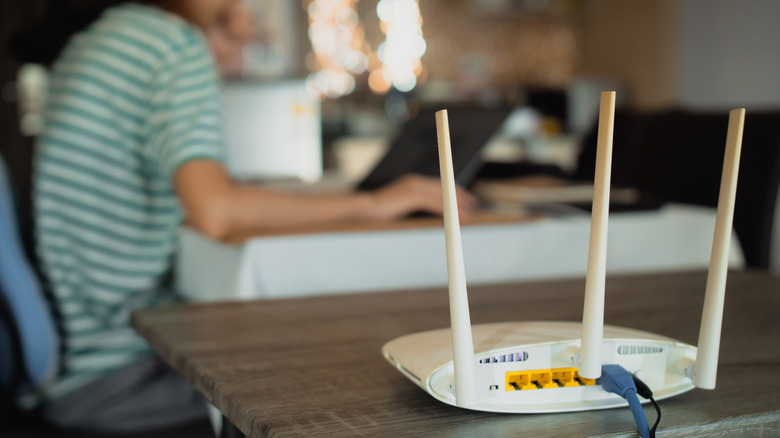
Even though so many devices use wireless connections, Ethernet still has a place in your home network. The latest Wi-Fi standards make big improvements, but a wireless connection often can't compete with a cable. You probably don't mind the speed sacrifice when you're scrolling Instagram on your phone in bed, but it makes a difference when downloading game updates or uploading large files.
Ethernet might fall short compared to Wi-Fi depending on your internet service provider (ISP) and hardware. But a general guideline is that Wi-Fi is fine when convenience is most important, while Ethernet is superior for any device where you need full speed and top reliability. Having a setup equipped for both makes for a healthy home network where everyone is happy.
Use Wi-Fi for devices where convenience matters most

If you've done a home internet speed test, you've likely noticed that the speeds you get on Wi-Fi don't match what you pay your ISP for. Wireless setups are typically slower than wired ones for several reasons. Wi-Fi signals suffer from overhead in managing their connections, especially when many devices are sharing the limited bandwidth at once. They also degrade as they travel, and they have trouble passing through thick obstacles like metal walls or concrete. Other wireless signals from devices like microwaves and baby monitors can interfere with older 2.4GHz Wi-Fi signals, and nearby Wi-Fi networks can cause interference, too.
Despite all this, Wi-Fi still has a place. It wouldn't be feasible to connect all your smart home devices (appliances, cameras, plugs, and more) to your router with a cable, especially since many of them lack Ethernet ports. Plus, most of what these devices do — along with what most people do on phones, tablets, and even laptops — works perfectly fine with Wi-Fi's limitations. Unless you have a terrible router or extremely low internet speeds, you're not going to notice slightly higher latency or slower downloads while watching YouTube.
If you just want to get a device online, especially if it moves around the house regularly, connect it to Wi-Fi. Barring any compatibility issues with Wi-Fi security standards or wireless bands, it should work just fine. And if you want uniform coverage across your home, the best Mesh Wi-Fi systems can help with that, especially if you're forced to put your router behind thick walls.
Not all wireless connections are exactly the same. For wireless, the two most important factors are whether it's dual-band or tri-band and what generations of Wi-Fi your router and devices support. For a long time, Wi-Fi ran over two bands: 2.4GHz and 5GHz. The 2.4GHz band is the oldest; it reaches far but offers slower speeds, and it's more susceptible to interference. Meanwhile, the 5GHz band doesn't go as far, but it's faster and less interference-prone. The latest standards add the 6GHz band, which supports even faster speeds but has the lowest effective range. Not all devices work with 6GHz connections, but those that do experience much less interference.
The Wi-Fi generation of your router affects which bands it broadcasts on. Wi-Fi 5 started rolling out in 2013, so it's time to replace your router if you're still using one from then. Wi-Fi 6 arrived in 2020-2021 alongside Wi-Fi 6E. These are identical, except that Wi-Fi 6E supports the 6GHz band. And the latest, Wi-Fi 7, uses the 6GHz band in addition to other speed and performance improvements.
A dual-band router operates at both 2.4GHz and 5GHz. Depending on the generation, a "tri-band" router either means two 5GHz bands (Wi-Fi 6 devices) or 2.4GHz, 5GHz, and 6GHz (Wi-Fi 6E and Wi-Fi 7 routers). Some high-end routers are quad-band, offering two 5GHz bands alongside 6GHz. Having a second 5GHz band provides a dedicated line for mesh network nodes to communicate with each other without affecting your devices on the other band. Without that, there's a higher chance of congestion. If you're reliant on Wi-Fi, that 6GHz band will make a difference for nearby devices, but check to make sure yours are compatible. For example, the PS5 Pro is the only PS5 model compatible with 6GHz Wi-Fi.
Wire with Ethernet for maximum performance
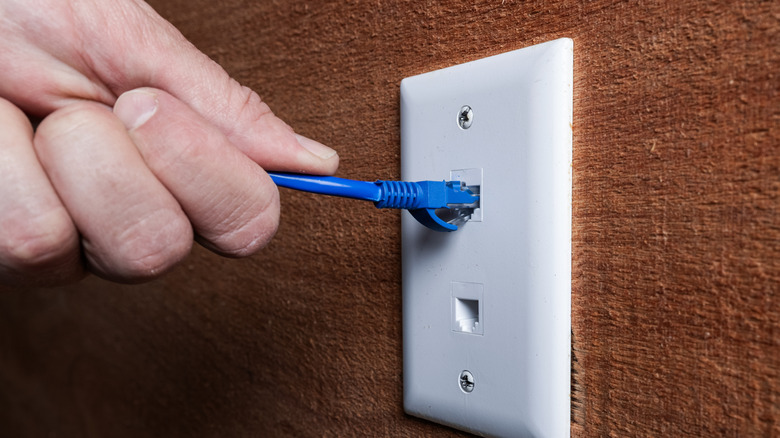
Ethernet sidesteps most of Wi-Fi's issues. It's a direct connection that doesn't suffer from interference in the air, meaning you'll see lower latency (ping) and speeds closer to what comes into your house from your ISP. Ethernet is full-duplex, which means it can send and receive information at the same time. In contrast, Wi-Fi is half-duplex, meaning it can only send or receive data at a given moment. If you use a desktop (or laptop) PC for network-heavy work, you'll appreciate an Ethernet connection. Video calls will be more stable, cloud storage will sync your files faster, downloads will be quicker, and everything should feel a bit snappier.
Wired connections also make a big difference in gaming. While you might think that fast speeds are crucial for online games, low latency is what's most important. With high ping, what you see on the screen is delayed from what's happening on the game's server. You're more likely to have problems here when Wi-Fi is dropping packets, suffering from interference, or cutting out entirely.
Wired connections can still be inconvenient, especially in larger homes where longer cables are needed to connect to routers. But there are ways to use Ethernet without running cables. And if you're out of Ethernet ports on your router, a network switch is an affordable, simple way to add more.
Basics of Ethernet standards
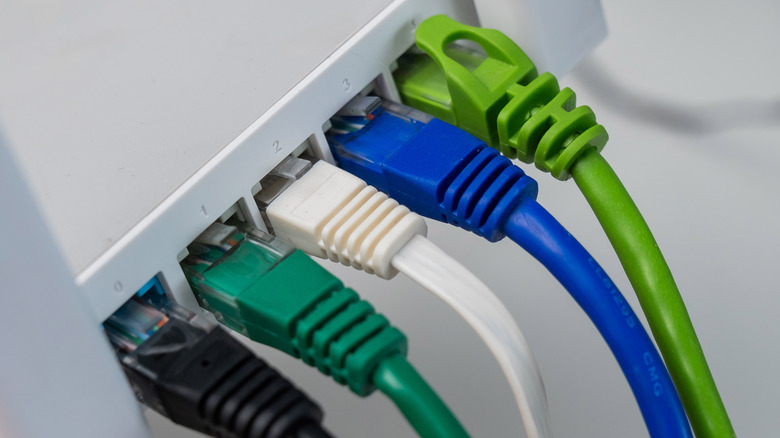
Ethernet standards aren't terribly difficult to process, either. On both the router and device you want to connect, check the standard in the manual or online specs to find its maximum connection speed. While "Fast Ethernet" (100 Mbps) is obsolete, some smart TVs and security cameras are still limited to this speed. On a computer or router, the lowest you're likely to see is 1 Gbps, which is sufficient if your internet plan is slower or equal to that speed. Higher standards include 2.5 Gbps, 5 Gbps, 10 Gbps, and beyond for wildly fast speeds.
The Ethernet cable you use can also become a bottleneck. Cat5e is the oldest standard in regular use. Officially, it supports 1 Gbps speeds at up to 330 feet, though it can be faster in ideal conditions. Cat6 can handle up to 10 Gbps at 180 feet, or it can match Cat5e speeds at longer distances. Cat6a handles the full 10 Gbps at the 330-foot range. Meanwhile, Cat7 is an unofficial standard that isn't recognized by major organizations like the others, making Cat8 the latest version. It supports up to 40 Gbps but only works at around 100 feet or less, and it's designed for data centers.
If you're taking the time to run cable through your walls, then it makes sense to choose the newest standard for future-proofing. However, Cat6a is sufficient for most simple tasks like connecting your game console to your router. And if you use it in conjunction with better Wi-Fi bands, you shouldn't ever have much trouble with online connections.