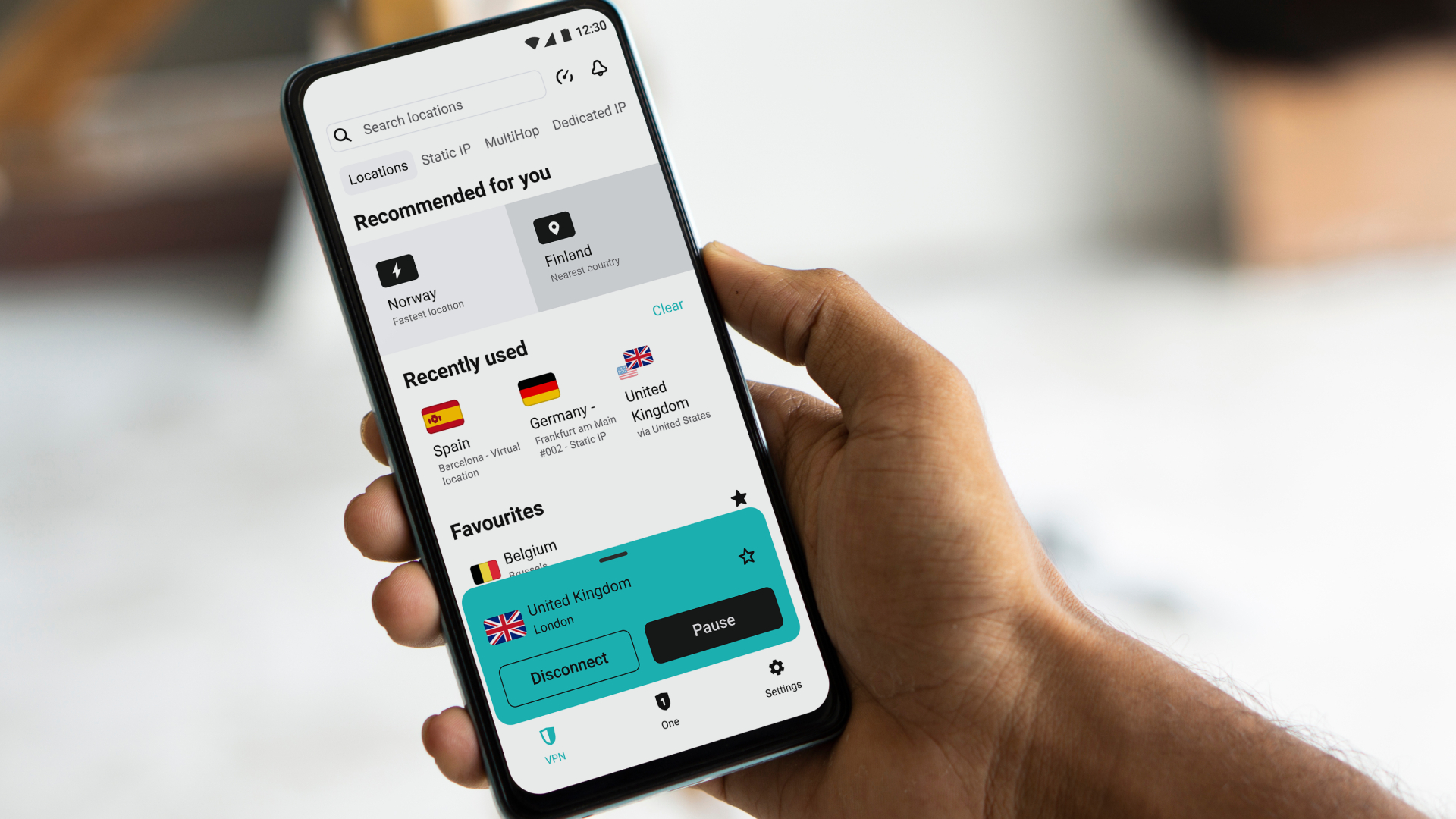
- Surfshark has split the iOS locations tab into two views
- The browser extension gets a visual refresh
- The update is a design change rather than a new security feature
If you open the Surfshark app on your iPhone right now, something might look a little different. The provider has rolled out a redesign of its iOS locations tab, with the goal of speeding up server selection.
If you use Surfshark (one of the best VPN services out there) every day, small friction points in the user interface add up. Hunting through a single long list of countries every time you connect is exactly the kind of thing Surfshark says it wanted to fix. The company has redesigned the locations tab on its iOS app to make it easier to use.
This is not a new security tool or protocol. It's a usability update, and it lands alongside a refreshed browser VPN extension that gets its own visual makeover.
What's changed in Surfshark's iOS app
The main change is that the locations tab is now divided into two clear sections.
The view brings together your most popular country options, recently used servers, and your dedicated IP if you have one set up. The design surfaces the servers you use most first, so you don't have to search over and over. The view is where the more specialized options live, namely static IP servers and Multi Hop.
Multi Hop, Surfshark's version of double VPN, routes your traffic through two separate VPN servers at once for an extra layer of protection.
Static IP servers, meanwhile, hand you the same address every time you connect, which is handy for services that get suspicious when your IP keeps changing.

: — A weekly newsletter on digital privacy and online surveillance.
Leave No Trace investigates the companies and governments putting our digital freedom at risk — and the people fighting back.
📩 Subscribe now to get every edition delivered to your inbox every Friday, launching this September.
Changes to Surfshark's browser extension
The redesign for the browser extension is more significant. The home view now shows how many ads and trackers Surfshark has blocked on the site you're visiting, and it gathers all your protection tools in one place: the ad blocker, cookie pop-up blocker, malicious site warnings, data leak alerts, and email scam checker.
As Surfshark has added more features over the years, from category-based web filtering to the ability to block specific websites, its interface has grown busier. This redesign is about stripping out some of the resulting clutter and making the app feel effortless to use.
It fits a wider pattern, too. In our Surfshark review, we noted the provider keeps its apps well maintained, with a clean and consistent experience across platforms.
How to use the new layout
If you want the specialized options, tap Advanced at the top to reach Static IP and Multi Hop, then switch back to Recommended whenever you like.
Monica is a tech journalist with over a decade of experience. She writes about the latest developments in computing, which means anything from computer chips made out of paper to cutting-edge desktop processors.
GPUs are her main area of interest, and nothing thrills her quite like that time every couple of years when new graphics cards hit the market.
She built her first PC nearly 20 years ago, and dozens of builds later, she’s always planning out her next build (or helping her friends with theirs). During her career, Monica has written for many tech-centric outlets, including Digital Trends, SlashGear, WePC, and Tom’s Hardware.