The TCL QM7L is a fantastic TV that almost reaches the heights of TCL’s flagship TVs but at a much lower (but not budget) price. It has a picture that’s maybe a little flatter and less bright than those premium TVs, but still wonderful in its own right. Plus, it sounds good and comes with just about all the features one could want.
Reasons to buy
Reasons to avoid
Why you can trust TechRadar We spend hours testing every product or service we review, so you can be sure you're buying the best. Find out more about how we test.
The TCL QM7L is difficult to review. Largely because it’s basically the same TV as the TCL QM8L we recently reviewed but at a cheaper price point with fewer dimming zones and lower peak brightness. Outside of that and the fact that it has a more limited version of Dolby Vision, it’s functionally the same.
If you were to put the two TVs side by side, you would probably be tempted to go for the TCL QM8L and shell out over the extra five hundred bucks, assuming you’re going for the 65-inch size.
But that is a lot of money and the differences are minor enough that I think the TCL QM7L is one of the best TVs in terms of value, especially if you still want a somewhat premium experience. There are plenty of decent TVs under a grand, of course, but this TV is a step above those.
Despite the lower specs compared to some of TCL’s other offerings, the TCL QM7L is still impressive with up to 2,100 local dimming zones, up to 3,000 nits at peak brightness, TCL’s anti-halo and color enhancing tech, and AI features such as the imperfect generative voice assistant in Google Gemini. The sound is still provided by Bang & Olufsen and the refresh rate (and passthrough from HDMI ports) is high enough that it will make for one of the best gaming TVs for those trying to strike a balance between premium performance and price.
TCL QM7L review: Price and release date
- Release date: April 2026
- 55-inch: $999.99
- 65-inch: $1,299.99
- 75-inch: $1,499.99
- 85-inch: $1,999.99
- 100-inch: $2,999.99
The TCL QM7L is an exercise in value. To be clear, there are many cheaper options available from TCL, even mid-range offerings such as the TCL QM6K, but this TV inches a little closer to premium flagship territory but with a still somewhat comfortable price tag.
Released at the same time as the TCL QM8L and TCL X11L (April 2026), the TCL QM7L hits a lower price point with a range starting at $999.99 for its smallest size (55-inch) and ending at $2,999.99 for its biggest (100-inch). If you want something on that smaller 55-inch end, the TCL QM7L is the only way to go, as the TCL QM8L and TCL X11L aren’t available in that size.
|
Screen type |
|
|
Refresh rate |
144Hz |
|
Audio support |
Dolby Atmos, Dolby Digital, DTS:X |
|
4 (1 eARC, 2x HDMI 2.1 @144Hz, 2x HDMI 2.0 @60Hz) |
|
|
Built-in tuner |
ATSC 3.0 |
Brightness measurements
| Product | HDR Filmmaker Mode (10% window) (nits) | HDR Filmmaker Mode (Fullscreen) (nits) |
|---|---|---|
| TCL QM7L | 2270 | 723 |
| TCL QM8L | 3719 | 759 |
| Roku Pro Series (2025) | 820 | 373 |
| Product | HDR Standard Mode (10% window) (nits) | HDR Standard Mode (Fullscreen) (nits) |
|---|---|---|
| TCL QM7L | 2419 | 774 |
| TCL QM8L | 3771 | 795 |
| Roku Pro Series (2025) | 841 | 390 |
| Product | SDR Filmmaker Mode (10% window) (nits) |
|---|---|
| TCL QM7L | 196 |
| TCL QM8L | 229 |
| Roku Pro Series (2025) | 434 |
| Product | SDR Standard Mode (10% window) (nits) |
|---|---|
| TCL QM7L | 463 |
| TCL QM8L | 518 |
| Roku Pro Series (2025) | 876 |

Closer to 100% is better. Taken using a colorimeter and test pattern generator.
| Product | UHDA-P3 () | BT.2020 () |
|---|---|---|
| TCL QM7L | 97.6 | 90.3 |
| TCL QM8L | 98 | 90.3 |
| Roku Pro Series (2025) | 96.9 | 80.6 |
Picture accuracy
A lower score is better. Taken using a colorimeter and test pattern generator.
| Product | Value |
|---|---|
| TCL QM7L | 2.6 |
| TCL QM8L | 3.7 |
| Roku Pro Series (2025) | 2.5 |
Input lag
Lower is better. Taken using a Leo Bodnar 4K HDMI Video Signal Lag Tester.
4K 60Hz
| Product | Value |
|---|---|
| TCL QM7L | 9.4 |
| TCL QM8L | 9.5 |
| Roku Pro Series (2025) | 9.3 |
- Google Gemini is useful but flawed
- Uses proprietary Halo Control System for anti-blooming
The TCL QM7L is fully featured with support for HDR and spatial audio, as well as the ability to adjust screen brightness according to ambient light, aka Dolby Vision IQ. While not as powerful as Dolby Vision 2 Max, which adjusts colors on a much deeper level, it still does a great job in making things easier to see whether you’re in a dark room or sunnier room like where I had this TV set up. Even with glare from the outside or light fixtures, I’m still able to make out everything that’s happening on the screen.
Also worth mentioning here is the use of Google Gemini. It’s implemented the same way as I’ve experienced on every other Google TV. It’s informative, conversational (with a nice range of different voice timbres), and almost well executed. Like most learning language models right now, which it is, it’s flawed in the information it pulls up as I’ve come across a few mistakes including where to stream certain content (this won’t be an issue if you’re pulling up something well known like a Disney movie). I also don’t like the fact that I can talk to it and it will respond to commands, but I can’t get it to open and play content.
At least the TCL QM7L still utilizes the brand’s Halo Control System for limiting blooming and Deep Color System for a wider range of colors.
- Screen almost as good as more expensive models
- Good control of blooming
- Image quality is very good, but just lacks a little depth
The TCL QM7L is basically a slightly worse version than the QM8L, which, in turn, is a slightly worse version of the X11L. But, let me be clear, that doesn’t make it bad. The differences are much less noticeable if you can’t A/B(/C) these TVs, while the price difference is fairly substantial.
To look at the TCL QM7L specifically, a TV that offers up to 2,100 local dimming zones (TCL doesn’t publish the local dimming zones per size), up to 3,000 peak nits of brightness, and TCL’s anti-halo and color enhancing tech, it looks pretty good on paper. Its color accuracy has a Delta E of 2.6, which is on par with other mid-range premium-ish TVs (closer to zero is better). Similarly, its P3 color coverage of 95% is also in the same range as the TCL QM8L, X11L, and Hisense U7. The LG C5 is 99% (100% is best) P3 color coverage for comparison.
Where the TCL QM7L’s lower price tag shows up in terms of picture quality is in brightness and luminance. Its SDR peak of 463.3909 nits in standard mode is about 9% less bright than the QM8L. Its luminance benchmark is likewise just a little lower.
In terms of peak HDR brightness, the QM7L's peaks of 2,270 nits and 2,419 nits HDR brightness (in Filmmaker and Standard respectively) are much lower than the QM8L's (which registered 3,719 and 3,771 in the same Filmmaker and Standard modes), but still very good for a TV in this price range.
Benchmarks don’t necessarily always tell the story, but they line up with what my experience has been using the TCL QM7L. Namely, that the picture quality is 97% of what one gets with the QM8L.
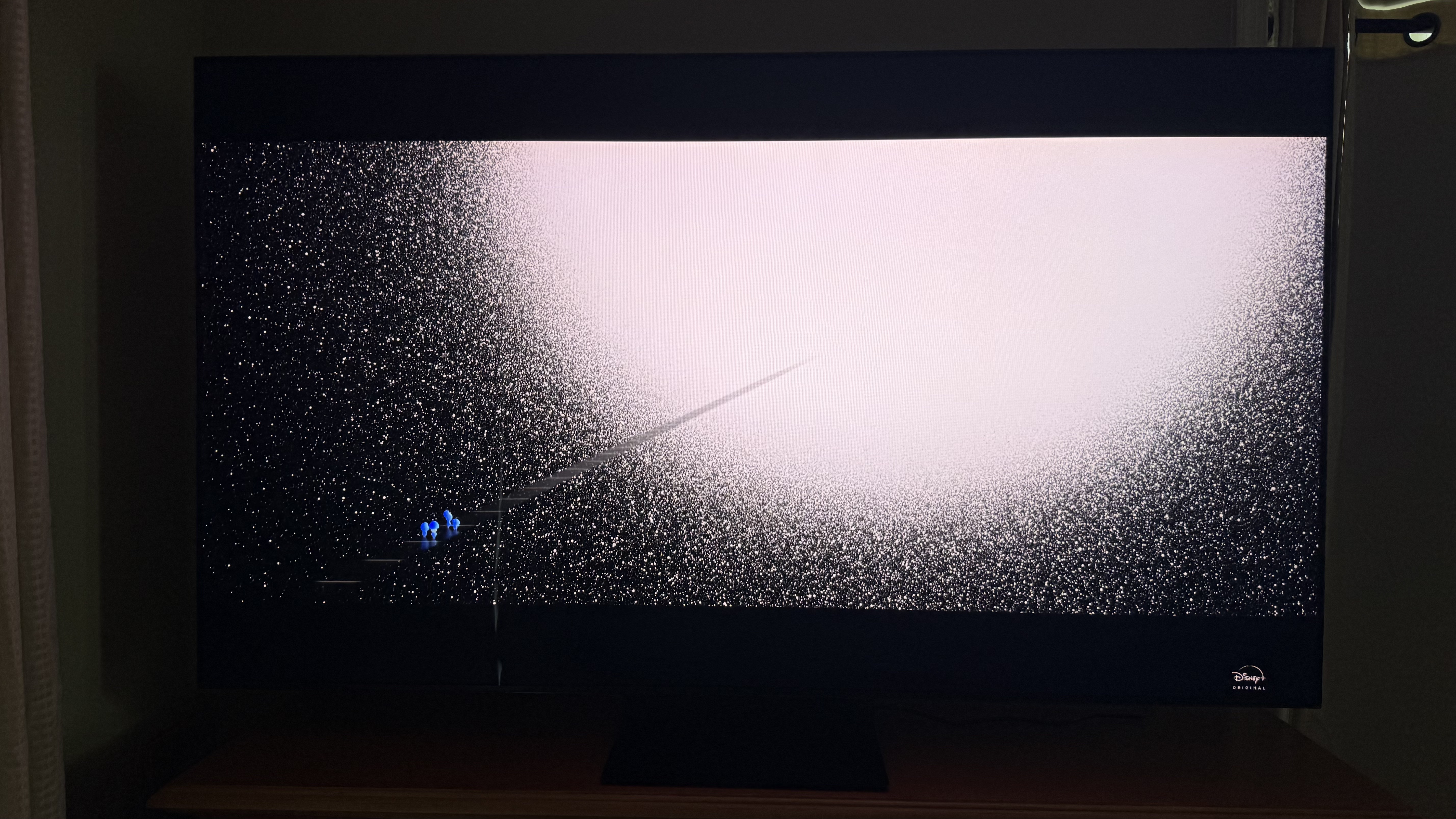
Whether I was watching a TV show or a movie with lots of vibrant colors or even a YouTube video, the image was sharp with great motion clarity. Thanks to TCL’s Halo Control System, any kind of blooming or halo effect was kept at bay. A rewatch of helped confirm that, particularly the scene where the main character, Joe Gardner, first wakes up in the afterlife as an illuminated human-shaped blob on a mostly black background. With TVs that experience serious blooming, you can see a whole cloud around him where you really shouldn’t. And here, it’s barely discernable.
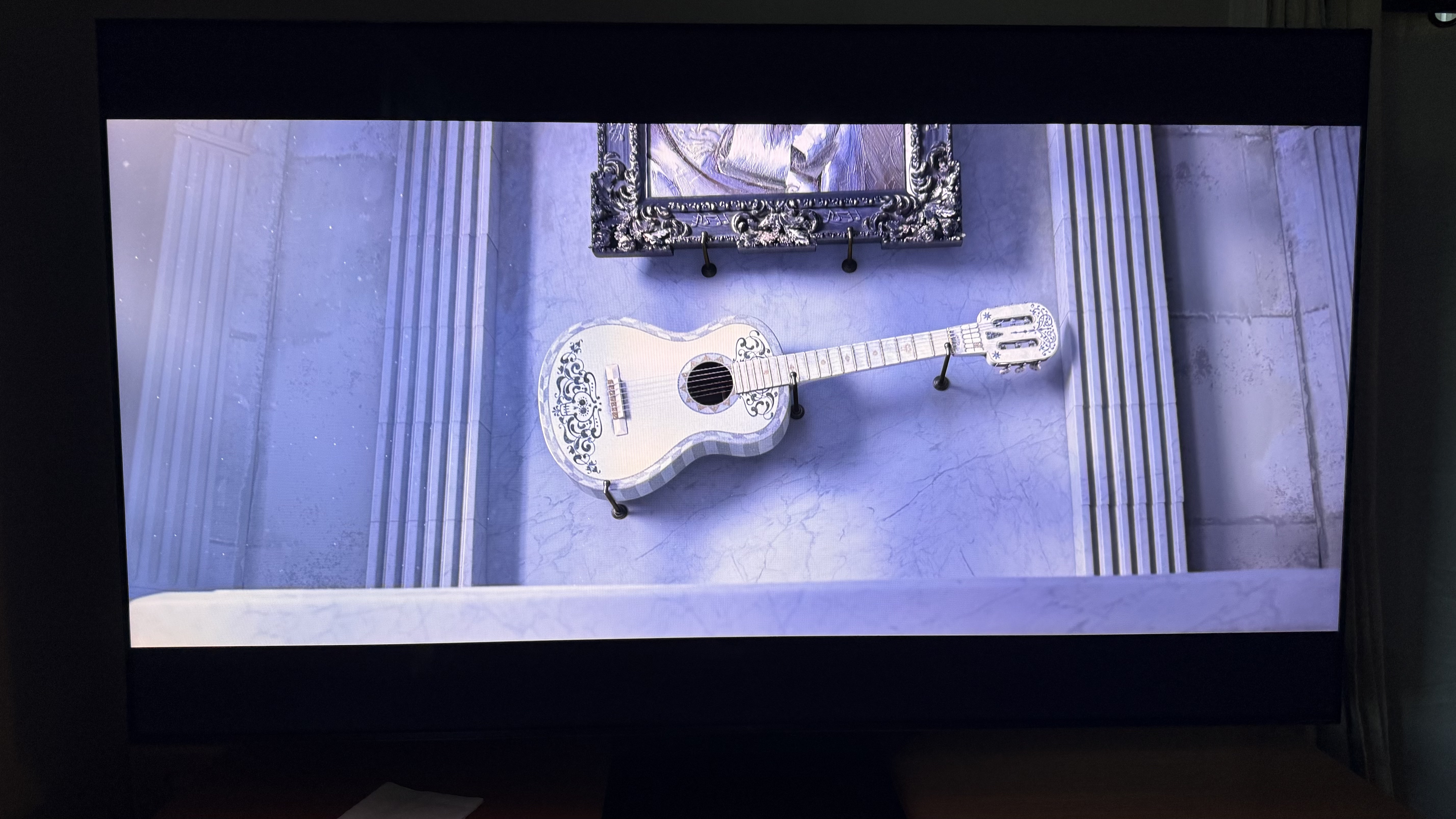
The colors look great as well. also got a rewatch (I have some go-to’s for certain testing if that’s not clear) and all the vibrant colors depicted in the land of the dead have the vibrancy one would want to see when watching a movie from this.
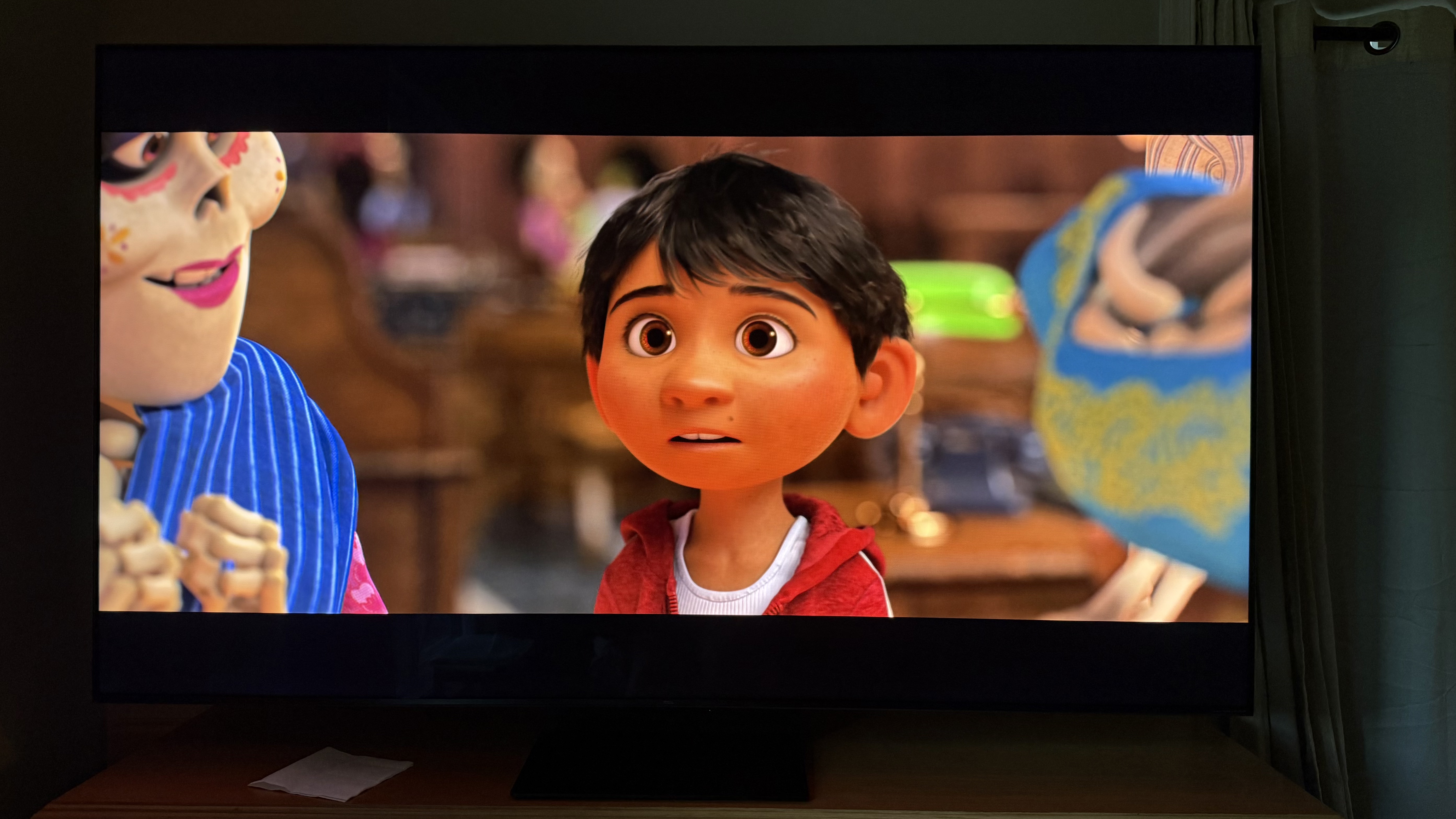
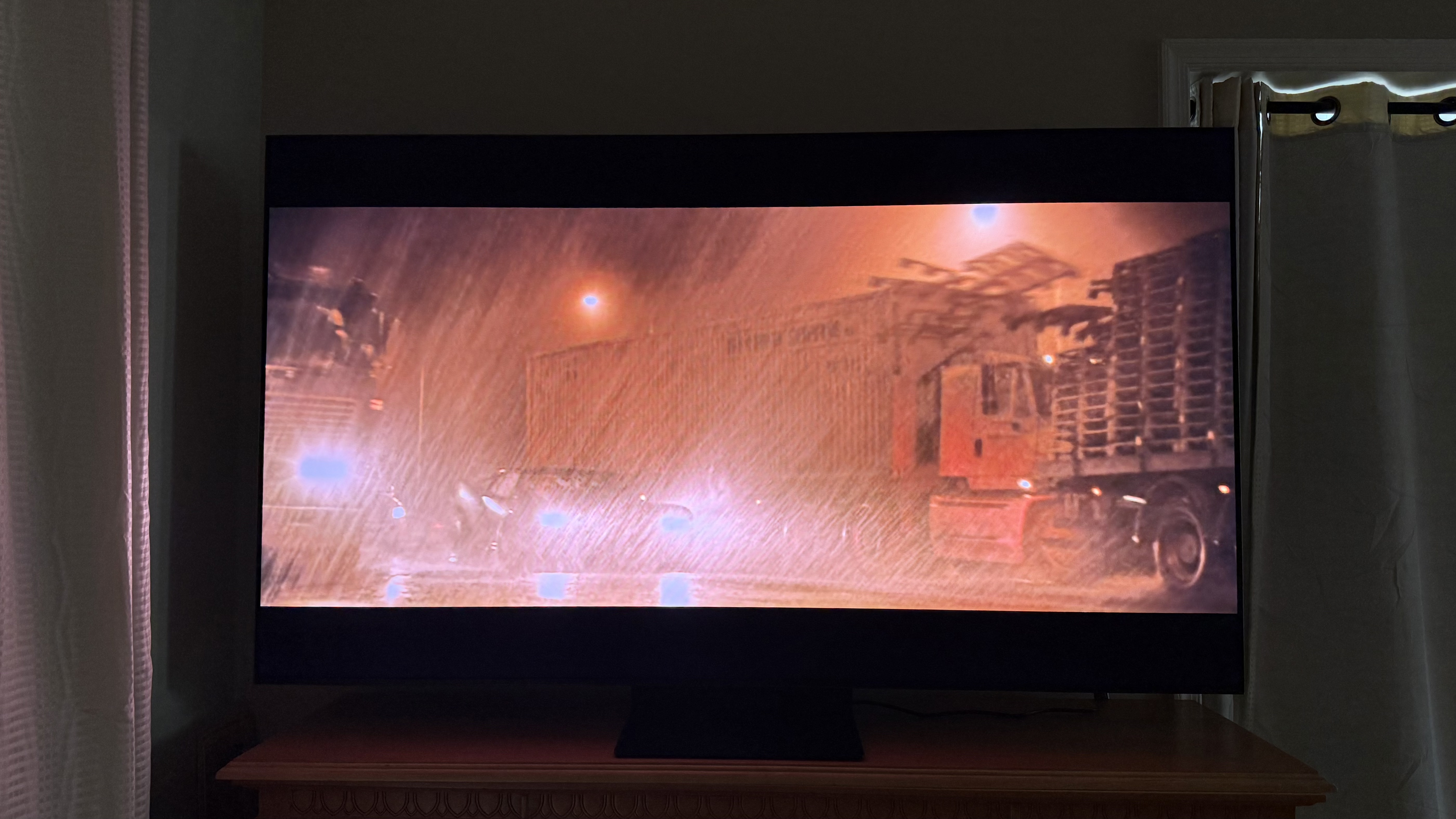
And made for a good showcase of the TCL QM7L’s clarity during busy scenes with a lot of motion. I like to use the Penguin chase scene for testing since it’s raining the whole time, there's some shaky cam, and an explosion as well as all the actual chasing. Everything came through clearly on this TV — I even felt like I could see the rain clearly. You could pause at any moment and have a snapshot clear enough to use a screenshot for this article.
Because of all the HDR support, I feel like I can see details in shadows. But this TV has a more limited Dolby Vision (Dolby Vision IQ vs Dolby Vision 2 Max) than its more expensive siblings. I think between that and the slightly lower brightness, the image this TV gives just feels a little flatter than the QM8L. It’s almost as good, and, in a vacuum, it would be hard to find fault with this TV. But those various slight limitations keep the screen from having quite the depth of better (and more expensive) TVs.
- Picture quality score: 4.5 / 5
- Not a lot of low-end and has narrow soundstage
- Limited amount of settings for finetuning
Most people focus on picture quality and how it improves from budget to mid-range TVs and beyond — and they should! But probably what I enjoy most when leveling up is not the improved HDR response, brightness, and color accuracy, but using a TV with sound quality good enough to skip a soundbar.
On the TCL QM7L, the sound quality is much the same as on the TCL QM8L, insofar that it’s tuned by Bang & Olufsen and the mid-range is not hollowed out like it is on cheaper TVs. Budget rivals always seem to sound thin like there’s no mid-range and shrill as if the highs have been boosted to make up for that. I might be exaggerating there, but not by much.
Now, there’s not much in the way of low-end, especially in the sub-bass region. So if you want that wall-shaking home theater experience, you’ll still need an external audio system capable of providing that. The same goes for any surround sound or spatial audio, though the TV does support all the necessary formats for one to experience them through an attached external system. I will say that there’s no internal virtualized spatial audio, which the TCL QM8L does have.
Outside of that, the mid-range has plenty of presence so that dialog is easy to hear and the sound is fairly balanced, though I do find it a slightly too mid-forward for a TV. On top of this, there's a dialog mode that works decently at boosting the specific mid-range frequencies for those who might be a little hard of hearing.
The high-end offers good clarity so that I can hear the detail in violins and such in instrumental scores playing during a dramatic scene in a movie — or British police procedural as plenty of that has been played on this TV.
I will say that the soundstage is a bit narrow — something I didn’t expect on a 75-inch TV. So while I do hear some side-to-side movement in audio tests like those on YouTube or a scene from where I should hear planes whizzing by, it’s not as wide as it should be. Like the lack of low-end, this doesn’t really take away from the enjoyment of the audio here, but does hamper its immersiveness.
As far as audio adjustments go, the sound settings menu is pretty minimal with just a treble and bass slider as a loudness setting, a few audio modes (Movie, Sports, Game, etc.), and a toggle for whether the TV is mounted or on stands. I do appreciate that Bang & Olufsen’s unique EQ wheel is available here for some more fine-tuning, though I would have preferred a five, seven, or even ten-band EQ instead.
- Sound quality score: 4 / 5
- Adjustable center base with cable management
- Two HDMI 2.1 ports
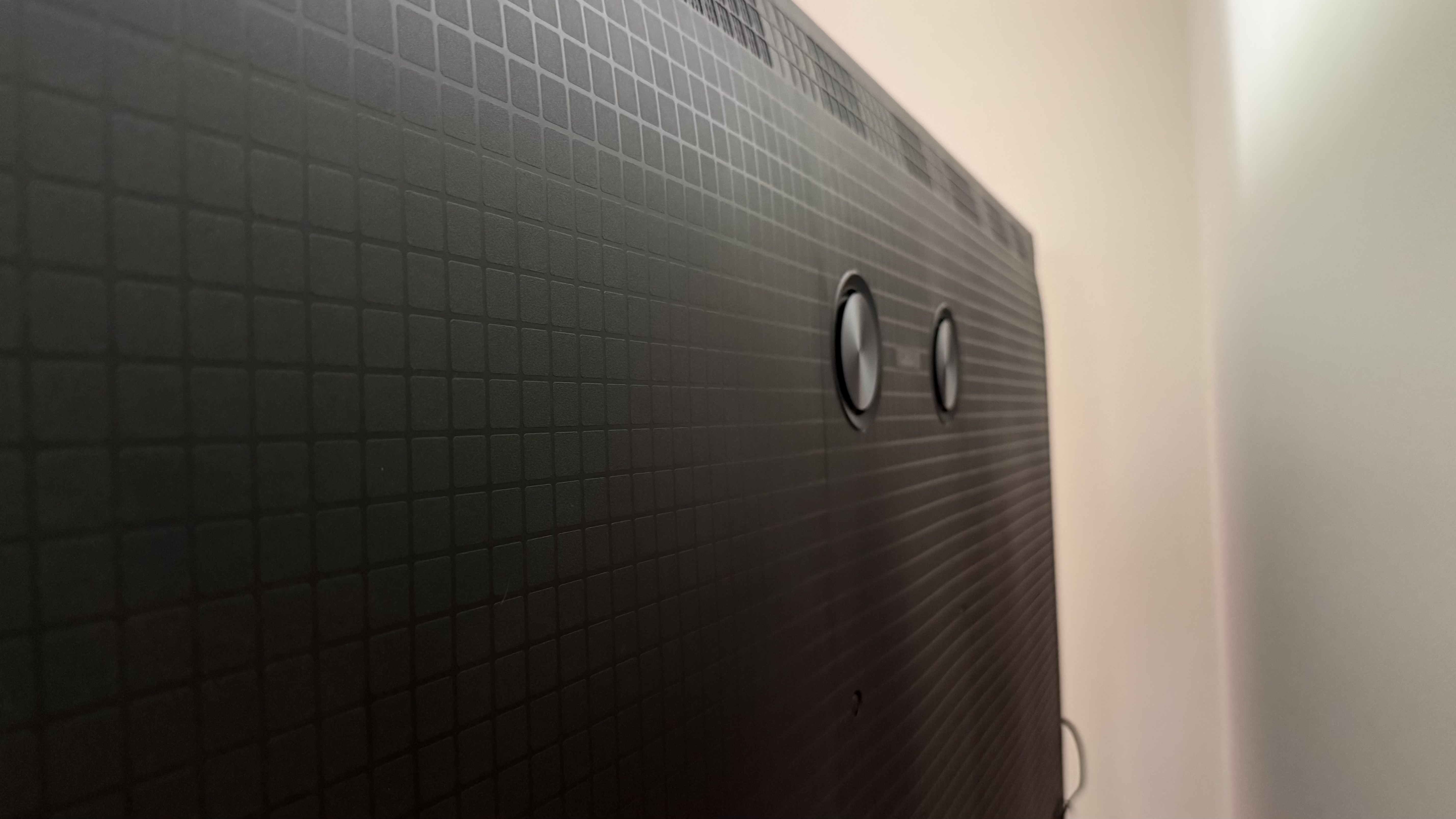
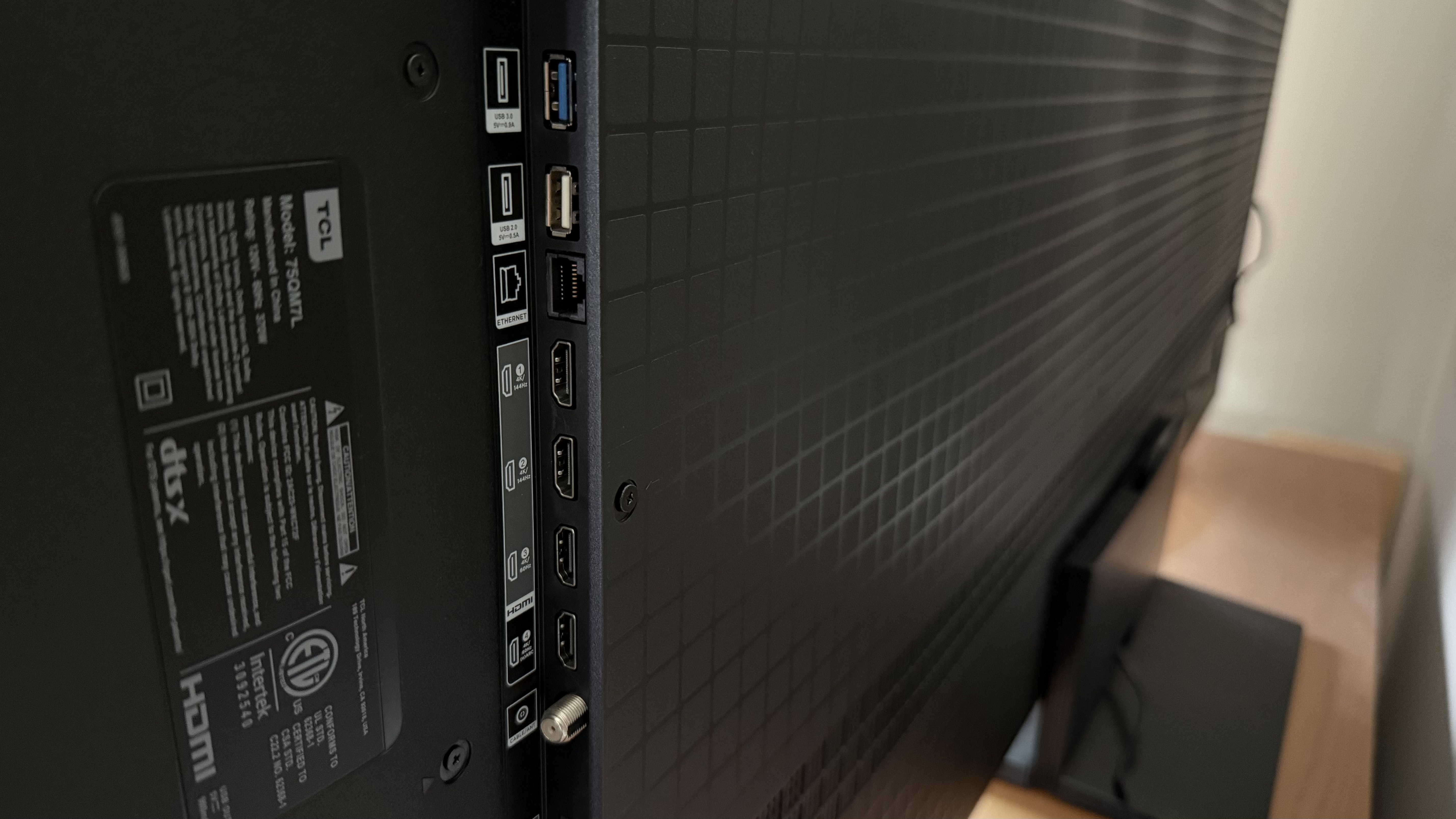
The TCL QM7L follows quite closely in the same mold as the QM8L. It has a center base that can be adjusted to different heights, but only during installation. It also has a removable backplate that comes off for cable management, just like the QM8L.
The bezels on the TV are thin as is the TV itself, measuring 2.2 inches thick, not to mention it’s pretty light, weighing 39.70 lbs without a stand (43.90 lbs with a stand) for the 65-inch size. If you’re looking to mount your TV, I think the TCL QM7L’s physical size and weight make it ideal for doing so.
While there is a good selection of ports — there are a couple USBs, an ethernet, optical, and RF input — this is one place where the cost cutting shows up, namely with the HDMI ports. Instead of having four 2.1 HDMI ports, which support 4K @ 120Hz, the TCL QM7L has two, with HDMI ports 3 and 4 being the slightly older 2.0 HDMI ports that are capped at a 60Hz refresh rate.
The remote for the TCL QM7L is TCL’s standard battery-powered model, with streaming app hotkeys, a talk button, and the directional dial. It’s not quite as small as a Roku remote but it’s slim enough to feel comfortable to hold.
- Design score: 4.5 / 5
TCL QM7L review: Smart TV and Menus
- Uses Google TV with a bias towards Google content
- Plenty of free content through multiple streaming apps
- Navigating the TV menu is straightforward and intuitive
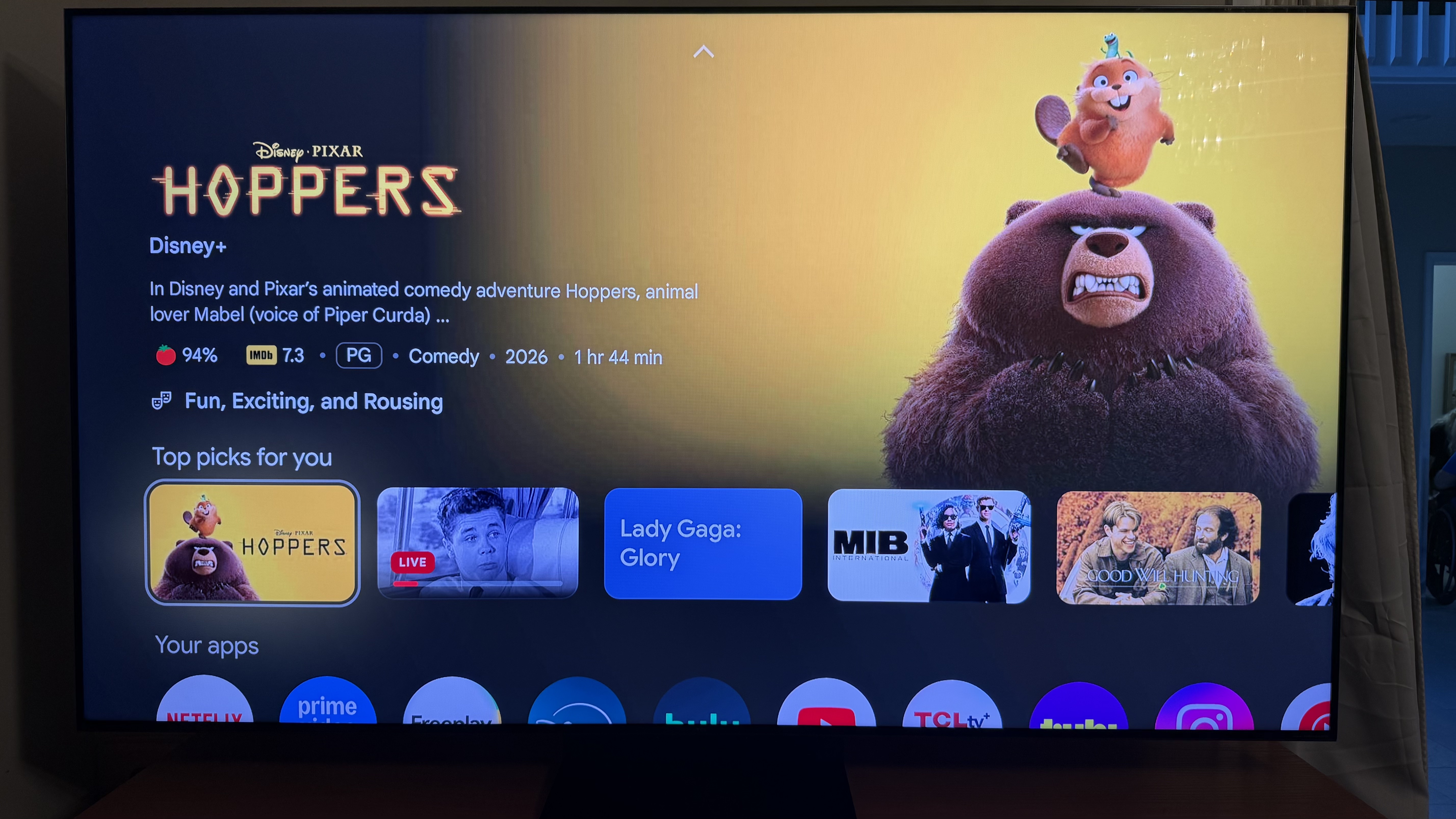
The TCL QM7L, like the other new TCL TVs that have come out in 2026, use Google TV as the interface. That means that the layout when using the TV is as follows: quick links at the top of the screen, a rotating banner of highlighted / sponsored content with a focus on Google-based apps, followed by rows of various types of more specific content, such as “Top Picks,” “Apps,” “Continue Watching,” and “Free Live TV” to name a few.
Regarding that last one, there’s plenty of free content on offer through Google TV Freeplay, as well as TCLTV+ and plenty of it is mostly syndicated content. Thankfully, there’s plenty of decent stuff there, and not just bottom of the barrel ‘my neighbor is a chicken and is trying to kill me’ type schlock.
Because this is a Google TV, there are a number of screens to go through for setup, meaning it's not quite plug-and-play — though this seems to be typical of every TV I come across these days. Still, the time required to get from turning on to watching something is probably about ten minutes. A lot of the prompts are regarding how to interface with Google Gemini and consenting to a more personalized experience — essentially whether you’re okay with the TV sending information back to Google about your watching habits… and possibly whatever it hears from you talking.
Navigating the menu is pretty straightforward. Pressing the settings icon on the remote pulls up quick settings where there’s a link to see all the settings. Some TVs have the intelligent or AI based settings squirreled away into a separate category, but that’s not the case here and navigation is better for it. For instance, turning on “Dynamic Brightness,” which automatically adjusts the backlight according to what’s on the screen is listed with all the other brightness-related settings. Easy-peasy.
- Smart TV & menus score: 4.5 / 5
- Up to 144Hz refresh rate
- Gaming-specific features like AMD Freesync Premium Pro
- Game bar on demand
After spending some time gaming on the TCL QM7L, the only real limitations are directly related to the picture quality — the same limitations one experiences with any other content. The image is a little flatter than on the QM8L because of the more limited dimming zones, lower peak brightness, and more limited Dolby Vision.
But if you’re not comparing this TV to more expensive TVs like the QM8L, it’s impressive. Maybe its HDR isn’t at the level of the QM8L or X11L, but it’s there and it still allows me to see detail in shadows — something that’s important in gaming. And, of course, the Halo Control allows a clear delineation between dark and light pixels that are right next to each other.
I played a number of games through a Playstation 5 on this TV and, whether it was or , the picture was sharp and the action was smooth. I didn’t experience any stuttering or jitters. And even when creeping in the shadows, I was also able to see everything on the screen clearly.
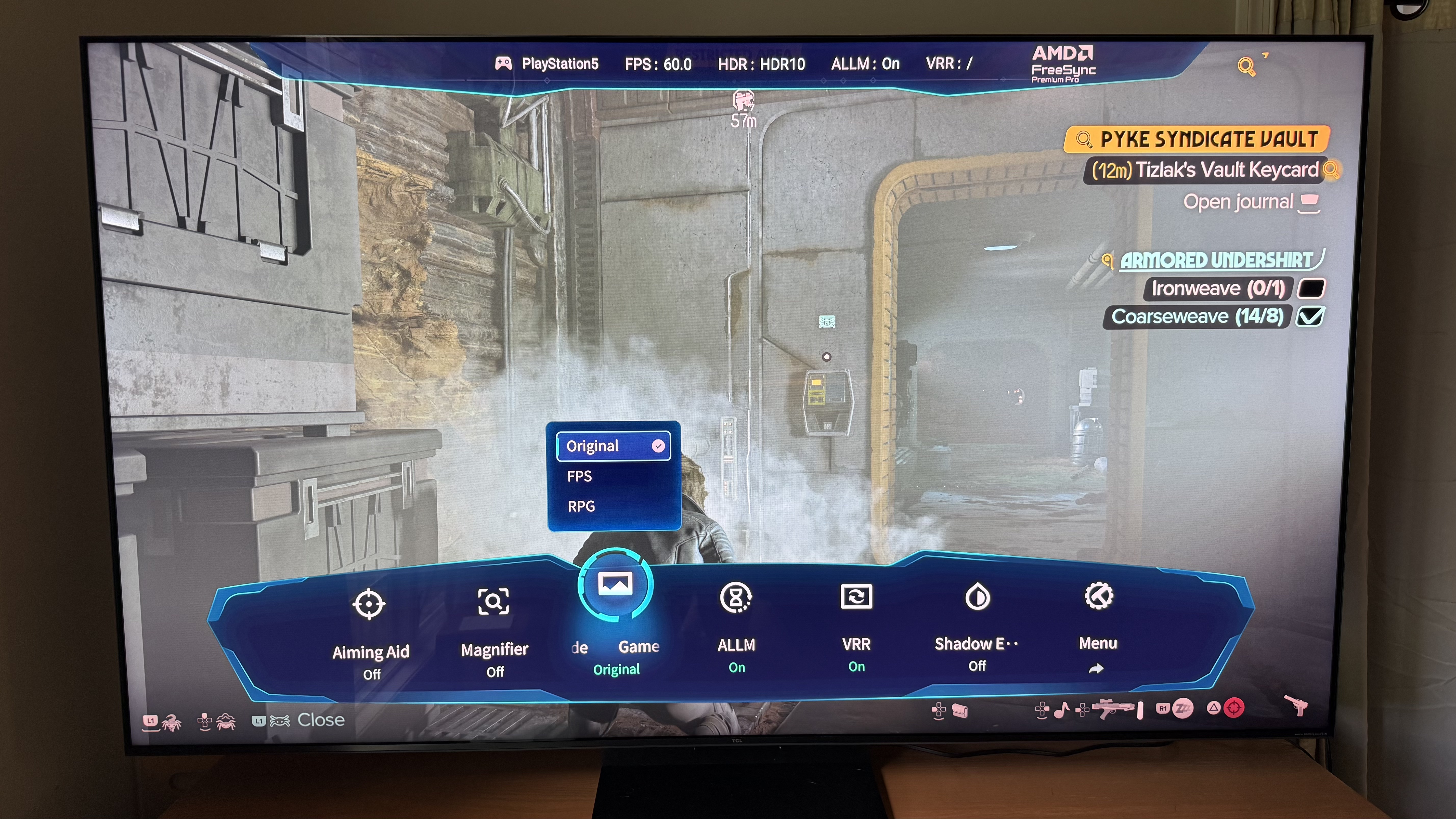
After all, the TV's 144Hz refresh rate is more than enough for smooth, crisp motion handling during gaming. It also helps that the TCL QM7L comes with some features focused on frame rates. For instance, AMD Freesync Premium Pro is on hand to match the frame rates between the TV and the source, while the Game Accelerator 288 feature upscales the fps to twice the amount.
And since two of the HDMI ports are of the 2.1 variety, they support 4K @ 120Hz passthrough, allowing you to make the most of current consoles like the Playstation 5 and Xbox Series X.
I also appreciate how easy it is to pull up the Game Bar — the gaming-specific settings menu — just by holding down the hamburger button on the remote (the button with the three horizontal line icon). When pulled up, I could turn on a crosshair, adjust gaming-specific picture modes, and see an FPS counter.
- Gaming score: 4.5 / 5
- Almost gets to flagship territory on a smaller budget
- Cheaper alternatives don’t look or sound as good
- Great option for those wanting an almost premium experience
Whether you consider the TCL QM7L great value might depend on your own budget and what you’re looking for in a TV. In terms of TCL’s offerings though, it is a good deal. The step down from what the TCL QM8L offers is not significant for day-to-day use, unless you’re a stickler for a completely premium experience, yet you save about $500 when comparing the 65-inch sizes. The QM8L goes for $1,799, while the QM7L goes for $1,299.99 at that size.
TCL does have more affordable TVs though, like the TCL QM6K (the review is for last year’s model, but this year’s only received a very minor update). And the QM6K has a lot to offer for those trying to keep under a thousand for a TV, with a 65-inch going for $999.99. But it’s much more limited than the TCL QM7L, most notably having worse audio quality and a lower peak brightness.
If we look at the competition, something like the Hisense U7 — which goes for $699.99 for a 65-inch TV — hits a lot of the same beats. It’s a Google TV with hands-free control via Google Gemini. Its sound quality is pretty good for a TV and it has a fast refresh rate. But its screen isn’t quite as good.
So what does this all mean? Basically, this TV is good value if you’re still trying to reach for a premium TV watching experience.
- Value score: 4.5 / 5
|
The TCL QM7L is feature-filled including the somewhat flawed Google Gemini, not to mention all the HDR and spatial audio support one could need. |
4 / 5 |
|
|
Picture quality |
It might not have the depth of its more expensive siblings, but this TV looks very good thanks to a combination of good color coverage, Dolby Vision IQ, and TCL’s Halo Control System. |
4.5 / 5 |
|
Sound quality |
The sound quality, provided by Bang & Olufsen, is good enough to skip getting a soundbar, though there’s not much low-end. |
4 / 5 |
|
There’s little to find fault with this TV with the highlights being an adjustable center stand, two HDMI 2.1 ports, and thin bezels. |
4.5 / 5 |
|
|
Using Google TV as an interface, this TV is intuitive to use with plenty of free content. Just be aware that its suggestions are going to be biased toward Google-hosted content. |
4.5 / 5 |
|
|
Between the 144Hz refresh rate, AMD Freesync Premium Pro, and Game Bar, this TV has all the makings of a great TV for gaming. |
4.5 / 5 |
|
|
While the TCL QM7L isn’t cheap, it offers great value, especially compared to the more premium TVs it almost reaches in terms of performance and features. |
4.5 / 5 |
Should I buy the TCL QM7L?
Buy it if...
Don't buy it if…
|
$1,299.99 |
$899.99 |
$999.99 |
||
|
Screen type |
||||
|
Refresh rate |
144Hz |
120Hz |
144Hz |
144Hz |
|
4 (1 eARC, 2x HDMI 2.1 @144Hz, 2x HDMI 2.0 @60Hz) |
4 (2x HDMI 2.1) |
4 (2x HDMI 2.1) |
4x HDMI 2.1 |
- I used the TCL QM7L for a couple weeks
- Tested with both TV, movies, music, and games
I used the TCL QM7L SQD MiniLED TV regularly for a couple weeks. I tested it using streaming shows, movies, music, and games (via PS5). I went through the various features, particularly the hands-free Google Gemini, to see if it work as advertised. I also spent time listening to the audio, as well as paying attention to the picture quality.
After spending some time with this TV, it’s my humble opinion that this TV is ideal for those who are looking for a premium TV but want to pay closer to mid-range prices.
I’ve tested a lot of tech gear over the years, from laptops through keyboards to speakers, and so have been able to use my expertise towards giving an honest and fair opinion, not to mention a critical eye, to any product I test.
James Holland loves checking out gadgets of all sorts, whether it's audio equipment, laptops, or vacuums (especially of the robot variety), and does so for a number of Future Publications including TechRadar, Top Ten Reviews, Homes & Gardens, and T3. He's built up an expertise for in-depth reviewing over the last four years. When he's not putting in the work on the latest tech, he loves to travel, play music, and eat questionable food.