There's a sense that 2-in-1 convertibles have fallen out of style, falling in between the two stools of the Surface Pro-style tablet with a detachable keyboard on the one hand, and the slim, light clamshell laptop on the other. Yet the Swift Spin 14 AI is a good reminder of why this form factor can work so well for business. It's highly portable, very versatile, and usable in a wide range of scenarios. It's an effective tool for meetings and presentations, but also strong for productivity on the move. What's more, with Qualcomm's Snapdragon X2 Elite processor inside it, it's powerful enough to handle quite demanding apps.
The sort of pricing we've grown accustomed to in 2026 has an impact on its value, but Acer's convertible holds up as a good choice for remote workers, small businesses, and budget-conscious SMBs.
The Swift Spin 14 AI isn't as small or lightweight as some 2-in-1 convertibles, mostly because Acer has opted for a larger 14in screen. However, it's also gone for a squarer aspect ratio than normal, giving you a fairly compact device with a 314 x 230mm desktop footprint, that's just over 16mm thick when closed. The screen isn't quite as tall as it first appears, with space occupied by a chunky lower bezel roughly 28mm thick, while the bezel at the top is itself around 13mm thick to accommodate the webcam and the slider for its physical shutter. However, the aluminium body feels very solid, albeit with some flex in the lid, and it's an easy fit into a briefcase, bag or backpack, particularly with a weight of only 1.34kg.
Opinions may vary on the dark blue finish, but it's a change from the usual greys and blacks without any risk of looking garish. The etched contrast-line logo on the lid also adds some extra visual interest. Meanwhile, the hinge mechanism allows you to wield the Swift Spin 14 AI in four configurations: as a normal clamshell laptop, as an oversized tablet with the base tucked right behind the screen, and in the usual tent and stand formats, giving you the screen without the keyboard in the way.
All configurations have their uses, with the tent and stand formats useful for presentations and post-work entertainment, but what makes the tablet mode particularly useful is the inclusion of a garaged stylus. Fire up OneNote, Evernote or your favourite notes app, and you're good to scribble notes, doodle and sketch. The stylus is on the slim side, but it's well-built, sensitive and free from irritating lag, while charging through two contacts when slid back into its home on the right side of the chassis.
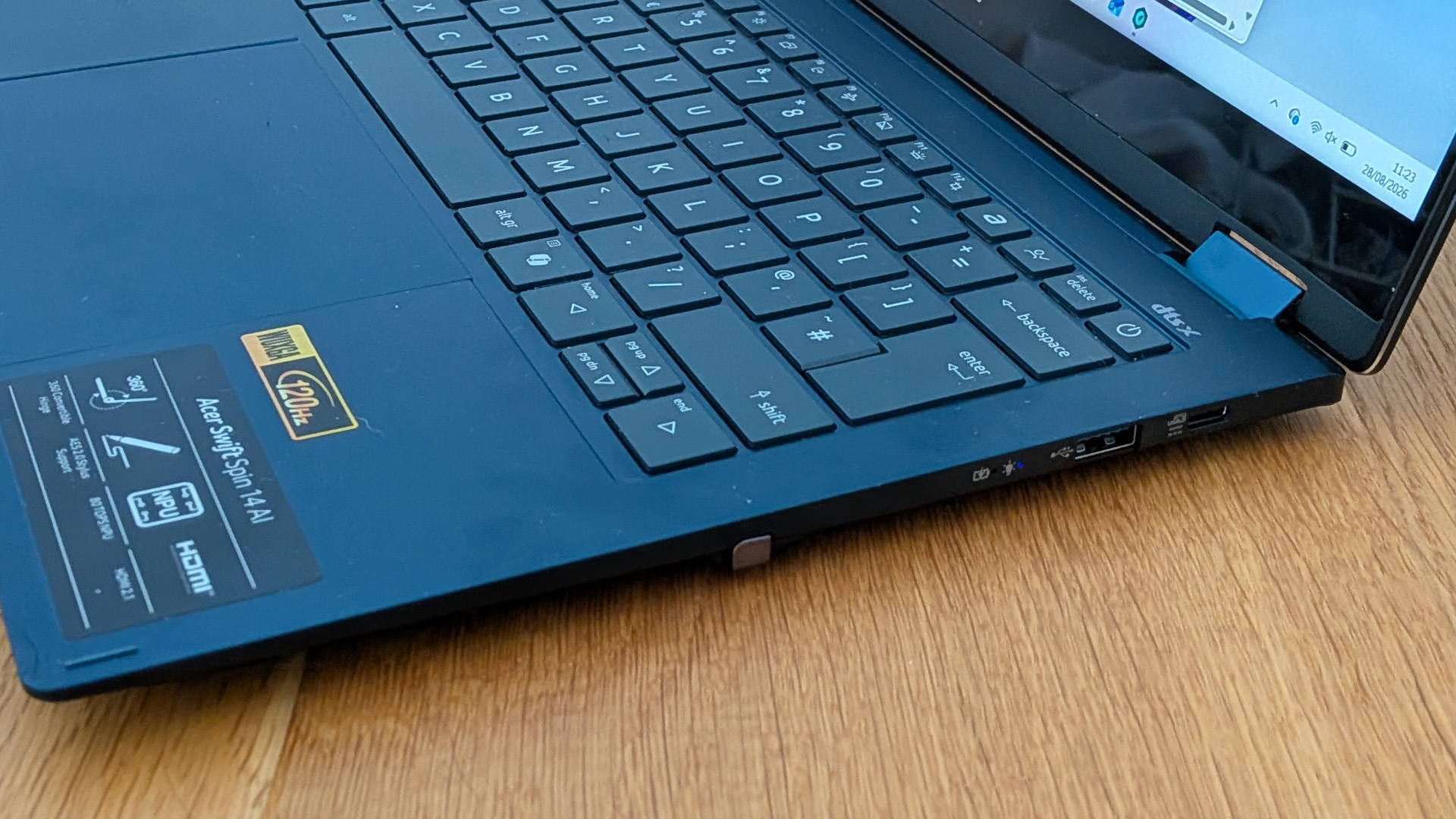
You can use it inside the touchpad for navigating Windows and your apps, but it's more of a choice than a necessity, as the touchpad's large, well matched to the screen's aspect ratio and very smooth and reliable in use. And while it might take a while to adapt to the feel of the keyboard – it's more 'poppy' than 'clicky' – the travel and sensible layout make for perfectly quick and comfortable typing. It's never great to see a power key in the top right corner where you expect to see delete, but it's something you get used to after the first day or so of use.
Connectivity is just what we'd expect for a Snapdragon X2 laptops, with two USB 4 Type-C ports, one on either side, plus two USB 3.2 Type-A ports (ditto), an HDMI 2.1 output, and a 3.5mm audio jack. Beyond that, you have tri-band Wi-Fi 7 for your network connectivity plus Bluetooth 6 for your wireless peripherals.
Sign up today and you will receive a free copy of our Future Focus 2026 report - the leading resource for IT decision-maker insight on priorities and investment areas in AI, security and more.
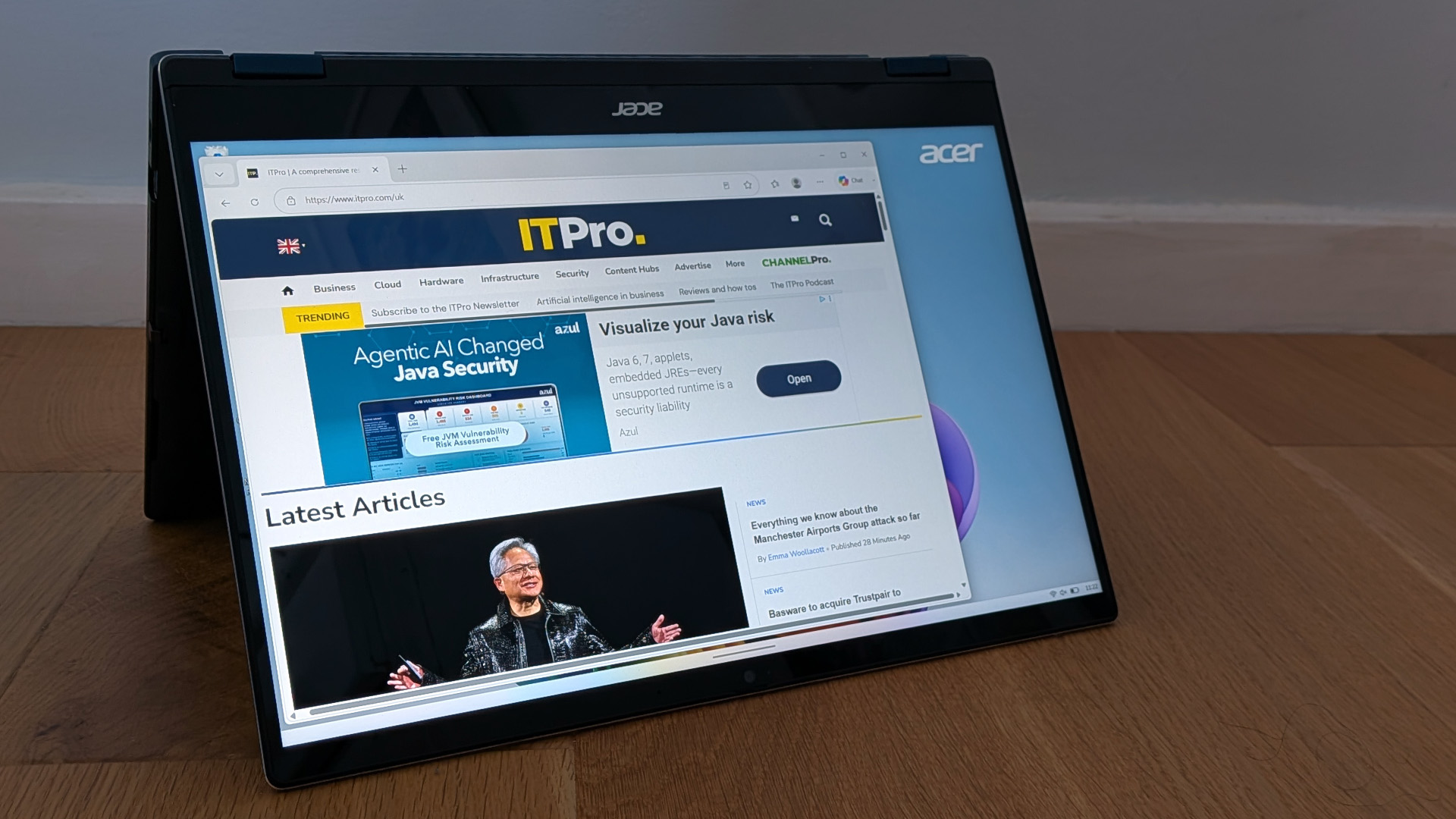
If there's anything that demonstrates that this is a mid-range laptop rather than a premium device, it's the display. It's IPS rather than OLED or mini-LED, with a basic 1920 x 1200 resolution and a stated maximum brightness of 350cd/m2. In our tests, that's pretty much on the money, with a maximum recorded brightness of 346cd/m2, while it covers 97% of the sRGB color gamut and 77.5% of DCI-P3. Black levels are fairly low by IPS standards, so contrast isn't a problem, while an effective anti-reflection coating makes it readable in most conditions, despite the gloss surface.
Color accuracy is also fairly good, with an average Delta E of 1.98. All the same, there's something a little subdued or even dull about the colors, especially during daylight hours, and you can't help missing the extra clarity you might have found with a higher-resolution. It's a perfectly good screen for productivity or video streaming, but not for more creative work. To balance this, the squarer aspect ratio can make the screen seem larger than it actually is, which comes in useful when you're working across multiple windows or trying to deal with a complex UI. Whereas the screens on some 13in and 14in laptops can feel cramped over long sessions of work, the Swift Spin 14 AI feels more comfortable and expansive.
The Swift Spin 14 AI promises DTS: X audio, but don't get too excited. There's a wider than average stereo output, but the tone is thin and sometimes piercing, particularly when playing music. The sound is clear enough for online meetings and calls, but even then we'd recommend headphones, both for a warmer tone and a fuller-sounding mic. On the more positive side, the Webcam captures clean-looking, well-balanced video without excessive noise, while also handling Windows Hello face authentication quickly and reliably.
The Snapdragon X2 Elite X2E78100 is a step down from the X2 Elite Extreme we saw in the Asus Zenbook A16, but performance is still exceptionally good for this class of laptop. In Geekbench 6, the Swift Spin 14 AI's scores of 3218 (single-core) and 15116 (multi-core) put it comfortably ahead of the MSI Prestige 13 AI+ with its Core Ultra 7 355 CPU, and put it in contention with the Acer Swift 16 AI SF16-71T, with its 16-core Intel Core Ultra X7 358H chip. That holds true even in intensive workloads, including 3D rendering in Cinebench 2024.
The only area where it struggles to keep up is in GPU performance, where the integrated Adreno X2-85 GPU is no match for the ARC B390 GPU in the Swift 16 AI. Where the Swift Spin scores 2951 in the 3DMark TimeSpy test and 3434 in the Steel Nomad benchmark, the Swift 16 AI scores 6363 and 5441. Still, unless you're playing games or running small language models on your laptop, you're unlikely to notice any shortfall. Scores in the Geekbench AI benchmark indicate decent levels of basic AI performance, helped by the Qualcomm processor's 80TOPS NPU. Meanwhile, the Swift Spin 14 AI is more than powerful enough for any productivity tasks.
As always with ARM-powered laptops, there's a possibility that specific apps you want to run or hardware that you want to use may not be compatible with the architecture. However, barring games these exceptions are getting few and far between, with most apps running natively on ARM or through Microsoft's PRISM emulation layer.
As for battery life, it kept running for 17 hours and 18 minutes in our usual video rundown test- nowhere near the incredible 27 hours of the Lenovo IdeaPad Slim 5x with its Snapdragon X2 Plus, but still enough to get you through a solid day and more of work, even with the brightness ramped up.
Acer Swift Spin 14 AI: Is it worth it?
Last year we would have described the £1399 inc VAT price point as a bit steep, particularly given the fairly basic screen. This year it seems reasonable when you look at what that kind of money buys you elsewhere. If you're simply after a good everyday workhorse of a laptop, the IdeaPad Slim 5x Gen 11 has a brighter screen and a better keyboard for under £1000, but it hasn't got the flexible design or versatility of the Swift Spin 14 AI, nor quite the same level of performance. As a do-it-all machine for mobile professionals, marketers, consultants and small businesses, it's one of the best options we've reviewed this year.
|
14in 1920 x 1200 resolution IPS touchscreen, 120Hz |
||
|
16GB LPDDR5X |
||
|
2x USB 4 Type-C, 2x USB 3.2 Gen 2 Type-A, HDMI 2.1, 3.5mm audio jack |
||
|
512GB PCIe4 SSD |
||
|
1.34Kg |
||
|
314 x 230 x 16.5mm |
||
|
65Wh |
||