You're not only buying a Pixel phone for the hardware; the software is just as important. Pixels offer a deep software experience and a wide range of exclusive apps that really shine. Some are even considered top of their class, beating third-party and even paid equivalents from the Google Play Store.
That's why when any Pixel app gets an upgrade or new feature, we're happy to see where Google will take it. As spotted by 9to5Google, Google's Recorder app is getting a nice update, allowing users to easily access the audio files across Android. The new setting will be enabled by default, allowing users to see recordings in Files and other applications.
Long time coming
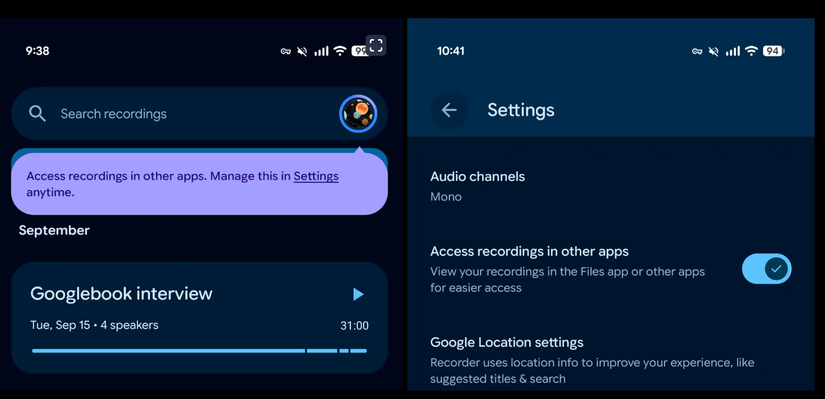
This might seem like a basic change, but we're glad it's here. Previously, users were required to share any recordings through the dedicated share menu with Android. While it worked, it wasn't convenient.
With that said, if you don't want to share these recordings throughout your device, then you can always turn off the feature and do things the old way. If you're curious about this setting, just update to the latest version of the app.
It can do so much more
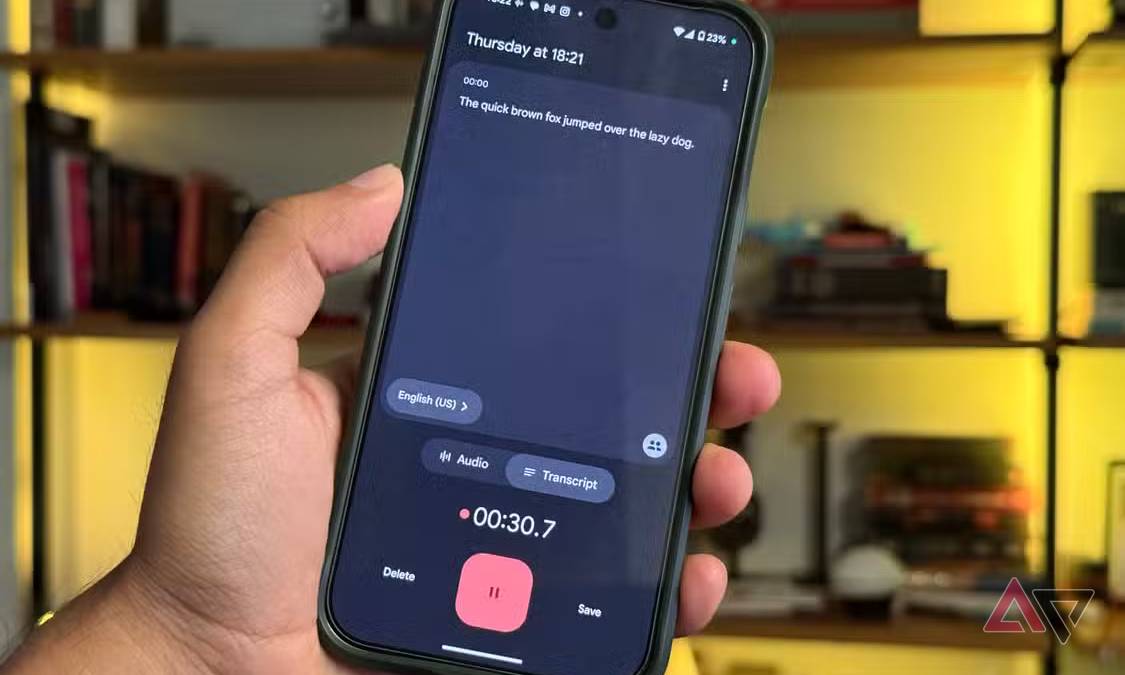
If you've been looking over the Recorder app, that could be a huge mistake. The app offers more than just recording audio, and can be used for transcriptions as well. Most people might not know this, but the Recorder app has a transcription feature that starts the moment you press the record button.
The best part is that it does all of this locally. The Pixel's NPU can do most of the heavy lifting without breaking a sweat. You don't need to wait for the cloud to process any of this. The moment the recording ends, the transcription is ready to go. If it's a lengthy session, you can also search the transcripts to find what you're looking for. And if you need a summarization, it can also do that too.
This really is a fairly complete app that flies under the radar. If you've never given it a try, I highly recommend it. It's something that's already available on your Pixel phone. Or, if you're using something else, let us know in the comments below.
We know that not all the Pixel's apps are the best, but if you have alternatives you like better, we'd love to hear about them.