Just a couple months ago, Dell brought back the iconic XPS 13 as the new lower-cost model in its premium laptop lineup. It's a solid system with a super sleek design, solid battery life and a nice screen. However, there was one big thing holding it back from earning a higher score: The base model only comes with 8GB of RAM.
Granted, for a system that starts at just $700, that amount of memory isn't completely out of place, especially when you factor in the global shortage of RAM these days. Recently, I've been testing a midrange version of the XPS 13 packing 16GB of memory. It turns out that extra memory makes a big difference.
For experienced PC users, the reason why is probably somewhat obvious. In 2026, Windows 11 simply doesn't run well on only 8GB of memory. Perhaps the best example of this was when I first booted up the system, opened up Microsoft's task manager and clicked on the Memory Usage tab. Even without literally any other apps open, my test unit with 16GB of RAM was sitting at 56 percent utilization. That means on the base model, there would be no excess memory to go around, which as you might imagine, results in poor performance.
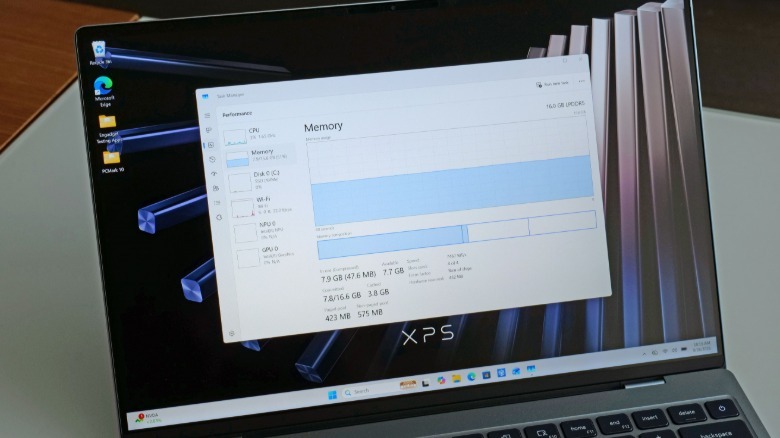
Upon closer inspection, I discovered that part of the issue was that there was a Windows Update that needed to be installed. But even after I did that and performed a full restart, the notebook was still sitting at around 40 percent utilization. That means a base XPS 13 would only have around 1GB of free memory to run all the other software you use on a daily basis before potentially needing to rely heavily on the OS's page file. When a Windows PC runs out of RAM, it begins to use your storage (either an HDD or SSD) as a form of virtual memory. On one hand, this is great because it means your computer isn't hard capped when it runs out of RAM. The downside is that large storage drives are almost always significantly slower than modern memory, which once again has a major impact on overall performance.
In case you need more evidence that the base XPS 13 is being hampered by 8GB of RAM, I ran some additional benchmarks. On PCMark 10, my 16GB XPS 13 posted a score of 6,904 compared to 5,319 for the base model, despite both systems featuring the same Intel Core 5 320 chip and 512GB SSDs. That's a 30 percent increase simply because one laptop had twice as much memory as the other.
The bigger surprise to me was PCMark 10's Modern Office battery test, where the 16GB XPS 13 (17:40) lasted more than an hour and a half longer than the base model (15:56), which I think is caused by decreased power efficiency due to the base model needing to use the page file after the laptop ran out of RAM. And of course, the 16GB XPS 13 just runs smoother too, both in terms of general productivity or when playing games. Average framerates across a handful of titles like were routinely 5 to 10 percent higher (or more) on the 16GB model.
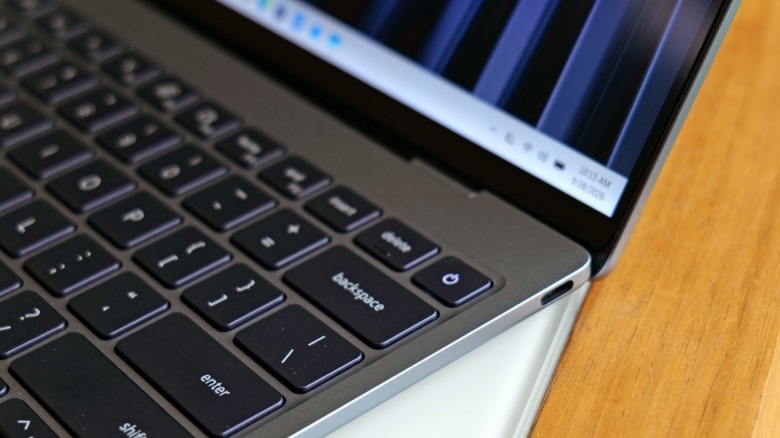
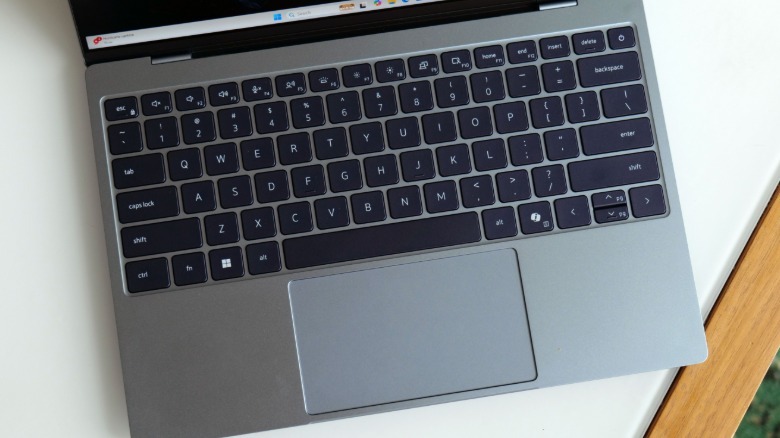
Now I will admit that the XPS 13 has a handful of smaller flaws like the lack of a 3.5mm audio jack and a slightly mushy-feeling touchpad (especially along the bottom edge). But those are relatively minor issues compared to the base model's paltry 8GB of RAM. Now to be fair, this problem applies to all Windows 11 PCs with 8GB of memory, so it's not something exclusive to Dell's lineup. This is more of a reminder of how much memory you should be really targeting when buying a new PC in 2026: It's 16GB or bust.
Thankfully, there's a somewhat easy (but pricey) solution to all this. Just pay for a RAM upgrade. In the XPS 13's case, currently going from 8GB to 16GB costs $200. That's pretty reasonable considering the cheapest 8GB module of RAM from a reputable manufacturer on Newegg is currently going for around $175. And that stick is significantly slower too at 4,800 MT/s versus the 7,467 MT/s RAM Dell uses in its machine. Even though it's not a pure apples to apples comparison as we're looking at a SODIMM versus soldered on memory, it's clear the larger dilemma is the going price of RAM now that AI companies have sucked up all the supply.
I will concede that there's an argument to be made that if a laptop runs so much better with 16GB of RAM, the 8GB model shouldn't even exist. But for those who are on tight budgets, I appreciate that there is an option, even if it's far from an ideal solution. It's also possible to debloat Windows 11 and make 8GB of RAM a more viable consideration, but it's not fair to assume that every buyer has expertise or the time to tinker around with registry settings, power tools and startup routines.
Regardless, if you're in the market for a super sleek and extremely portable productivity machine and have a little wiggle room in your spending, the XPS 13 is a great option. Just don't fall in love with the price of the base model and opt for an upgraded configuration with 16GB of RAM instead of 8GB. You and anyone else who ends up using the laptop will thank you later.