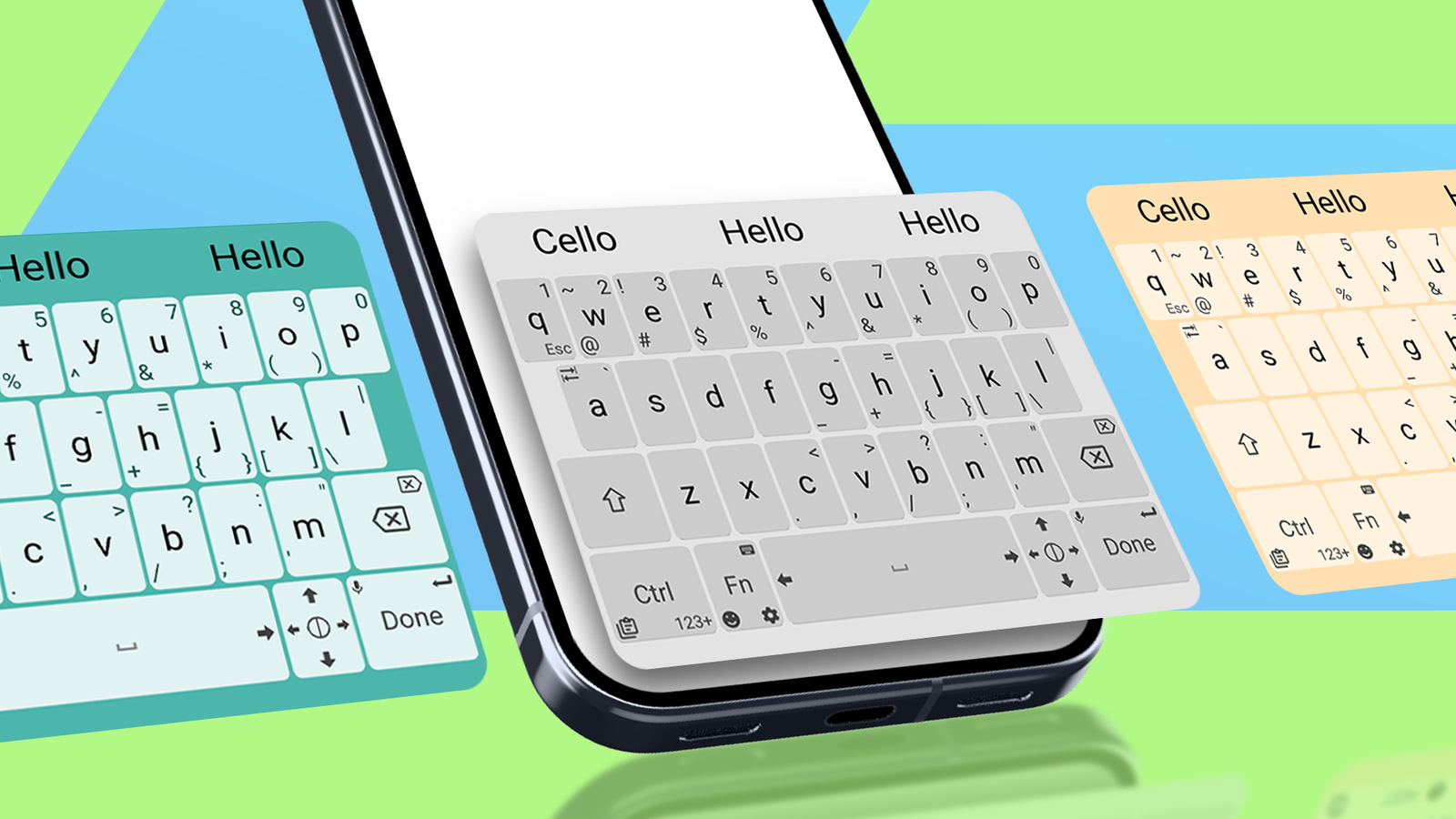
Expect the unexpected. It's a paradoxical statement, given how I found my new favorite keyboard. I discovered Unexpected Keyboard by accident while researching open source apps for my Android devices.
I'd found that the regular Gboard was a vibe killer for my mobile developer escapades and experiments.
So I wondered if a keyboard built for developers existed. Surely there was, and now it's within my grasp for good.
My new keyboard gives Gboard a run for its money
It's fully customizable with features Gboard doesn't offer
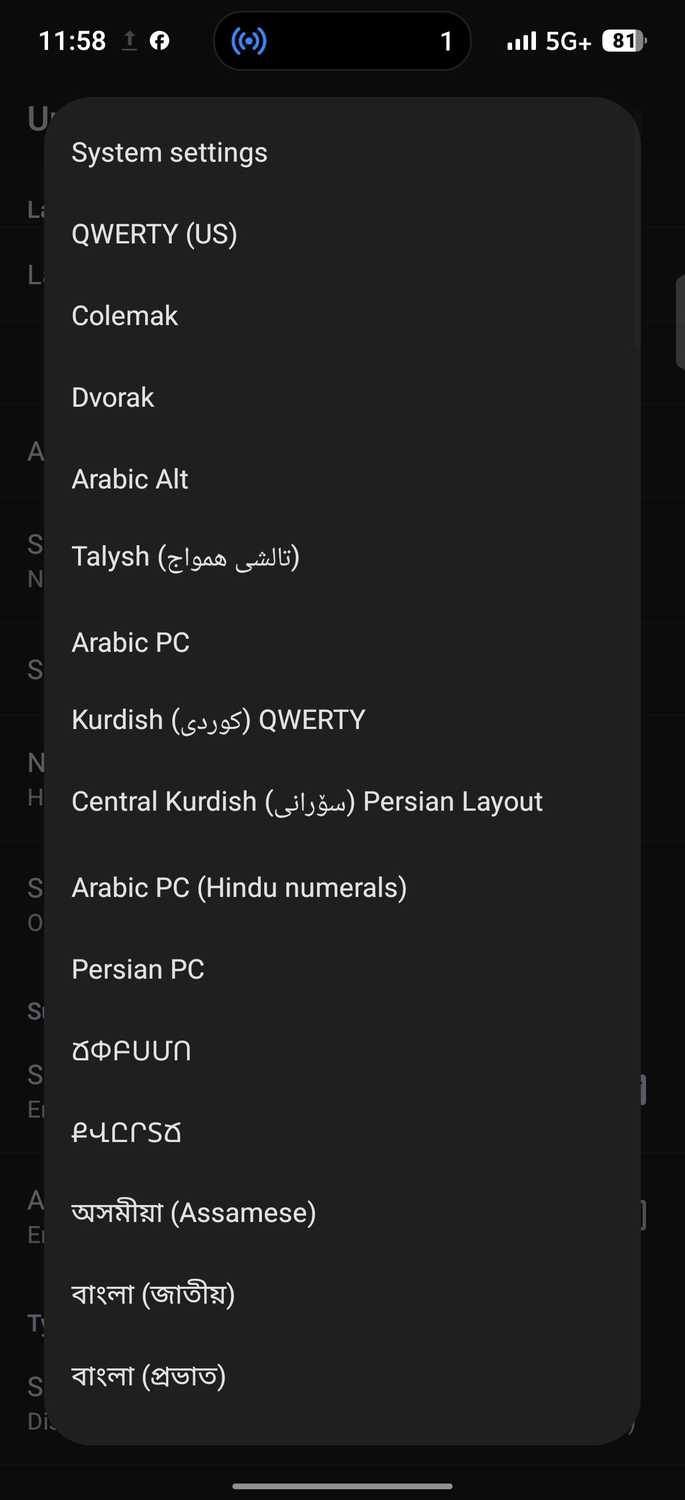
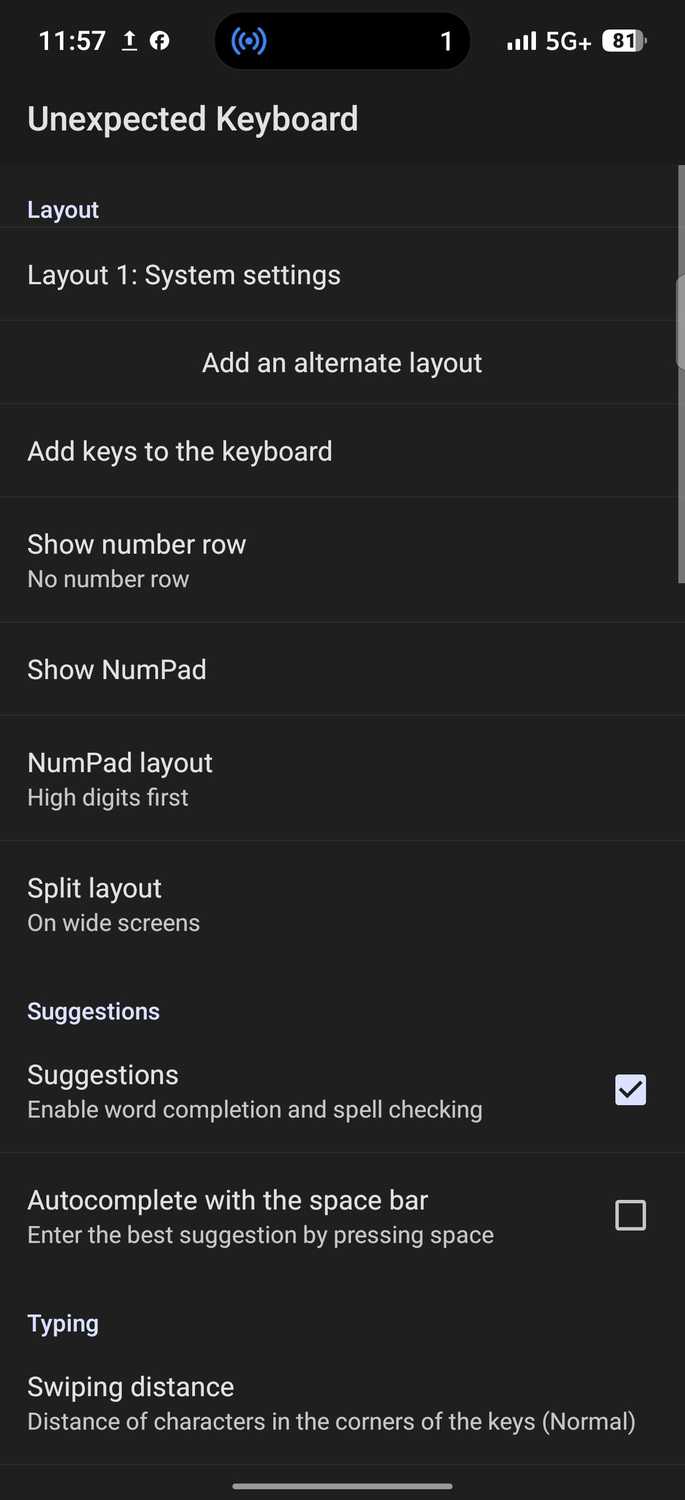
Unexpected Keyboard is an open source input method that offers vast customization options. It looks complicated at first glance.
But it's straightforward when you poke around long enough, especially if you have experience with code or technical settings.
The developer may have built it with that purpose mainly in mind, but anyone seeking Gboard alternatives is free to try it. Speaking of which, Unexpected Keyboard outshines Gboard in many ways.
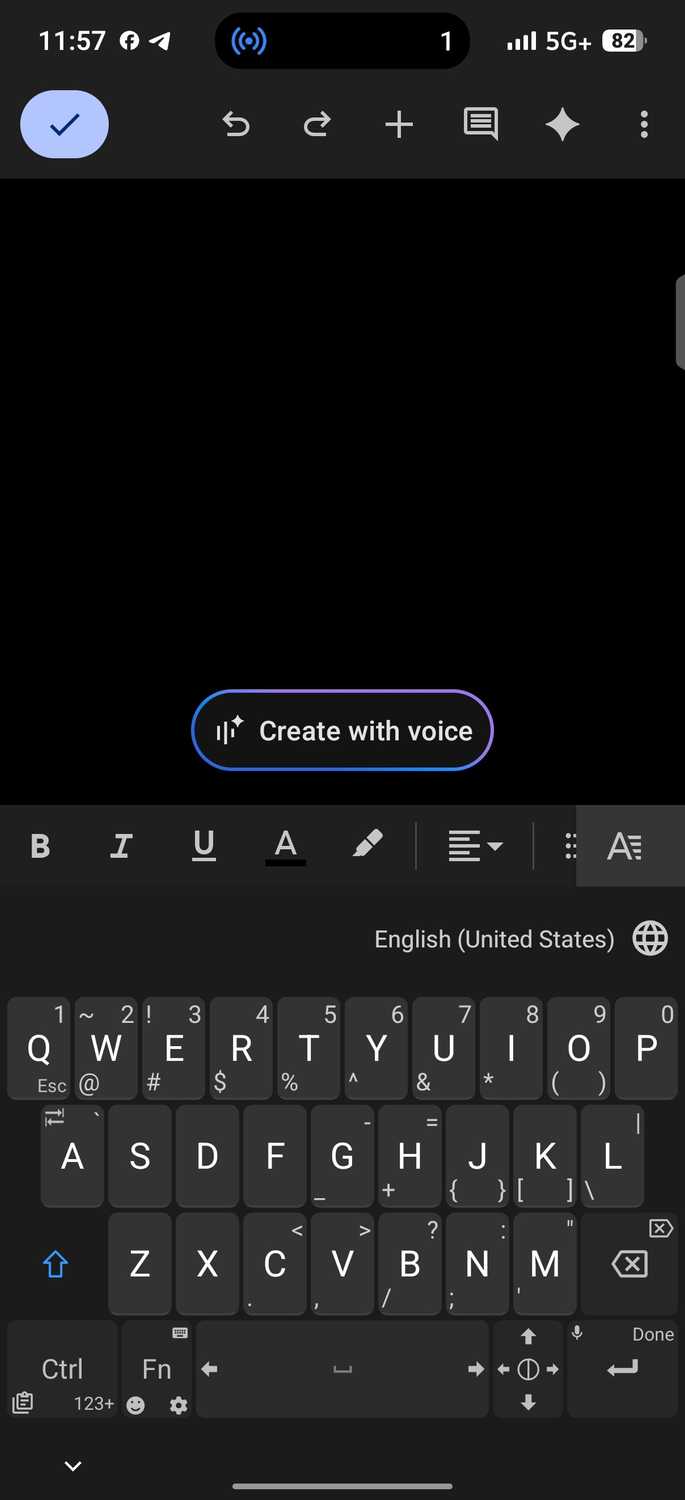
Take the character switch, for example. Its interface includes a key, like on laptops, that gives you access to secondary functions.
Google's keyboard makes you tap the ?123 key to switch views, then tap it again to return to letters. Unexpected Keyboard lets you long-press to lock the key and select characters. You'll unlock it to resume using letters.
Alternatively, hold down keys and drag your finger in a direction to access alternative functions.
If I want to switch back to Gboard, I clamp down on and drag to the upper-right corner where there's a tiny keyboard icon. A pop-up menu appears with my installed keyboards, and I tap the one I want.
There's even a trackpad built into the lower-right corner. It shows directional arrows going up, down, left, right. Tap and drag it to move the cursor around text.
My custom pad tailors my input to the perfect millimeter
I only use bespoke keystrokes
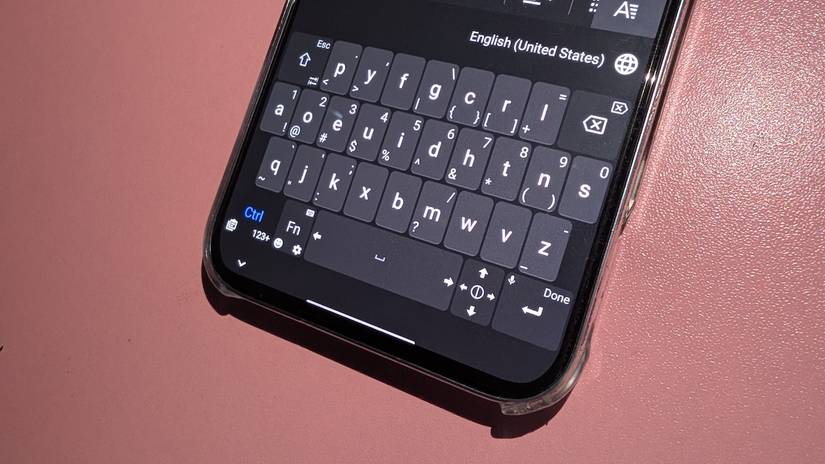
Unexpected Keyboard's settings are surprisingly granular. You can change the layout completely, which isn't possible on Gboard. Gboard only offers language switching, which isn't the same.
If you toggle from English to Arabic, you'll get the same physical key positions, except they'll now display Arabic letters and scripts.
Unexpected Keyboard switches layouts, such that Dvorak puts vowels in the left home row and moves Q from the usual upper-right corner to the lower-right corner.
It rearranges every other key, even though you're still typing English. I have no reason to tweak the layout because I use the standard British QWERTY for my region, and occasionally switch to QWERTY (US).
Speed was my priority, which was what I focused on tweaking. On a lazy day, I type around 40 to 45 WPM, and that's a good starting point on a keyboard I was still getting used to.
It says a lot about the learning curve that you're not starting from complete zero. The default responsiveness needed some tweaking, so I didn't hesitate to open the app's settings.
I was able to map and combine modifiers, such as enabling with a tap, then tapping to use and other shortcuts. I see this playing a big part in one-handed mode on my phone.
It has a 6.78-inch screen that stresses my thumb's natural reach. A regular swipe up from the bottom corner covers maybe 50% of the screen height. The top third becomes a straining stretch.
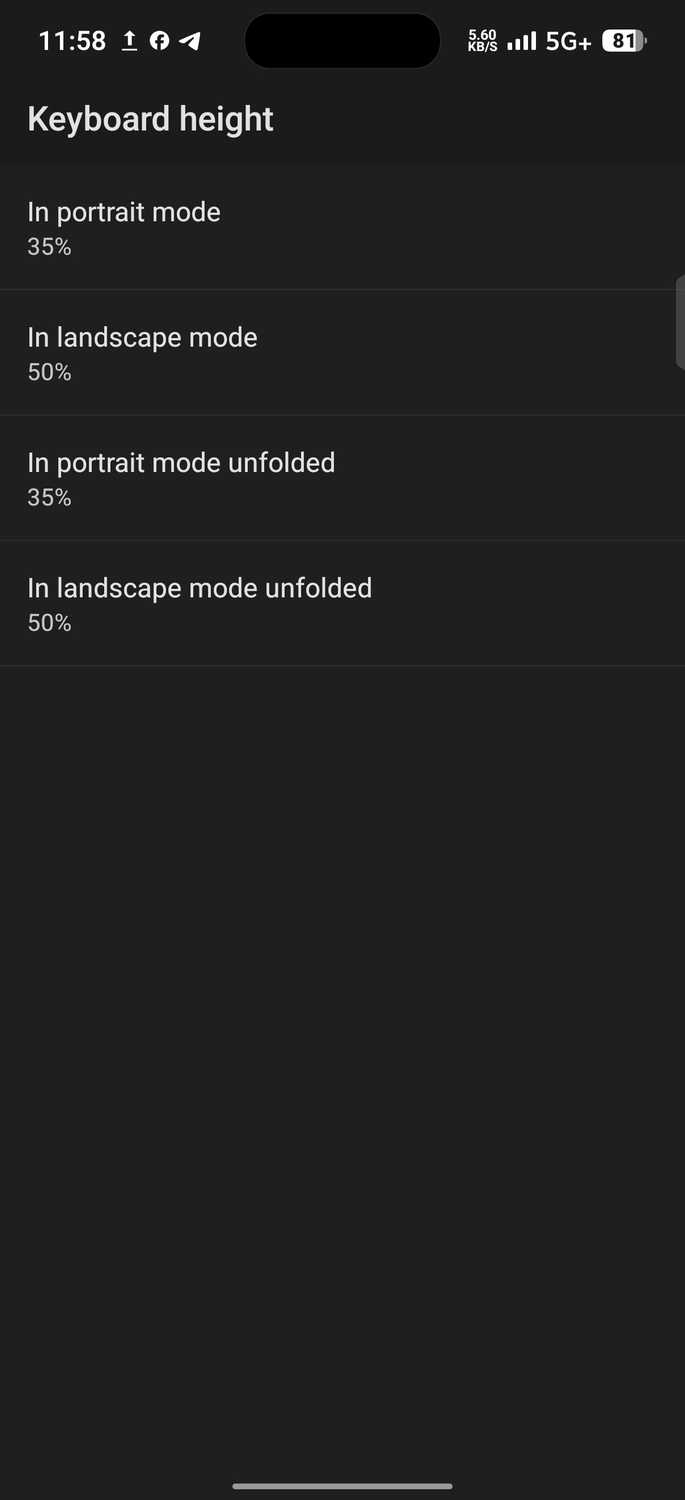
It made sense to adjust the keyboard height first. So, I set portrait mode to 40%, which is 5% higher than default.
I needed the extra vertical space to press keys smoothly, yet with enough screen above the keyboard to see what I was typing.
Landscape mode remained at 50% because it stretches the keyboard horizontally, so the height constraint disappears. You don't need to adjust it.
Bottom line, even a 5% increment affects typing. Too small and you're stabbing at the keyboard, while too large and you're swallowing your content space.
The character labels were legible, so there was no reason to bloat them. But I turned off the vibration entirely. Tactile feedback is nice, but it's always distracting for me.
I finally cut the two-hour cord tying me down
I now have a clipboard with staying power
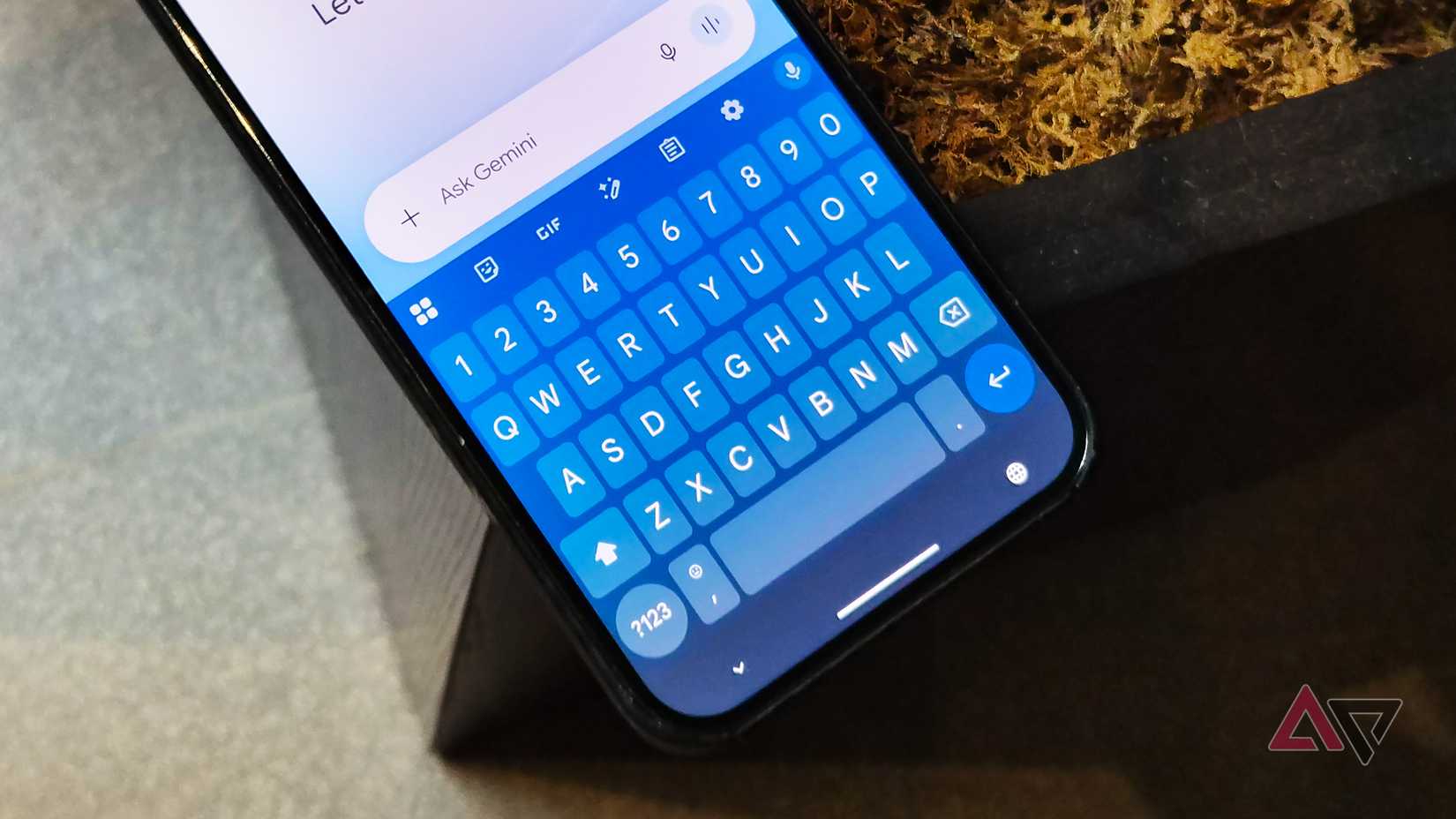
One beef I had with Gboard is the absence of a real clipboard history. It has a clipboard manager, and the relatively recent addition of adding images to the clipboard did boost it.
But it's not enough if you're constantly fighting against a two-hour expiration window. Pinning text is your best bet at holding down copied text.
Google doesn't specify an exact timeframe, but items clear "shortly after you stop using them." After that window, they're gone forever.
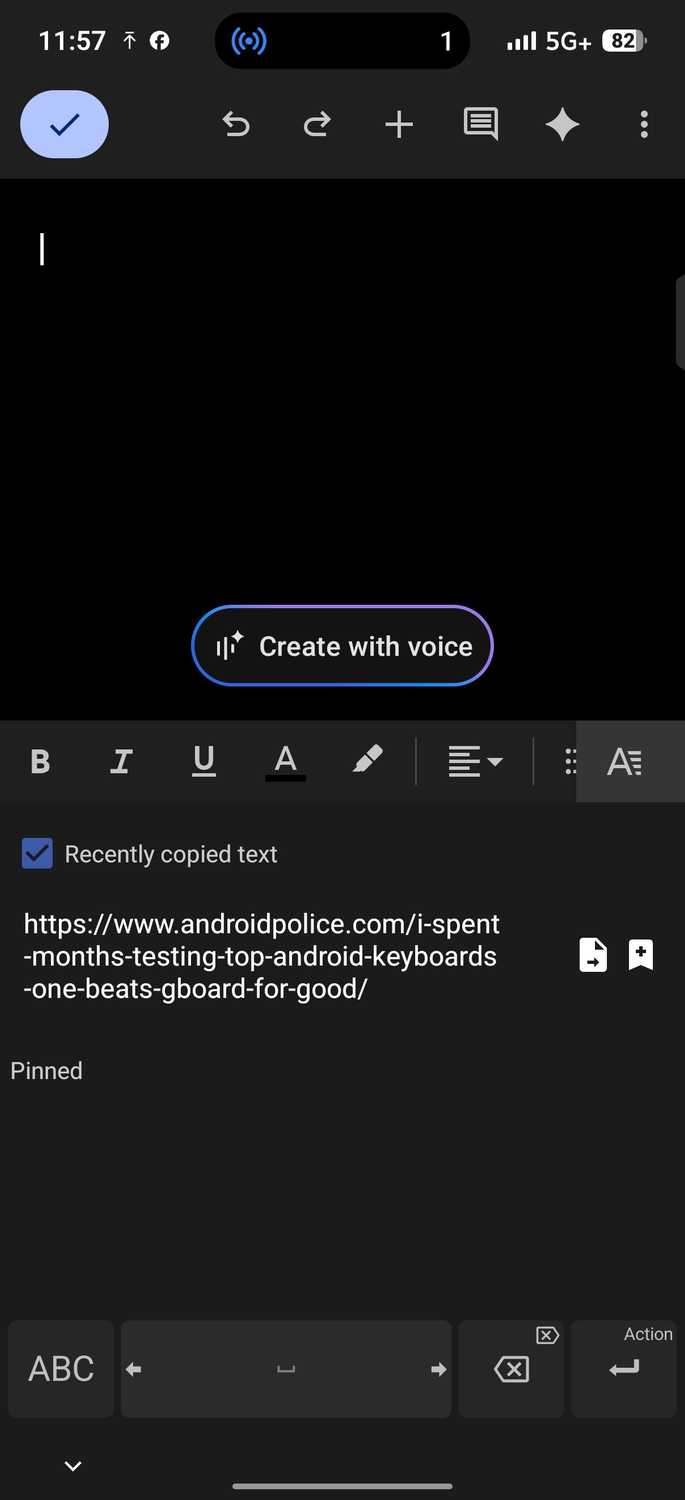
Unexpected Keyboard's clipboard lets you choose the duration: 1 minute, 5 minutes, 30 minutes, or indefinite. You'll hold down the key in the lower-left corner and drag to the lower-left corner to access the clipboard.
It also has a Recently copied text checkbox that enables a quick-access clipboard history panel. I enabled mine, but privacy-conscious users may want to leave it off for data like passwords or other sensitive data.
The keyboard is open source and hosted on GitHub. You can see a teardown of how it works and what it does with your data. Gboard's code is closed, and Google has a financial incentive to extract value from user data.
The likelihood of this keyboard's maker collecting or selling your clipboard data is low, compared with Gboard.
Exploration is the key to discovery
It's not until you leave Google's ecosystem and that you realize how much you're missing. Although Gboard is largely competent, competence strangely resembles dominance these days.
On Google Pixels, and most OEMs, you're practically trained on it because it's heavily integrated with Android.
Unfortunately, switching keyboards requires effort if you're too used to it, and testing alternatives requires time most people don't want to waste. But escaping is easier than it feels.
I'm still testing other input methods, and it's been a blast so far.