Several months ago, I looked up the to compare prices before deciding whether to upgrade.
I didn't buy anything right away. But over the next couple of days, I kept seeing ads for it from local online marketplaces, along with ads for cases and chargers.
It wasn't the first or last time, and I'm sure you've experienced it a lot too.
I always assumed that was my Google account's personalized ads setting. Then I came across a Reddit tip saying that Android phones come with a code that lets ad services identify your device and send targeted ads.
The best part is you can delete it. Let me explain.
The advertising ID is a random code
Apps use it without asking you, and that's not the worst of it
The advertising ID is a random string of letters and numbers that Google Play Services assigns to your device. Apps and ad networks can access this code to deliver personalized ads to your phone.
But it's not only apps. Websites you visit save cookies in your browser, which are small packets of data. Google says it sometimes links these cookies to your advertising ID. That's important in two ways.
First, if you click an ad in an app and it opens your browser, Google can detect that the click came from your device. Second, it means the ads you see on websites can reflect your in-app activity.
Now, you'd expect something like that to require permissions. It does.
However, it's a silent permission automatically granted when you install an app, so you won't see a notification like when an app wants to access your camera or microphone. But it gets worse.
When an app loads an ad, it can share your ID, location, and phone details with many ad companies simultaneously, according to the EFF. Those companies then bid to decide whose ad appears on your phone (the highest bidder usually wins).
Some data brokers also take part in these auctions to collect that information. They then use the ID to piece together your activity across different apps.
One example, according to the FTC, is Mobilewalla. The company collected more than 500 million advertising IDs, along with precise locations and other data, using this method.
It then sold that data without confirming that users had actually consented to it — the FTC finalized an order against the company in January 2025.
You can delete the advertising ID
Or reset it

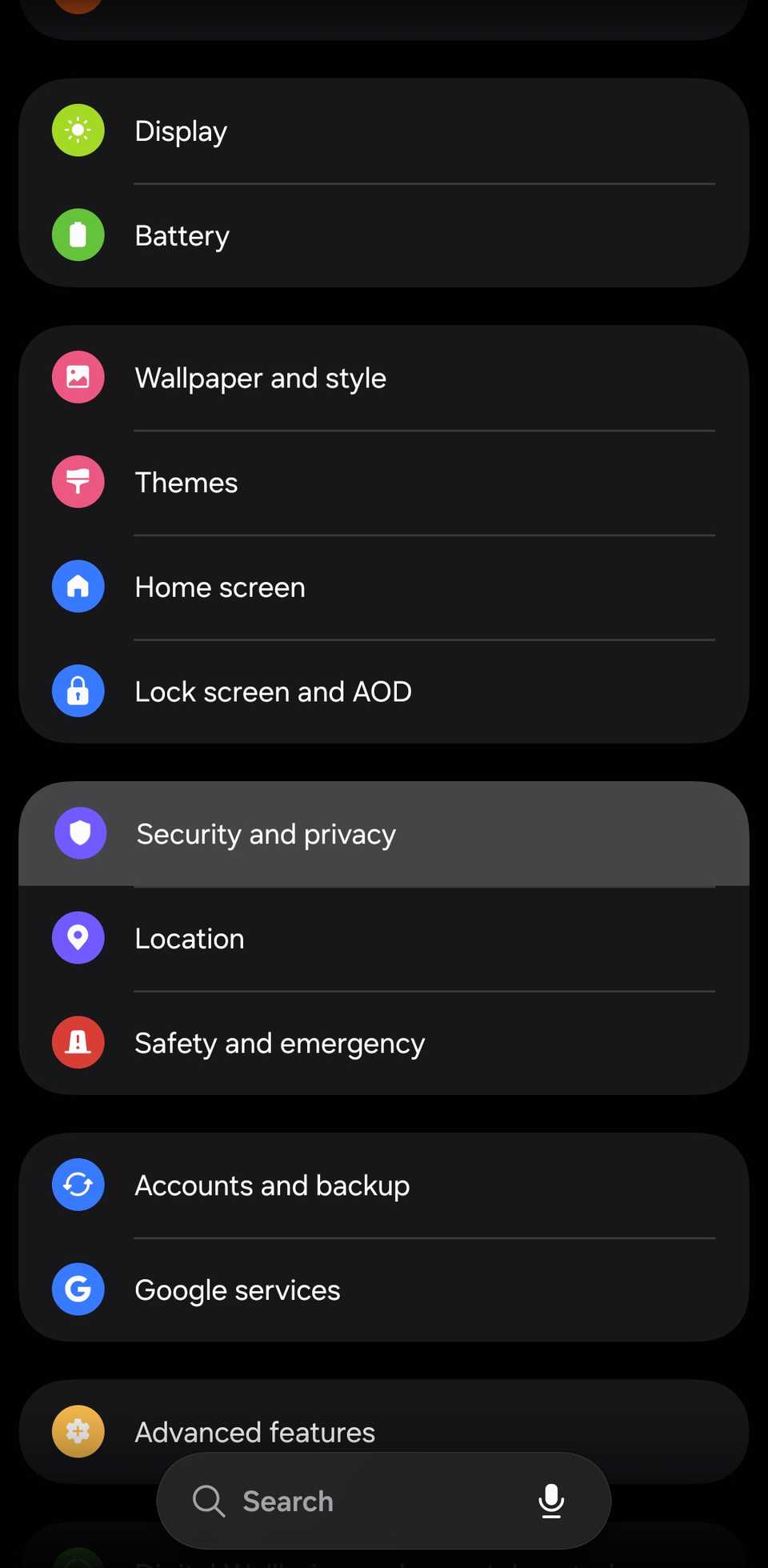
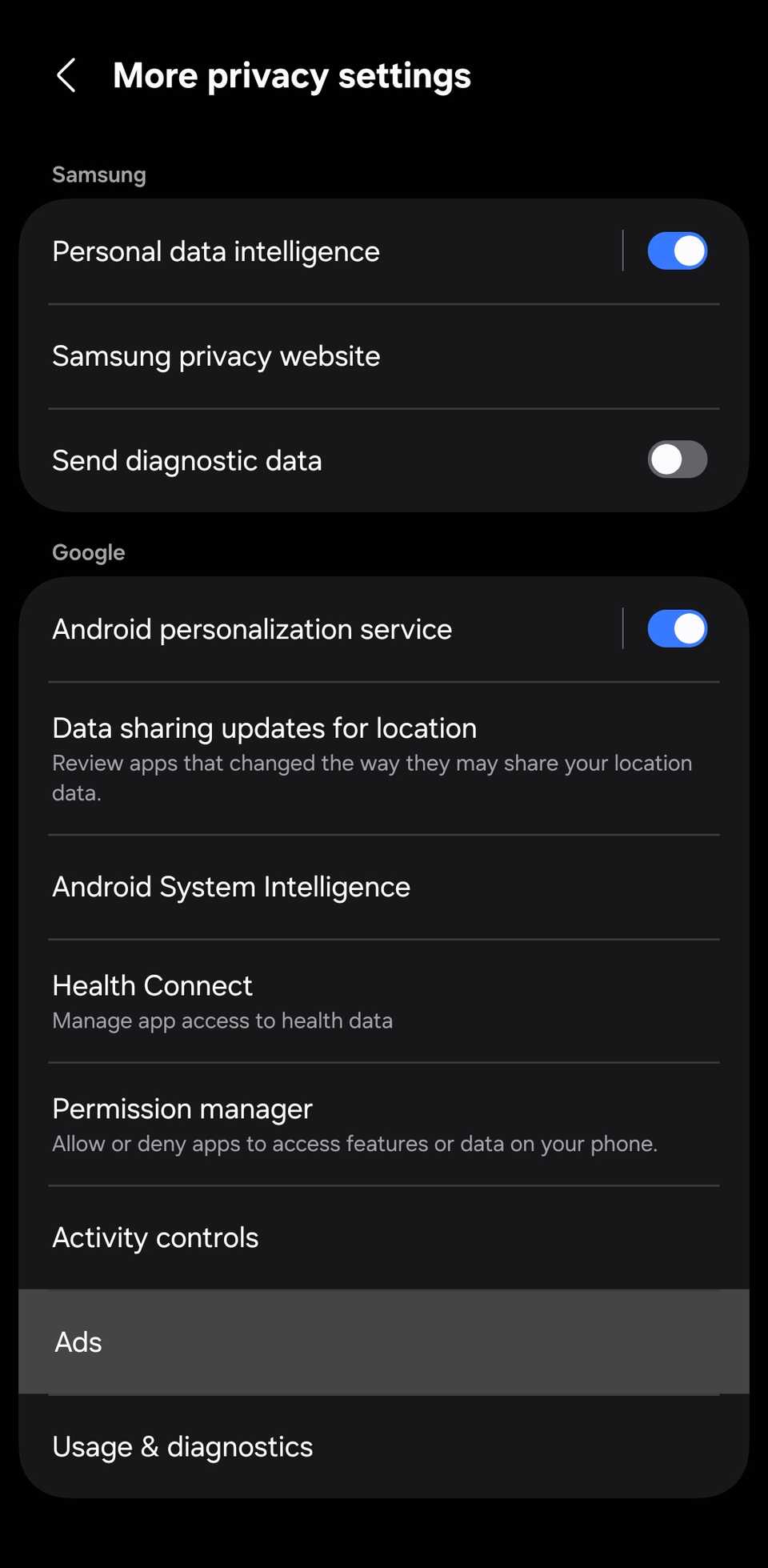
You can delete the advertising ID from your privacy settings. Here's how I did it on my Samsung Galaxy S24 Ultra:
- Open and go to Security and privacy.
-
Scroll to the bottom of the page and select More privacy settings.
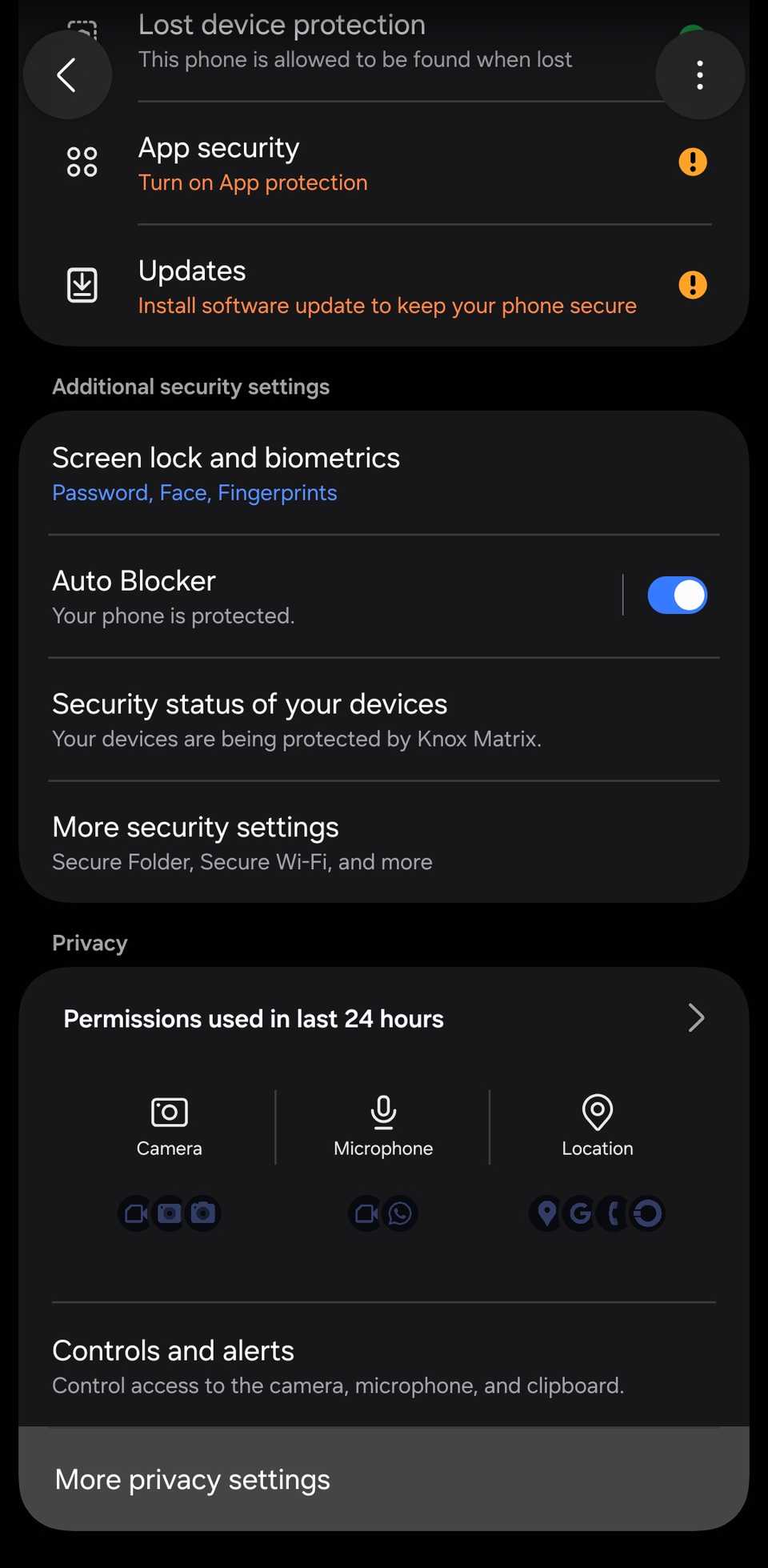
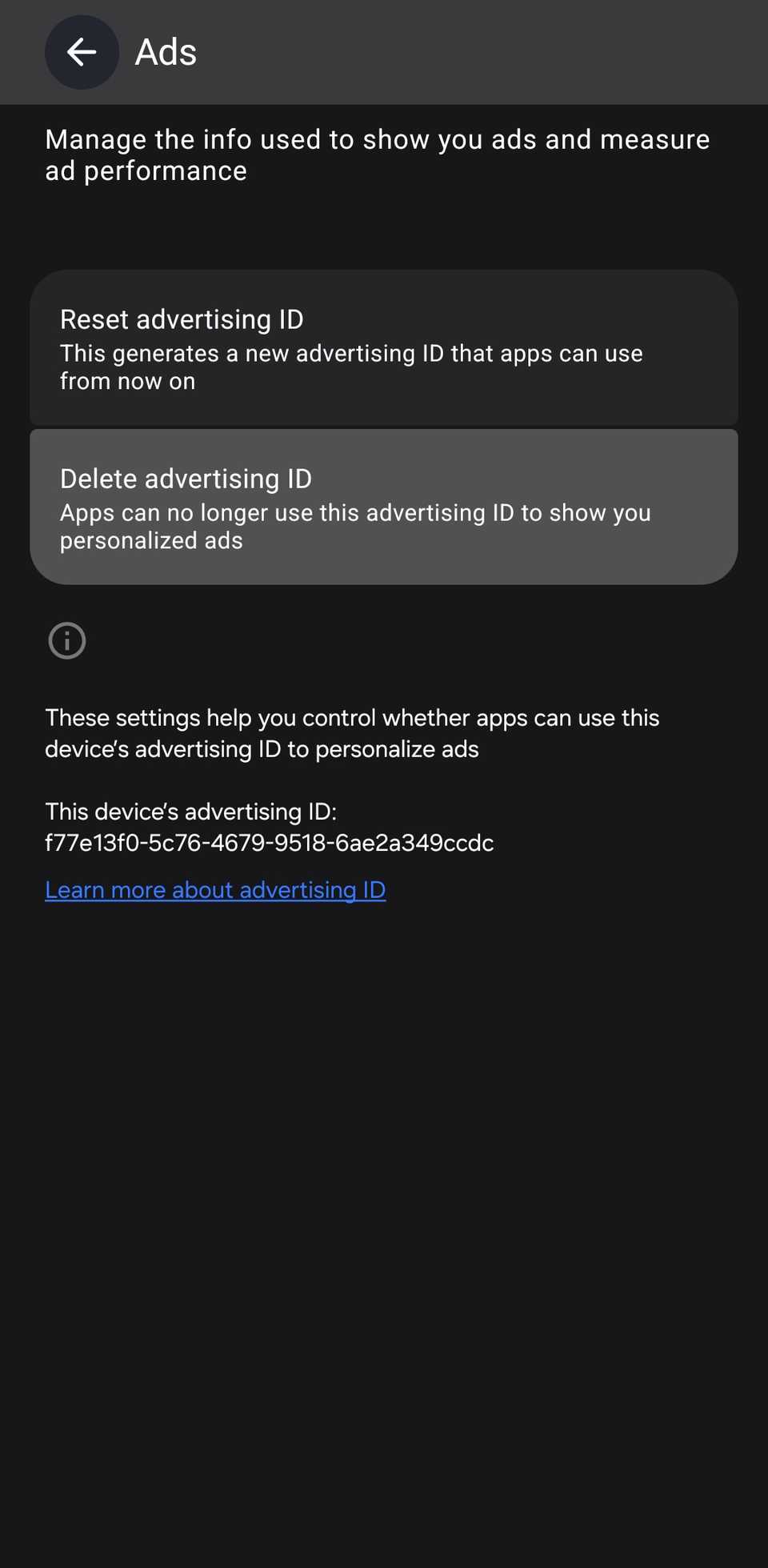
- Delete advertising ID. It'll open up a confirmation page.
-
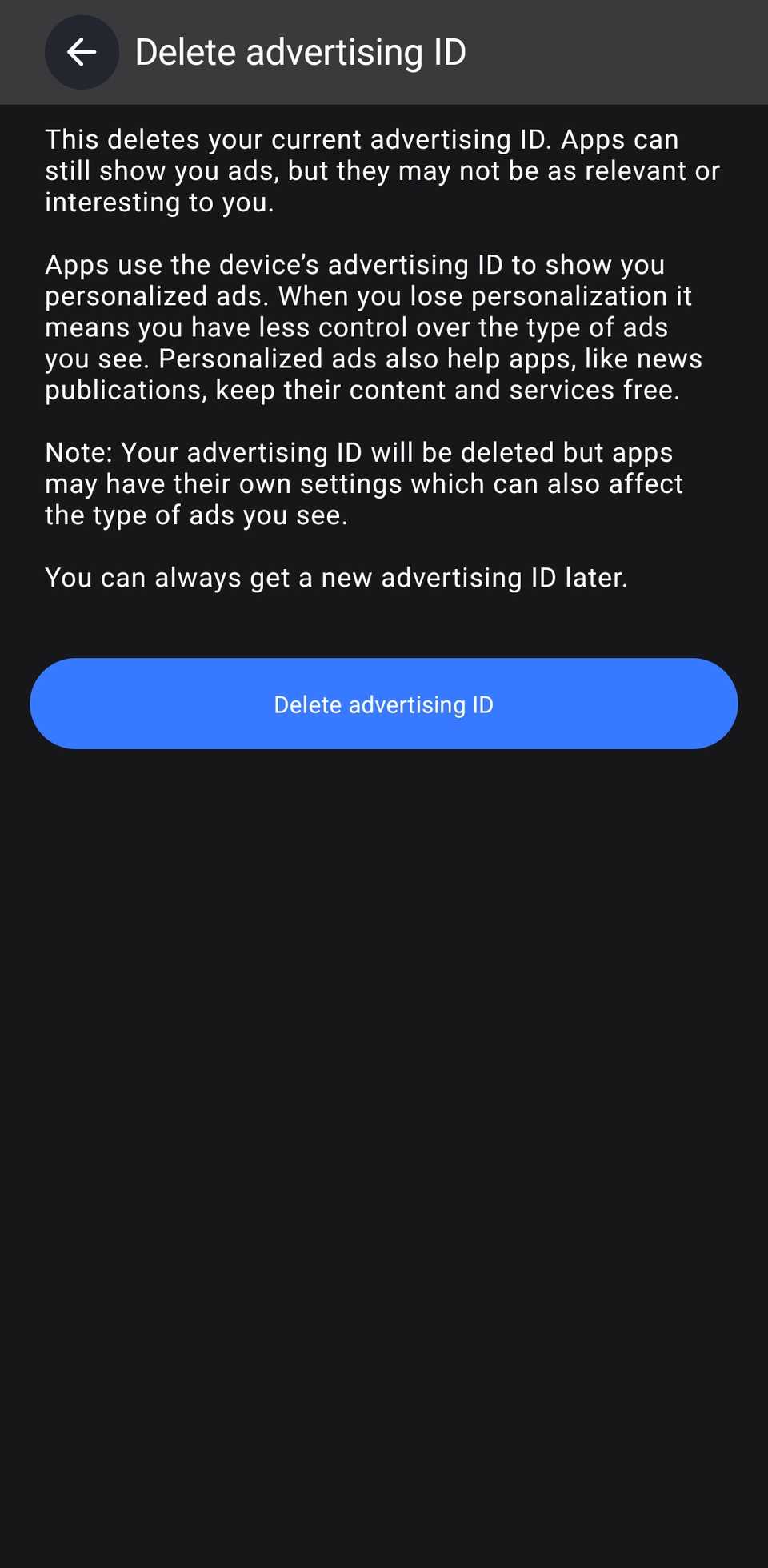
Tap the blue Delete advertising ID button.
You can also find the button via > Google services, switching to the All services tab at the top of the page, scrolling down to Privacy and security, and selecting .
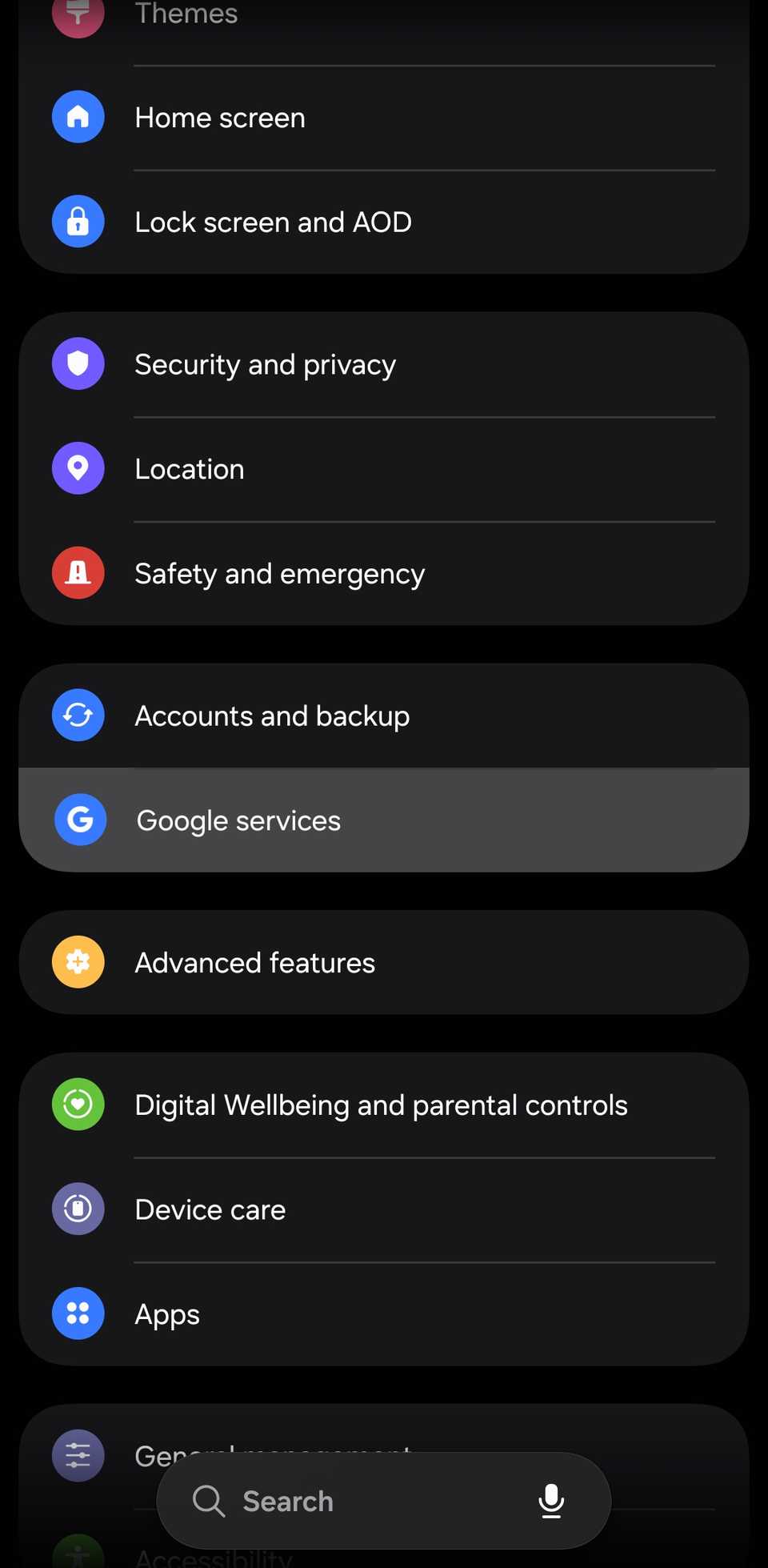
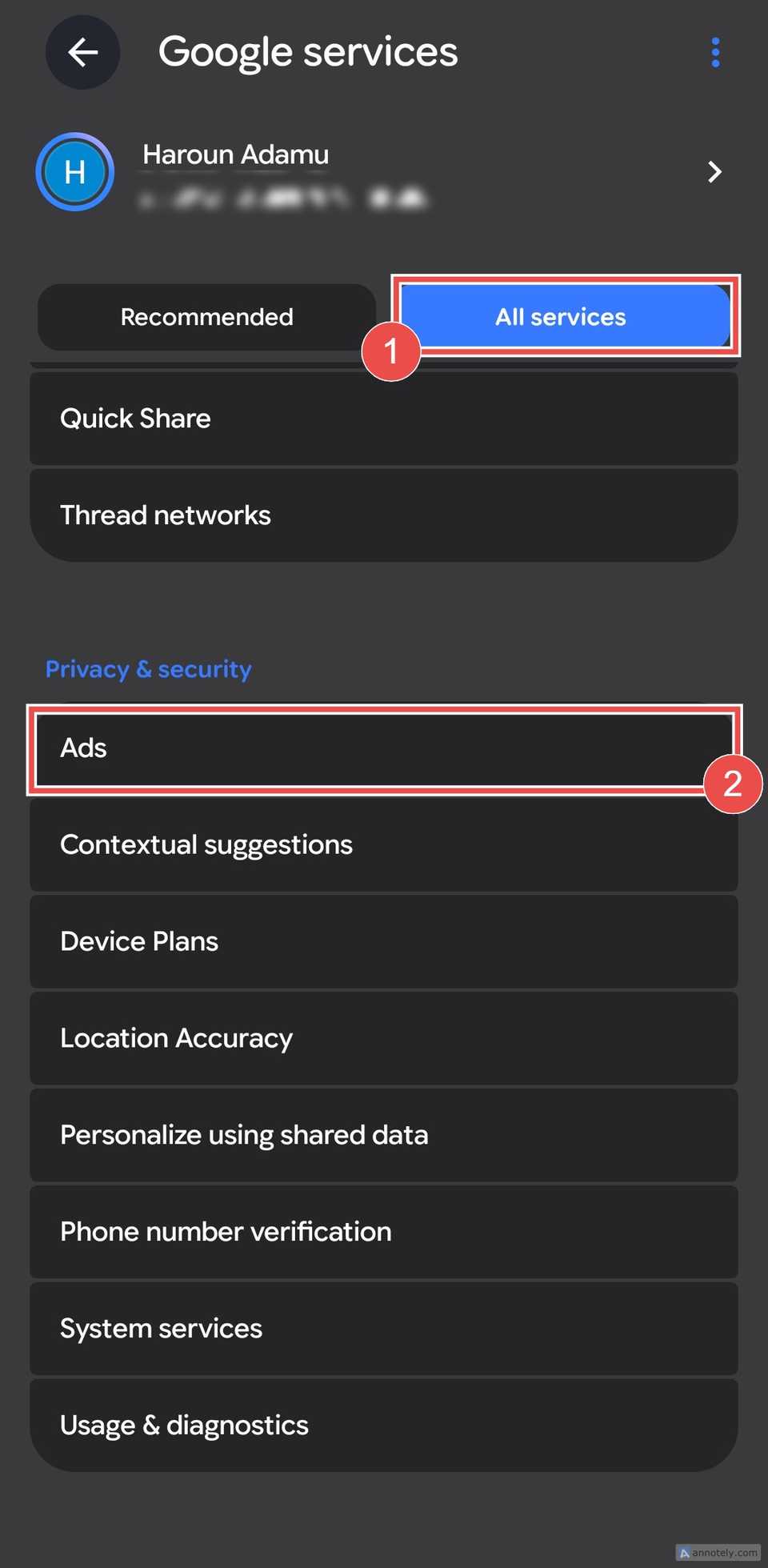
Alternatively, search for "Ads" in the Settings app.
You'll also see a Reset advertising ID option on the same page. Resetting swaps your current ID for a new random one, so apps can keep personalizing ads; they just have to start collecting your data from scratch.
Deleting removes the ID without giving you a new one, so apps lose access to it completely.
It probably won't stop the ads

According to Google's developer policy, after you delete the ID, apps get a string of zeros when they ask for it.
They'll still show you ads. But those ads can't be personalized with the ID, so they may feel less relevant.
Deleting the ID also changes the Ads page. It replaces the reset and delete options with a Get new advertising ID button, in case you change your mind.
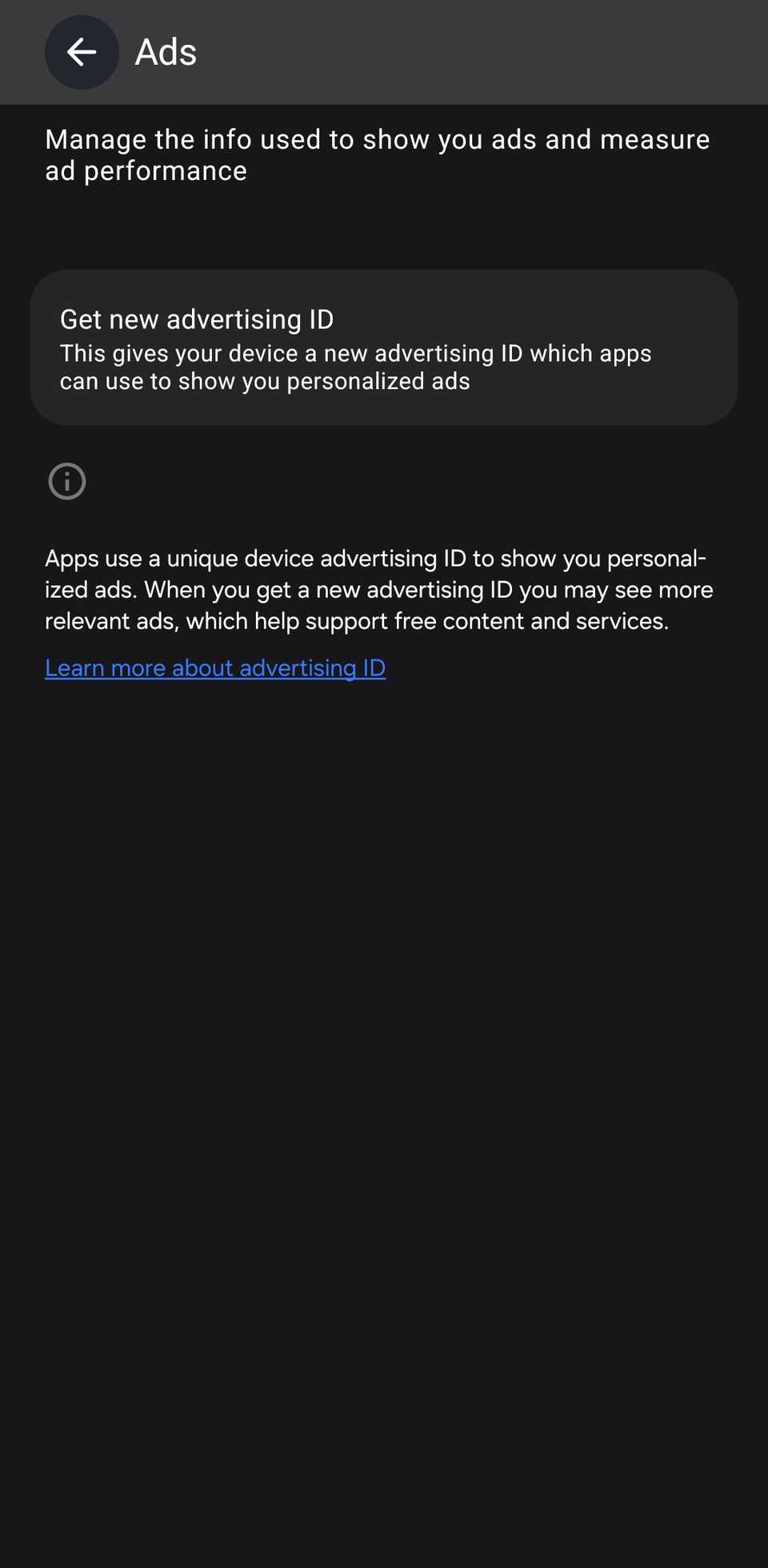
Still, deleting the ID doesn't block every form of tracking. On the Delete advertising ID page, Google explains that apps may have their own settings that can also affect the ads you see.
Apps can also use the information you share with them, like your sign-in details, so think of this as one layer of privacy among several.
Deleting your advertising ID is a quick privacy win
The wide range of personalized ads you see exists largely because your data moves between companies you never deal with directly. You've probably never even heard of many of these companies.
Deleting your phone's advertising ID is one of the easiest ways to reduce that. And you can always get a new one if you decide you want personalized ads back.
Your Google account has its own ad personalization settings too, so it's worth checking your Google Account privacy settings next.